
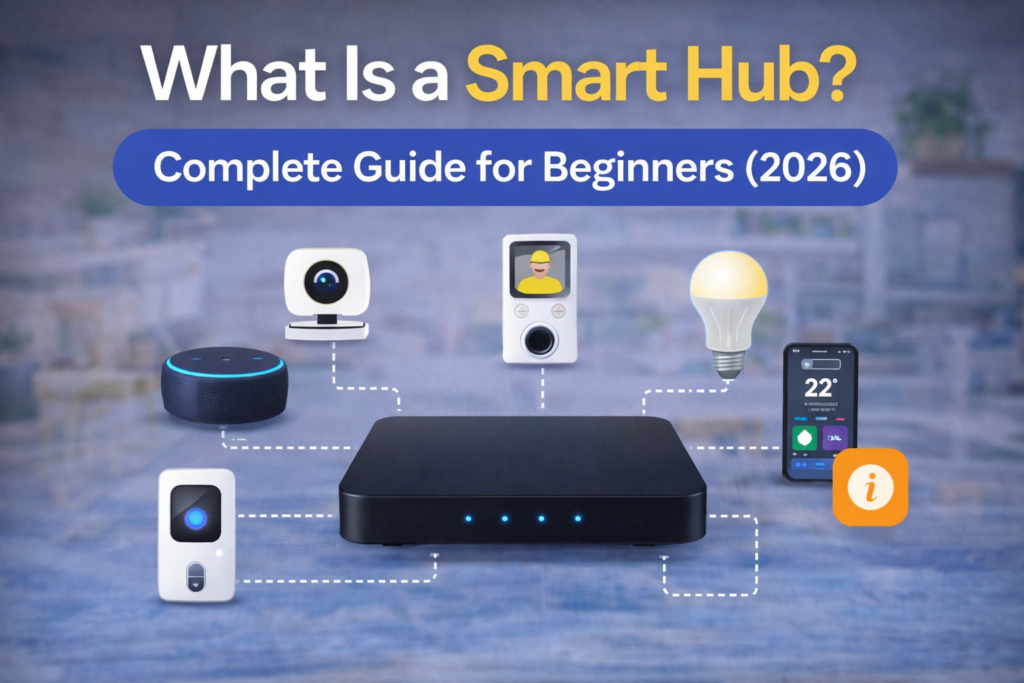
Technologies such as the smart hub are changing the way houses are managed nowadays. Currently, smart homes have never been booming as they do now in 2026 when many families acquire dozens of connected devices each month. Starting with smart thermostats and security cameras to light automation systems and voice-controlled speakers, an average house possesses over fifteen devices today. However, the quick rise of the phenomenon poses some challenges for homeowners.
The most pressing issue is? The inability to control various devices produced by different brands will soon bring you frustration. You’ll have to switch through various applications while trying to turn lights off, check the camera view, or change the settings of your thermostat. In other words, managing a number of individual products becomes much more difficult because of their independence.
Here comes the importance of a smart hub. It acts as the command center for all smart gadgets that allows a homeowner to use just one application to manage them. The complexity of managing different applications and their compatibility with each other will no longer be an issue.
Large technology corporations such as Samsung, Amazon, and Google have already made smart hubs as the basic requirements of any smart house. By introducing such technology, they’ve not only eliminated complexity but also added automation capabilities to the system.
The knowledge about what the smart hub does can assist a person in making the correct decisions. Whether it’s an initial installation or organizing an existing gadget network, one needs to know what a smart hub is capable of.
Table of Contents
What Is a Smart Hub?
A smart hub acts as a command center where you plug in all your smart devices. They connect through this device and run as one system that the hub has control over. Think of it this way: smart hubs control all of your devices together. Home automation without a smart hub makes you control each individual gadget separately.
Your smart hub will command all of your devices to work together like one. You can connect all of your smart devices to this: lights, security cameras, door locks, thermostats, etc.
Your smart hub resides in your house and often connects to your router. It typically speaks different wireless standards to communicate with your devices. With it acting as a mediator, you can synchronize devices that wouldn’t usually work with each other. You can make your smart doorbell camera turn on your house lights when someone approaches your door.
The real benefit of a smart hub, though, is building automation rules. With automation rules, you can make your smart home bend to your schedule with easy “if this, then that” commands. Your smart home knows you’re leaving for work and secures the home by locking doors, turning down the thermostat and powering off lights you won’t need until you return.
Even modern smart homes come equipped with integration to widely used voice assistants, enabling you to control all aspects of your smart home using only voice commands through Amazon Alexa, Apple Siri or Google Assistant.
learn more about smart home technology
How Does a Smart Hub Work?
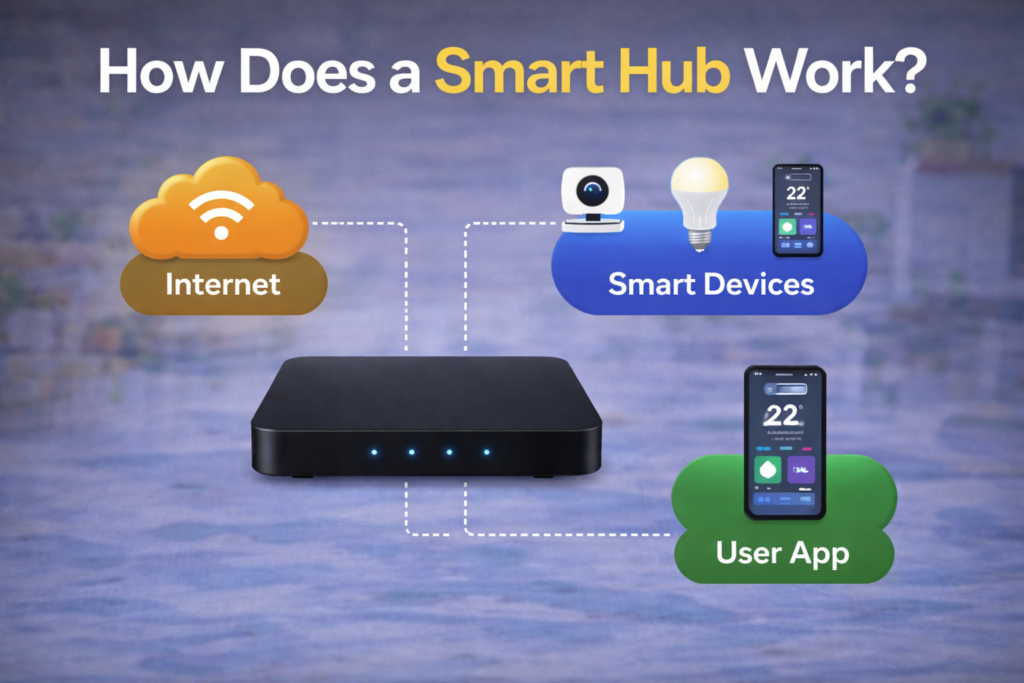
How does a smart hub function? A smart hub allows you to build a network and control your smart devices using one central point despite their connection protocols. Let us see how this is possible and learn more about the smart hub connectivity methods.
Methods of Connecting Devices
Your smart hub connects with various devices using wireless protocols. Here they are:
Wi-Fi is the most frequently used method to connect your smart devices. Smart lights, cameras, smart speakers are some of the smart devices that connect to your home Wi-Fi network. In this case, your smart hub will be able to communicate and control such devices.
Zigbee is a wireless protocol that is made specially for smart home devices. Zigbee devices work on the principle of the mesh network where devices are used to transmit the signal from one device to another. Zigbee products have an advantage over Wi-Fi products because of the lower power consumption and higher reliability.
Z-Wave is a protocol that is similar to Zigbee but works on a different frequency band. Z-Wave devices are usually used for smart locks, sensors, and smart switches.
Control and Automation
After setting up the connection, all devices are controlled using one app, which comes with the package from your smart hub vendor. This app displays the interface where you can view the status of each device and manage their settings and configure automation scenarios.
With voice controls built into the smart hub technology, you get to give voice commands easily, like “turn off all lights,” or “put the house into away mode,” and your smart hub would be capable of processing multiple actions on multiple devices simultaneously.
Automations in this sense take place based on certain conditions set by an if-this-happens-then-do-that type of logic. For instance, you could program your smart hub so that “when motion detection occurs in the hall after 10 PM, turn on the hall light dimly for five minutes.”
Types of Smart Hubs
Knowledge about the different types of smart hubs allows you to select the best choice depending on your priorities regarding internet reliability, privacy, and functionality.
Cloud-Based Hubs
Internet connection becomes the key feature for smart hub operation. The device controls its connected devices by sending commands and automation rules to the company’s servers on the cloud before acting on your home.
The strength of cloud-based technology lies in its advanced computing capability. Thanks to this, cloud-based hubs are able to perform complicated tasks and work easily with other cloud-based services. You will be able to control your home wherever you may be, provided that there is internet connection.
The downside of cloud-based technology, on the other hand, comes into play if your internet is slow or unavailable. Even when you’re physically present at home, you won’t be able to control your devices or activate any automation if you lack internet access.
Local Hubs
Most operations and automations are performed by the hubs right at the device in your house, without having to use internet access all the time. Smart home technology would still be able to work with the automations regardless of internet disruptions.
The main advantage here is reliability and speed. The commands sent by the user do not have to go through any communication with remote servers before they are processed. Another reason that many users prefer local hubs is privacy since there will not be any transfer of data outside the home.
However, there might be less automation available from local hubs because they tend not to be as connected to third-party applications as cloud-based devices.
Hybrid Hubs
The hybrid hub makes use of the strengths of both technologies. The devices can perform local actions such as managing simple automations while leveraging the power of cloud connectivity for more complex tasks and updates.
When everything is fine, you get to enjoy the services provided by the cloud-connected device. In case of an internet outage, however, important processes such as switching on and off lights, scheduling simple tasks, and reacting to sensor data are performed normally.
The most prominent manufacturers use the hybrid model in their smart hubs. Users appreciate having reliable yet powerful devices.
Benefits of Using a Smart Hub
A smart hub converts all the independent smart devices into an integrated system that brings many benefits to you personally and professionally.
Centralized Control
Control of all your smart devices in one app is much simpler than controlling each device through its own app from a specific manufacturer. It saves time and effort as you no longer have to use several different applications for each gadget.
Advanced Automation
A smart hub allows complex automations that could not be done with just one single device. It is possible to have routines in the morning that will slowly light up the house, start brewing coffee, and turn up the temperature according to the weather conditions. In the evening, routines include locking doors, activating alarms, and setting up relaxing lights.
Energy Efficiency
Efficient coordination of devices brings about massive energy savings. This is because your smart hub is able to regulate heat or coolness depending on occupancy detection systems in all rooms. The lights switch off in those rooms which are not being used, while devices that consume much power use them when there is low usage of electricity.
Enhanced Security
Smart hubs enhance security at home by linking together into one system, sensors, cameras, and access control systems to form a full security solution. If a door sensor senses any suspicious movements, your smart hub will automatically trigger the camera and lighting system and alert you about the incident.
Voice Assistant Integration
The contemporary smart hubs connect well with Alexa, Google Assistant, and other voice interfaces. The connection ensures that it becomes possible to use natural language to manage complicated setups. For instance, it is now possible for you to issue a “good night” command that ensures that your door locks itself, your alarm is set up, your thermostat switches to your preferred settings, and the lights are turned off in the house.
Improved Device Compatibility
The function of the smart hub is that it makes the devices compatible with each other even when they belong to other manufacturers. So you will be able to operate your Philips lightbulbs and Nest thermostats using your Samsung smart TV. You do not have to think much about compatibility while buying individual devices.
Top Smart Home Hubs in 2026
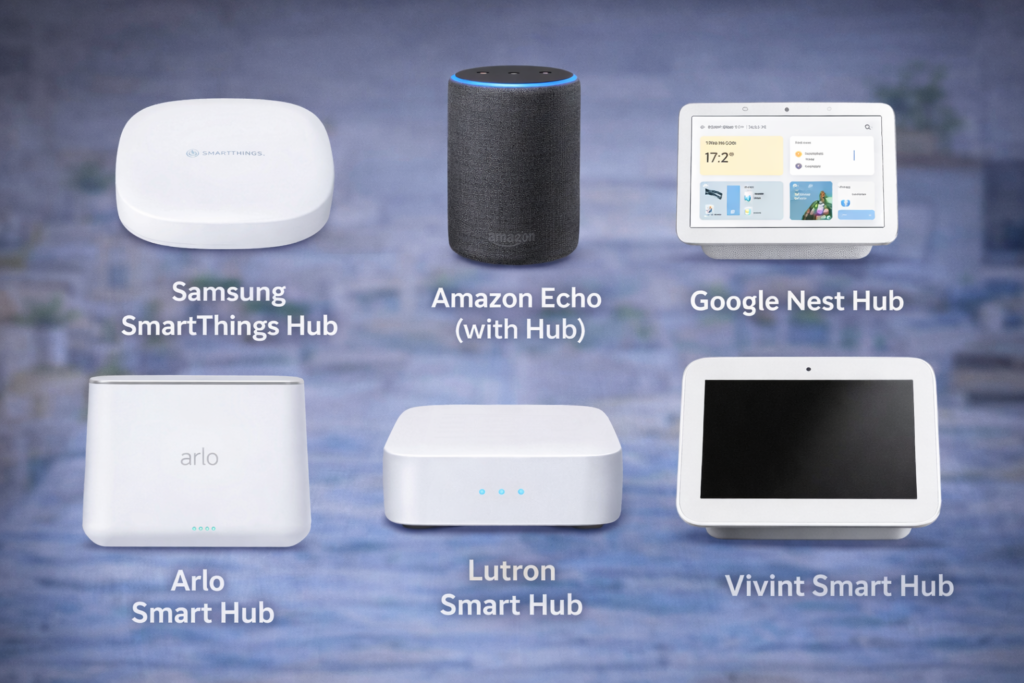
1. Samsung SmartThings Hub
The Samsung SmartThings Hub continues to be among the most versatile hubs regarding ease of use and device compatibility.
Key Features:
The SmartThings Hub can be connected to Zigbee, Z-Wave, and Wi-Fi, allowing it to work with hundreds of different brands of devices. It also ensures that critical actions will be executed by the hub itself, while all other actions will be performed via the internet connection.
Device Compatibility:
SmartThings is compatible with more than 300 products like Philips Hue, Ring, Nest, Arlo, and others. SmartThings’ ability to connect different devices is its biggest advantage because it gives users a freedom of choice in selecting particular devices.
✅Pros:
- Supports a wide range of third-party devices
- Capable of local processing
- Flexible automation options
- Good support from community and custom integration
- Suited for both novice and expert users
❌Cons:
- Needs more configuration compared to plug-and-play products
- Samsung’s interface might be confusing for novices
- Technical skills required for some advanced functionalities
Expect the SmartThings Hub to excel with users who care more about device support and have the time to fiddle with their smart homes.
explore Samsung SmartThings platform
2. Amazon Echo (with Hub)
The Echo series of products from Amazon which have integrated smart hubs work best with Alexa voice commands and provide effective smart home management.
Alexa Integration:
Use of voice commands comes off as very natural and effective when you use the Echo hubs, as Alexa commands run on the same machine that manages the smart homes. You can set up routines using voice commands, and use conversations to control devices.
Smart Home Control:
The Alexa app will act as your control center for your smart home, arranging all your devices according to location and purpose. The strategy Amazon has employed makes things very simple, and you do not need any special knowledge for automation.
Compatibility and Features:
Echo Hubs are compatible with many popular brands, including Ring, Philips Hue, TP-Link, and thousands of Alexa-enabled devices. Amazon’s support for Matter makes things even better.
Best Use Cases:
Hubs like the Echo work best for consumers who value voice commands and desire easy management of their smart homes. Their seamless compatibility with the Amazon network definitely sets them apart for Amazon consumers.
learn how Alexa controls smart home devices
3. Google Nest Hub
Google Nest Hub combines smart home control with visual displays, making it convenient for use by families and visual learners.
Google Assistant Integration:
Google Assistant has excellent natural language processing capabilities and can easily integrate with other Google services such as Calendar, Maps, and Photos. The voice control is intuitive and adapts itself to your needs with time.
Display-Based Control:
Use of visual controls enables you to see the status of each connected device instantly and to control different devices without resorting to voice commands.
Smart Home Features:
Nest Hub controls compatible devices via the Google Home application, excelling at controlling the Nest range from Google itself. Supported devices include those that are Matter- and Works with Google Assistant certified.
Target Users:
The Google Nest Hub is most effective for users who favor visual controls and are part of the Google ecosystem of applications.
4. Arlo Smart Hub
The security-minded hub developed by Arlo is specialized for security uses only, making it well suited for individuals who consider safety as the key consideration in their smart home design.
Security-Specialized Hub:
The Arlo smart hub is designed specifically for handling security devices such as surveillance cameras, video doorbells, and sensors. The hub provides local video storage facilities and AI-person detection along with package monitoring.
Key Features:
Local video storage facility
Motion detection features
Professional monitoring service integration capability
Supports weatherproof outdoor devices
Best Used For:
Smart home setups where safety is a key consideration.
5. Lutron Smart Hub
Lutron specializes in lighting automation and provides some of the most reliable smart lighting systems.
Lighting Automation Specialization:
The hub from Lutron is especially good at controlling lighting systems such as dimming, adjusting color temperature, and interacting with natural light sensors. The hub provides a professional level of reliability that is much sought after.
Key Features:
High-quality dimming control with no flickering
Interacts well with automated window coverings
Professional installation services are available
Reliability and high-quality construction
Target Customer:
Users requiring high-quality lighting automation and not afraid to spend money on professional hardware and installation.
6. Vivint Smart Hub
Vivint provides a top-of-the-line smart home security system that comes with professional installation and monitoring services.
Professional Security System:
For this type of security system, Vivint takes advantage of smart home automation along with security monitoring services. The smart home security system includes services such as professional installation, monitoring 24/7, and access to emergency services.
Features Included:
Monitoring services
Home security and automation integration
Security apps
Professional services
Factors to Consider:
This system requires monthly monitoring charges and comes in the form of long-term contracts, hence suitable for those individuals that need full professional security systems in their homes.
Smart Hub vs Smart Speaker
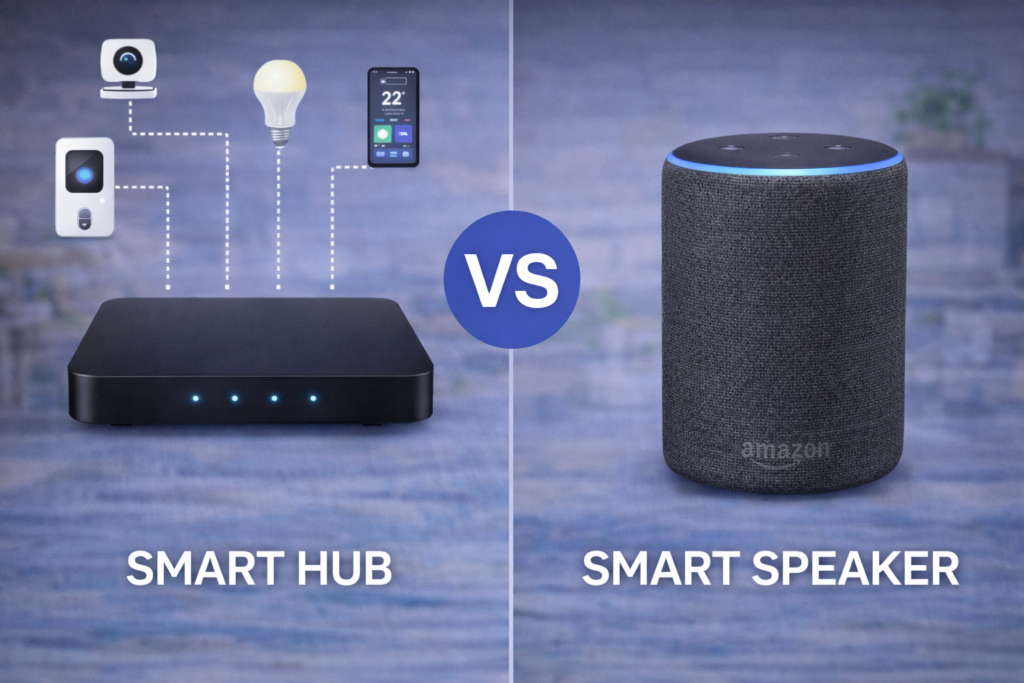
Understanding the differences between smart hubs and smart speakers helps you choose the right foundation for your smart home system.
Smart Speakers (Alexa/Google Home) Capabilities:
The smart speakers have excellent voice commands capabilities as well as device control capabilities. The speakers can easily operate smart lights, regulate temperature using thermostats, and perform operations on other compatible devices via voice commands.
Smart Hub Advantages:
However, smart hubs have much better compatibility and automation features. They can communicate using different communication protocols (such as Zigbee, Z-Wave, and Wi-Fi), which helps them control more types of devices. Moreover, smart hubs are capable of setting up automation rules with many variables and controlling several devices at once.
Automation and Compatibility Differences:
Whereas smart speakers can perform simple “if-this, then-that” operations, smart hubs can take care of more complicated tasks where several triggers play roles. For instance, it will be possible to design an operation using a smart hub where factors such as the time of the day, whether the house is occupied, the level of outdoor light, and the weather are taken into account.
Another difference between smart hubs and smart speakers lies in the issue of compatibility of devices from other manufacturers.
When Each Works Best:
If your focus is on voice-controlled basic tasks, then go for smart speakers that will work well only with a few Wi-Fi enabled devices. For advanced automation in a smart home setup and device integration that use varied protocols, choose a dedicated smart home hub.
How to Choose the Best Smart Hub
The choice of smart hub should be determined by the presence of certain criteria that suit your particular needs, skill sets, and smart home aspirations.
Device Compatibility Assessment:
First, make a list of devices you currently own or intend to buy and find out what communication protocols they operate under (Wi-Fi, Zigbee, Z-Wave). You will need to see if there is a high degree of compatibility between these devices and potential smart hubs. In case you are using multiple brands, pay attention to hubs supporting a wide range of devices, such as Samsung SmartThings.
Connectivity Requirements:
Think of what wireless protocols play an important role for your devices. If you want your devices to be energy efficient and possess a better network, go for hubs with excellent Zigbee and Z-Wave communication. Otherwise, go for cloud-based hubs that will provide extra options.
Budget Considerations:
Smart hub costs vary significantly beyond the initial device price. Factor in monthly fees for cloud services, professional monitoring (if desired), and the cost of compatible devices. Some systems like Vivint require ongoing subscriptions, while others like SmartThings operate with one-time hardware costs.
Ease of Use Evaluation:
Honestly assess your technical comfort level. If you prefer simple setup and don’t mind fewer customization options, consider Google Nest Hub or Amazon Echo devices. If you enjoy tinkering with automation rules and want maximum flexibility, Samsung SmartThings or other advanced platforms may be worth the learning curve.
Security and Privacy Priorities:
Determine how important local processing and data privacy are for your household. If you want your smart home to function during internet outages and prefer keeping data local, prioritize hubs with strong local processing capabilities. If you value advanced cloud features and remote access, cloud-focused systems may better meet your needs.
Future Expansion Plans:
Consider how your smart home might grow over time. If you plan to add many devices or want to integrate with professional services later, choose a platform with room for expansion. Starting with a more capable hub often proves more cost-effective than switching platforms as your needs evolve.
Integration with Existing Services:
Evaluate how well potential hubs work with services you already use. If you’re invested in Google services, Nest Hub offers seamless integration. Amazon Echo devices work best for existing Alexa users, while SmartThings offers the most flexibility for users who want to avoid platform lock-in.
Common Problems & Fixes
Here are some common problems faced by smart hub users which, fortunately, can be fixed by following some easy methods.
“Smart Hub is Being Updated” Issues:
This issue arises due to the hub being stuck in the process of upgrading its firmware. The hub stops responding to commands and keeps displaying updates. The first thing you need to do is disconnect the hub for 30 seconds and plug it back in again. If this does not work, most brands have their own manual reset method using button presses.
Connectivity Problems:
If the devices randomly stop responding or drop off from the hub, you should check whether there is any network interference or signal issues within the range. First, make sure whether the signal strength is good near the hub and malfunctioning devices. Place the hub close to the router and keep it away from electronic appliances that might interfere with the connection. However, for zigbee/z-wave devices, you need to know that zigbee and z-wave devices form mesh networks, and putting a powered device in between works well in solving the issue.
Mobile App Not Working:
The majority of problems that occur with regard to apps have either to do with out-of-date software, syncing accounts, or there being a temporary problem with the servers. First, update the app on your smart hub and also the operating system of your phone. Make sure to log out of the app, reset your phone, and sign back into the app.
Device Discovery Failures:
If your hub fails to detect any devices while installing, make sure the device is in the pairing mode and close to the hub while establishing the first contact. In fact, there are special methods of pairing required for each individual device. You need to read the user manual in order to get the proper method. However, Zigbee or Z-Wave devices can be excluded or reset back to factory settings.
Automation Rules Not Working:
Ineffective automation is generally caused by wrong conditions or timing configuration. Check your automated process one by one to see if all devices used in your automation sequence are online and functional. Manually try each device separately to make sure they can complete the action you assigned to them. Determine if any network change could be interfering with your automated process.
If you are having difficulties with fixing your automation that cannot be handled through basic troubleshooting, refer to your hub company’s support section.
Many users face issues like the Smart Hub getting stuck during updates. If you’re experiencing this problem, check our complete guide on smart hub is being updated fix.
Smart Hub Setup Guide
The installation process of the smart hub is more or less the same, irrespective of the brand of the hub that you opt for.
Initial Hardware Setup:
Connect the hub to the electrical socket and connect it to the internet through an Ethernet cable provided with it. Usually, the hub needs to be connected through a wire at the time of the first-time installation, although it operates on the wireless network once installed properly.
Network Configuration:
Download your hub’s mobile app and create an account if you don’t already have one. Follow the in-app setup wizard to connect your hub to your Wi-Fi network. The app will guide you through scanning a QR code on your hub or entering a setup code to establish the connection.
Adding Your First Devices:
Start with one or two devices to test the system before adding everything at once. Put each device in pairing mode according to its instructions, then use your hub’s app to scan for new devices. Keep devices close to the hub during initial pairing for the most reliable connection.
Configuring Basic Automation:
After connecting your devices, try out some automation rules to get started. For example, you might turn off lights at dusk or change your thermostat setting whenever you exit your home. Many apps offer sample automation templates that can be tailored to suit your needs.
Testing and Optimization:
Take some time to test out your setup before adding more devices or automation. This is a good way of ensuring that you can figure out any problems in your system without it being too complicated.
❓FAQs
Do I need a smart hub?
A smart hub is something you should consider if you want to manage devices from different companies using an app, automate interactions between different devices, or work with devices that use Zigbee or Z-Wave technology. If all you want to control are Wi-Fi devices from one company, then a hub is probably not necessary.
Can Alexa replace a smart hub?
Alexa smart speakers can deal with basic smart home tasks and even automation, but they will not be able to take over from smart hubs that are responsible for advanced levels of automation and non-Wi-Fi devices. For this reason, Echo speakers with inbuilt hub functions are an alternative.
Which smart hub is best in 2026?
It is up to you and your requirements to choose a good smart hub. For beginners, Google Nest Hub is a good choice because of its visual interface while Samsung SmartThings provides maximum device compatibility for more advanced users. Meanwhile, Amazon Echo smart hubs offer the best integration with voice commands.
Is a smart hub safe?
Intelligent hubs are considered safe as long as they are well-configured and updated. It will be helpful to pick intelligent hubs from reputable makers who offer security updates for their products. Furthermore, you need to secure your account with a strong password. Having the capability to process information locally could also help in preserving your privacy.
How many devices can a smart hub control?
Theoretically, most current smart hub models are capable of managing several hundred devices, although this may be limited by factors such as the wireless environment and devices being used. An effective number is usually around 50 to 100 devices for a household without experiencing any problems. In mesh network technologies such as Zigbee, having more powered devices helps with coverage.
🔗Related Articles
- 10 Best Smart Home Devices for Beginners (2026 Guide)
- Smart Home Security Systems in 2026 (Expert Buyer’s Guide)
- Smart Lighting System in the USA: Complete 2026 Buyer’s Guide
- Samsung Smart Hub Explained (Powerful Features, Fixes & Setup Guide 2026)
- Best Smart Home Hubs in 2026 (Top Picks Compared)
- Arlo Smart Hub Review: Ultimate Guide (Is It Worth It in 2026?)
- Lutron Smart Hub Review (2026): Honest Verdict – Worth Buying or Not?
- Vivint Smart Hub Review (Full Breakdown – Is It Worth It in 2026?)
🚀Conclusion
Selecting the perfect smart hub is what makes all of your separate smart devices become an intelligent system. If you need something for beginner users who require visual interaction and ease of use, Google Nest Hub can be selected thanks to its touchscreen display. Those users who are on a budget but still interested in voice control should select Amazon Echo devices due to their great combination of price and capabilities.
For advanced users who prefer to work with various gadgets, Samsung SmartThings is the best solution. There are no limits in terms of adding devices, and it takes some time to learn how to manage this platform.
Keep in mind that the decision to select one particular smart hub doesn’t have to be irreversible because it’s always possible to transfer your smart home ecosystem to another platform. Start with the option that suits your technical skills and smart home desires and then move forward step by step.
The technology in question never stops evolving, and more devices with useful functionalities are presented. Thanks to your smart hub, you’ll be able to make full use of this tendency and constantly expand your smart ecosystem.
Ready to build your smart home system? Check latest prices on Amazon to compare current smart hub options and start creating the automated, connected home that simplifies your daily routines and enhances your living experience.
Pingback: Smart Hub Is Being Updated? 6 Proven Fixes That Work Fast (Samsung TV)