
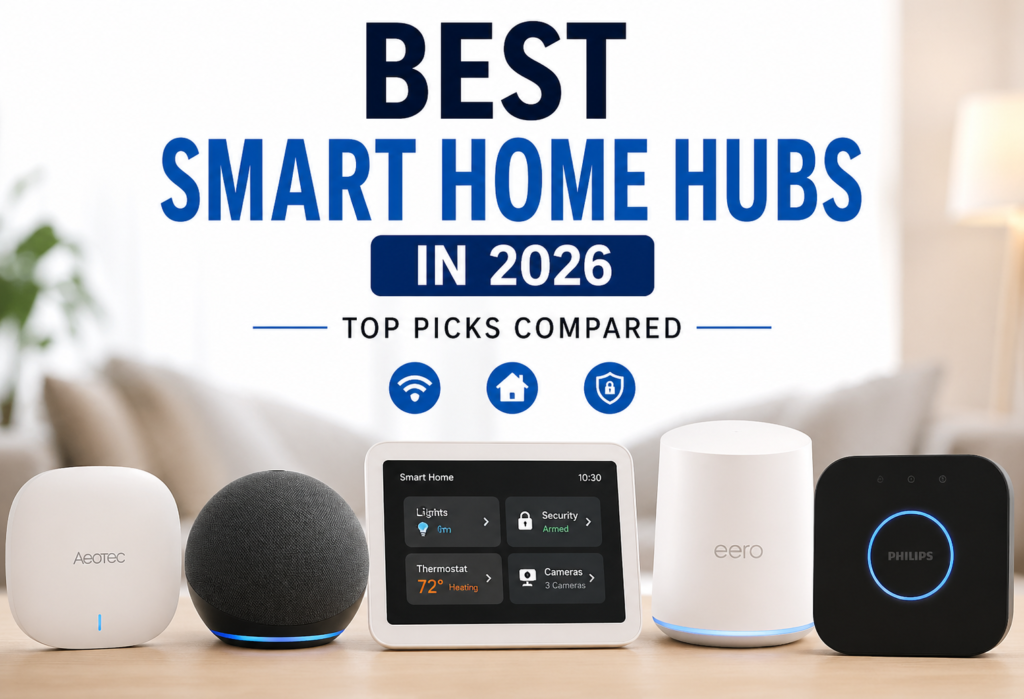
Smart homes are gaining widespread adoption in 2026, as they include everything from smart lights and coffee machines to doorbells and garage doors. With the rise in the number of devices, their management across various apps and platforms could become complex.
Here a smart home hub comes into play. Functioning as an overall control point, the hub allows linking compatible devices, streamlining control and automation of products from other brands.
Without using a central hub, users have to deal with managing several apps and compatibility problems of various devices. Choosing the right hub will be able to solve both of these problems by linking the compatible devices.
In this guide, you will learn what a smart home hub is, best smart hubs in 2026, what important features to look for, compatibility issues, pros and cons, as well as buying advice.
Table of Contents
What Is a Smart Home Hub?
A smart home hub is a central piece of equipment that connects and coordinates compatible smart home devices. The smart hub allows different devices to communicate and work with one another despite the technology they use, including Wi-Fi, Zigbee, Z-Wave, and Matter.
The smart hub may allow various devices to communicate and coordinate, including light bulbs, smart switches, smart thermostats, smart locks, sensors, and other compatible devices, using automations.
Hub vs. App vs. Voice Assistant
These three are often confused:
- Smart Home App: This is an app that controls smart home devices through a phone or tablet.
- Voice Assistant: This allows you to control the devices that are compatible through voice commands using Alexa, Google Assistant, or Siri.
- Smart Home Hub: A central device for connecting various smart home devices and automating them. Some smart home hubs allow local control without an internet connection.
While not every smart home has a need for a hub, a smart home hub is particularly helpful in multi-brand and Zigbee/Z-Wave solutions or in cases where advanced automations are used.
Why You Need a Smart Hub in 2026
Using a smart home hub can make your connected home more manageable, automatable, and extendable. Here are the advantages of using a smart home hub:
🎛️ Centralized Control
With the help of a compatible hub, you don’t have to manage your lights, thermostats, locks, sensors, and other devices using many apps.
⚙️ Advanced Automation
With a smart hub, you can configure routines that will help control several devices simultaneously. For instance, the Goodnight routine can be used to turn off all your lights, adjust the thermostat, lock doors, and arm security devices.
🔗 Better Device Compatibility
The ability to connect multiple communication standards, including Zigbee, Z-Wave, and Matter, allows connecting products from various manufacturers.
⚡ Faster Responses
Local processing of the supported devices and automations can allow commands to work much faster than those that operate on cloud servers only.
🌐 Local Control
Some smart home hubs can operate without an internet connection and continue controlling compatible devices and executing automated scenarios. However, cloud-based features cannot be used in case of an internet outage.
In general, a smart home hub can be especially beneficial for large smart homes, multi-brands, and advanced automation.
Types of Smart Home Hubs
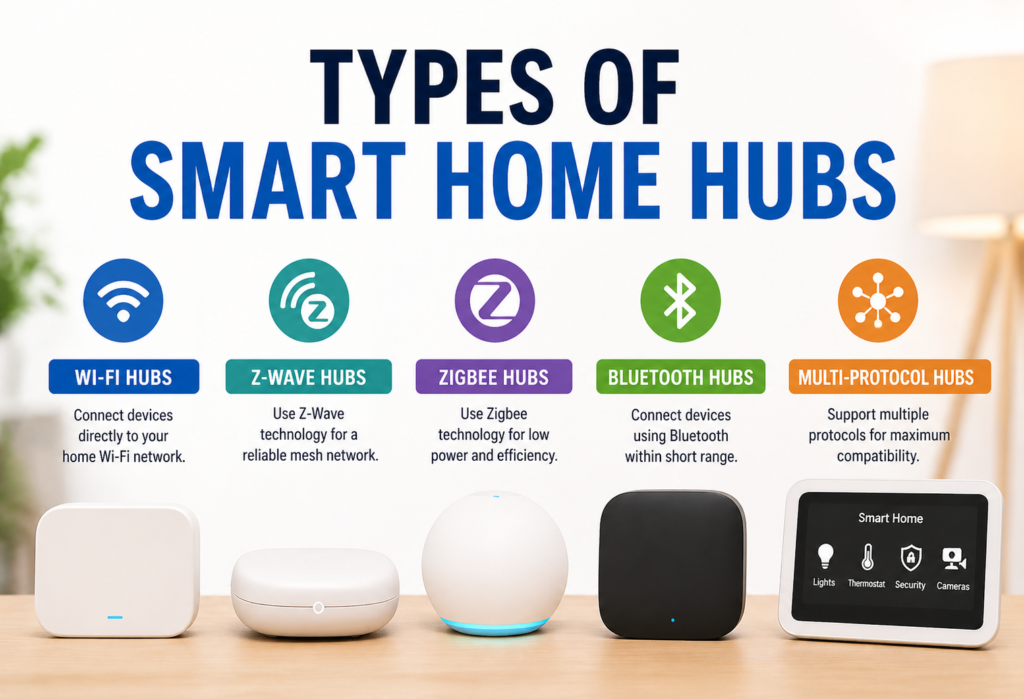
Voice Assistant Hubs
Hubs with this category allow users to connect and control the smart home via a voice assistant. If one wants to use voice commands and doesn’t object to working within an ecosystem that is connected to voice assistants such as Alexa or Google Assistant, this is a good choice for them. For example, Amazon Echo devices and Google Nest speakers have hub functions.
Dedicated Smart Hubs
Some automation platforms, like Hubitat and SmartThings, prioritize connections and automation of the devices and do not include entertainment or voice features. This means that they provide more options for automation, local control, and support different communication protocols. They are great for users, who want advanced automation features and nothing else.
App-Based Hubs
The systems that are based on mobile control and applications that are used on smartphones as an interface. Aqara and Philips Hue, among other companies, tend to use this approach providing smooth user experience of controlling the devices using only one smartphone app. The app-based systems have more attractive and comfortable interface in comparison with dedicated hub interfaces.
Matter-Compatible Hubs (2026 Trend)
Matter is a revolutionizing standard that finally finds wide adoption in 2026. Matter-based hubs support Matter protocol and allow solving all problems associated with interoperability of gadgets of different companies. In such a way, any device certified by Matter works with any hub that supports this protocol. This type of system is the most future-proof choice since there will be no necessity to be in one specific ecosystem and you could use gadgets of different manufacturers. Major manufacturers like Amazon, Google, Apple, and Samsung are embracing Matter.
Best Smart Home Hubs in 2026 (Top Picks)
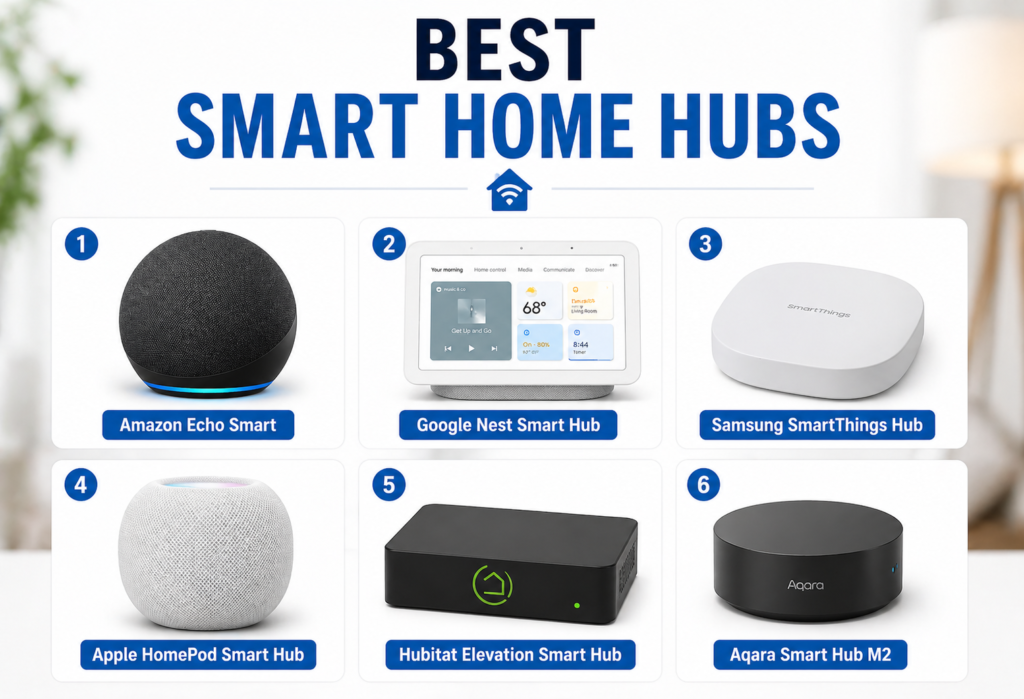
🥇 Amazon Echo Smart Hub (Best Overall)
Amazon Echo Hub is an excellent option for those who desire to have a handy touchscreen for operating any supported smart-home products. It comes with features that include Alexa, Matter, and Zigbee connectivity, and also the screen is for home use.
✅Pros: Easy to set up, Alexa, lots of supported devices, touchscreen control, and Alexa Routines for automated operations.
❌Cons: Automated capabilities are not as advanced as some other platforms, and some people would rather have a hub with more local capabilities and less dependency on one ecosystem.
In general, the Echo Hub is the best for those who use Alexa and are new to smart-home operations.
Amazon Smart Thermostat official page
🥈 Google Nest Smart Hub (Best for Google Ecosystem)
Google Nest Smart Hub includes a touchscreen display and smart home controls and is helpful in controlling compatible devices using both voice commands and touchscreen displays. Moreover, it can be used for different functions like calendar, photos, weather, music, and compatible camera feeds.
The greatest strength of the product is the integration with Google products. Individuals who are already utilizing Google Calendar, Google Photos, and YouTube can take advantage of having all these features in one device.
The display is quite handy when you have to see information or control more than one device without voice commands.
✅Pros: Good integration with Google products, display features, voice control, and helpful information visually.
❌Cons: The device lacks built-in Zigbee and depends on an internet connection for some features.
Overall, the Google Nest Hub is best for Google users who require a good smart display with smart home control options.
🥉 Samsung SmartThings Hub (Best for Automation)
SmartThings from Samsung is an excellent choice for those interested in complex automation of their smart home and broad compatibility of different types of devices. Some models of SmartThings hubs may work with Matter and other protocols for smart homes, allowing connecting devices of different manufacturers to the platform.
With SmartThings, you have the ability to set up automated routines based on various conditions such as schedules and states of other devices in your network. It makes SmartThings a good choice for those who need more options than basic voice assistant routines.
✅Pros: Advanced automation capabilities, broad device compatibility, Matter support, and many features in the app.
❌Cons: Many settings make the system a little more complicated for newbies, and there are differences in supported protocols and features between SmartThings hub models.
Overall, SmartThings is a great choice for those who want to automate their smart home.
🏅 Apple HomePod Smart Hub (Best for Apple Users)
The Apple HomePod features a high-quality smart speaker combined with Apple Home smarthome controller. The HomePod works well with the Apple ecosystem and can act as a hub for HomeKit and Matter smart-home accessories.
Privacy is among the main strengths of Apple. Many of the smart-home functions are processed locally where possible. The product also has a simple setup for owners of Apple products.
The HomePod offers excellent audio performance, and Siri is used to control compatible smarthome devices with voice commands.
✅Pros: Good integration with Apple products, good audio performance, easy setup, and great focus on privacy.
❌Cons: Expensive and less compatibility compared to other platforms that have more smart-home devices.
The HomePod will be the best option for Apple users.
🎖️ Hubitat Elevation Smart Hub(Best for Advanced Users)
The Hubitat Elevation is created for the users who seek more sophisticated automation capabilities and prefer to have more local control over their smart home systems. Lots of automations may take place on the hub level.
The Hubitat platform features integration with Zigbee and Z-Wave along with other types of connections, depending on the particular model. Rule-based automation capabilities allow setting up complex automation scenarios that are determined by different criteria, including time schedules, states of devices, and other parameters.
✅Pros: Great local processing, advanced automation, Zigbee and Z-Wave integration, and customization opportunities.
❌Cons: The user interface is more complicated than the one of simpler smart home hubs.
Thus, the Hubitat platform is great for advanced smart-home users.
⭐ Aqara Smart Hub M2 (Best Budget Hub)
The Aqara Hub M2 is a compact option for users who want an affordable entry point into smart-home automation. It supports Zigbee devices and can work with platforms such as Alexa, Google Home, and Apple Home, depending on the device and integration.
The Aqara app provides a relatively straightforward way to set up devices and create basic automations. It is particularly well suited to users building a smart home around Aqara products.
✅Pros: Affordable, compact design, Zigbee support, easy setup, and compatibility with major smart-home platforms.
❌Cons: Compatibility and features can vary by device and region, while advanced automation and third-party device support may be more limited than with some dedicated hubs.
Overall, the Aqara Hub M2 is a good choice for budget-conscious users who want to start with a smaller smart-home setup and gradually expand it.
Comparison Table Smart Home Hubs
| Feature | Amazon Echo Hub | Google Nest Hub | SmartThings Hub | Apple HomePod | Hubitat | Aqara Hub M2 |
|---|---|---|---|---|---|---|
| Price | $$ | $$ | $$ | $$$ | $$ | $ |
| Voice Control | Alexa | Google Assistant | Alexa / Google | Siri | Limited | Alexa / Google / Siri |
| Zigbee / Z-Wave / Matter | Zigbee + Matter | Matter (Thread) | Zigbee + Z-Wave + Matter | Thread + Matter | Zigbee + Z-Wave | Zigbee + Matter |
| Automation | Good | Moderate | Advanced | Moderate | Advanced | Basic |
| Best For | Beginners | Google users | Power users | Apple users | Experts | Budget buyers |
| Local Control | Partial | Limited | Good | Good | Excellent | Moderate |
| Setup Difficulty | Easy | Easy | Moderate | Easy | Hard | Easy |
Exact prices is below
- Amazon Echo Hub – ~$180
- Google Nest Hub (2nd Gen) – ~$99
- Samsung SmartThings Hub – ~$129
- Apple HomePod (2nd Gen) – ~$299
- Hubitat Elevation – ~$150
- Aqara Hub M2 – ~$60
Key Features to Look for in the Best Smart Hub
When selecting a smart home hub, take into account the following characteristics:
- Compatibility: Choose a hub which supports various standards such as Zigbee, Z-Wave, Wi-Fi, and Matter. The greater compatibility allows more choice when selecting the connected devices.
- Voice Assistant Support: Ensure that the hub will be compatible with the assistant you choose. For example, it might be Amazon Alexa, Google Assistant, or Siri.
- Automation: While basic hubs might offer just schedules, advanced platforms allow for creating routines depending on several conditions, device state, time, and other triggers.
- App Usability: Good user interface design provides easy device management through the responsive app. Read the reviews and check the screenshots of the app to buy the right hub.
- Local vs. Cloud Control: Local processing allows for fast response times and for maintaining some automations even when there is no internet connection, whereas cloud processing allows for additional capabilities.
- Security and Privacy: Choose hubs that use encryption, regular software updates, and have privacy policies. Local processing allows reducing dependence on cloud services.
In conclusion, the best smart hub depends more on the compatibility and other factors, rather than on number of features it offers.
Smart Hub vs No Hub: Do You Really Need One?
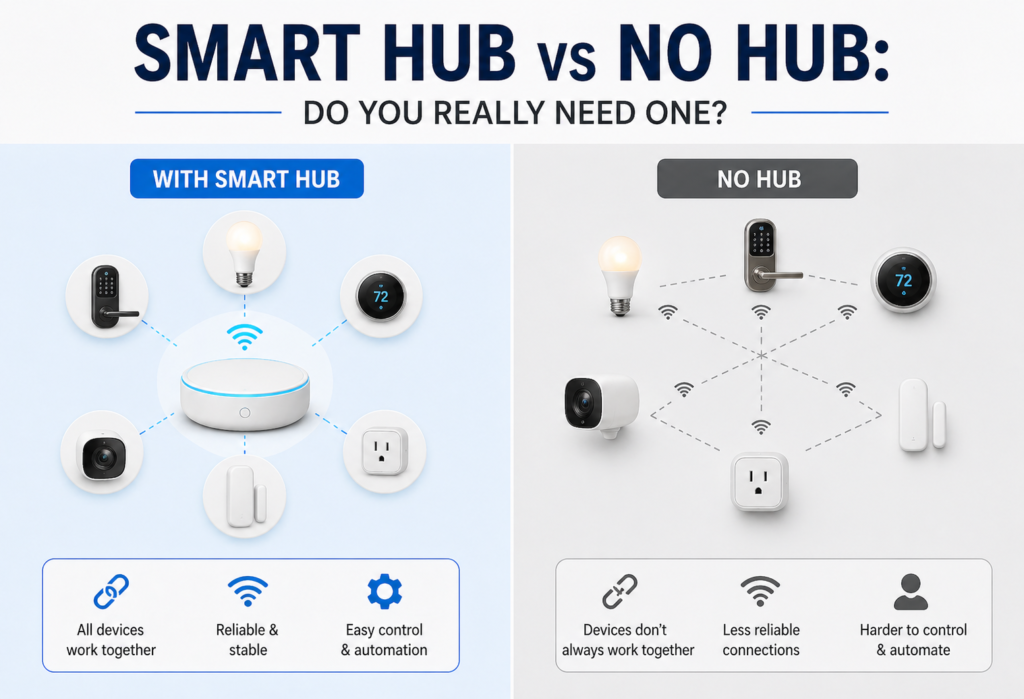
Not every smart home needs a smart hub. It depends on the number of devices that you have, brands that you are using and the level of automation that you desire.
🏠 When You May Need a Hub
It might make sense to have a hub when you have multiple devices from different companies and wish to have centralized management and automation of those devices. Having a hub may also help you expand your smart home by adding more devices and routines to it.
📱 When You May Not Need a Hub
If you have just one or two smart devices and they all are working well enough through their own applications or integrated with your Alexa or Google Home devices, you might not need an extra hub at all. Some ecosystems do offer the necessary functionalities without requiring an extra hub.
✅ Pros of a Hub
- Centralized management of devices
- More sophisticated automation
- Compatibility with additional protocols
- Potentially faster local processing
- No need to use many apps
❌ Cons of a Hub
- An additional cost
- The need for additional hardware
- Extra complexity
- Potential learning curve
Bottom line: A hub becomes more relevant for a growing or an automated smart home. If you have a smaller system and a few devices, it makes sense to forego a hub.
Smart Home Hubs Setup & Installation Guide
The process of installing a smart home hub is not that complicated:
- Connect the hub: It should be plugged into a power source and connected to your router if it needs an Ethernet connection. The hubs can work via Wi-Fi as well.
- Install the app: Download the application offered by the manufacturer of the device and register an account, if needed, and follow the installation instructions.
- Add devices: All compatible devices need to go through the pairing mode using the application.
- Create automations: Create simple schedules and routines first, then you can build more advanced rules later on.
- Choose a good location: It is better to install the hub in the middle of your house where there is no interference.
A stable network connection and suitable hub placement can help improve reliability across your connected devices.
how a thermostat works-thermostat wiring basics
Smart Hubs Common Problems & Fixes
Keep firmware updated: Update the firmware on the hub to ensure bug fixes, new security features, and compatibility with new devices.
Devices won’t connect: Ensure the pairing of the device is enabled, keep the distance between the hub and device short, and check for any wireless interference. Restarting the devices can also be useful.
App problems: Restart the app, check whether updates are needed, and make sure the internet connection on your phone is reliable. Logging out and back into your account can also work.
Automations not working: Make sure that all of your devices are online and that the conditions you set for the automation rules are correct.
Persistent issues: Start with restarting the hub. In case the issues persist, try a factory reset, but first save your automation settings.
🔗Related Articles
- Smart Hub Is Being Updated? 6 Proven Fixes That Work Fast (Samsung TV)
- What Is a Smart Hub? Complete Guide for Beginners (2026)
- Samsung Smart Hub Explained (Powerful Features, Fixes & Setup Guide 2026)
- Lutron Smart Hub Review (2026): Honest Verdict – Worth Buying or Not?
- Vivint Smart Hub Review (Full Breakdown – Is It Worth It in 2026?)
❓FAQs
Q1: What is the best smart hub in 2026?
The Amazon Echo Hub tops our list of 2026’s best smart hubs thanks to its high level of compatibility, simple set up, useful automation through Alexa Routines and efficient voice control. For the majority of people, the hub has the right combination of features and cost.
Q2: Do I need a smart hub for Alexa?
You do not really need an additional hub if you only plan on using Alexa to control WiFi-enabled smart gadgets. Yet, having a hub gives you the advantage of working with far more devices that will support Zigbee and Matter and enable improved automation and quicker local control.
Q3: Which hub supports Zigbee and Z-Wave?
You can choose Samsung SmartThings or Hubitat Elevation as they both support the two protocols mentioned in the question and, therefore, work well with the highest number of devices.
Q4: Are smart hubs worth it?
There is definitely value in using smart hubs, especially when you are using multiple smart devices or require automation. The benefits of using smart hubs include overcoming compatibility issues, creating complex routines, gaining quick access through local control, and making your smart home integration more convenient.
Q5: What is Matter in smart homes?
Matter is the name of a new smart home protocol or platform that allows devices from different brands to work flawlessly with one another. You can think of matter as a universal language of the smart home; any Matter device will work on any Matter compatible hub irrespective of the brand.
🚀Final Verdict
The Amazon Echo Smart Hub is a great choice for many homeowners as the top smart hub to consider in 2026, being inexpensive and compatible with a wide range of devices, controllable by voice and allowing for automation needed by the majority of people but not too complex for newbies.
For more advanced automation and high device compatibility, there are two good options in terms of smart hubs, such as Samsung SmartThings and Hubitat Elevation. The former one is a good compromise of features and usability, whereas the latter is the only choice of absolute local control for advanced users.
For budget-conscious people, the best choice would be the Aqara Smart Hub M2 which will bring enough value to its owner despite low cost.
Select your Smart Hub according to your technological comfort level and ecosystem requirements. Newcomers to smart homes may begin their journey with Echo Smart Hub or Google Nest Hub. SmartThings and Hubitat would be the choices for advanced smart home enthusiasts who wish to have total control. Apple users will benefit most from the HomePod even with its shortcomings.
In the world of smart home systems in 2026, there is an ideal solution available for everyone. However, the important thing would be the selection of a smart hub that would suit your present requirements and yet give you room to grow.