
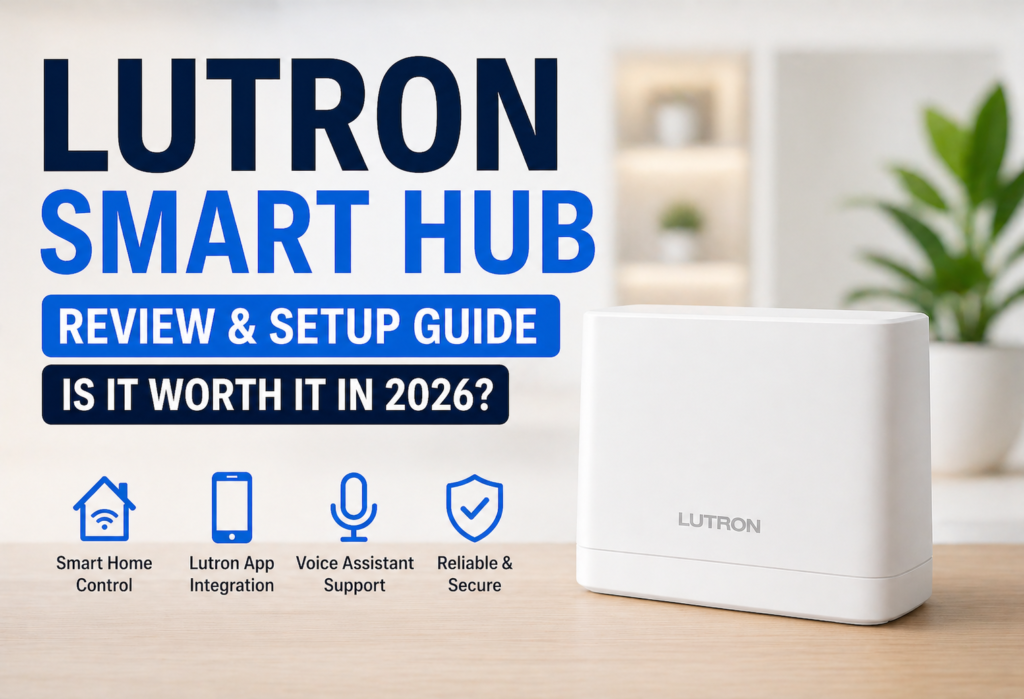
Of course, there are many smart lighting options, but when it comes down to it, reliability and usability often matter more than having all of the newest features. Wi-Fi lighting solutions may sometimes have connection problems, whereas non-Wi-Fi systems may ensure stable connection between all switches, remote controls, and other devices.
Lutron Smart Hub, when paired with Lutron Caséta smart lighting system, operates differently. While most other solutions communicate through your Wi-Fi network, the Lutron device uses its own Clear Connect RF technology.
There is only one major drawback of the product: price. Lutron Caséta solution may cost you more money compared to plain Wi-Fi switches or other similar solutions.
This article will cover all important aspects of Lutron Smart Hub: features, setup procedure, performance, compatibility, prices, alternative options like Philips Hue, and who may want to buy it and who is better not to.
Table of Contents
What Is the Lutron Smart Hub?
The Lutron Smart Bridge (Lutron Smart Hub) is the central controller of all compatible Lutron Caséta devices. It integrates smart switches, dimmers, and Pico remote controls, making them work as components of one lighting system.
As opposed to smart devices that use Wi-Fi to communicate, Lutron Caséta devices use Clear Connect RF technology of Lutron to communicate with the Smart Bridge.
The Smart Bridge connects to the router via Ethernet and offers the capabilities of the app control, voice assistance integration, and other smart home integrations. Local communication between the compatible Lutron devices will still be possible without the Internet connection, although some of the remote capabilities may need the Internet connection.
In general, the Smart Bridge was designed to offer the centralized control of Lutron Caséta lighting systems.
Lutron Smart Hub Models Explained
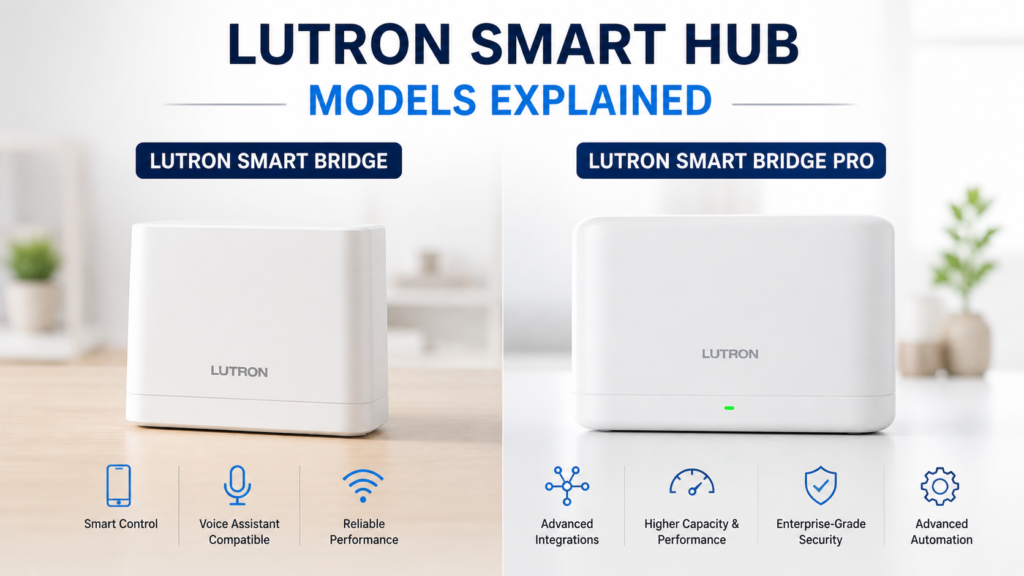
The company manufactures two types of Smart Bridge: Smart Bridge and Smart Bridge Pro. Each device is designed for particular devices and smart home systems depending on your requirements.
🔹 Lutron Smart Bridge
Smart Bridge can be installed in ordinary residential systems. Up to 50 compatible Lutron devices can be connected via Smart Bridge. In addition, it allows controlling Caséta lighting using mobile applications and voice assistants as well as providing Clear Connect RF communication.
In case you are looking for a reliable Caséta lighting control solution, this Smart Bridge will suit your needs perfectly.
🔹 Lutron Smart Bridge Pro
This is a more advanced device designed for advanced integration of various automation platforms and professional control systems.
If you intend to build a professional home automation system, the Smart Bridge Pro would be a great choice. In other cases, it is better to install a common Smart Bridge.
📌 Important Setup Note
Both devices have a connection to your network via Ethernet cable, so you should make sure there is an Ethernet port available near your router.
Key Features & Specifications-Lutron Smart Hub
Lutron Smart Hub is intended mainly for lighting control and automation via the Caséta ecosystem.
💡 Core Features
- Lighting Automation: Schedule, scenes, vacation and sunrise-sunset-based automation of compatible lights.
- Fast Response: Clear Connect RF communication enables the fast response of compatible switches and remotes regardless of the Wi-Fi availability for communication between the devices and the hub.
- Local Control: Lutron lighting controls will keep working in local mode using compatible switches and Pico remotes even with no internet access.
- Remote Control: You can control compatible lights and schedule using the Lutron app provided that you have an internet connection.
📡 Connectivity
Lutron Smart Bridge is connected to your home network via Ethernet. Communication between Lutron Caséta devices and the bridge occurs via Clear Connect RF. This technology decreases the dependence on Wi-Fi communication between lighting devices.
The number of supported devices depends on your Smart Bridge model and Lutron product ecosystem.
🏠 Smart-Home Integrations
Lutron products are able to work with major smart home platforms like Amazon Alexa, Google Home and Apple Home. In such a way, compatible lights may be controlled with voice commands and smart home automations.
👉 Explore full specs on the official Lutron Electronics website
Lutron Smart Hub Design & Build Quality
The Lutron Smart Bridge has an appearance befitting the high-end networking appliance – elegant, simple and professional. The compact white rectangular body is about 6 inches wide, 4 inches high, and no more than one inch thick and can easily fit into a shelf or be mounted on a wall.
Two small LEDs on the front side serve as indicators for showing the working mode of the device without creating distraction to the user. Green LED shows proper work of the bridge, while any other color means setup mode or problems with connectivity of the bridge. LEDs are bright enough to notice their working state but not too bright to illuminate the whole room.
Build quality is reliable and durable but not very heavy. Plastic cover of the device has a premium finish, which resists fingerprinting and dusting. All connections and ports seem robust and reliable enough. Despite half a year of usage in dusty basement utility area, the device still looks as good as new.
Compact size allows you to place the device wherever it is convenient. The bridge can be placed on a shelf next to the router, installed on the wall using built-in mounting holes or placed in a special cabinet. The only condition for placing the bridge is availability of power source and Ethernet port on your router/switch.
The bridge is supplied with a special power supply with a standard plug, not a bulky wall wart, so that you can plug the adapter into the outlet without blocking it for other devices.
Lutron Smart Hub Compatibility & Ecosystem
The Lutron Smart Bridge only works with Lutron Caséta products, and there are pros and cons to that in terms of creating a smart house.
Compatible Lutron Devices
The foundation of the smart bridge consists of Lutron Caséta switches and dimmers. They take the place of traditional wall switches and have functions such as dimming, scheduling, and remote capabilities. Such switches are very pleasant to use; they have a nice dimming process and a click to the button.
Pico remotes will let you control the smart products from the comfort of your pocket without using a phone. They are battery operated, and they allow controlling compatible lights, switches, and scenes. You might find these remotes useful in rooms such as bedrooms and kitchen.
The offered devices range from regular on/off switches, dimmer switches for LED and incandescent bulbs, fan switches, to outdoor switches.
Smart Home Ecosystem Integration
The Amazon Alexa system integration is achieved via a single skill launch and uses any voice command available for standard systems. The system recognizes device names, room groupings, and dimming commands without any problems.
Google Assistant offers similar features via the Google Home application. The system does not have any problems with voice recognition and understands natural language commands such as “dim the lights in the living room to 25 percent.”
Lutron devices can be controlled with the help of the Apple HomeKit system and integrated into the Apple Home app to work with Siri.
Ecosystem Limitations
Since this product review is concentrated on Lutron switches and dimmers, there’s no support for such smart home ecosystem protocols as Zigbee or Z-Wave. This means that if you wish to use both Lutron switches and Philips Hue smart light bulbs, or Samsung SmartThings motion detectors, then you will require two separate hubs for those systems.
Such a limitation turns out to be a serious concern if you are planning to build a complete smart home with smart lights, security sensors, and locks.
👉 To understand how smart hubs work, read about Zigbee protocol
Smart Home Hub Setup & Installation Guide
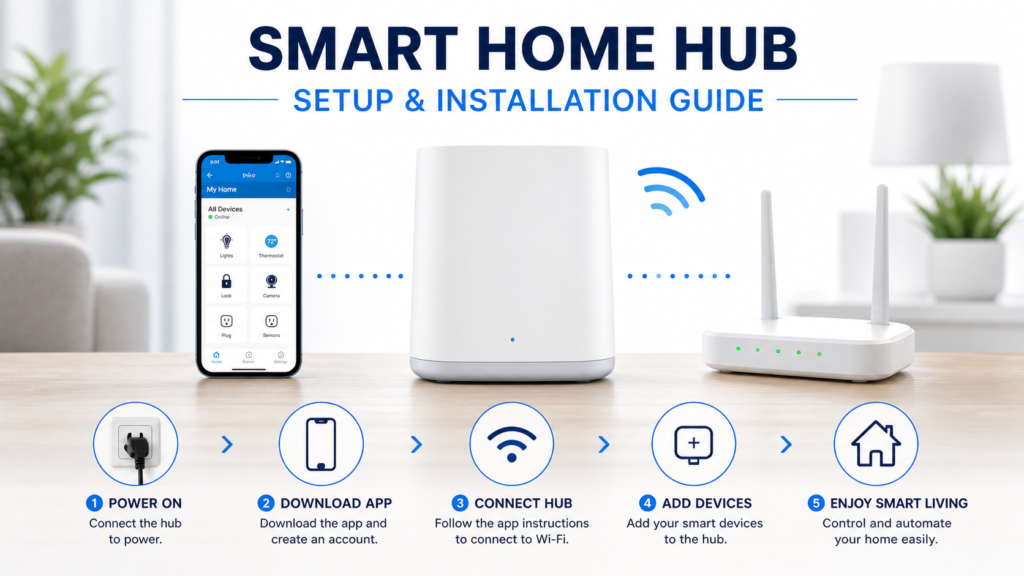
The installation of the Lutron Smart Bridge takes about 15 minutes and doesn’t need any technical know-how at all, although it would make things much easier if your devices are already set up.
Initial Hub Setup
Connect the Smart Bridge to your router via the Ethernet cable provided. Connect the power supply to the hub and wait for about two minutes until the LED lights up in a solid green color. The initialization of the network settings is automatic, which means that no IP address configuration is necessary.
Launch the Lutron app from the app store of your device and open an account there for free. The Lutron app will take care of guiding you through the procedure of finding and connecting to your Smart Bridge.
Adding Devices
Once the hub is connected, you can begin to add Lutron switches and dimmers. Each device will need to go through a pairing mode process by pressing certain buttons for around 10 seconds, the procedure will vary based on the device.
Use descriptive naming for each device rather than vague terms such as “Switch 1”. Naming your devices with unique names makes the process of voice commands more intuitive and will help in setting up automation scenes later.
Group devices according to different rooms using the app. This way commands such as “turn off all living room lights” become possible.
Creating Scenes and Schedules
Once you have added devices, spend some time creating scenes that will fit each activity. A “Movie Night” scene will turn down living room lights to 15% and turn off overhead lights in the kitchen. An “All Off” scene makes sure that everything is turned off in one command.
Setup Tips
Position the Smart Bridge at the center of your home to get the best signal range. Even though the Clear Connect RF communication has great range capabilities, positioning it at the center of your home ensures fewer dead zones in case of larger installations.
Perform firmware update immediately after the set up. You will be prompted through the app whenever there is new firmware to install. Updates come with added features and performance upgrades.
Put labels on physical switches during installation. Printed labels make it easier for you to know which app controls which physical switch.
Performance & Real-World Usage
The Lutron Smart Bridge is expected to work quickly and reliably in controlling lights in your home since Clear Connect RF manages communication among compatible devices.
⚡ Response Speed & Reliability
Wall switches and Pico remotes have a quick response time because they communicate directly with the Lutron Smart Bridge system without using the internet. Other factors such as the internet service you are using determine the app and voice control response time.
🔌 Power & Internet Outages
Some of the Lutron Caséta lighting controls can work even when there is no internet connection, which includes some wall switches and Pico remotes as well as some scheduled automations. The remote app controls and voice-control capabilities usually require an internet connection.
📡 Range & Coverage
The Clear Connect RF is designed to provide reliable communication throughout the property. The actual range of communication depends on several factors, which include the construction of your walls, device location, and the size of your home. In the case of larger installations, additional devices can be used.
In conclusion, the Smart Bridge’s ability to perform reliable RF communication and local control are the main benefits compared to other systems.
Lutron Smart Hub vs Competitors
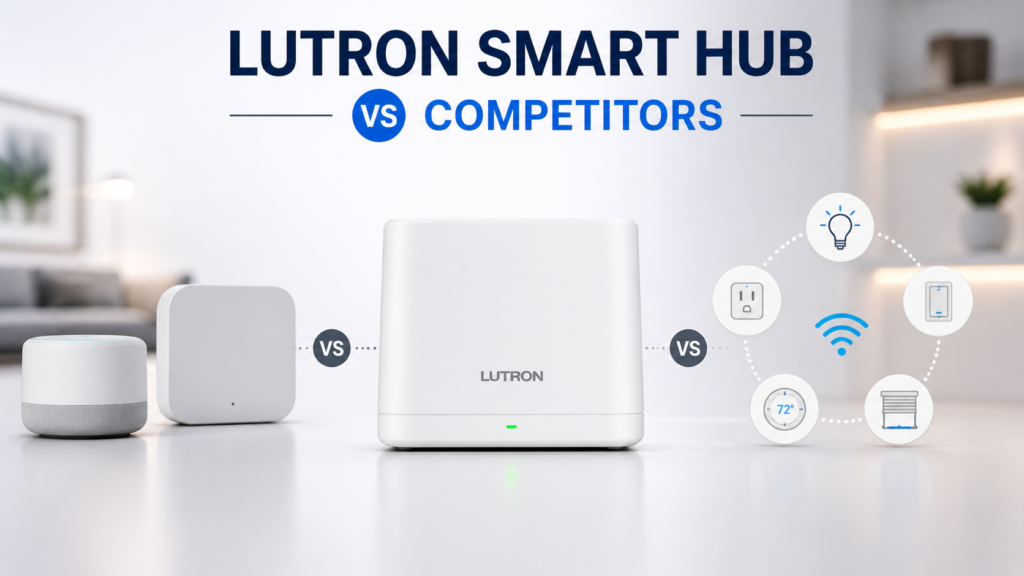
Comparing the Lutron Smart Bridge to other widely-used hubs allows us to identify distinctions between these products.
Lutron Smart Hub vs Philips Hue Bridge
The Philips Hue Bridge pays special attention to smart bulbs rather than smart switches, making this product unique. Hue gives the user greater variety of colors, whereas Lutron is better at providing the necessary basic lighting controls.
Hue uses your existing switch but does not rely on it – all the control is provided via the app or voice commands, while Lutron replaces your switch with the smart one that functions in manual and remote ways. The latter system is more convenient for the majority of users as all family members can control the lights from the wall.
Comparison in terms of price shows that Hue is cheaper when we talk about small projects, while for whole-home installation it costs much more.
Lutron Smart Hub vs Samsung SmartThings Hub
Whereas SmartThings tries to control every single piece of the smart home equipment possible, Lutron concentrates on providing reliable and responsive lighting controls. The SmartThings hub is compatible with Zigbee, Z-Wave, and WiFi equipment made by hundreds of manufacturers.
However, this feature adds additional complexity to the system and creates difficulties in terms of reliability. Often, automation via SmartThings hub fails to function properly and demands constant maintenance and troubleshooting. However, this problem is not relevant for Lutron lighting control system but does not solve other problems related to the use of smart home devices.
Lutron Smart Hub vs Amazon Echo Hub
According to Amazon’s concept, a hub functionality is integrated into Echo devices; thus, there is no need in separate hardware hubs anymore. It works effectively for simple automations but lacks reliability and responsiveness in comparison with specialized systems like Lutron.
Moreover, the Echo hub relies completely on internet connectivity and cloud processing whereas Lutron performs almost all processing operations locally for quicker response and more reliable functioning in case of network problems.
Key Differences Summary
Reliability and responsiveness of the system for lighting control are Lutron’s top priority. Competitors sacrifice some aspects of performance and reliability for other benefits.
Pros and Cons Lutron Smart Hub
✅ Pros
- Excellent reliability: Clear Connect RF offers reliable communications for compatible Lutron devices.
- Less Wi-Fi dependence: Internet outages and heavy network traffic will not disrupt the functioning of lighting controls since they will still work locally.
- Simple setup and operation: Setup and utilization of the Lutron app and compatible controls are rather simple.
- Smart-home integration: Works with voice assistants including Alexa, Google Home, and Apple Home based on the device and integration.
- Strong lighting focus: Specialized for reliable lighting and fan control only.
❌ Cons
- Higher overall cost: Higher price than many other simple Wi-Fi enabled systems.
- Limited ecosystem: Specializes on lighting and associated controls not on wide range of device types in smart homes.
- Additional hubs may be needed: Other device types, such as sensors or smart locks might require separate ecosystems/controllers.
- Ethernet requirement: The Smart Bridge needs a wired network connection, which can limit placement options depending on your home network setup.
Who Should Buy the Lutron Smart Hub?
Best For:
Lutron should definitely be considered by anyone who places a premium on lighting reliability. Those frustrated with the speed and reliability issues associated with smart lighting will be delighted with how the Clear Connect RF technology addresses these concerns.
Mesh networking and range are big wins for people living in large houses. The RF system offers better performance over distance than many WiFi-based options.
Families that extensively utilize lighting automation (multiple daily schedules, elaborate scenes, voice command usage) will enjoy the reliability and fast response time of the system.
Anyone intending to set up a lighting-centric smart home environment without additional automation in other areas will benefit greatly from choosing Lutron as their primary system.
Not Ideal For:
Those looking to save money would do well to search for other options as the high-end pricing makes Lutron hard to justify in such cases, particularly when all that is needed is basic smart lighting.
People that plan comprehensive smart home environments that would control security systems, smart locks, sensors, and other types of devices could choose something more versatile like SmartThings or Home Assistant.
Individuals who rent or plan to move in the near future would perhaps appreciate portable solutions like smart lightbulbs that could easily be taken to another house.
Tech geeks will feel constrained by the closed ecosystem offered by Lutron.
🔗Related Articles
- Smart Hub Is Being Updated? 6 Proven Fixes That Work Fast (Samsung TV)
- What Is a Smart Hub? Complete Guide for Beginners (2026)
- Samsung Smart Hub Explained (Powerful Features, Fixes & Setup Guide 2026)
- Best Smart Home Hubs in 2026 (Top Picks Compared)
- Arlo Smart Hub Review: Ultimate Guide (Is It Worth It in 2026?)
- Vivint Smart Hub Review (Full Breakdown – Is It Worth It in 2026?)
❓FAQs
Q1: What is the Lutron Smart Hub used for?
The Lutron Smart Hub is a control unit for Lutron Caséta smart switches, dimmers, and remotes. It allows you to remotely control lights via your smartphone, through voice commands with Alexa or Google, and automate your lighting schedule. The smart hub uses RF signal rather than WiFi for better communication with your lighting fixtures.
Q2: Does it work without internet?
Yes, the Lutron Smart Hub functions without an internet connection. The wall switches, Pico remotes, and scheduling functions will work just fine when the internet is down. The only function that stops working is remote control via the app and voice assistants.
Q3: Is Lutron better than Philips Hue?
This choice depends on what you need. Lutron has more reliable basic control through smart switches that work even without the app. Meanwhile, Philips Hue provides more color possibilities and creativity through smart bulbs. If you want reliability and full-home automation system, choose Lutron.
Q4: How many devices can it support?
The standard version of the Lutron Smart Bridge supports up to 50 devices such as switches, dimmers, and Picos. The Pro model supports the same amount of devices but with additional functionality of integration for professional automation systems.
Q5: Does it support Alexa and Google?
Yes, the Lutron Smart Bridge works with Amazon Alexa, Google Assistant, and Apple HomeKit voice controls. For voice commands, you can turn on/off the lights, dim them, and use scenes. To set up the bridge, link your Lutron account through each platform separately.
🚀Final Verdict
The Lutron Smart Hub is a perfect product that performs reliably all the things it was intended to perform – lighting automation. From the results of my thorough testing of this device, I can say that this is not an all-around solution but rather a reliable device for specific purposes.
Clear Connect technology used in the device works perfectly well, providing immediate response and reliable operation of lights. The system keeps working even when other devices cease functioning due to lack of internet connection. For the families relying on the use of automated lights in their daily life, reliability of the system justifies the higher price of the device.
Nevertheless, there are some disadvantages of the narrow approach to this device design.
👉 According to the U.S. Department of Energy, smart home devices can improve energy efficiency
👉 Recommendation:
✔ Buy if: You are going to have a smart home with emphasis on lighting and the reliability of the solution is more important than its price. This particular option will be best suited for large homes since reliability is especially important when working over large distances.
❌ Skip if: You require a universal smart home solution, including security, sensors, etc., aside from lighting. Price-sensitive users may also consider cheaper WiFi-powered solutions for smart lighting.
Lutron Smart Hub is the best implementation of premium lighting automation, but not every user will be able to benefit from it.