
In today’s world, smart home security is more of a necessity rather than a luxury. As more cases of burglaries and package thefts are being recorded every year, homeowners invest lots of money into security cameras and surveillance systems. However, here is where people get stuck: does one need an Arlo Smart Hub in order to run the cameras?
While many homeowners believe that all Arlo cameras require only a connection to the internet in order to function properly, some of the Arlo models can function without a hub while others can function better with the help of the Arlo SmartHub/Base Station.
Arlo product line is constructed in a way that requires one to have a central hub which serves as the brain of their entire security system. Imagine a never-sleeping security guard that is controlling all your cameras and other devices around your house.
This Arlo Smart Hub review will tell you everything you need to know about this gadget. We will talk about its key functions, performance in the real-life situations, installation process, and, of course, whether you need it at all. I’ll show the competition and give you my opinion about whether it is worth buying it and under which circumstances you should definitely avoid it.
Table of Contents
What Is the Arlo Smart Hub?
The Arlo Smart Hub may be seen as the central part of your Arlo Security Camera system. It is a dedicated smart hub, through which all your cameras can connect to the Internet and to your router by using an ethernet cable, not by connecting directly to your home WiFi network.
Imagine a busy international meeting, where there is a translator helping people to communicate. No one tries to talk directly with others and create a total chaos there. Instead, everything goes through this person, who takes care of everything. That is what Arlo Smart Hub does for your cameras.
Arlo smart hub has three functions that can significantly boost up your security setup. Firstly, it creates a dedicated local network for your cameras, so they do not interfere with your internet activities such as Netflix and Skype video calls. Secondly, it adds extra security by separating your camera traffic from the rest of your internet connection. Thirdly, it can record your video locally.
Here comes the core difference between your cameras’ direct connection to WiFi and the connection through Smart Hub. If they are connected directly, then they share their internet bandwidth with every other device in your home network. At times, when everyone is streaming videos after dinner, your cameras work poorly due to lack of available bandwidth.
“official Arlo Smart Hub specifications”
Arlo Smart Hub Models Explained
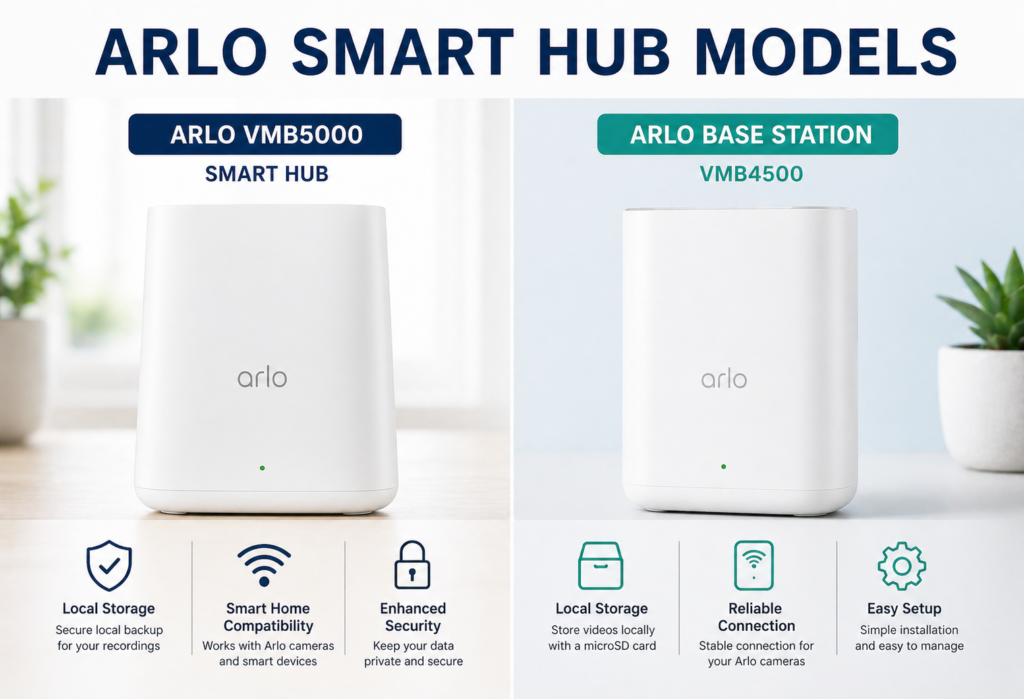
In 2026, Arlo presents two types of hub to choose from. In this article, we will compare them and show the key features you should consider when buying one of these models to make your choice easier and to avoid extra costs.
First, it is the Arlo VMB5000 Smart Hub, the newest model on the market right now. The VMB5000 Hub is suitable for use with any recent Arlo models, such as the Arlo Pro 5, Arlo Ultra 2 and Essential series. The hub provides an additional USB port to use external storage for recording video in local storage. Furthermore, there are no lags and slowdowns while connecting several cameras at once. Moreover, the hub has a better range, so you can enjoy better coverage of your property.
Second, it is Arlo Base Station VMB4500, the old one but absolutely functional device. The VMB4500 Base Station allows connecting cameras of Arlo Pro and Ultra series, which were released previously. You can also get it cheaper than the new model. The VMB4500 Base Station has also some drawbacks; it uses only microSD card for local storage and has worse wireless range.
Storage is where these models really differ. The VMB5000 can handle large external USB drives, which means you could theoretically store months of footage locally. The VMB4500 is limited to microSD cards, typically maxing out at 2TB, which might only give you a few weeks of storage depending on your recording settings.
In terms of performance, the VMB5000 handles multiple high-resolution camera streams better, especially if you’re running 4K cameras or have more than four devices connected.
Key Features & Specifications
Core Features
Arlo SmartHub comes with a range of features for some Arlo cameras, such as:
- Local video storage: Compatible models can store recordings on a USB drive or microSD card, reducing reliance on cloud storage subscriptions.
- Dedicated camera connection: -specific Wi-Fi connection: Arlo SmartHub offers an additional Wi-Fi connection for compatible Arlo cameras and thus helps relieve your Wi-Fi network from additional camera traffic.
- Bandwidth management: By connecting all cameras via the SmartHub, one may save some bandwidth on the home Wi-Fi.
- Smart notifications: Some compatible systems will be able to handle some alerts locally within the hub.
- Built-in siren: in siren in select Arlo SmartHubs models may be activated from the Arlo application.
📶Connectivity
The hub is connected to your router with the help of an ethernet cable, thereby giving a more reliable connection than one would expect from WiFi connection that depends on the quality of WiFi signals. Here, it can support several cameras, depending on the particular type of hub used but usually between 5-20.
🔒Security Features
The communication between the hub and the cameras, as well as Arlo’s cloud, is based on end-to-end encryption. Your video recordings are stored encrypted, and even if someone steals your storage device, he cannot easily get the videos off it. Such security is especially needed when recording sensitive areas like office spaces or children’s bedrooms.
“best home security systems and smart hubs”
Design & Build Quality
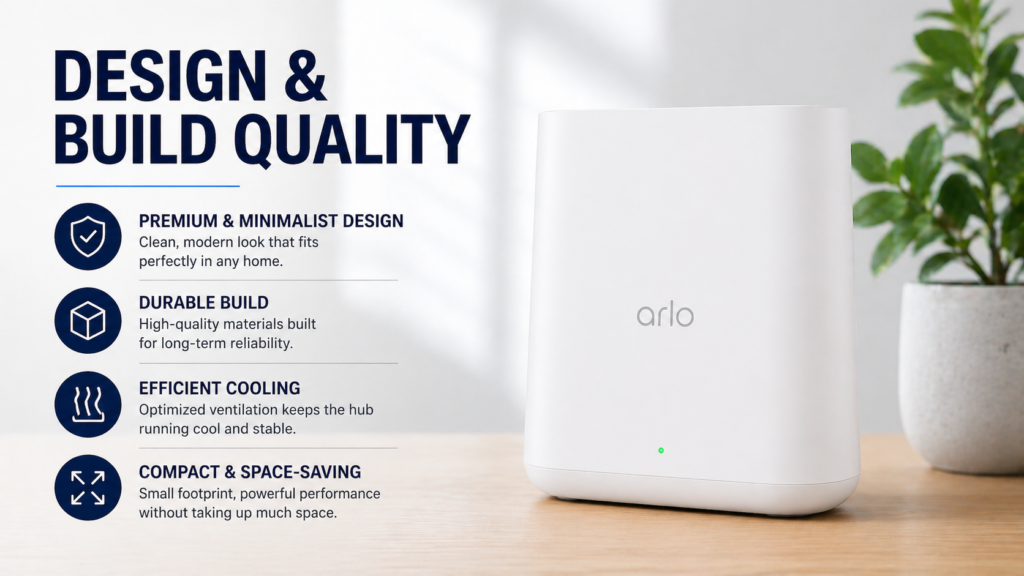
Despite its multiple functions, the Arlo Smart Hub boasts quite an impressive simplicity of its design. It is roughly the size of a standard router; it is small enough to be placed on a shelf without taking too much space, yet large enough not to give an impression of something flimsy and fragile.
LED indicators at the front panel give you the opportunity to quickly find out the current status of the Arlo Smart Hub. A steady blue indicator usually means everything works fine, while different blinking combinations can inform you about the presence of certain issues such as syncing and connectivity problems. LED brightness can be adjusted in settings in case it irritates you in a poorly lit room.
You can put the hub on a shelf close to your router or mount it to a wall with the help of the supplied bracket. Wall mounting is very convenient if you do not want the device to fall into hands of your children or pets and possibly become disconnected.
The Arlo Smart Hub is housed in a reliable plastic enclosure that seems to be made for daily use. Connections work well and are firmly established without being complicated to set up or take apart.
Compatibility & Supported Devices
The Arlo Smart Hub is perfectly compatible with most recent Arlo cameras, although not all of the Arlo models are suitable for the connection with the Smart Hub. The Pro line cameras (Pro 3, Pro 4, Pro 5) are perfectly compatible with the hub and get many benefits from it.
The Ultra series cameras, which includes the new Ultra 2 model, is completely compatible with the hub. In fact, this type of connection is even better compared to the connection to WiFi. The problem is that high resolution video of these cameras uses too much bandwidth of the WiFi connection and makes it slow and sometimes impossible to use at all.
The Arlo Essential cameras have very little compatibility – some of them can be connected to the hub, while the others can be used only with WiFi.
In terms of integrating the device into a smart home system, the hub is compatible with the Amazon Alexa and Google Home systems. You can view video feeds from your cameras on smart displays and create automation routines using the Arlo cameras. However, the integration level is not as good as in case of using Amazon and Google cameras.
The hub cannot be used with cameras by other manufacturers except Arlo, which may be a problem if you want to integrate cameras of different brands.
Setup & Installation Guide
Setting up the Arlo Smart Hub is much simpler than you would imagine, though there are some steps which most people get confused with. This is how you do it successfully:
Step 1: Hook the hub to your router via the ethernet cable that comes with it. It’s important to connect it to any of the numbered ethernet ports on the router, not the internet port.
Step 2: Turn on the hub with the help of the adapter that comes with it. Wait for the LED to stabilize and display a steady blue color – this will take about 2-3 minutes.
Step 3: If you don’t have it installed yet, download the Arlo application and make yourself an account there. The app will assist you with connecting the hub by scanning its QR code.
Step 4: Synchronize the camera one by one by pressing the synchronization buttons for both the camera and the hub at the same time. The problem usually comes here, as you have to synchronize the devices by pressing the two buttons simultaneously and holding the buttons till you get confirmation lights.
Step 5: Set up storage preferences in the app. When using local storage, use the app to format your USB drives or microSD card and not your computer.
Pro tips: Place the hub closer to the router while setting up the camera system, even if you plan to move it to another location afterwards. When setting up, use the internet connection through wire on your phone, if possible, which will reduce variables leading to connectivity problems. Update your firmware right after setting up, since new firmware’s have fixed connectivity problems.
“how smart home automation systems work”
Performance & Real-World Usage
For multi-camera setups, an Arlo SmartHub can improve overall connection stability and help maintain smoother video streaming, particularly when multiple cameras are active or the home network is under heavy traffic.
Using an Arlo SmartHub can help reduce delays when accessing live camera feeds. The actual improvement varies depending on the camera model, network conditions, and internet connection, but a more stable connection can make it faster to view live footage and respond to motion alerts.
Compatible Arlo SmartHub models support local video storage through options such as microSD cards or USB drives. The hub can manage available storage by overwriting older recordings when the storage becomes full, helping maintain continuous recording without requiring manual file management.
Reliability can vary depending on the storage device, camera model, and SmartHub configuration, so using compatible, high-quality storage is recommended.
An Arlo SmartHub can provide a more consistent connection for compatible cameras positioned farther from the main router, particularly through walls or in areas with weaker Wi-Fi coverage.
The actual range depends on factors such as camera model, building materials, interference, and hub placement, so results can vary between homes. A dedicated hub can be especially useful for cameras installed in garages, outdoor areas, or other locations far from the router.
Overall, the Arlo Smart Hub can provide a more centralized and consistent setup than using Wi-Fi-only cameras. However, it also introduces a single point of failure: if the hub becomes unavailable, cameras that depend on it may lose connectivity until the issue is resolved. With Wi-Fi-only cameras, a problem with one camera generally does not affect the others.
Arlo Smart Hub vs No Hub
| Feature | With Hub | Without Hub |
|---|---|---|
| Connectivity | Local network | WiFi only |
| Security | Higher | Standard |
| Storage | Local + Cloud | Cloud only |
| Performance | Better | Depends on WiFi |
The necessity arises when there are multiple cameras to use, especially when they are set to high-resolution mode. This means that the Wi-Fi in your house is not designed to accommodate 3-4 cameras and at the same time, you are watching movies and making video calls through the internet.
Storage of the recordings also poses a situation where the necessity of the hub is clear. Otherwise, there would be an expensive subscription to cloud storages of about $10-15 per month. This cost could easily pay for the hub in less than one year.
In single-camera systems with reliable Wi-Fi coverage, the hub is not necessarily needed. If you only need to watch the front door and the Wi-Fi connection in that place is strong enough, then you do not need the hub.
Privacy lovers will see that the hub is inevitable despite the number of cameras used. The fact that the recordings would be stored locally and not automatically sent to some cloud server increases the level of privacy.
Arlo Smart Hub vs Competitors
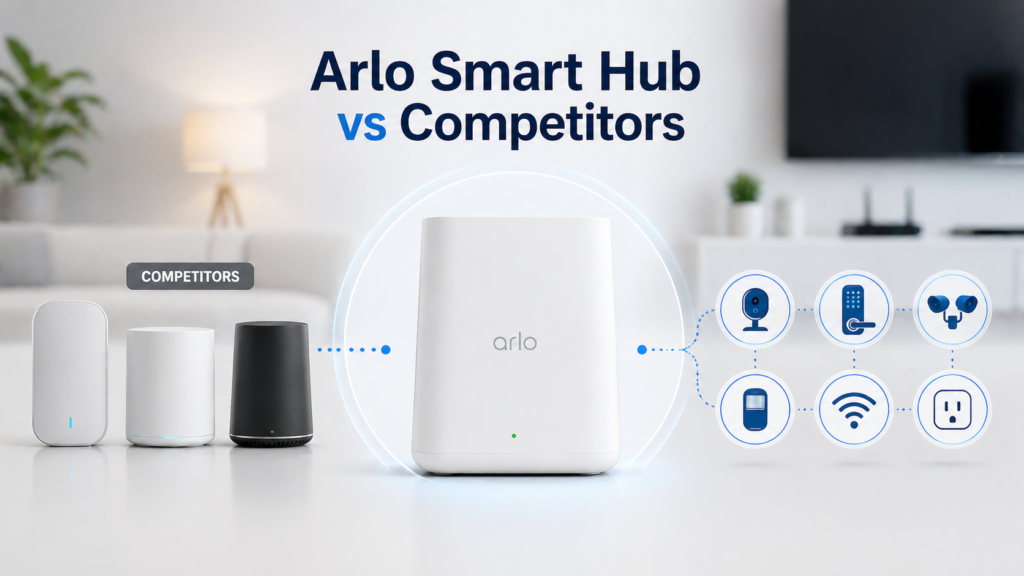
The Arlo Smart Hub is more specialized but less versatile than most of the hubs available on the market today. Google Nest Hub and Amazon Echo Hub serve as main control centers for a variety of smart home appliances like lighting systems, thermostats, security cameras, and others. These hubs would be great if you need only one center for all your devices.
Samsung SmartThings Hub is compatible with a large number of devices from many producers, but it cannot guarantee any additional camera-related performance and storage as compared to the Arlo hub.
In short, the major difference between the hubs under discussion is their primary focus. The Arlo hub is security-oriented and optimized for the camera-related processes.
Arlo takes a similar strategy with its security hubs, but the company’s local storage is more versatile than that of Ring. Ring aggressively promotes its cloud subscriptions, while Arlo has true support for local storage alone.
When putting together a smart home system of several different devices, the use of a general hub may be more appropriate. However, when security cameras are the primary issue, the Arlo hub offers certain benefits over general hubs.
The dedicated Arlo Smart Hub will definitely offer better performance for cameras than general hubs, but it is too limited for use in a whole-home automation setup.
Pros and Cons
✅ Pros
Improved camera performance is the largest strength that I’ve seen. It allows for faster connection, reliable streaming, and better video quality during high loads of traffic in your local network at home.
Local storage saves money and total control of your video recordings by having local storage. You’ll be able to save recordings as long as your storage capacity allows it without limitations of cloud services policies.
Better security due to dedicated local network and local storage options. There’s no need for camera data to use public internet to get to cloud servers.
❌ Cons
Extra cost is inevitable since there will be an additional cost of $100-200 to your security system setup due to hub.
Limited to Arlo ecosystem which means you won’t be able to include cameras from other manufacturers even though they could be more useful for you.
Not needed for all users, because of limited number of cameras and good WiFi coverage on your property.
Who Should Buy the Arlo Smart Hub?
The Arlo Smart Hub would be the best choice for those planning to install multi-camera systems. When one installs three or more cameras, performance and management improvements can pay for the hub cost. Single-camera users might find no benefits from this purchase to make it reasonable.
Security-focused users who prioritizing the reliability of the system should think about purchasing a hub. Such users will definitely benefit from having local storage and the dedicated network instead of the cloud-based system.
Users wanting local storage to save from paying monthly subscription fees would definitely recover costs of the hub very quickly. For those who are going to pay for the cloud storage anyway, this argument doesn’t work.
Those interested only in basic surveillance and having no need in extra features would be wasting their money by purchasing the hub.
Budget buyers it is necessary to weigh the pros and cons of the hub. Sometimes it is more profitable to invest hub money into buying a better camera instead of it.
Non-Arlo ecosystem and want to combine various camera types should give preference to other hubs.
❓FAQs
Q1: Do I need an Arlo Smart Hub?
It is not mandatory to have, but if you have a multi-camera system then there is a lot of advantage in improved performance and local storage. Single cameras may work well even without it, if you have good WiFi coverage.
Q2: Does it work without subscription?
Yes, it is possible to use Arlo Smart Hub to record on local devices without paying for any subscription. You will need only to pay for cloud storage or AI features if you want to have them.
Q3: Can I use Arlo cameras without hub?
Most Arlo cameras support connection to WiFi directly, but with weak WiFi or multi-camera setup you might face some problems with it.
Q4: What is the difference between Arlo hub and base station?
These names are used to denote the same device, however, “Smart Hubs” usually perform better and support newer models of cameras than old “base stations”.
Q5: Does it support local storage?
Yes, most Arlo Smart Hub supports local storage using USB drives or microSD cards.
🔗Related Articles
- Smart Hub Is Being Updated? 6 Proven Fixes That Work Fast (Samsung TV)
- What Is a Smart Hub? Complete Guide for Beginners (2026)
- Samsung Smart Hub Explained (Powerful Features, Fixes & Setup Guide 2026)
- Lutron Smart Hub Review (2026): Honest Verdict – Worth Buying or Not?
- Best Smart Home Hubs in 2026 (Top Picks Compared)
- Vivint Smart Hub Review (Full Breakdown – Is It Worth It in 2026?)
🚀Final Verdict
Is it worth buying the Arlo Smart Hub in 2026? It all depends on your individual security requirements and the complexity of the installation process.
✔️ Consider buying it: You are planning to install several cameras in your home; you value your privacy and want local storage options or encounter some problems with WiFi connectivity using direct connections from the cameras. With better reliability and some savings on subscriptions, the purchase will be beneficial for you.
❌ Don’t buy it: You need only one or two cameras; you have a good WiFi connection everywhere in your house; you are setting up a smart home that uses different brands of devices.
In case you use many cameras and value your security, the Arlo Smart Hub can be an addition that will provide you with better security options. Beginners may not need the extra costs of the hub.
The hub represents Arlo’s vision of professional-grade home security, and it delivers on that promise – but only if your needs align with what it’s designed to do.