
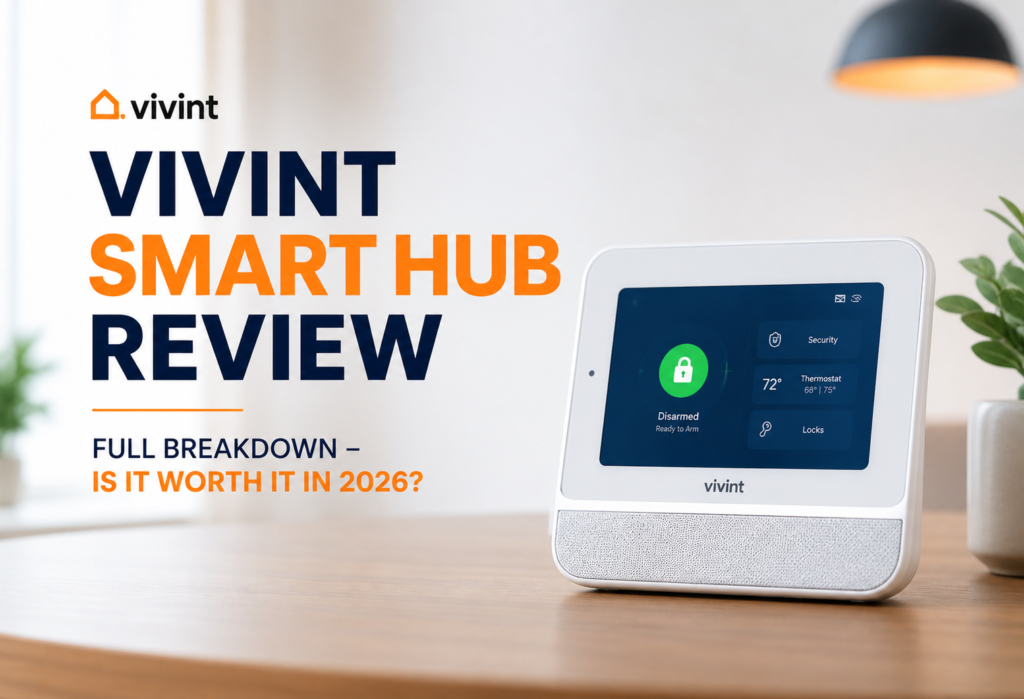
Smart home security has transformed significantly since 2026. Starting out with simple alarm systems, it has evolved into advanced security systems capable of watching over our houses, managing our lives and helping us stay connected no matter how far apart we are. One key element in any successful smart home security system should be a central control panel – that one piece of equipment which communicates with everything else and puts it together.
One of such panels is the Vivint Smart Hub – an attempt by the company to position itself as the hub of your home security and management system. It is definitely not just another security panel mounted on your wall.
And there is one issue that makes people hesitate before buying this product: the cost of Vivint is relatively high and requires monthly fees. With a number of inexpensive do-it-yourself home security systems, is it really worthwhile paying premium prices for the Vivint Smart Hub?
Vivint Smart Hub acts as a controller for the corresponding compatible smart home and security devices. This review will discuss features, performance, costs, and overall value of the product.
Table of Contents
What Is the Vivint Smart Hub?
The Vivint Smart Hub is actually a combination of two devices in a single unit. Firstly, this product works as a security control panel providing security for your house. Secondly, it functions as a smart home controller organizing all your connected gadgets.
From a distance, you will notice a bright touchscreen of the device that reminds of a tablet attached to the wall. With the help of this interface, you will be able to arm your security system, view camera feeds, turn on lights in different rooms of your house and much more. The interface is easy-to-use and does not require any special knowledge about technology.
The device performs several important functions related to the operation of your home. For example, it communicates with the sensors of doors and windows to know when there is an entrance of somebody to the house. Also, the device is capable of communicating with security cameras and taking its own photos when detecting any movements. Two-way communication allows you to talk to the person who is waiting at your door or listening to the situation at home while being far from it.
However, this is what really makes it different from simple security panels. All your door locks, thermostats, lights and cameras connect to this one central hub. There are “Good Night” type of routines available, which lock all your doors, turn off all the lights and arm your security system with just one click. It is this automation what really sets the Vivint Smart Hub apart from security devices.
👉 To understand how smart hubs work, check this guide on Z-Wave:
Key Features & Specifications of Vivint Smart Hub
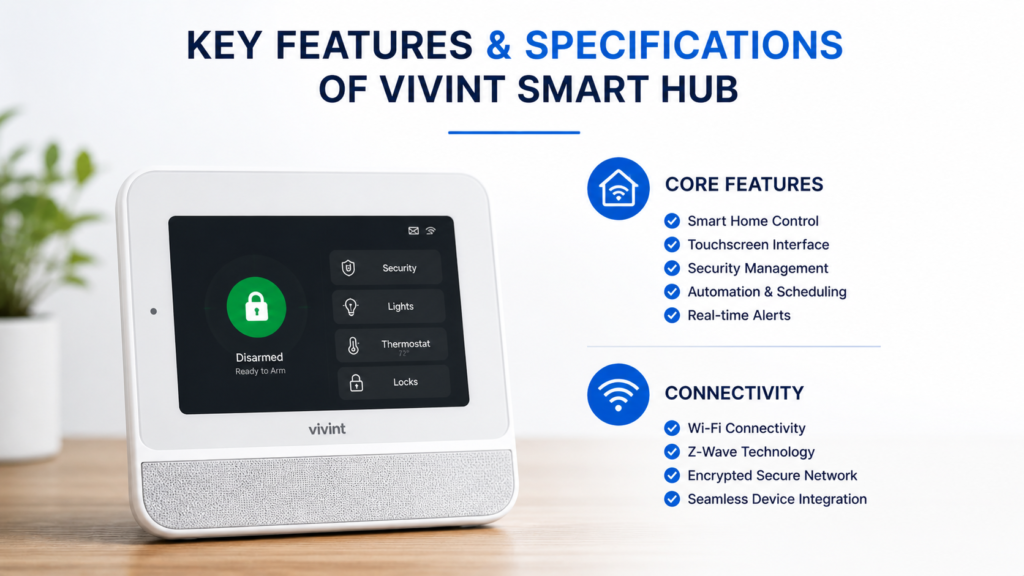
Core Features
First of all, the vividness of the touch screen display cannot be overlooked. Its size is impressive (7 inches), and you are able to operate it comfortably. Additionally, it is responsive and looks like a nice tablet screen with no fuzzy pictures or distorted texts.
The built-in camera is triggered by certain events to take a snapshot. This feature cannot be regarded as alternative to your security cameras, but it allows you to gather more evidence. For instance, if someone tries to break into your house, you will receive photos documenting it.
One more feature is two-way communication that makes your smart hub a device similar to intercom systems. You may communicate with other members of your family and deliver drivers who visit your house. In addition, you can use it for general communication purposes, but it definitely won’t replace a high-quality intercom.
You will receive notifications on your smartphone whenever any event happens. Moreover, smart alerts that appear on the screen of the device are capable of learning your routines and notifying you when anything out of the ordinary happens, for example, if your back door is open when everybody is supposed to sleep.
Smart Home Control
Besides security, this control center will provide you with comfort in everyday life. Smart lights will automatically turn off or dim through the touchscreen controls. With the smart locks, you will not have to walk around the house to make sure that all the doors are locked. The most useful feature of having a thermostat integrated into the system is definitely seasonal adjustment – you will no longer have to look for the thermostat and change its settings manually.
Automation routines will definitely come in handy – you will be able to set up your own scenes, for example, “Leaving Home”. This scene will automatically lock your home, turn on the security system and adjust the thermostat.
Connectivity
It connects to your WiFi network at home, but here is what makes it unique – it has cellular backup. So when your internet connection fails (it’s inevitable), the hub switches to using cellular connection. Thus, your security system will be working despite any power or internet issues.
Compatibility with Z-Wave protocol allows you to connect a wide range of smart devices. Z-Wave technology is a reliable choice for home automation which works through walls and floors. It is supported by most major smart devices manufacturers, so there are lots of devices available.
👉 Learn more on the official Vivint website:
Design & Build Quality
Vivint Smart Hub has an advanced design that looks great in any interior. It is supposed to be mounted on the wall right next to your home entry or in some hallway used by all family members. The combination of white body and black display makes it look very sleek without revealing its security function.
The tablet-style interface is quite easy to use when you have experience with smartphone and tablet gadgets. Buttons are rather big and easy to press, and menu navigation is quite straightforward. My children managed to grasp the basics within five minutes, which tells me how user-friendly this device is.
This touchscreen component is not only of high quality in terms of its construction but also highly responsive to touch. It also features the ability to automatically adjust the level of brightness, depending on whether it is daytime or nighttime.
This Smart Hub is much more expensive than base stations from competing brands such as Ring and SimpliSafe. Unlike them, the latter products seem to be regular electronic devices, while this component seems to belong in a smart home. The build quality corresponds to its price.
Compatibility & Ecosystem
The Vivint Smart Hub interfaces with all the necessary smart home gadgets. Door and window sensors work well and respond fast whenever triggered. Security cameras by Vivint blend with the system so that you can watch the live feeds and recorded videos through the hub interface.
The real benefit of the smart hub comes out when it comes to smart locks. You will be able to lock and check the locks of different doors at once via your screen. Moreover, the system is compatible with smart thermostats. You can now change the temperature setting while lying on your couch and not having to look for the thermostat.
As far as the voice-controlled devices are concerned, it has integration with Amazon Alexa and Google Home. With the help of these, you can arm the security system, turn lights on and off and check the status of the locks.
The most noticeable limitation of Vivint Smart Home system is that this company favors its own devices. Although the hub can connect with Z-Wave devices, Vivint highly recommends using its cameras, sensors, and other accessories. It is not a problem per se because their devices perfectly integrate into a single system, but it is a disadvantage if you have smart home equipment from other brands.
Compatibility with third-party devices does exist; however, there is no guarantee that the product will work with Vivint. There are chances that popular brands such as Philips Hue lights or Nest thermostats will work.
Setup & Installation Guide
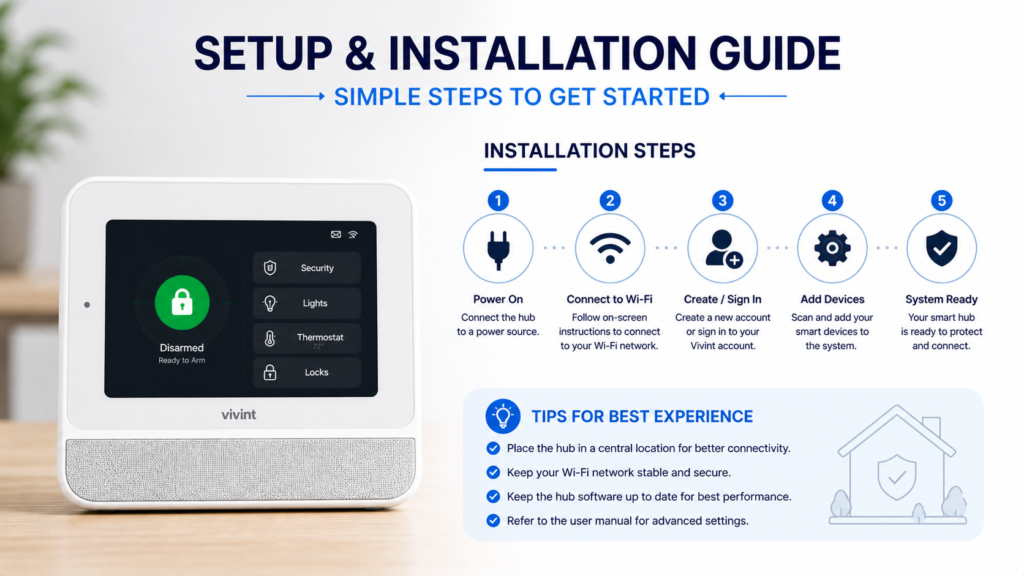
Professional Installation (Important)
This is one fact that surprises many people: the Vivint smart hub needs professional installation services. It is not possible to purchase the hub and install it on your own. A technician from Vivint will come to install the equipment at your home.
There are advantages and disadvantages to this type of installation process. The good thing about this approach is that all will be installed properly and tested. However, the disadvantage is that the appointment will have to be scheduled, and then you’ll have to wait for the technician to show up.
Installation Steps
The first thing the technician does is choose a location for the smart hub. Usually, this involves the location near the entrance where the family members can use the hub often. The smart hub is attached to the wall, and there should be an electrical outlet nearby.
Afterward, device pairing takes place when the technician connects all your sensors, cameras, and smart devices to the hub. In case if you install the entire system, it will take some time but you will learn how to perform that by observing the specialist.
System configuration involves creating the codes, preferences for notifications and automation routines. The installer will configure all your basic settings although you may change them later via app or touchscreen interface.
Finally, the app setup for your smartphone is required. All the functions of your hub are duplicated in the mobile app thus it allows controlling the system at a distance.
Tips
Ensure that the installation of the hub is done in an accessible place within your home, where everybody will be able to see it. Hallways near the front door or kitchen are usually a good choice. Don’t install the system in a bedroom or a basement, since you won’t be able to check on it daily.
Ensure that all of your sensors and other devices are tested after the installation. Try opening and closing all doors and windows in your house to see whether the sensors will trigger. It’s much easier to do when the installer is still there than to wait until you find out about it later.
Performance & Real-World Usage
The smart hub from Vivint usually provides responsive touchscreen control and good menu navigation. All taps and swipes should work fast, allowing you to arm and disarm the security system with ease.
Automation procedures tend to be consistent upon successful implementation. For example, there is a procedure known as the “Good Night” procedure that locks doors, turns off lights, and arms the security system without manual input from the user. There is also another mode known as the “Away” mode which sets the thermostat and activates sensors without need for manual intervention.
The Vivint Smart Hub provides security monitoring services when configured properly. The door and window sensors activate the alarm whenever there is some sort of activity, and then there is the notification service which sends alerts to a smartphone. Performance of the sensors is very significant.
The cellular backup keeps the security system online even if there is loss of connection between the home internet and the security system.
For homes that sometimes encounter internet breakdowns, additional backup connectivity will be a great addition and may be partially worth the cost of subscribing to the security system.
It became a regular thing for my family to interact with the hub daily. It is a routine matter for me to check whether doors are locked at night, turn the lights off and on before a movie, and know who visited the house during the day using the touchscreen panel.
Vivint Smart Hub can cope with multiple tasks and devices simultaneously. Users can operate cameras while operating the thermostat or controlling another smart device.
Security Features
However, the Vivint Smart Hub has much more advanced intrusion detection systems. It learns what your family’s usual behavior is and notifies you when there’s something out of the ordinary. Whenever there is an open door in your absence or unusual movement where there shouldn’t be any, you will receive alerts.
The emergency alerts are treated very seriously. The hub reacts immediately in case of triggering a panic button or smoke and break-in detectors. It can notify the monitoring and emergency services according to your subscription and the type of the alert.
When it comes to video monitoring, your security cameras get integrated into the hub interface. You can control their feeds, watch recorded videos, and even zoom in on particular spots right from the hub’s screen.
Professional monitoring is something that makes Vivint unique from DIY alarm systems. In case of activation of an alarm system, professionals who work for Vivint will receive the alarm message immediately and will be able to determine whether it is a legitimate emergency or a false alarm. They will contact you, your relatives, or any necessary authorities depending on the situation.
Thus, the human touch to the monitoring process will bring real value to your home. Rather than having just a notification message, which you may miss, there will be a real person who is responsible for your emergency being properly handled. In case of one false alarm in our house, the monitoring service contacted us immediately.
Vivint Smart Hub vs Competitors
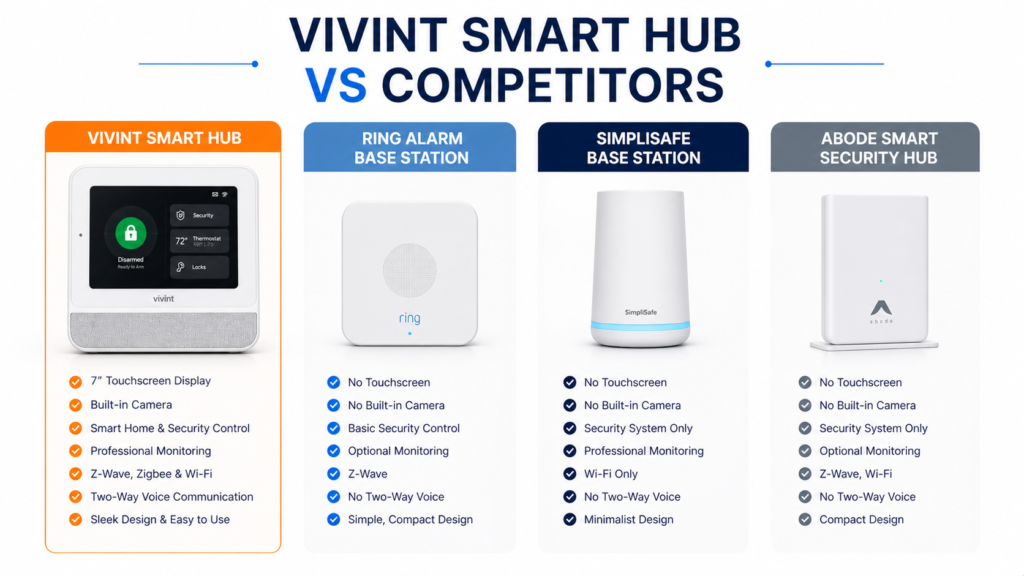
Vivint Smart Hub Comparison Table
| Feature | Vivint Smart Hub | Ring Alarm Base Station | SimpliSafe Base Station | Abode Smart Security Hub |
|---|---|---|---|---|
| Price (Starter Kit) | $$$ | $$ | $$ | $$ |
| Installation | Professional | DIY | DIY | DIY |
| Monitoring | Paid (Required) | Optional | Optional | Optional |
| Contract | Yes | No | No | No |
| Smart Home Support | Advanced | Alexa-based | Limited | Advanced |
| Z-Wave Support | Yes | Yes | No | Yes |
| Zigbee Support | No | No | No | Yes |
| Cellular Backup | Yes | Yes | Yes | Yes |
| Camera Integration | Full ecosystem | Ring cameras | SimpliSafe cameras | Multi-brand support |
| Local Control | Limited | Moderate | Moderate | Strong |
| Best For | Premium security users | Alexa users | Budget DIY users | Flexible smart homes |
👉 “If you want maximum flexibility without contracts, Abode Smart Security Hub is the best alternative to Vivint Smart Hub.”
Ring Alarm Base Station
The base station of Ring is cheaper to install and fits seamlessly into the ecosystem of Amazon products. The downside is that the device does not have the touchscreen interface and the smart home controls offered by the Vivint hub. It seems to be a security system with some smart home capabilities rather than a home management system.
As it can be seen, Ring is more affordable to buy. At the same time, the Vivint Smart Hub offers a more developed automation and a more complex integration of security and smart home systems.
SimpliSafe Base Station
SimpliSafe pays much attention to the security aspect of the system and only basic smart home functionality is provided. The base station is significantly smaller and less conspicuous than the Vivint hub, but the level of control and automation is not the same. SimpliSafe is suitable for those who need security primarily and smart home capabilities secondary.
SimpliSafe is cheaper in its subscription fees in comparison with Vivint and thus more affordable to use for a longer period. Still, it does not offer the same level of automation and centralization of the system.
Abode Smart Security Hub
While Vivint provides more automation and control through professional installation services, Abode offers more flexibility when it comes to connecting with third-party devices and self-monitoring capabilities. In addition, you do not need to pay for monthly subscriptions while using Abode services. The Vivint system expects its customers to pay for a professional monitoring subscription.
Key Differences
The differences between all the smart home security systems lie in the fact that Vivint positions itself as a more premium alternative offering professional installation, full monitoring, and automation. The remaining two focus primarily on being cost-effective and DIY-friendly. If you are ready to spend more money on sophisticated technology, then Vivint offers the best solution.
Pros and Cons
✅ Pros
In terms of the all-in-one control panel design, there is no need for separate applications and interfaces. All actions are made via one touchscreen/mobile application.
Excellent security performance brings great peace of mind. All problems are detected by the system, appropriate alerts are sent out, and connection remains stable even during internet outages.
Cellular backup connectivity means that your security system will continue working even in case of internet connection loss at your home. Such connectivity is important for a security system you rely on to keep your family safe.
Professional installation guarantees that everything will be set up properly from the very beginning. No problems with incompatible devices, incorrect sensors placement, or other issues of this kind.
❌ Cons
Unaffordable costs make this product too expensive for most families to use. Due to high equipment fees, additional charges for professional installation, and subscription rates, the total cost becomes quite high.
Subscriptions are required continuously. You cannot purchase only the equipment but will have to pay a monthly fee forever.
Compatibility with third-party systems is rather limited. Vivint would prefer you use their ecosystem and not add any equipment from other brands.
Pricing & Subscription Plans
The cost of the equipment will vary depending on which package is purchased, but the hub itself as well as the minimum sensor kit will be several hundreds of dollars. Fully equipped home kits will cost several thousand dollars, especially when adding cameras, smart locks, and more sensors.
Monthly subscription fee will cost anywhere between $30 to $60 depending on the plan and service required. The basic subscription will cover security monitoring services, while premium subscriptions will offer additional features such as smart home automation.
Contracts are typical when dealing with Vivint and may last from 3 to 5 years. While this ensures reduced monthly payments it does lock the consumer in for several years, even when the situation changes or they wish to switch to another system.
In addition to calculating the cost, do not forget to take into account the initial equipment fee along with the monthly subscription fee. Even though the service is relatively affordable monthly, the overall cost can be very high over several years.
Who Should Buy the Vivint Smart Hub?
Best for:
Those who want a fully fledged home security and automation solution without having to set it up yourself. If you prefer professional installation and can afford full-service pricing, the Vivint Smart Hub is an outstanding choice.
People who value professionalism and professional monitoring over affordability. The cellular back-up, professional response services, and design make this system worthwhile from a security standpoint.
Families seeking advanced automation capabilities and centralized control of several devices. The hub is excellent at controlling various devices such as lights, locks, cameras, and other sensors.
Not ideal for:
People who wish to minimize monthly fees. As such, the subscription model of this system makes it much more expensive than its competitors.
DIY lovers who love installing and configuring smart systems. Since this system cannot be installed or configured by anyone but Vivint, this is not an option for DIY users.
Renters or those moving from place to place.
❓FAQs
Q1: What is Vivint Smart Hub used for?
The Vivint Smart Hub is the controller device used to control your home security system and smart home devices. It controls your door and window sensors, security cameras, smart locks, lights, and thermostats from a single touchscreen.
Q2: Does Vivint require a subscription?
Yes, the Vivint smart hub is associated with subscription services that provide monitoring service and additional functions of smart homes. You will have to pay about $30-$40 for the basic security plan and more for others.
Q3: Can I install Vivint myself?
Vivint requires professional installation provided by certified specialists. However, DIY installation is not possible officially although some devices can be installed by yourself.
Q4: Does it work without internet?
The answer is yes since the Vivint Smart Hub is equipped with cellular backup to allow your security system to function even if your internet connection fails at your place.
Q5: Is Vivint better than Ring?
Vivint has more complex integration of the smart home and professional installation, whereas Ring provides much better value and DIY installation options.
🔗Related Articles
- Smart Hub Is Being Updated? 6 Proven Fixes That Work Fast (Samsung TV)
- What Is a Smart Hub? Complete Guide for Beginners (2026)
- Samsung Smart Hub Explained (Powerful Features, Fixes & Setup Guide 2026)
- Lutron Smart Hub Review (2026): Honest Verdict – Worth Buying or Not?
- Best Smart Home Hubs in 2026 (Top Picks Compared)
- Arlo Smart Hub Review: Ultimate Guide (Is It Worth It in 2026?)
🚀Final Verdict
Vivint Smart Hub can be considered an expensive option when it comes to home security systems. This solution gives a homeowner access to all the latest technologies and services at a premium price.
Despite high prices and subscriptions, this is what many people need. It provides a lot of convenience, professionalism, and reliability, and it definitely pays off when it comes to safety and security.
Vivint Smart Hub is especially good for families who want to have all the features centralized in one control panel. High costs and the need to pay for subscriptions will pay off if you will need to use automation and security features.
Recommendation:
✅ Buy if: You want a premium home security solution with automation and professional installation and monitoring services, you are not against spending additional money on it, and you appreciate reliability.
❌Don’t buy if: You like to build your smart home and security system yourself, try to keep monthly expenses low, and you have other smart home devices from different manufacturers.
👉 According to the Consumer Reports, smart home security systems improve safety and convenience: