
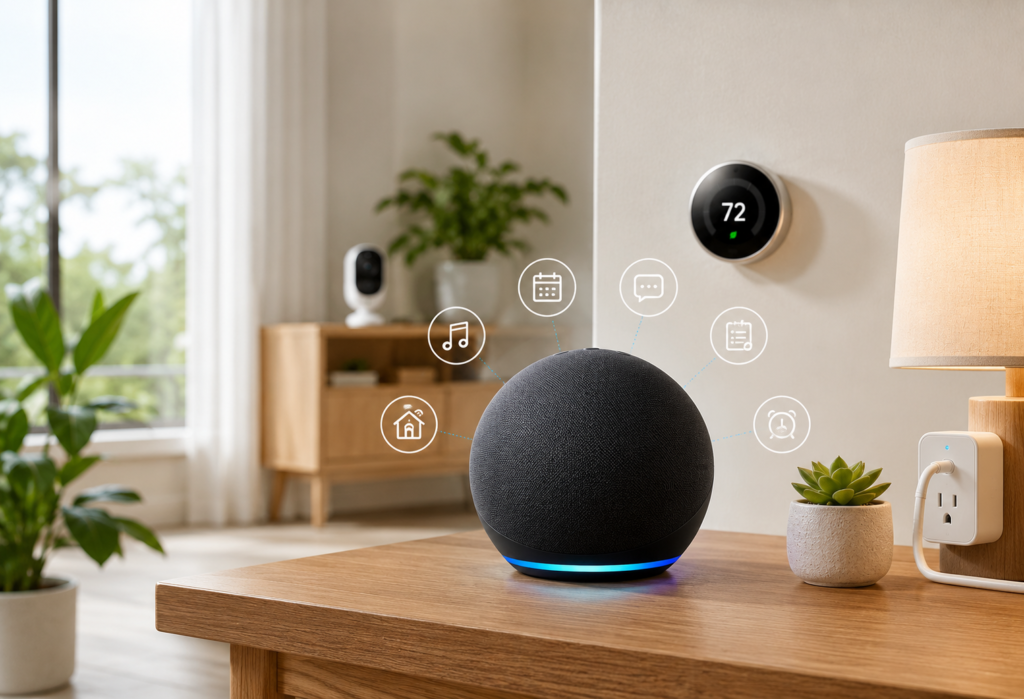
“Hidden Features of Alexa” can turn any Amazon Echo into a true smart home hub. Even though many people use Alexa for just playing music, controlling the temperature, setting alarms, or asking about the weather conditions, there are hundreds of hidden features that people do not know about.
If you belong to those people who are still thinking that Alexa is merely a voice assistant which allows you to play music or ask some questions, you miss a lot of features that can help you control your life and work. In fact, Alexa has become a very powerful feature, which goes far beyond just playing your favorite tracks and answering your questions.
This guide contains a number of hidden features of Alexa, which are not known even to its regular users. You will be surprised at the power of your smart speaker when learning these hidden features.
Table of Contents
Why Most Alexa Users Miss These Hidden Features of Alexa
Alexa Has Evolved Beyond a Smart Speaker
Originally, the main functions that Alexa could do were playing music, answering questions, and doing other simple commands via voice control. In the course of time, there have been numerous updates done by Amazon, making Alexa a very helpful smart home assistant. However, not all the updates become well-known to average people.
That is why many Echo devices are being used only for playing music or setting alarms despite the fact that they can do far more complicated things than that, such as controlling smart home appliances and performing advanced routines.
Hidden Features of Alexa Can Save Time and Effort
A user can use Alexa routines to automate some of the everyday activities using just a single voice command. This means that activities such as starting a day can be done easily via setting up a “Good Morning” routine that turns on the lights, starts the coffee machine, provides weather information and tells you the schedule for the day.
The best thing about Alexa is that most of its most helpful functionalities are relatively easy to configure through the Alexa app. No technical skills are required in doing this.
Why Learning Advanced Alexa Commands Matters
Advanced technologies for smart homes are now commonly installed in the majority of households. If you don’t use those advanced functionalities, then you are like operating a sports car in its lowest gear possible. The functionalities can be used to enhance security and efficiency around the house.
Alexa Routines – The Most Powerful Feature You’re Probably Not Using
What Are Alexa Routines?
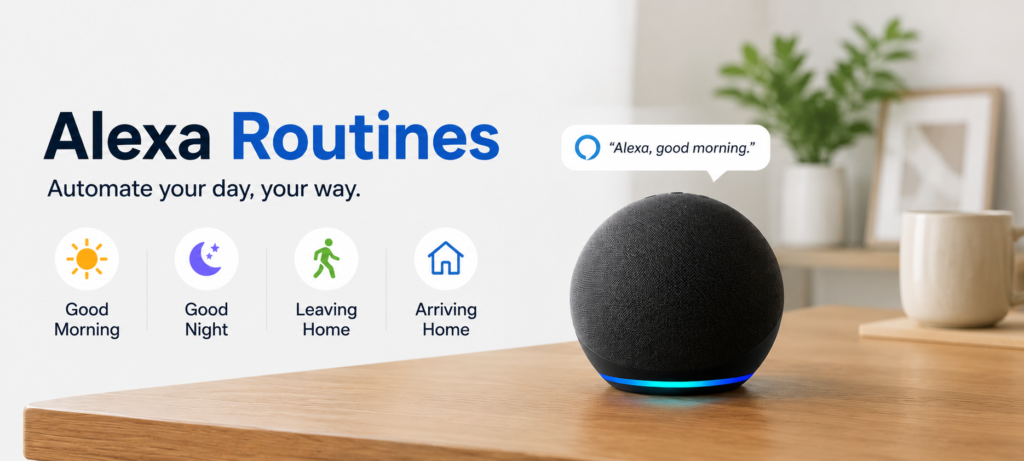
With the help of Alexa Routines, you will be able to carry out several functions using a single voice command, or even automate your process depending on the time, location, or activity of your devices.
Routines include controlling your smart home devices, listening to music, giving weather reports, announcing calendar events, etc. You can make use of Alexa app to create your own routines.
Create a One-Command Morning Routine
An Alexa Morning Routine is capable of automating multiple processes using only one voice command. For instance, “Alexa, start my day” will be able to activate compatible lighting, kick-start the process of making your cup of coffee, provide weather reports, check your calendar, and play music from your favorite playlist.
You can configure such routines in the Alexa application by including smart home controls, news briefing, traffic reports, reminders, or any other action that suits your needs.
Automate Your Evening Routine
An evening Alexa Routine will allow you to automate your tasks at night with just one voice command or at a certain scheduled time. “Alexa, goodnight” command can dim or turn off the lights, lock all the smart locks in your house, arm the security system, adjust your thermostat, and even play sounds for a more relaxing atmosphere.
You can schedule your routine to be performed automatically either when you go to bed or during sunset time.
Smart Home Automation with Alexa Routines
Apart from routines during the morning and night times, Alexa also automates tasks for other types of activities. For instance, through the “Movie Night” routine, Alexa will turn off the lights, shut down your smart fan, put the TV on the right input, and mute all music playing in other areas.
Families can have routines for sleeping, studying, and preparing for school. This automation saves people time when completing their daily chores.
Alexa Can Recognize Different Voices
How Voice Profiles Work
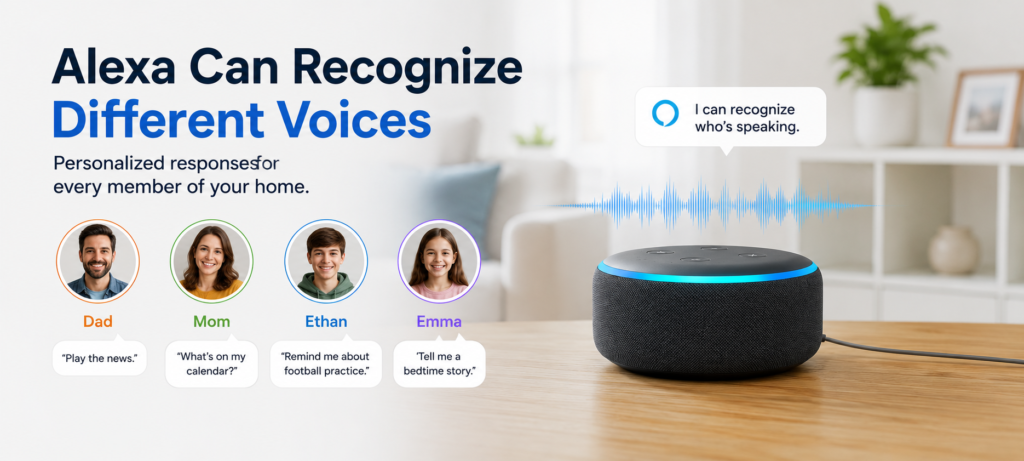
With the Voice Profiles feature, Alexa recognizes each of the household members through their voices and gives them personalized responses accordingly. Every member can link their voice to their Amazon account and to all of their favorite songs and calendar events among others.
It takes just a few minutes to set up Voice Profiles in the Alexa app.
Personalized Music and Calendar Access
Using the feature of Voice Profiles, Alexa will be able to give you personalized music, calendar events, reminders, shopping lists, etc. In case you say, “My playlist,” or “My calendar,” Alexa will show data related to your account only.
The feature is designed to make sure that each person in the family gets personalized content without sharing personal information.
Family-Friendly Benefits
Voice profiles also allow for setting up parental controls along with appropriate content filtering according to the age group of the children. Parents can prevent explicit music, restrict home automation controls, and disable certain features of Alexa voice assistant on children’s voice profiles.
Alexa Whisper Mode
What Whisper Mode Does
Whisper mode identifies when you’re whispering to Alexa and replies to you in a whisper. The system is smart enough to recognize a whisper from regular speech and then automatically responds in a whisper.
Whisper mode is a pretty amazing technology. The Alexa system is able to recognize whisper commands just about as accurately as regular voice commands, but occasionally complicated commands need to be repeated.
Perfect for Bedrooms and Late-Night Use
If Alexa hears that you are talking to her in a whisper, she will also whisper back to you. This function relies on an advanced form of voice recognition that enables Alexa to detect the difference between whispers and regular speech.
This technology is really impressive! Alexa understands whispers almost as well as she does regular speech. Only complicated requests may need to be repeated.
How to Enable Whisper Mode
Whisper mode can be activated by opening the Alexa application, navigating to settings, choosing your device, and clicking “Whisper Mode.” It is activated instantly upon doing so; however, it might take several attempts before you get used to whispering at an appropriate volume.
Alexa Guard – A Hidden Features of Alexa Home Security
How Alexa Listens for Alarms
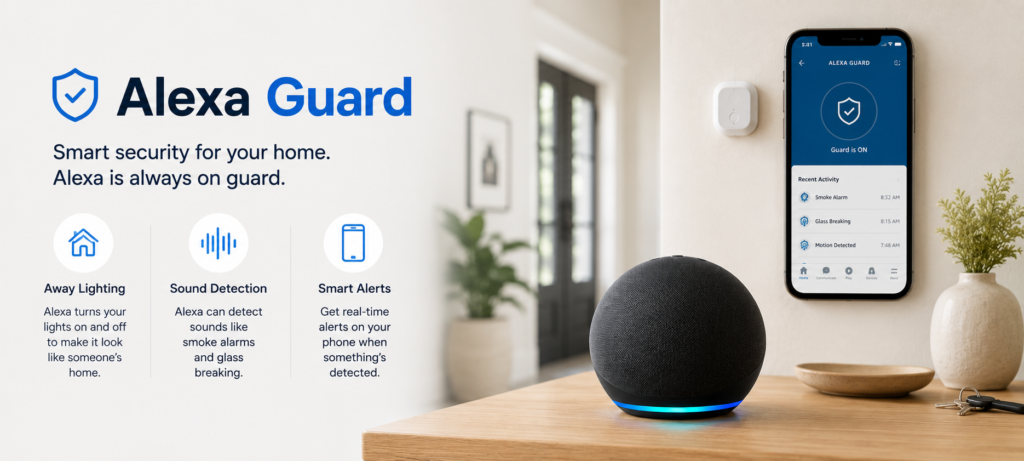
Alexa Guard provides assistance in making your house safer through the use of Echo devices that can detect alarm sounds such as those produced by smoke and carbon monoxide alarms, as well as breaking glass. When Guard is activated, Alexa can inform your phone about the presence of these sounds when you are not at home.
Alexa Guard is able to identify certain patterns of alarms and thus prevents many false alarms caused by regular sounds in your house.
Security Alerts While You’re Away
The guard mode can be enabled manually by telling “Alexa, I’m leaving” or by enabling it automatically through certain supported routines and settings. Once enabled, Alexa starts listening for certain security sounds and sends immediate alerts to your mobile phone in case there’s a noise from an alarm or breaking glass.
Real-time alerts will enable you to take action fast in case something goes wrong.
Why Smart Home Owners Love Alexa Guard
Owners of smart homes will be able to use Alexa Guard to connect their home security system and do more upon detection of any security breaches. You may create routines where turning on lights, activating security cameras and notifying other members of your family happens automatically upon detecting anything through Guard.
Basically, this is just home security monitoring that is done using the hardware that you already have without any monthly payments and extra equipment.
Alexa Can Act as an Intercom System
How Drop In Works
With Drop In, you are able to instantly talk through your Echo devices from within your house or with authorized contacts that have enabled it on their end. Drop In works unlike phone calls since it connects instantly with no recipient’s response needed.
To enable Drop In, one needs to enable it in the Alexa app and choose the contacts that will be allowed to initiate Drop In. The privacy feature for Drop In involves an audio notification that the recipient receives to indicate someone is going to speak.
Announcements Across Multiple Echo Devices
With the announcement feature, you can use your voice to make an announcement from one of your Echo devices and it is received in all other compatible Echo devices in the home.
You can announce when the dinner is ready, when there are guests at the door, when there is a delivery or any event in the house through voice commands such as “Alexa, announce…”
This is a good method of communication that helps in sharing information in the house without shouting out loud.
Best Uses Around the House
Drop In is ideal to keep track of elderly family members, facilitate communication from one floor to another of multi-floor houses, or stay in touch with kids who play in other rooms. Some people use Drop In as a baby monitor, but baby monitors have additional features for their purpose.
Intercom feature helps to connect multi-Echo families and replace costly intercom systems in new homes.
Alexa’s Hidden Entertainment Features
Alexa Game Commands
There are a number of built-in games on Alexa that one can play just through voice. There are different types of games from trivia, word games, adventure games, and multi-player games. Some of the games available include 20 Questions, Word Master, and Jeopardy.
The games are great for activities such as road trip, family get-together or any other place where people want entertainment without looking at a screen. The voice games offer visually impaired users the opportunity to engage in gaming.
Movie and TV Easter Eggs
Alexa has been designed in such a way that it has many cultural allusions programmed into it. You can ask Alexa about Star Wars characters, Marvel characters, and even movie lines, and Alexa will reply to your questions using the voice of a movie character, or by making references to the movie lines.
A few of the many allusions I enjoy asking Alexa about are HAL 9000, the meaning of life (42, obviously), and asking her to “open the pod bay doors.”
Fun Voice Interactions
Apart from the Easter egg commands, Alexa is capable of telling jokes, singing songs, beatboxing, and rapping as well. You can ask Alexa “Tell me a joke” for a dad joke level of comedy or “Alexa, sing happy birthday” for customized songs.
Music Discovery Tricks
In addition to playing specific songs or artists, Alexa’s music discovery is about finding music according to your mood, activities, decade or even weather conditions. The “play upbeat music for cleaning” or “play relaxing piano music” commands use complex algorithms to build relevant playlists.
The “play music like this” command analyzes the currently playing songs and finds similar music to help you discover new artists in your genre preferences.
Alexa Productivity Features You Probably Never Use
Email and Calendar Management
Once you integrate your mail and calendar services that you are supporting, Alexa is able to organize your schedule by using voice commands. The commands you could use include “What’s on my calendar today?”, “Read my emails”, or “Schedule a meeting tomorrow at noon.”
This technology is helpful when you are cooking or doing housework and don’t want to hold your phone while checking your appointments or reading emails.
Shopping Lists and Reminders
Voice commands for shopping lists will sync through all your devices and even share lists with family members. Being able to add things as they occur in your day while cooking or realizing you’re low on something will be quicker than using an application on your phone.
Location reminders will be set by where you are. “Remind me to call mom when I get to work” or “remind me to buy milk when I’m at the store” will use your phones location to remind you.
Voice Notes and To-Do Lists
Voice notes, to-do lists, and multiple timers are some of the features of Alexa. Voice notes are ideal in saving your thoughts, ideas, or reminders at any moment without having to stop and write them down manually.
When cooking a complicated meal or carrying out different tasks that require time management, setting different timers with names is an option instead of using regular timers such as “pasta timer for 12 minutes” and “bread timer for 25 minutes.”
Daily Briefings
The Flash Briefing of Alexa allows one to choose which type of information he/she wants to hear, including the news, the weather, the calendar, traffic reports, and some other useful things. It is only necessary to ask “Alexa, what’s my Flash Briefing?”
You can set up the list of the news sources that you want to hear from through the app of Alexa.
Alexa Smart Home Tricks Most Users Miss
Device Groups
You can control your many smart home devices using just one command through device groups. For instance, by having all your devices grouped as a “living room” group, saying “Alexa, turn off living room” will switch off everything in one go.
Device groups are ideal for grouping your lighting zones, entertainment centers, and rooms’ automation. This is not complicated and takes only a few minutes to set up.
Presence-Based Automation
Smart Home Alexa Routines are capable of detecting your phone’s location, the time of the day, or the status of other devices. The arrival at home will automatically turn on the lights, set the temperature, and start playing music without having to say anything.
Such presence detection allows your smart home to function as an automatic system rather than a voice-operated one.
Multi-Step Voice Commands
More than one command can be combined into sentences with the use of “and.” The phrase “Alexa, turn on the living room lights and play jazz music and set the temperature to 72 degrees” is an example of executing more than one command at once.
It cuts down on the amount of conversation that would otherwise occur to make the modifications to your smart home.
Smart Lighting Shortcuts
Apart from simple switch operations, Alexa allows brightness manipulation, changing color and lighting scenes. For instance, one can give instructions such as “set bedroom lights at 20 percent” or “set kitchen lights to warm white.”
Lighting scenes allow one to change rooms according to certain needs. For instance, “movie mode” can set lights at certain levels, and “reading mode” may set bright lights.
Alexa Emergency and Safety Features
Emergency Contact Setup
Alexa can be programmed to dial pre-defined emergency contacts in case of emergencies. For this function to work, you need to use the Alexa app, and your Echo device needs to have calling ability.
This emergency function proves useful to senior citizens, patients, and those living alone. It is helpful because it enables voice activation.
Calling and Messaging Features
Apart from emergency calls, Alexa can make calls to anyone on your contact list, send messages to other Alexa users, and even connect to landlines via the Echo Connect device.
Voice calling is quite clear and easy to use, especially during activities like cooking or driving.
Important Safety Commands
Alexa is programmed to respond to different safety commands and can give users information such as the phone number for poison control, first aid tips, and the number for emergency services in their area.
Although it should not be used to replace emergency services, Alexa can give you access to necessary information in times of crisis.
Family Safety Uses
Parents may use Alexa to connect with their children when needed in case of emergencies or just to chat. Children will be able to contact their parents and ask any questions without using their phones.
Hidden Alexa Settings That Improve Performance
Follow-Up Mode
In Follow-Up Mode, Alexa continues listening for further commands even after executing the initial command. In this case, the user does not need to utter “Alexa” repeatedly. Blue light will continue flashing for several seconds as Alexa waits for other commands from you.
The feature ensures that the conversation becomes easier for the user to conduct.
Adaptive Listening
Adaptive listening is an important feature that enables Alexa to understand and adapt to your speech patterns, commonly used commands, and pronunciation. This feature increases accuracy levels for those individuals who have accents, speech impediments, or special vocalizations.
Brief Mode
Using brief mode allows for a reduction in Alexa’s verbal responses for basic commands. Alexa will make a quick sound like a chime when you ask her to turn on your lights.
Privacy Controls
There are privacy controls in Alexa that allow for the automatic deletion of recordings, reviewing of stored audio files, and controlling the sharing of information. Recordings can be set to be deleted according to a period of time or reviewed and deleted individually.
For detailed setup instructions and troubleshooting, visit the Amazon Alexa Help Center.
Best Alexa Skills You Probably Haven’t Tried
Productivity Skills
Third-party productivity skills help Alexa perform tasks such as management of to-do list, notes, and organization. Skills such as Todoist, Any.do, and Evernote connect to current user’s account and provide voice commands for productivity applications.
These skills are useful for professional users who need fast task creation, appointment reminders, and updates about projects without interfering with workflow.
Smart Home Skills
Skills from the manufacturer give greater ability compared to generic smart home skills of Alexa. Skills such as Philips Hue, Ring, and Nest have more settings, scenarios, and commands than generic smart home controls.
Health and Fitness Skills
Health skills may track physical activities, help in meditations, and give health advice. 7-Minute Workout, Headspace, and WebMD are some of the health and fitness skills that provide voice-controlled health features.
Educational Skills
Educational skills make Alexa your teacher in learning languages, history, science, and general information. Some of the educational skills include Duolingo, NASA Mars, and Big Sky.
Common Alexa Mistakes to Avoid
Overlooking Routine Automation
One of the largest errors in using Alexa is failing to make regular tasks easier with routines. For example, if you use the same three to four commands every day, you need to automate the process with a routine.
Ignoring Privacy Settings
Some people do not even check their privacy settings on Alexa and neglect managing their saved recordings. Spending a little time checking out these settings can give you peace of mind.
Not Updating Alexa Skills
Skills are frequently updated, adding features and improving performance. It is important to check updates to your skills regularly.
Poor Device Placement
The placement of Echo devices is crucial for their performance. They perform best when placed away from walls, speakers, and electronic devices.
❓FAQ’s
What are the best hidden features of Alexa?
The feature of Alexa routines adds the most value since it allows me to perform several actions at once. Other great functions are voice profiles, whisper mode, and the Alexa Guard skill, but again, they are valuable once I learn about their existence.
Can Alexa improve smart home automation?
Certainly. Advanced functions such as presence-based routines, device groups, multi-actions commands help create a highly automated smart home system.
Is Alexa Guard free?
The standard features of Alexa Guard are completely free for all Echo users. On top of it, there is an additional paid version called Alexa Guard Plus.
How do I find hidden Alexa commands?
The Alexa app has a “Things to Try” page that provides some command suggestions based on your devices and enabled skills. You will be able to find out the hidden features by exploring the settings menus and skill store in the app.
Which Alexa feature is most useful?
Routines are the most useful hidden feature because they save time and reduce the burden of doing many things at once. But the usefulness of the hidden feature depends on households since families love the voice profiles more, but security fans love Alexa Guard.
🔗Related Articles
- Google Home Setup Step-by-Step (2026 Guide for Google Nest, Mini & Smart Home Devices)
- Alexa vs Google Assistant: Smart Home Comparison
- Alexa Keeps Disconnecting? 12 Powerful Fixes That Work Instantly (2026 Guide)
- Amazon Echo Dot (5th Gen) Review (2026) – Is It Worth It?
- Google Nest Mini (2nd Gen) Review – Best Budget Smart Speaker? (2026)
- Best Smart Speakers Under $100 (2026) – Top Budget Picks That Actually Sound Good
- Best Smart Speakers Without Subscription (2026)
- Alexa Home Automation (2026 Guide): How to Build a Smarter Home
🚀Final Verdict: Hidden Features of Alexa You Didn’t Know
More than just playing music or accepting voice commands, Alexa provides plenty of useful features like Routines, Voice Profiles, Whisper Mode, Announcements, Alexa Guard, and Flash Briefings that will add convenience, security, and efficiency to your smart home system.
When it comes to smart home users, Routines and device groups will be the most beneficial options provided by Alexa as they allow automating your daily activities with just one single command. Productivity features such as reminders, shopping lists, calendar sync, and voice profiles, as well as additional home security with Alexa Guard, will make your daily routines easier.
Almost all the mentioned features are available right in the Alexa application and will not take much time to implement. Begin with some of the easiest options like Whisper Mode or Voice Profiles, and then move to Routines and Alexa Guard when your smart home is growing.
With regular updates, Alexa will keep on developing and providing more useful capabilities to smart homes users. Using these hidden features of Alexa will definitely give you additional value from your Echo device.