
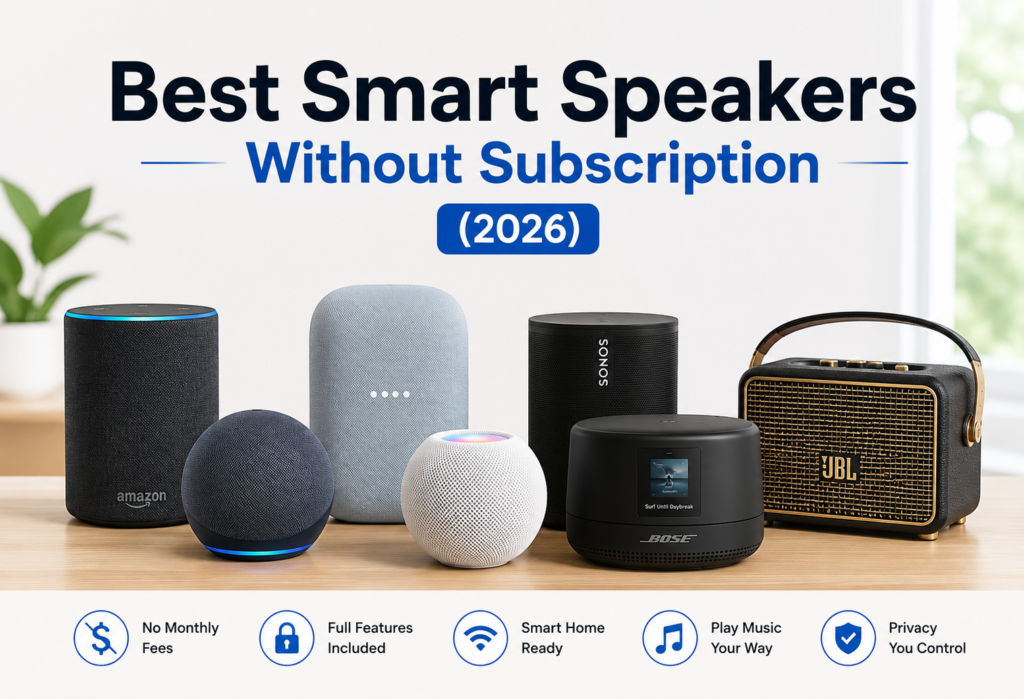
Getting a smart speaker seemed simple enough; you’d buy one, plug it in and start using it. However, at some point the following question became more common than ever before: Should I subscribe for some monthly fee just to use my smart speaker properly?
The short answer is no, and this is exactly what this guide is about.
All smart speakers work fine with no subscriptions whatsoever. You are free to control your smart lights, set timers, listen to the weather forecast, listen to music and operate your entire smart house system without paying any additional money. Subscription service is indeed available, but it’s usually for additional premium features like listening to music or audiobooks ad-free.
This guide is for everyone who wants a smart speaker to work just fine without having to subscribe for any more services.
Table of Contents
Quick Comparison Table – Best Smart Speakers Without Subscription
| Product | Best For | Voice Assistant | Audio Quality | Connectivity | Smart Home Compatibility | Subscription Required | Price (USD) | Rating |
|---|---|---|---|---|---|---|---|---|
| Amazon Echo (4th Gen) | 🏆 Best Overall | Alexa | ★★★★☆ | Wi-Fi, Bluetooth | Excellent (Matter & Zigbee Hub) | ❌ No | ~$99 | 9.5/10 |
| Amazon Echo Dot (5th Gen) | 💰 Best Budget | Alexa | ★★★★☆ | Wi-Fi, Bluetooth | Excellent | ❌ No | ~$49 | 9.2/10 |
| Google Nest Audio | 🤖 Best for Google Home | Google Assistant | ★★★★☆ | Wi-Fi, Bluetooth | Very Good | ❌ No | ~$99 | 9.0/10 |
| Apple HomePod mini | 🍎 Best for Apple Users | Siri | ★★★★☆ | Wi-Fi, Bluetooth | Excellent (Apple HomeKit) | ❌ No | ~$99 | 8.9/10 |
| Sonos Era 100 | 🎵 Best Premium Sound | Alexa | ★★★★★ | Wi-Fi, Bluetooth | Excellent | ❌ No | ~$249 | 9.6/10 |
| Bose Smart Speaker 500 | 🔊 Premium Overall | Alexa, Google Assistant | ★★★★★ | Wi-Fi, Bluetooth | Very Good | ❌ No | ~$299 | 9.1/10 |
| JBL Authentics 200 | 🎸 Best Vintage Design | Alexa, Google Assistant | ★★★★☆ | Wi-Fi, Bluetooth | Very Good | ❌ No | ~$199 | 9.0/10 |
Do Smart Speakers Really Need a Subscription?
This is the first and foremost question asked before making a purchase, and the concern is absolutely valid. Everyone is sick and tired of being charged for every single piece of software they have on their devices.
What Works Without a Subscription
Here’s what you get completely for free with any major smart speaker:
- Voice control – Ask questions, set reminders, schedule your agenda
- Music via Bluetooth – Stream your tunes without any costs
- Smart home control – Lights, plugs, lock, thermostat
- Timers, alarms, and reminders – Built-in functionality without additional charges
- Weather updates – Get real-time weather forecasts whenever you want
- Free music streaming – Spotify, Amazon Music (free version), TuneIn radio, iHeart Radio
Features That May Require Paid Services
There are some features that relate to paid third-party subscriptions – however, they are not compulsory:
- Premium music streaming – Spotify Premium, Amazon Music Unlimited, Apple Music
- Audible subscriptions – To listen to audiobooks on Alexa
- Cloud storage –For Ring Camera video storage and similar features
- Third-party premium skills – Rare, but some specialty Alexa skills cost money
Subscription vs Free Features Comparison
The reality is, 90% of the features that you can use daily with your smart speaker are totally free! You would only need a subscription for premium features, such as ad-free quality music.
How We Selected the Best Smart Speakers
It wasn’t all about specs; here are the things we cared about during our evaluation:
Sound Quality
A poorly designed sound can make even the best smart speaker less than enjoyable to use on an ongoing basis. We considered the bass performance, mid-high clarity, and sound coverage of each product.
Smart Home Compatibility
The more compatible products each speaker could work with, the better. This meant checking support for Zigbee and Matter, and how easy it was to integrate them with smart home devices from popular manufacturers.
Ease of Setup
Anything taking more than 10 minutes is likely going to make users frustrated. That’s why easy setup via an app was an important criterion.
Privacy Features
Whether the speaker has physical mute options, recording controls, and whether or not the manufacturer makes data usage information clear – especially in always-listening devices.
Value for Money
Here, we evaluated what you got for the money, comparing the products directly against their competition.
Long-Term Reliability
While some of the products worked wonderfully out-of-the-box, but stopped being supported in two years was not an ideal solution. That’s why we took brand histories into account.
7 Best Smart Speakers That Work Without Subscription
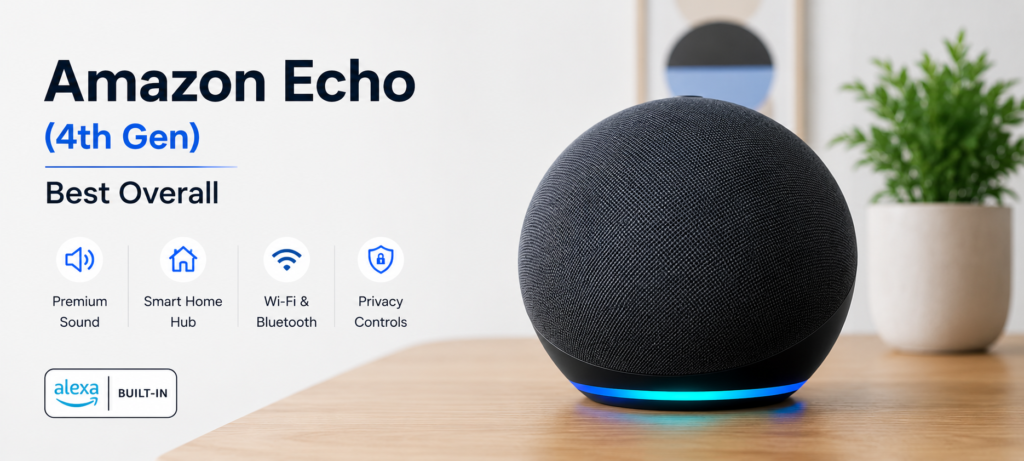
1. Amazon Echo (4th Gen) – Best Overall
Key Features
- 3″ woofer & two tweeters for great, whole-room sound quality
- Internal Zigbee smart home hub
- Support for Eero Wi-Fi mesh system
- Spherical shape with LED light ring
- Works with thousands of different smart home products
Pros
- Great smart home compatibility
- Good audio quality considering its compactness
- It can act as a Zigbee hub without additional equipment
- Alexa comes with countless skills available for free
Cons
- Alexa sometimes makes product recommendations by Amazon
- Its best capabilities rely heavily on Amazon’s ecosystem
Works Without Subscription?
Yes, fully. Voice commands, smart home control, Alexa Music tiers and routines can all be used for free.
Best For
Anyone who is setting up a smart home from scratch or is switching to Alexa ecosystem.
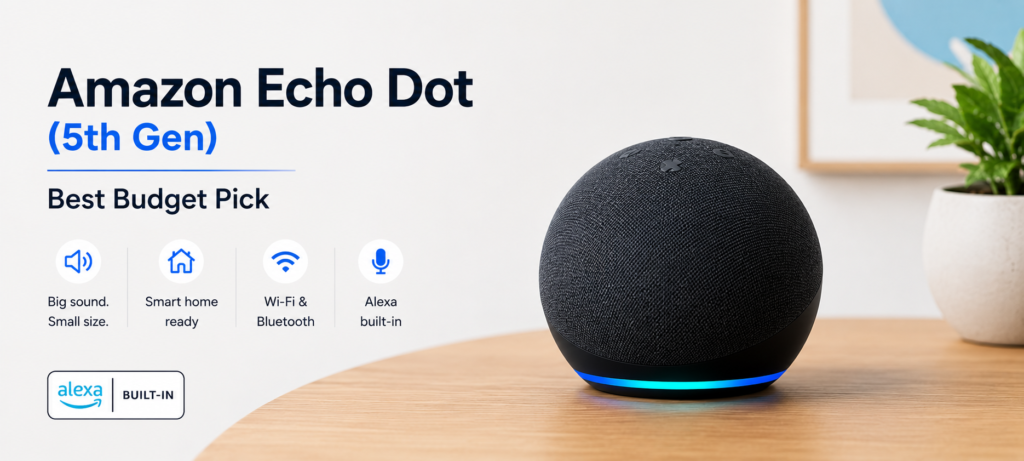
2. Amazon Echo Dot (5th Gen) – Best Budget Pick
Key Features
- Enhanced 1.73″ speaker with more bass than previous generation
- Integrated temperature sensor
- Built-in Eero Wi-Fi extender
- Slim design that can fit anywhere
Pros
- Extremely inexpensive start
- Quite powerful for its size
- Temperature sensor adds usefulness
- In-built Alexa skills function perfectly
Cons
- Limited sound will not cover a big room
- Lacks an integrated Zigbee hub (which is available on the Echo 4th Gen)
Smart Home Features
Integrates with Alexa routines and voice control for lights, smart plugs, and thermostats. Easily connects with the Echo 4th Gen when additional Zigbee capability is needed.
Best For
People just starting out or looking for something cheap, budget-conscious individuals, or those who want Alexa in another room.
Amazon Echo speakers are powered by Alexa, offering voice control, routines, and smart home automation. Amazon Alexa Official
3. Google Nest Audio – Best for Google Home Users

Key Features
- 75mm woofer and 19mm tweeter
- In-built Google Assistant
- Design with fabric material and small build
- Compatibility with Google Home application and routines
Pros
- Excellent voice recognition even in noisy surroundings
- Google Search allows better results
- Good audio output for a mid-priced speaker
- Good performance in multi-room setups
Cons
- No smart home hub with it (no Zigbee and Z-Wave)
- Needs Google account
Best For
People using Google products – Android phones, Google Home, and other Chromecast gadgets in the house
Google Nest Audio integrates seamlessly with Google Home and Matter-compatible smart devices. Google Nest Official
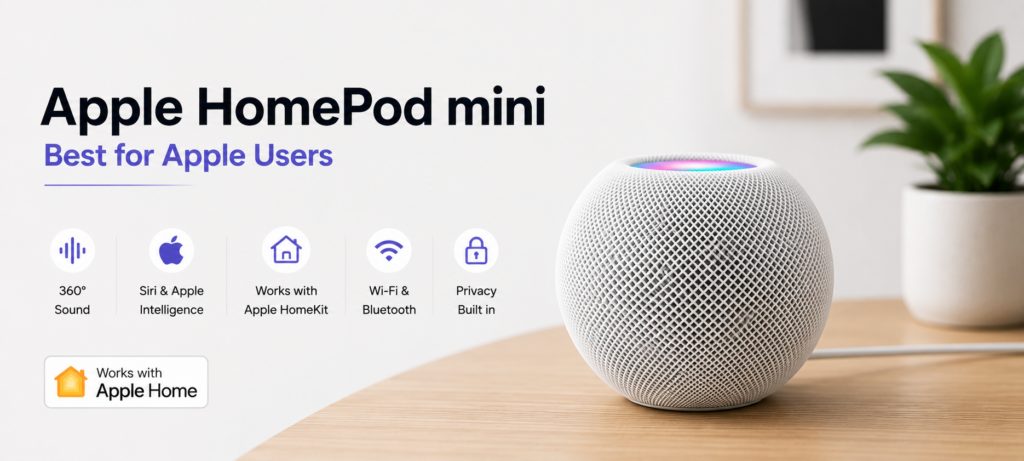
4. Apple HomePod Mini – Best for Apple Users
Key Features
- 360-degree audio with spatial audio capability
- Ultra-wideband chip to accurately detect devices
- S5 chip takes care of most of the processing on-device
- Thread border router built-in
- Operates as a HomeKit hub
Pros
- Has best privacy capabilities compared to other smart speakers
- Integrates well with iPhones, iPads, and Macs
- Can act as a Thread border router for Matter compatible devices
- Siri works on-device without cloud processing
Cons
- Doesn’t offer much beyond the Apple ecosystem
- Still not the best compared to Alexa and Google when it comes to third party integrations
- Less variety of HomeKit devices to choose from
HomeKit Integration
Works as a local hub for HomeKit automations. It works with Matter to be able to connect non-Apple smart home devices through the standard.
Best For
iPhone owners who use Apple devices in their home and prioritize privacy above anything else.
Apple HomePod mini is designed for users invested in the Apple Home ecosystem. Apple HomePod Official
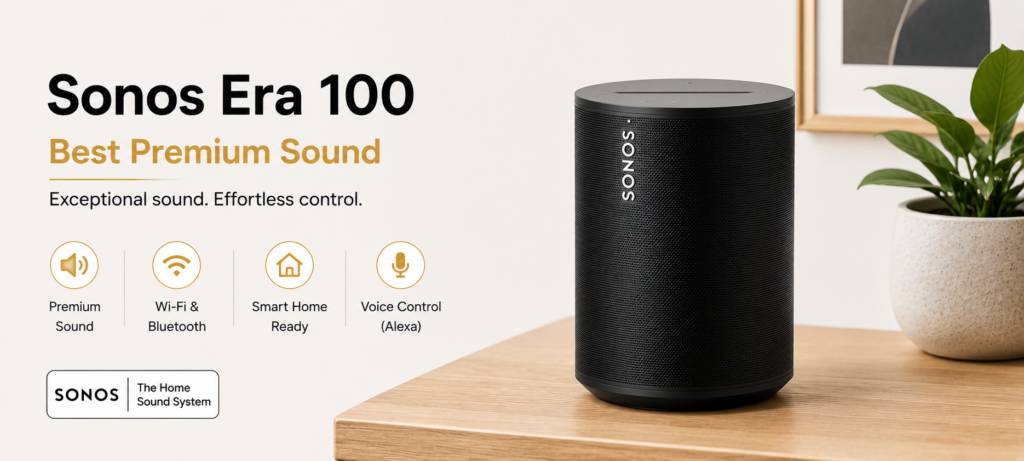
5. Sonos Era 100 – Best Premium Sound
Key Features
- Dual tweeters with angle for better sound projection
- Line-in through USB-C for analog input
- Bluetooth and Wi-Fi capabilities
- Trueplay room tuning (will automatically adjust the audio based on your room)
- Can be paired to use as stereo
Pros
- Best audio quality among its price competitors
- Compatible with Alexa and Google Assistant
- Supports Bluetooth which means you can listen to music through any device
- Best multi-room audio system
Cons
- More expensive than Echo and Nest
- Some features work only with Sonos app
Alexa Compatibility
Fully Alexa enabled and no subscription is required to use all the features that include voice command, smart home controls, and music.
Best For
Anyone who needs high-quality audio with smart assistant capabilities and also needs a multi-room audio system.
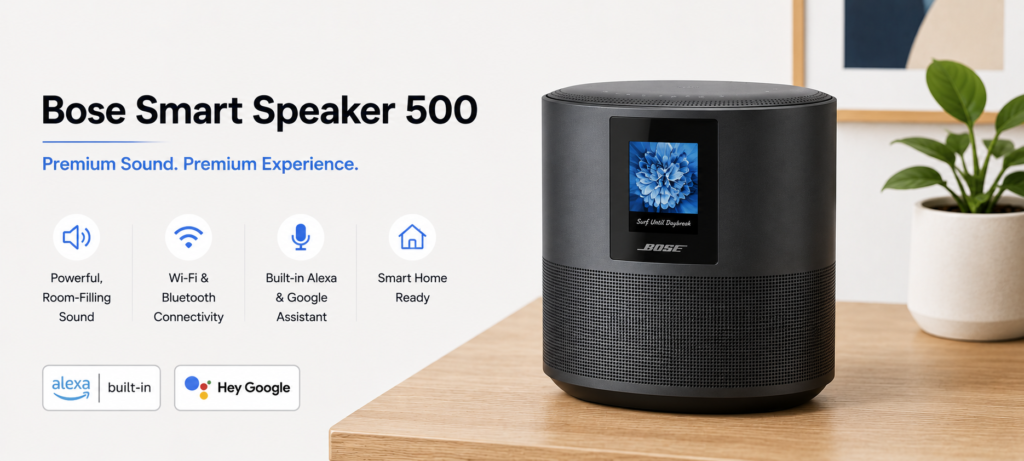
6. Bose Smart Speaker 500 – Best Premium Smart Speaker
Key Features
- Eight-microphone custom array
- Bose SimpleSync technology for multi-room audio
- Alexa and Google Assistant integration both available
- Wide soundstage that complements its horizontal design
Pros
- Excellent vocal clarity and balanced sound
- Useful dual voice assistant feature
- Great build quality makes you feel like you’re getting your money’s worth
- Best for music enthusiasts
Cons
- Very expensive when compared with others
- Lacks smart home hub capabilities
Best For
People who love music and are looking for the best sounding smart speaker with voice assistant capabilities.
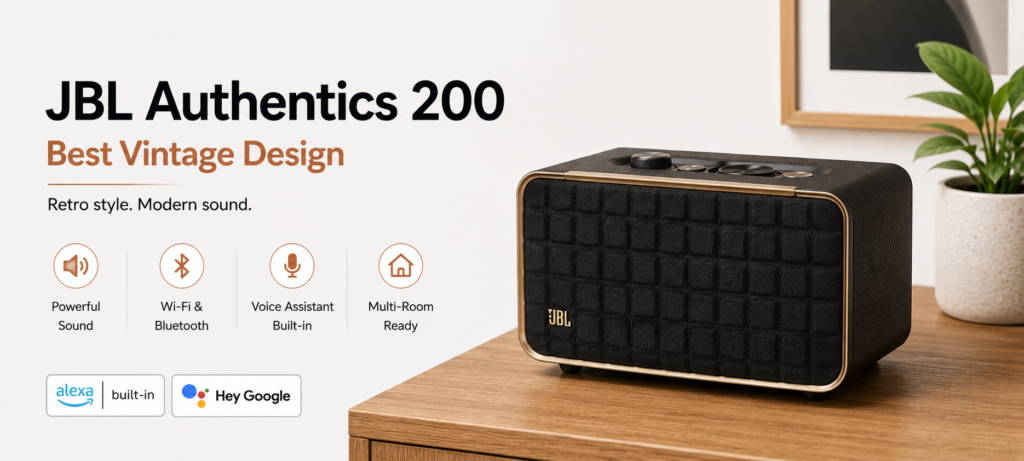
7. JBL Authentics 200 – Best Vintage Design
Key Features
- Speaker with retro design but modern innards
- Amazon Alexa & Google Assistant compatibility
- Wi-Fi and Bluetooth
- 2.0 stereo speaker with tweeter and woofer
- USB charging point at the back
Pros
- Looks good anywhere you put it
- Compatibility with Alexa and Google
- The inclusion of USB-A charging port is appreciated
- Decent audio output for the money
Cons
- Not a smart home hub
- Has some connectivity issues according to some users
Best For
People looking for a smart speaker to combine interior design and voice assistant functionality.
Best Smart Speaker by Category
Best Overall
Amazon Echo (4th Gen) — smart home hub, strong audio, and Alexa’s depth of free features make it the top all-rounder.
Best Budget
Amazon Echo Dot (5th Gen) — the most capable speaker under $50 by a wide margin.
Best Premium
Bose Smart Speaker 500 — premium build, exceptional audio, dual assistant support.
Best Sound Quality
Sonos Era 100 — nothing at this price point comes close for audio performance.
Best for Alexa
Amazon Echo (4th Gen) — built-in Zigbee hub makes it the best Alexa device for smart home use.
Best for Google Home
Google Nest Audio — designed specifically for Google’s ecosystem and it shows.
Best for Apple HomeKit
Apple HomePod Mini — the only choice if you’re deep in Apple’s world.
Best Smart Home Hub
Amazon Echo (4th Gen) — Zigbee hub built in, supports Matter, and works with the most smart home devices.
Alexa vs Google Assistant vs Siri Without Subscription
Voice Recognition
Google Assistant leads here. It handles natural, conversational questions better than the others. Alexa is a close second. Siri still struggles with complex or follow-up questions.
Smart Home Control
Alexa wins on sheer volume of supported devices. Google is strong with its own ecosystem. Siri/HomeKit has fewer supported devices but better local control.
Supported Devices
- Alexa: 100,000+ compatible devices
- Google Home: 50,000+ compatible devices
- HomeKit: 10,000+ compatible devices
Music Playback
All three support free music streaming tiers. Alexa works with the Amazon Music free tier. Google Assistant connects to YouTube Music free. Siri connects to Apple Music (paid) but also works with Spotify free.
Daily Productivity
Google Assistant handles calendar, reminders, and information lookup best. Alexa is strong for shopping lists and routines. Siri is best if your life runs on Apple apps.
Privacy
Apple wins clearly. HomePod Mini processes most requests on-device. Alexa and Google offer more manual controls now, but still rely more heavily on cloud processing.
Smart Home Features You Can Use for Free
Voice Commands
Every major smart speaker responds to basic voice commands at no cost. Turning lights on, asking the time, setting timers — all free.
Smart Lighting Control
Works free with Philips Hue, LIFX, Wyze, and most major lighting brands through Alexa, Google Home, or HomeKit.
Smart Plug Automation
Plug in a smart plug, connect it to your speaker’s app, and schedule it or control it by voice — no subscription needed.
Thermostat Control
Works free with Nest, Ecobee, and most major thermostats through all three voice assistants.
Security Device Control
Basic control of Ring doorbells, Wyze cameras, and August locks works without subscriptions. Video storage is where the fees kick in.
Routines & Automation
All three platforms offer free automations. “Good morning” routines, sunset lighting triggers, and departure modes are all free to set up and run.
Sound Quality Comparison
Bass Performance
Sonos Era 100 > Bose Smart Speaker 500 > Echo (4th Gen) > Google Nest Audio > HomePod Mini > Echo Dot
Vocal Clarity
Bose Smart Speaker 500 leads here, thanks to its microphone array and tuning.
Room-Filling Audio
Sonos Era 100 and Bose Smart Speaker 500 fill a medium to large room comfortably. Echo and Nest Audio work well in a medium room.
Stereo Pairing
Sonos and Echo both support stereo pairing. Two Sonos Era 100s create an impressive stereo experience.
Multi-Room Audio
Sonos has the best multi-room audio system overall. Amazon’s multi-room setup through Alexa is free and works well across Echo devices.
Connectivity & Compatibility
Bluetooth
All seven speakers support Bluetooth, so you can stream from any phone or tablet without needing Wi-Fi.
Wi-Fi
All support 2.4GHz and 5GHz Wi-Fi. Most features require Wi-Fi for full smart assistant functionality.
Matter Support
Echo (4th Gen), HomePod Mini, and Google Nest Audio support Matter — the new universal smart home standard.
Thread Border Router
HomePod Mini includes a Thread border router. This is a technical plus for users building future-proof smart home setups.
Zigbee Hub Support
Amazon Echo (4th Gen) includes a built-in Zigbee hub, which means you can connect Zigbee devices directly without a separate hub.
Privacy and Security Features
Microphone Mute Button
All seven speakers include a physical mute button that cuts power to the microphone. This is the most reliable way to ensure the speaker isn’t listening.
Voice Recording Controls
Alexa and Google both let you review and delete voice recordings through their apps. Apple retains far less data by default.
Local Processing
Apple HomePod Mini processes many Siri requests on-device. This is a meaningful privacy advantage for users concerned about cloud data.
Guest Mode
Google Home supports guest mode for temporary access. Alexa has a similar option through household profiles.
Data Privacy Settings
All three ecosystems now offer clear opt-out options for voice recording storage. It’s worth spending 10 minutes reviewing these in your speaker’s app after setup.
Common Mistakes When Buying a Smart Speaker
Paying for Unnecessary Subscriptions
Most retailers and brands make it seem like subscriptions are required. They’re not. Start with what’s free — you may find you never need more.
Ignoring Smart Home Compatibility
Buying an Alexa speaker when all your existing smart home devices are HomeKit-only is a frustrating experience. Check compatibility before buying.
Choosing Based Only on Sound
Sound matters, but a speaker that doesn’t integrate with your other devices will quickly become annoying regardless of how good it sounds.
Forgetting Future Expansion
If you plan to add more speakers or smart devices later, pick an ecosystem that scales easily. Sonos and Amazon both handle this well.
Buying the Wrong Voice Assistant
Alexa, Google, and Siri each have real strengths. Think about which apps and devices you use daily before deciding which assistant fits your life.
Who Should Buy a Smart Speaker Without Subscription?
Beginners
For someone who has never used a smart speaker, consider buying the Echo Dot or Google Nest Audio. They both cost less and come bundled with everything, without needing to pay any subscription fees.
Families
The family profiles and routine features of Alexa make the Echo (4th Gen) very practical for those living in a household of many members, with different routines.
Apartment Renters
Smart plugs, smart bulbs, and voice-controlled routines work perfectly in rentals since they don’t require permanent installation. Any speaker on this list works well.
Smart Home Enthusiasts
Go with the Echo (4th Gen) for the Zigbee hub, or the HomePod Mini if you’re in the Apple ecosystem and value local control.
Budget Buyers
The Echo Dot (5th Gen) offers the most capability per dollar. It’s genuinely impressive for $49.
❓FAQs
Can smart speakers work without a subscription?
Yes. All the primary features, including voice commands, smart home integration, timers, weather reports, and basic music listening, work without subscription plans.
Is Alexa free to use?
Yes. Alexa is free. However, you have to pay monthly fees if you want to use Amazon Music Unlimited or Audible or other services.
Can I play music without paying monthly?
Yes. It is possible to use Spotify, Amazon Music, TuneIn, iHeart Radio, Pandora free versions via most of smart speakers.
Which smart speaker offers the best value?
Amazon Echo (4th generation) is the smart speaker with the best cost-benefit ratio. The most affordable one is the Amazon Echo Dot (5th generation).
Do smart speakers require Wi-Fi?
Yes, for all features, including voice assistance and smart home control. However, Bluetooth will work without Wi-Fi for playing music from your smartphone.
Which speaker is best for beginners?
The Amazon Echo Dot (5th Gen) will be the best choice for a beginner user as it is budget-friendly, easy to install and comes with numerous free features.
Final Verdict – Which Subscription-Free Smart Speaker Should You Buy?
Best Overall Choice
Amazon Echo (4th Gen) — it offers built-in Zigbee hub, good audio output, extensive smart home connectivity, and an established free ecosystem, making it the easiest recommendation overall.
Best Budget Option
Amazon Echo Dot (5th Gen) — for spending the least amount of money and still getting a smart speaker, you can’t beat the Amazon Echo Dot at $49.
Best Premium Pick
Sonos Era 100 — if sound quality and longevity matter to you, then it is difficult to find a better option than Sonos Era 100.
Best for Smart Homes
Amazon Echo (4th Gen) — the built-in Zigbee hub makes all the difference. It is a perfect choice if you are building or expanding your smart home.
Best Long-Term Value
Sonos Era 100 — Sonos updates their products for significantly longer periods compared to their competition and keeps up with evolving preferences.
🔗Related Articles
- Google Home Setup Step-by-Step (2026 Guide for Google Nest, Mini & Smart Home Devices)
- Alexa vs Google Assistant: Smart Home Comparison
- Alexa Keeps Disconnecting? 12 Powerful Fixes That Work Instantly (2026 Guide)
- Amazon Echo Dot (5th Gen) Review (2026) – Is It Worth It?
- Google Nest Mini (2nd Gen) Review – Best Budget Smart Speaker? (2026)
- Best Smart Speakers Under $100 (2026) – Top Budget Picks That Actually Sound Good
- Hidden Features of Alexa You Didn’t Know (2026 Guide)
- Alexa Home Automation (2026 Guide): How to Build a Smarter Home
🚀Conclusion
Here is where it all boils down to — there is no need to pay any monthly fees in order to get the full benefits out of your smart speaker in 2026.
First of all, users use their smart speakers for playing music, executing voice commands, controlling smart home systems, and searching for some recipes now and then. These functions are absolutely free. The subscriptions are made available for the extras, but the very definition of extras implies that they are optional.
Here are some conclusions from our guide:
Most of users won’t ever need any subscriptions to enjoy their smart speakers to the fullest
Make sure your smart speaker matches the ecosystem you are currently using (Alexa, Google, or Apple), and everything is going to be much easier for you right off the bat
Start with one speaker, get used to it, and slowly build up your smart home network
The best smart speaker is not the most expensive one.