
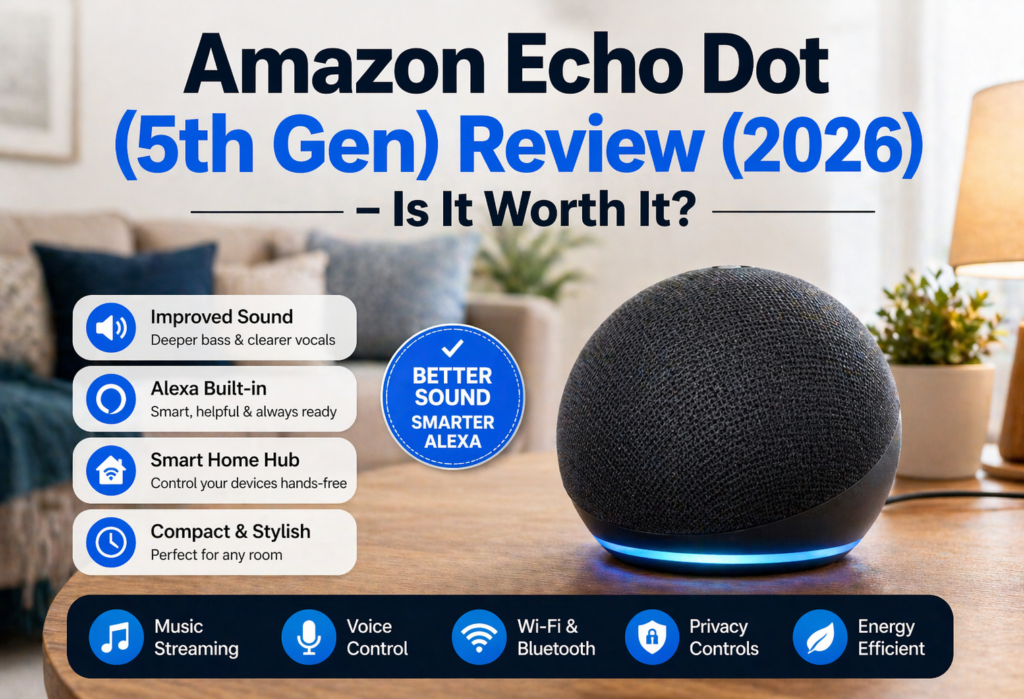
Is the Amazon Echo Dot (5th Gen) worth buying? Undoubtedly, this question is among the most common once new gadgets like this appear every year. The thing is that the Amazon Echo Dot (5th Gen) is indeed one of the most popular gadgets of its type, and probably, one of the best Alexa speakers.
Amazon Echo Dot (5th Gen) is a small smart speaker intended for people, who want to try out Alexa without spending too much money. This speaker provides an easy way to use voice controls, to listen to the music, to control smart home and other features of Alexa.
If you’ve never used any Alexa devices, then the Echo Dot is a good start because it gives you the possibility to have a relatively small smart speaker with all necessary functions.
In this review, you’ll get to know everything about the Amazon Echo Dot (5th Gen). You’ll get to know everything about functions, pros and cons of the device, its comparison with other models, and my final opinion about whether the device worth buying in 2026. Let’s start our review.
| Feature | Amazon Echo Dot (5th Gen) | Google Nest Mini (2nd Gen) | Apple HomePod mini | Amazon Echo Pop |
|---|---|---|---|---|
| Voice Assistant | Alexa | Google Assistant | Siri | Alexa |
| Sound Quality | ⭐⭐⭐⭐☆ | ⭐⭐⭐☆☆ | ⭐⭐⭐⭐⭐ | ⭐⭐⭐☆☆ |
| Bass Performance | Good | Average | Excellent | Average |
| Smart Home Compatibility | Alexa Ecosystem | Google Home | Apple HomeKit | Alexa Ecosystem |
| Temperature Sensor | ✅ Yes | ❌ No | ❌ No | ❌ No |
| Motion Detection Routines | ✅ Yes | ❌ No | ❌ No | ❌ No |
| Bluetooth Support | ✅ Yes | ✅ Yes | ✅ Yes | ✅ Yes |
| Wi-Fi Support | Dual-Band | Dual-Band | Dual-Band | Dual-Band |
| Best Room Size | Small–Medium | Small | Small–Medium | Small |
| Best For | Overall Smart Home Use | Google Users | Apple Users | Budget Buyers |
| Price Range | $$ | $$ | $$$ | $ |
Table of Contents
What is the Echo Dot (5th Gen)?
Amazon Echo Dot (5th Gen) is one of Amazon’s smallest smart speakers. It allows you to have Alexa in your environment. Consider it to be your personal voice assistant who can assist you in answering questions and helping with all other aspects of your life.
The Alexa Echo Smart Speaker has been made to serve as the gateway to Amazon’s range of smart devices. In addition to being a smart home hub, the Alexa Echo Dot makes for an excellent audio device and also provides you with news and information.
What distinguishes the 5th generation from other generations is that it has good sound and a more sophisticated voice recognition feature. In contrast to other bulky devices by Amazon such as the Amazon Echo, the Echo Dot (5th Gen) device concentrates on giving you basic Alexa features while minimizing space.
This gadget will connect to your WiFi network and integrate with the Amazon Alexa mobile application that you can download on your smartphone. You will have access to hundreds of skills, streaming of music, and control of your smart house through one gadget.
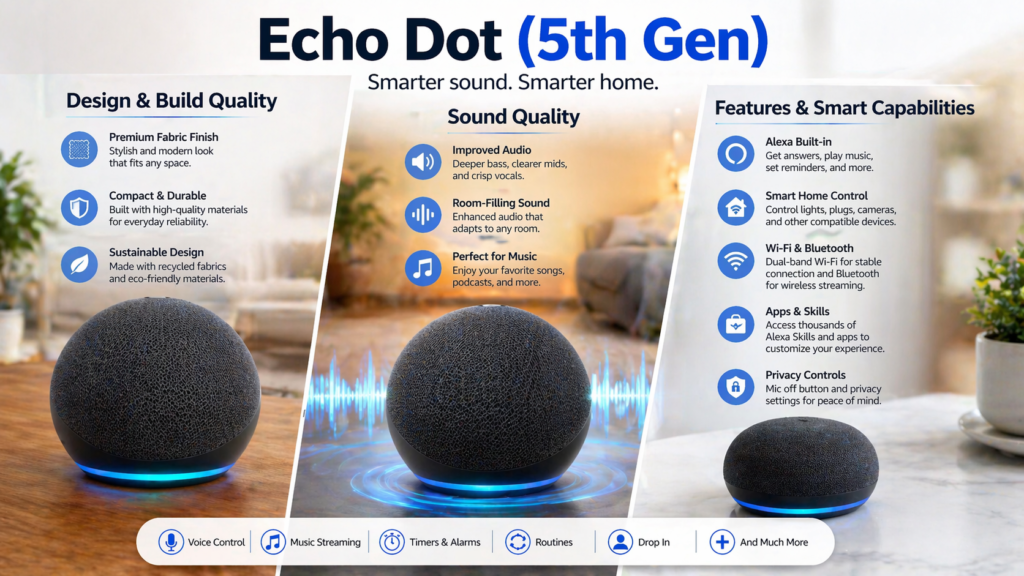
Design & Build Quality
The Echo Dot (5th Gen) has an attractive spherical design that feels modern and understated. I love the appearance of this speaker on my nightstand; it’s not obnoxious and flashy in any way. The fabric material makes it more at home within a domestic environment.
However, the feature I enjoy the most about its design is the circular ring of LEDs around the base. This ring lights up differently depending on the device’s state and sends you notifications about its status through different colors.
As compared to the Echo Dot 4th Gen, there isn’t much difference design-wise. While both have a similar spherical design, the 5th gen is somewhat firmer than the previous model. Additionally, the material is somewhat dusty too. It appears to be less dusty than the Echo Dot 4th Gen device.
Looking back at even earlier models like the Echo Dot 3rd Generation, that’s when you can really notice a difference. The 3rd generation was shaped kind of like a hockey puck, which, frankly, didn’t look very stylish anymore. However, the 5th generation’s spherical form is much more attractive and contemporary.
The build quality is quite sturdy considering its price level. I’ve knocked mine down from my nightstand two times, and it didn’t even get scratched. The material has proven to be durable throughout the whole period of use.
Sound Quality
This is where the Echo Dot (5th Generation) blew me away. It sounds considerably better than previous generations, particularly in bass performance. I have to admit that I didn’t believe Amazon could deliver much improved audio for such a tiny device, but apparently they did.
The sound quality delivered by the Alexa speaker could be described as “room-filling sound” for smaller and medium rooms. In the bedroom and home office, this speaker gives enough volume and clarity for playing music or listening to podcasts. The enhanced bass sound is not muddied as some compact speakers can be.
Of course, this product cannot compete with the bigger Echo speaker on the market; however, the purpose isn’t quite there. The quality of sound produced by this speaker is very good for such a compact model and for such a cost. This is actually the best option for small flats and rooms.
Mid-frequency sounds also transmit well, resulting in very clear and distinct voice responses by Alexa. Although this may appear to be a minor factor, it does play an important role when one is giving voice commands every other minute of the day.
What I found was that it did not have the distortion issues at high volumes that my previous device, the 3rd gen Echo Dot, had. This means that one could really crank up the volume on the device without losing any audio quality.
Features & Smart Capabilities
The important elements that the Echo Dot (5th Gen) possesses include its ability to be used as an effective voice assistant. There are plenty of things that can be done with Alexa including answering simple questions and controlling smart homes. It is one thing that you frequently use to set timers while cooking and answer random queries.
This technology is where the magic really happens for the device. you have to linked to your smart lights, smart thermostat, and even some smart power strips. There is something incredibly satisfying about being able to say “Alexa, turn off the living room lights” while lying comfortably in bed.
Music streaming can be done through any major service such as Amazon Music, Spotify, Apple Music, etc. The process of setting up music streaming was easy through the Amazon Alexa app. Switching between various services is as easy as telling which one you want to use.
It is capable of supporting thousands of applications by Alexa (called “skills” by Amazon). Among my personal favorites are apps for meditation, trivia games, and news updates. There have been major advances made to the Amazon Alexa app system over the years, and it’s likely that there is an application out there for you too.
The drop-in call feature works great if there are multiple Echo devices within the house. It’s sort of an intercom system, and it has proved to be rather helpful when communicating with family members staying in different parts of the house.
Alexa App & Setup Experience
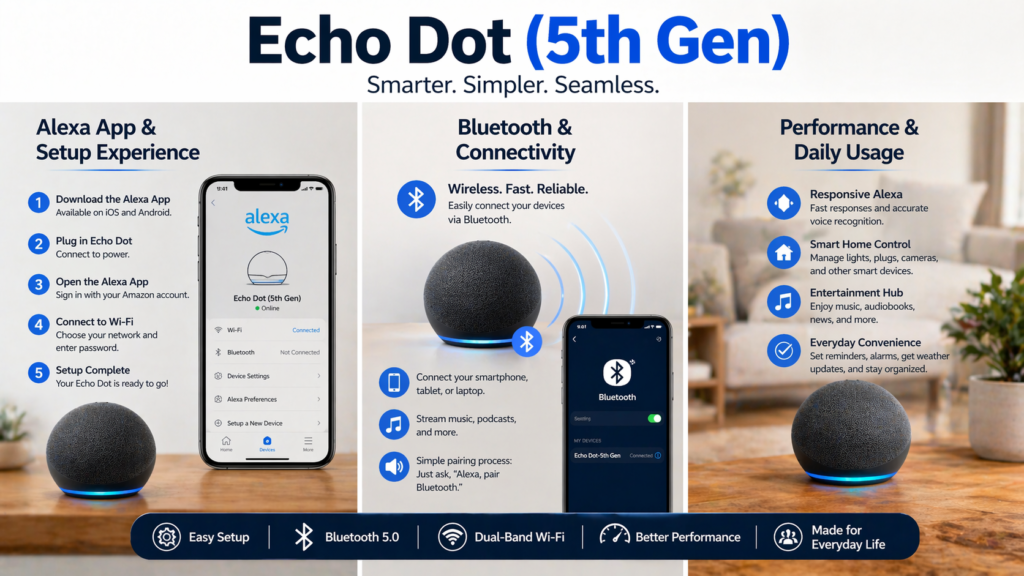
The installation procedure for the Echo Dot (5th Gen) is quite simple, but allow me to guide you through it. Firstly, to set up your Alexa, you need to download the Amazon Alexa application on your phone since you cannot proceed with the configuration without it.
Here is a brief procedure on how to set up Echo Dot: Start off by plugging in the device and watching out for the orange color of the light ring. Open the Alexa app, select “Add device” then choose Echo Dot from the list of devices.
For Alexa to work correctly, you need to have your WiFi password and your Amazon login information available. This process has taken me approximately five minutes in total, which is not bad at all. The instructions in the app are very clear.
Another feature that I find useful about the Alexa app is the way it arranges all your settings and devices on one page. You can easily control the volume, change wake words, control skills, and even interact with your smart home devices from one single app.
Moreover, the user can look at the history of their voices and set privacy preferences, something that is vital for those who are concerned about data collection. It is possible to delete recordings of the voice, as well as set how much Alexa will know about you.
Bluetooth & Connectivity
Getting familiarized with connecting my Alexa to Bluetooth had been one of the first things I had to learn because there were times when I wanted to use it with my phone.
The procedure for connecting Alexa to Bluetooth is easier than I had thought, and it’s effective if everything is done right. To connect Alexa to Bluetooth, it needs to be put into pairing mode. This can be done by simply saying “Alexa, pair” or “Alexa, connect to Bluetooth.”
How do you connect Alexa to Bluetooth? Follow this simple guide:
- Place your Echo Dot in Echo Dot pairing mode saying “Alexa, pair”
- Navigate to your phone’s Bluetooth menu
- Find “Echo Dot” in the list of available devices
- Tap on it to connect
- Wait for the confirmation from both devices
So far, the Bluetooth connection has worked very smoothly. It is possible to move around the whole apartment while having your phone connected without any problems, although the connection does not work if you walk too far away into the other part of the building. The coverage area is average for Bluetooth devices.
One interesting function is the possibility of establishing connections with the help of voice commands. Namely, one may say “Alexa, connect to my phone” and the device will connect to the paired unit. Such an option enables one to easily switch between different sources of entertainment.
Overall, sound quality through Bluetooth connection is acceptable; nevertheless, users should be aware of delays when watching videos. As far as music goes, everything seems fine.
Performance & Daily Usage
From real user feedback with the use of this particular Alexa for several months, I can conclude that the performance has been quite good during regular usage. The voice recognition capability seems much more accurate compared to previous Echo Dot model. Voice is always recognized regardless of the distance and ambient noise.
The response speed is impressive. With Alexa, you get response immediately and there are no pauses like before. There have been occasions in the past where Alexa was unable to provide her answer due to a delay.
The reliability of smart home control is impressive. if you have fifteen devices around, which include light bulbs, power plugs, and a thermostat, and all can be controlled by Echo Dot. It has been working well, especially when use commands like “Alexa, enable movie mode.”
It does connect to WiFi consistently. user did not encounter any issues with disconnection from the WiFi, an occurrence that many have reported while using smart speakers. It can reconnect itself once it has been powered back on.
There was one minor point that you realized; namely, sometimes, probably one time every couple of weeks, Alexa does not seem to be able to hear you when I you are talking normally. It can be resolved by simply saying “Alexa.”
Echo Dot (5th Gen) With Clock Variant
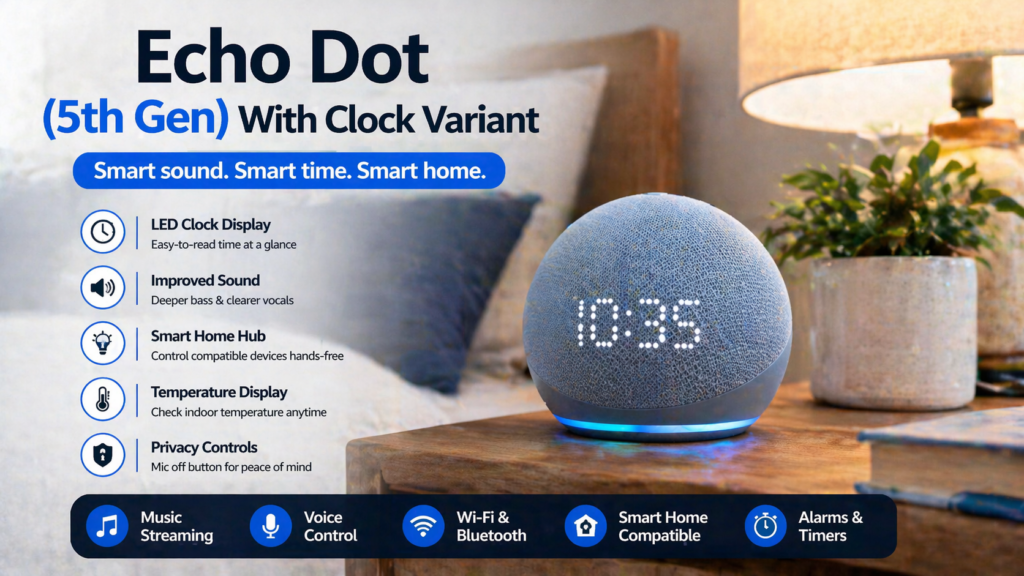
The Echo Dot with Clock model comes with an LED display that displays time, weather, temperature, and more. However, both models are very good, but the clock edition has some good features for those who would place it on their nightstand or desk.
The LCD screen has a sufficiently high brightness level that it is readable even in the daytime; however, it turns itself off at night, which is good. If necessary, you can reduce or increase the brightness level or even turn off the screen yourself.
In addition to displaying the time, Amazon Echo with Clock can also show outdoor temperature, set alarms, and set timers. Once you set an alarm, you can view its countdown through the display rather than asking Alexa how much time is left.
The clock model is about 10$ more expensive than the regular model. Whether it is worth the extra expense will depend on what you need. If you are looking to replace your old bed-time clock or need something fast to tell time with at work, then it is worth it. Otherwise, not necessarily.
As far as the clock functionality goes, it doesn’t require any special setting up, as the clock automatically syncs to the time and pulls the weather from your settings in the Alexa app.
Echo Dot 5th Gen vs Other Models
🆚Echo Dot vs Echo Pop
Comparison between Echo Pop and Echo Dot comes around quite frequently because these devices represent budget options. In terms of the sound comparison between the Echo Dot and Echo Pop, the Echo Dot takes the lead. For example, a spherical shape appears to provide better sound dispersion, while the sound quality is deeper. As for the Echo Pop, its sound is quite directional.
Regarding design, the Echo Pop is sleeker and more curved in shape while being smaller in size; thus, making it more desirable by occupying less space on the shelves. Nevertheless, the 360° audio capability of the Echo Dot enables it to be placed anywhere in the room.
They are almost always priced within about $10 of each other, and thus price does not play a key role when considering which one to buy. If you are concerned about audio quality, the Echo Dot is better, but otherwise, I would go for the Echo Pop.
🆚Echo Dot 5th Gen vs 4th Gen
Moving from 4th to 5th generation will see improvements in sound quality and sensor technology, though the improvements may not be too great. If your 4th generation Echo Dot is functioning perfectly, you may not need to upgrade.
Certainly, the sound is much clearer on the 5th generation, and the bass is definitely better. It looks like it recognizes voice commands from greater distances and in much louder conditions. Temperature sensor in the 5th gene is certainly a cool addition to automate your house, yet not everybody needs it.
When selecting whether to buy either the 4th generation or 5th generation (assuming that you can get the 4th gen at a reduced price), I would recommend that you choose the 5th generation solely based on its improved audio capabilities.
Official Echo Dot (5th Gen) product page for current pricing and specifications
Common Problems & Fixes
The problem faced the most by users is that the Echo Dot cannot connect to WiFi. I have experienced this twice; each time it was due to a change in my router or because of a power outage. The reason could be wrong login details for the WiFi network or the device attempting to connect to a network that is no longer active.
To solve the problem of Alexa not connecting to WiFi, you should:
- Unplug the Echo Dot and plug it back in after 10 seconds
- Verify if your WiFi network is functioning for other devices
- Reset the networking settings in the Alexa app
- Attempt to place the Echo Dot close to your router while setting up
Another problem that people often have is with Alexa “ignoring” their commands. This typically occurs when Alexa thinks you are addressing another person or when there is a lot of noise in the environment. To solve this, one needs to ensure that they address Alexa by saying her name first.
If you need more troubleshooting tips regarding connectivity issues, then you can find all information in our detailed guides on how to fix Alexa WiFi issues and how to deal with Alexa not responding problems.
In case your smart home devices are not responding via Alexa, refer to our full guide on how to set up your smart plugs and troubleshoot any related issues.
Pros & Cons
✅Pros
- Affordable – Excellent value for money in comparison with other smart speakers
- Excellent sound – Excellent sound output for its size and pricing
- Easy installation – Very simple process of setting it up
- Space-saving – It will fit into almost any room while occupying minimum space
- Consistent performance – Efficient recognition of your voice and fast reaction
- Smart home compatibility – Will cooperate effectively with most home gadgets
- Continuous upgrades – Constant improvements by Amazon due to software updates
❌Cons
- No Battery – Has to be kept plugged in all the time.
- Lack of good bass for large rooms – Performance of audio degrades in large rooms.
- Issues with privacy – Always listening out for the wake word (although this can be controlled).
- Requires WiFi – Not very useful without a proper internet connection.
- Preferable within the Amazon ecosystem – Works best when used with Amazon devices.
Overall, however, the advantages greatly outweigh the disadvantages, particularly in terms of price. Being tethered by power cord is likely the most significant drawback, as this limits the locations it can occupy.
Pricing & Value for Money
Echo Dot (5th Gen) is undoubtedly affordable, with its price generally below $50. Amazon occasionally offers discounts, and you can buy the device at an even lower price, perhaps between $25-30, on Prime Day and Black Friday shopping events.
Given the capabilities of the device, such as decent sound quality and complete Alexa voice assistant integration, along with home automation features, Echo Dot provides great value for the money. This becomes obvious when compared to some basic Bluetooth speakers that cost more but lack any smart capabilities.
For those who are looking to purchase Alexa devices for the first time, this could be the best way to start your journey. Not only is the price affordable, but also the amount of money you will have to pay for a new piece is not very high, so there would be no problem in trying out the entire system.
What is more important, the cost per feature rate of this device is quite good because you get many features included in the price which is not higher than the price of a good dinner.
Who Should Buy This?
The Echo Dot (5th Gen) is ideal for several types of users:
Beginners who want to try smart home technology without a big investment will find this perfect. The learning curve is gentle, and the Alexa app makes it easy to explore different features at your own pace.
Small apartment dwellers will appreciate the compact size and room-appropriate audio output. It provides plenty of sound for smaller spaces without overwhelming them or taking up valuable real estate.
Smart home users who want to add voice control to their existing setup will find the Echo Dot integrates well with most popular smart home platforms and devices.
Budget-conscious buyers who want Alexa functionality without paying for features they won’t use will appreciate getting core smart speaker capabilities at a low price point.
Multiple-device households can benefit from having several Echo Dots throughout the home for whole-house audio and intercom functionality without breaking the budget.
Who Should Avoid This?
Audiophiles Serious audiophiles should try out bigger speakers with better drivers; the Echo Dot delivers good audio for its size, but is not meant to serve as the main music listening device.
Large room users People with large rooms will not get proper audio coverage from the Echo Dot, as a minimum room size of around 200 square feet needs better speakers.
Privacy-focused individuals Those people who prioritize privacy should steer clear of any smart speakers, which tend to keep an ear open for any voice command even when switched off.
Users without WiFi Without Internet access, you cannot use the majority of features of this speaker.
Portable speaker seekers Portability should not be considered while purchasing this product because this device requires an uninterrupted supply of power.
Alternatives to Consider
If the Amazon Echo Dot 5th Generation does not feel like your best choice, here are some alternatives:
Amazon Echo (4th Gen) The Amazon Echo 4th Generation is a good alternative if you want higher-quality sound. It features larger drivers, and its overall sound output is much higher. You pay more for the improved audio experience, but this option has better audio quality.
Echo Pop is the cheapest Amazon device and comes with a one-of-a-kind design that is semicircular. It is also less expensive than the Echo Dot but comes with lower-quality audio capabilities.
Google Nest Mini has very similar features to those of an Echo, just like it uses the Google Assistant rather than Alexa.
Apple HomePod Mini is the best choice for iPhone owners, and it has fantastic audio performance, but it comes with a premium cost tag and limited connectivity options for smart homes.
Amazon’s smart home compatibility guide for checking device compatibility
❓FAQ Section
What is the Echo Dot (5th Gen)?
The Echo Dot (5th Gen) is a mini smart speaker offered by Amazon that has Alexa integrated into it. You can use this device for voice control and streaming music and for managing your smart home and using numerous Alexa skills.
How to set up Echo Dot?
To set up the Echo Dot, you will have to download the Amazon Alexa app first and then plug in the Echo Dot device. The setup should not take more than 5 minutes.
Does Echo Dot work without WiFi?
The device uses WiFi in almost all its operations like receiving commands via voice, playing music, and controlling smart homes. When there is no internet, the Echo Dot can only act as a Bluetooth speaker for directly paired devices.
How to connect Echo Dot to Bluetooth?
Say “Alexa, pair” and the device will automatically go into the pairing mode. Then open the Bluetooth menu on your phone and select “Echo Dot.”
Is Echo Dot better than Echo Pop?
Echo Dot provides superior sound quality, producing rich bass and having 360-degree audio diffusion capabilities. Echo Pop is less expensive and smaller in size but provides directional sound which functions well only when it’s placed facing you.
Can I use multiple Echo Dots together?
Yes, you can place several Echo Dots in your house for whole house audio, intercoms, and enhanced smart home control.
What’s the difference between Echo Dot with Clock and regular Echo Dot?
The Clock model comes with an LED screen capable of showing time, temperature, countdowns, and alarms. The device is priced about $10 higher than the standard one and is great to keep at your desk or beside your bed.
🔗Related Articles
For additional help with your smart home setup, you might find these guides useful:
- If you’re experiencing connectivity issues, our Alexa not responding troubleshooting guide covers common solutions
- To expand your smart home setup, see our detailed Best smart plug of 2026
- Those considering alternatives might want to read our Google Home setup and comparison guide
- Best Smart Speakers under $100 (2026) – Top Budget Picks That Actually Sound Good
- Alexa Keeps Disconnecting? 12 Powerful Fixes That Work Instantly (2026 Guide)
- Best Smart Speakers for Small Apartments (2026 USA Guide)
- Best Bluetooth Speakers 2026: Shocking Smart Home Picks Under Budget
- Marshall Speaker Review for Smart Home Setup (2026): Worth the Premium Price?
- Hidden Features of Alexa You Didn’t Know (2026 Guide)
🚀Final Verdict
Echo Dot (5th Generation) is still one of the best affordable Alexa speakers out there in 2026. Having been using it for some time now, I can safely say that this device fully lives up to its promise, providing excellent voice interaction capabilities, great sound quality, and seamless connectivity within your smart home.
The improvement in sound quality compared to other iterations of Echo Dot is quite noticeable. Even though it isn’t comparable to a dedicated audio system, it performs great when it comes to casual listening or responding to your requests via voice.
For any newcomer to the world of smart homes who needs to add a voice assistant to their home on a budget, the Echo Dot (5th Gen) is an outstanding choice. It is easy to set up, works efficiently on a daily basis, and includes all essential functions for regular use of a smart speaker.
Of course, there will be some downsides – no power autonomy, weak bass for big rooms, and common concerns regarding listening voice assistants. However, with a cost of less than $50, it is justified.
In any case, my recommendation would be for you to go ahead and get one because this gadget is not very expensive for you to try out. In addition, if in the future you require more advanced capabilities, you can build an entire multi-speaker smart home system with the Echo Dot at its core.
Amazon Echo Dot (5th Gen) is definitely a good choice for those people who are trying to build a budget-based smart home system and have sufficient requirements from the device.
Pingback: Amazon Alexa Not Responding? 12 Proven Fixes That Work Instantly (2026 Guide for Echo Dot & Echo Show)