
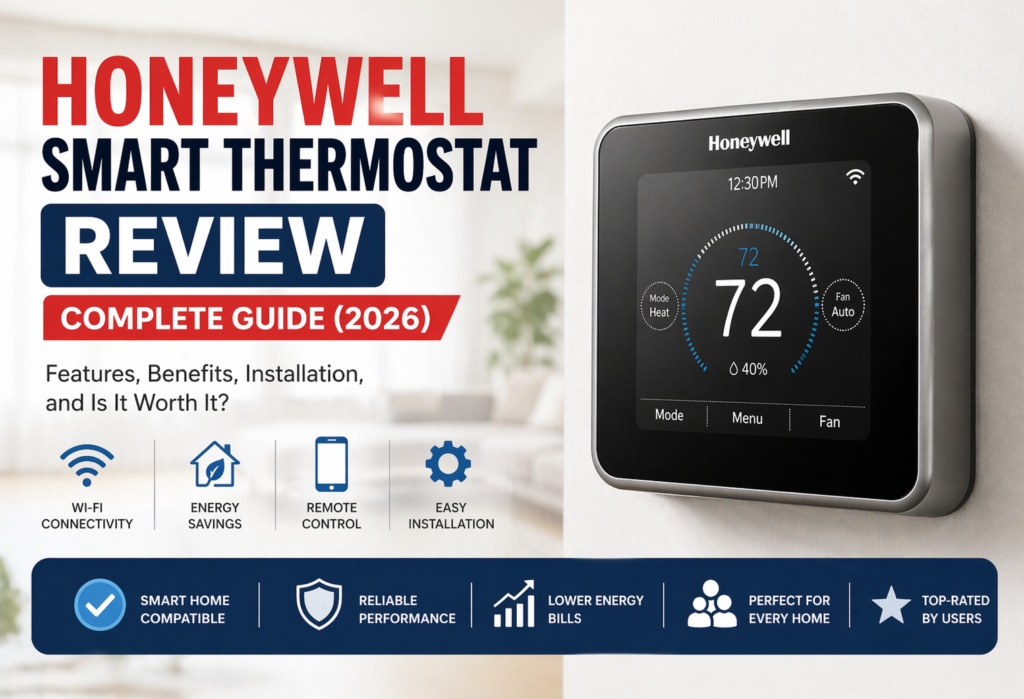
Honeywell smart thermostats belong to one of the most sought-after models of thermostats due to their wide usage at houses that wish to update the climate system in their homes. With increasing energy costs and conventional thermostats that need to be regulated manually, smart thermostats can be much more convenient and even decrease the energy consumption.
But will the purchase of Honeywell smart thermostat really pay off in 2026?
In this review, we will touch upon all major aspects, such as functionality, installation, advantages and disadvantages, energy efficiency, and compare Honeywell thermostats with their rivals such as Nest and Ecobee thermostats.
learn more about smart thermostats
Table of Contents
What Is a Honeywell Smart Thermostat?
Honeywell Home has been producing thermostats for more than a century, and has successfully entered the sphere of smart-home solutions. When people speak about reliability in home comfort products, there is no other company that comes first but Honeywell.
The smart thermostat is much more advanced than the programmable one introduced a few years ago. Such thermostats are connected to your WiFi and can be controlled with the help of your phone from any point in time. However, it does not stop there.
The following types of thermostats are provided by Honeywell Home:
WiFi Thermostat: These are the basic smart versions of the device that connect to your WiFi at home. They offer basic smartphone management and scheduling options, minus a few advanced capabilities found in the top-tier versions.
Smart Thermostat with Sensors: This is the premium version which comes with remote room sensors that will measure temperatures around different parts of the house, offering maximum comfort and efficiency.
Programmable Thermostat: While not technically “smart,” these models bridge the gap between old manual thermostats and full WiFi connectivity.
The main goal of the honeywell wifi thermostat line is to make the technology available to all customers, not only the tech-savvy ones. It’s very straightforward: great performance without unnecessary features.
Top Honeywell Smart Thermostat Models
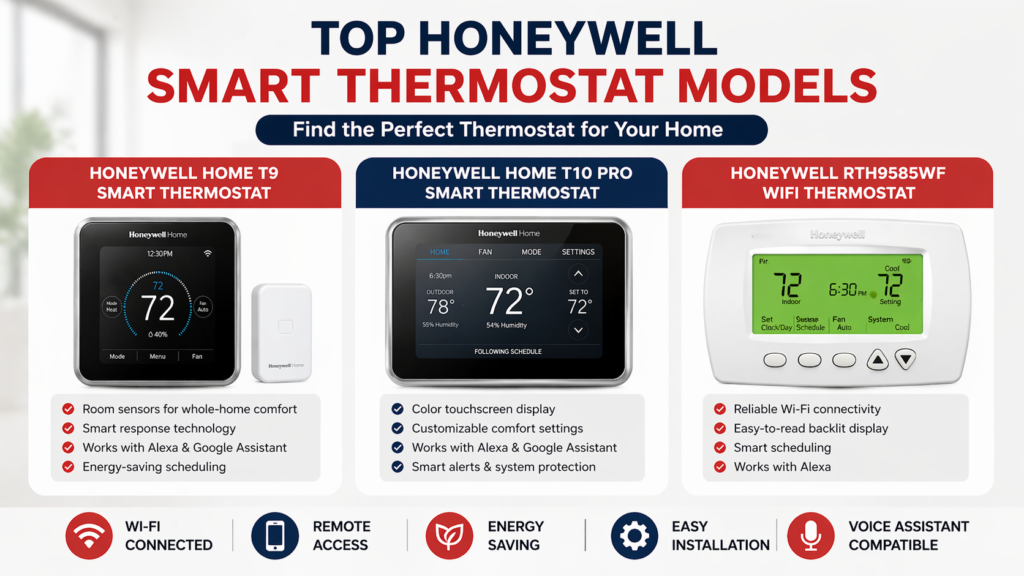
Allow me to discuss the three most popular Honeywell models available in 2026.
Honeywell Home T9 Smart Thermostat
This is one of Honeywell’s top-selling products and the most versatile of all their thermostats. The T9 includes one remote room sensor as part of the package, and you can buy up to 20 extra sensors if necessary.
Key Features:
- Room sensors for better temperature regulation
- Compatibility with Alexa, Google Assistant, and Apple HomeKit
- Smart scheduling that learns your preferences
- Geofencing to change temperature based on your location
Best Use Case:Best suited for houses from 1,500 to 3,000 square feet that use central HVAC systems. If you need to regulate the temperature in certain rooms in your house, then the room sensors really come in handy.
Honeywell Home T10 Pro Smart Thermostat
This model was created to meet the needs of larger houses with complicated heating ventilation air conditioning systems. In essence, the T10 is the same as the T9 but with a professional set of capabilities.
Key Features:
- Advanced scheduling with humidity control capabilities
- RedLINK capability for extended sensor range
- Professional installation capabilities
- Improved energy reporting
Best Use Case: Ideal for use in large houses (more than 3,000 square feet) or houses using heat pumps.
Honeywell RTH9585WF WiFi Thermostat
This is the less expensive option for the homeowner that is still able to provide smart thermostat functionality without having to spend too much.
Key Features:
- Basic WiFi connectivity and smartphone control
- Programmable schedule for seven days of the week
- Monitoring of energy consumption
- Simple touchscreen interface
Best Use Case: Great option for people living in apartments and small homes of up to 1,500 square feet.
The Honeywell T9 is one of the best thermostats available on the market for most homeowners due to its great functionality and affordability compared to the T10 Pro.
Key Features & Benefits
Smart Control & App Integration
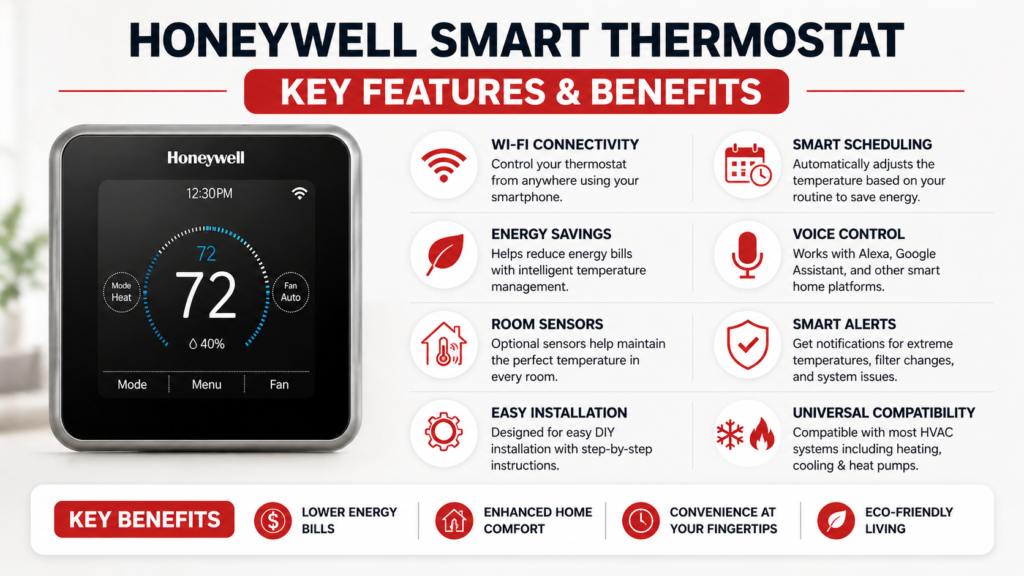
The Honeywell Home application is quite easy to operate, with options for controlling the thermostat remotely, setting up schedules and tracking energy consumption.
Voice-controlled function is also available. The compatible thermostats can be used in tandem with Amazon Alexa and Google Assistant, whereas certain models also have an option for Apple HomeKit.
Energy Saving Features
This is one area where a smart thermostat can do some wonders for you. The smart scheduling function will know when you are home and not there and will automatically adjust the temperature settings to save you energy.
The energy reports are not only informative but also helpful because they tell you how much energy was used per day and how you can save more energy. Smart thermostats rebates from many utilities can be up to $50-$100 off your purchase price.
The use of a smart thermostat can result in energy savings by automating scheduling and temperature controls. The actual savings depend on many factors including home type, local climate, HVAC system, energy rates and usage behavior.
Remote Sensors
Here is when Honeywell is perfect at what it does. Instead of simply monitoring the temperature at the thermostat (that could very well be installed in the hallway), the remote sensors monitor the temperature at your location.
You can program the system to control the temperature in the bedroom at night and switch to the living room temperature during the daytime. No more disputes about the thermostat.
WiFi Connectivity
Wi-Fi thermostats offered by Honeywell are engineered to stay connected to your home network so that you can remotely control the devices via the Honeywell Home application. There are instructions available for connecting to the device.
After the connection is made, it becomes possible to set temperature, manage schedules, and monitor the operation of your device. You can use this option to warm up your house when you come back home or to check on temperatures at home when you are out of the house.
Similar to other Wi-Fi smart thermostats, the connection quality will depend on certain conditions.
Installation Guide
Honeywell smart thermostats can usually be installed by the average individual without professional help in around 30-60 minutes. Smart thermostat installation may seem daunting, but it does require comfort when working with electrical wires.
Tools You’ll Need:
- Screwdriver (usually Phillips head)
- Wire nuts (often included)
- Smartphone for setup
- Level (helpful but not required)
Basic Steps:
- Turning the HVAC system off at the main power source
- Taking out your existing thermostat and making a picture of the wiring
- Mounting the new plate
- Connecting the wires according to the diagram provided
- Mounting the thermostat itself and turning the power back on
- Completing the setup process in the app
The Honeywell installation manual is rather clear and has nice diagrams of the wire connections. If you’ve ever done the installation of a ceiling fan or a light fixture, chances are that you can manage this as well.
In case you feel uncomfortable with electrical connections, the professional installation of a smart thermostat takes roughly an hour and costs between $100 and $150. Some HVAC providers provide the installation service free of charge, if you purchase the thermostat from them.
Compatibility & Requirements
Before buying any smart thermostat, you need to make sure it’ll work with your HVAC system. Honeywell models are pretty compatible, but there are a few things to check.
HVAC System Compatibility:
Most Honeywell smart thermostats work great with standard central heating and cooling systems. If you have a heat pump system, you’ll want to look specifically for models labeled as “thermostat for heat pump” compatible – the T9 and T10 Pro both work well with heat pumps.
Electric baseboard heating and some older systems might need special wiring or might not be compatible at all. The Honeywell compatibility checker on their website is actually helpful for checking your specific setup.
C-Wire Requirements:
Here’s the technical part that trips people up. Many smart thermostats need what’s called a “C-wire” (common wire) to provide constant power. Some Honeywell models can work as a smart thermostat without c wire, but others require it.
The RTH9585WF can often work without a C-wire if your system is compatible. The T9 and T10 Pro really need that C-wire for reliable operation, especially if you’re using remote sensors.
If you don’t have a C-wire, you have a few options: hire an electrician to run one (usually $150-250), use a power adapter kit (sometimes included), or choose a model specifically designed to work without one.
Performance & Real-World Usage
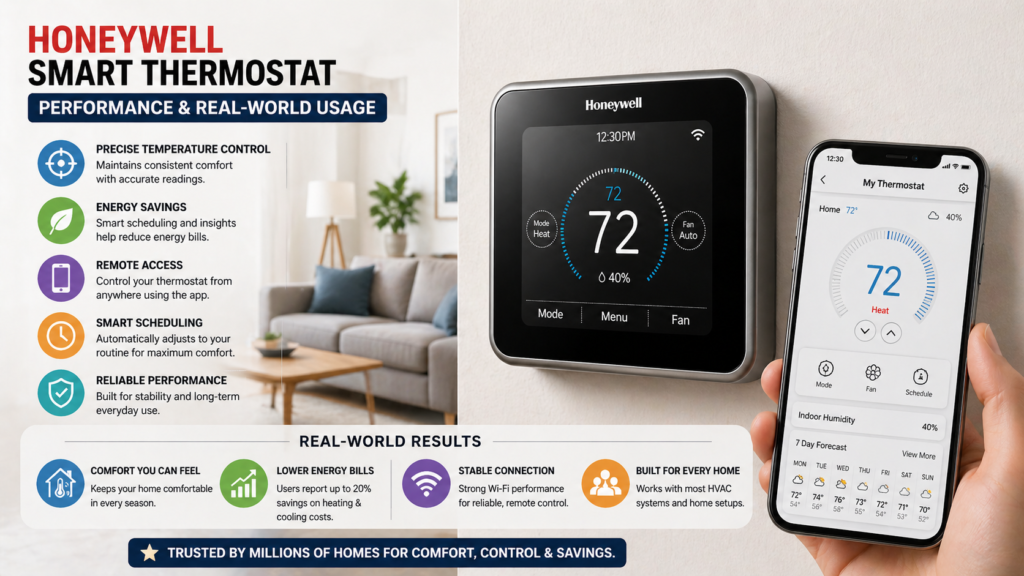
Six months later, the Honeywell T9 proves to provide a decent blend of smartness, good temperature control, and sensor integration. The device’s performance and energy savings may vary based on the characteristics of your HVAC system, climate, and the way you use the device.
Temperature Accuracy: The T9 is a great device in terms of temperature control, but its sensors may come in handy in order to solve problems with uneven temperatures throughout the house. This is important in the cases when bedrooms are usually either warmer or colder than the main area of your house.
App Performance: The Honeywell Home application offers an intuitive interface for managing temperature settings, schedules, and energy consumption statistics.
Reliability: The Honeywell T9 is built with reliability in mind as it offers auto reconnect capabilities that help in restoring Wi-Fi connectivity after temporary disruptions. The thermostat also offers reliable temperature control and operation.
Ease of Use: The HS103 is built in a way that makes its use easy with an easy setup process and user-friendly app interface. Simple functionalities do not require advanced technical knowledge. Voice control with Alexa is another feature that makes use of this thermostat convenient with no need for your hands but its reliability depends on the internet connection and the voice assistant.
Automation works very reliably since it understands your schedule. After two weeks, the automation started changing the temperatures according to my schedule without me doing anything.
Pros and Cons
So let me share my honest review based on multiple user reviews and my personal experience.
✅ Pros
Easy Installation: Most DIY-friendly smart thermostat I have seen. Instructions are clear and there is good customer support if needed.
Reliable Brand: Honeywell has been producing thermostats for years. In case of any malfunctions, replacement parts and support will be easy to obtain.
Real Energy Savings: The Honeywell Home T9 may save you some money on heating and cooling expenses using scheduling, temperature changes and smart home integration. However, your savings may vary a lot depending on your house, HVAC system, weather and other factors.
Smart Integrations: Works well with all major smart home systems, with no complicated hacks and beta software.
❌ Cons
Some Models Need C-Wire: Some models require a common wire, what will add additional installation costs.
Premium Pricing: Honeywell models are more expensive than most competing ones. Honeywell T9 costs approximately $200, while basic models of smart thermostats cost approximately $100.
Limited Advanced Features: You will find more options among other brands.
Honeywell vs Competitors
Here’s how Honeywell compares with other major smart thermostat brands in terms of features, compatibility, ease of use, and overall value.
Honeywell T9 vs Ecobee Smart Thermostat Premium
Price: Honeywell T9 (~$200) vs Ecobee Premium (~$250)
Features: They both have room sensors, although Ecobee has a built-in Alexa speaker as well. While Honeywell is all about heating and cooling control, Ecobee tries to function as the center of the smart home.
Ease of Use: Honeywell is easy and clear-cut. Ecobee is more complicated due to the number of options.
Best For: If you need effective heating and cooling control, go for Honeywell. If you need a built-in smart speaker, choose Ecobee.
Honeywell T9 vs Google Nest Learning Thermostat
Price: Honeywell T9 (about $200) vs Nest Learning (about $230)
Features: Nest automatically learns your schedule but lacks room sensors. Honeywell allows manual operation with sensors.
Installation: Fairly simple installation on both thermostats but Nest is a little bit stricter when it comes to C-wire requirement.
Best For: If you need set-it-and-forget-it automation, choose Nest. On the other hand, if you need manual operation with sensors, you can use Honeywell.
Smart Thermostat Reviews Verdict: In most best smart thermostat reviews, Honeywell wins in reliability and value even if it’s not the one with the most features available.
For the majority of home owners, Honeywell Home T9 thermostat would be a good compromise as it offers decent smart features, sensors, and wide compatibility among other features. If you are looking for something with built-in Alexa, then ecobee Smart Thermostat would be an appropriate option. Google Nest thermostat should be taken into account by home owners who are concerned about automation and self-learning capability.
Pricing & Value for Money
The prices of Honeywell smart thermostats start at around $80 for the basic version RTH9585WF and reach $250 for the model with room sensors T10 Pro. These are my recommendations concerning the cost-effectiveness of the models:
RTH9585WF ($80-100): This is an excellent way to experiment with the technology as it provides basic functionality and smartphone app. It’s a perfect choice for beginners.
T9 Smart Thermostat ($180-200): This thermostat offers the best balance between the price and its capabilities. It provides significant improvements in convenience which justify the cost.
T10 Pro ($220-250): Only if you have a bigger house or more complicated HVAC system. It’s an expensive option that provides additional professional features.
The ROI thanks to the reduction in energy costs is very good. Saving 10-15% on $150 monthly heating/cooling costs leads to saving $180-270 per year. The payback period for the cheapest model is around 12-18 months.
It’s also important not to forget about the rebate programs of your electric/gas company. Most utilities give $50-$100 for the installation of a smart thermostat.
Who Should Buy Honeywell Smart Thermostat?
Best For:
Beginners: If this is your first smart thermostat, the simple design of Honeywell will make it easy for you.
Budget-Conscious Users: You can get all the perks of a smart thermostat for less than $100.
Reliability-Focused Homeowners: If reliability is your priority, then go ahead, trust Honeywell’s track record of quality products.
Multi-Room Comfort: If you have issues with having areas of different temperatures inside the house, then you have found the right solution for this issue.
Not Ideal For:
Advanced Automation Enthusiasts: Honeywell is not one to provide complicated scenarios or detailed energy analysis options.
Renters: You need permission to install this device if you are not a homeowner.
❓FAQs
Is Honeywell smart thermostat worth it?
Yes, provided that you prioritize reliability and ease of use. The energy saving pays off the cost of the device in 12-18 months, and you will have more control over the comfort. T9 thermostat provides the best combination of options and affordability for most households.
Does it work without C-wire?
Some thermostats allow it, some not. RTH9585WF can be operated without C-wire depending on your heating and air conditioning system. T9 and T10 Pro definitely require C-wire in order to work properly, especially when you use room sensors. You can check compatibility on Honeywell website.
Is it better than Nest or Ecobee?
It depends on your preferences. Honeywell thermostat is more reliable and user-friendly, Nest gives you more automation, and Ecobee has more smart home integration options. But if you need only thermostat, Honeywell is one of the best options.
How much energy does it save?
The average energy savings for most users amount to 10-15%. Your personal savings will vary according to your existing thermostat, house size, and usage. The intelligent scheduling feature and the room sensor play the most important role in energy saving.
Is installation easy?
Yes, most users find it very easy to install themselves in 30-60 minutes. This requires you to feel at ease with working with low-voltage wiring and possibly installing the C wire, depending on your particular model. It will cost you $100-$150 to hire someone to install it for you.
🔗Related Articles
- Smart Thermostat Not Turning On? 12 Proven Fixes That Work Instantly (2026 Guide)
- Best Smart Thermostats Without C Wire (2026 Guide)
- Smart Thermostat Installation (Step-by-Step Guide)
- Best Smart Thermostat 2026 (Complete Buyer’s Guide)
- Amazon Smart Thermostat Review & Setup Guide (2026)
- Sensi Smart Thermostat Review (Budget Pick?) – Honest 2026 Guide
- Best Smart Thermostat Under $150 USA (2026 Guide)
🚀Final Verdict
As for the combination of features, room sensors, and temperature control that the users can choose from, the Honeywell Home T9 is a fairly balanced thermostat that does not provide all the features of competitors but still offers enough of what is necessary. Moreover, the model gives an opportunity to manage the temperature zones in the house or to cope with the presence of the hot and cold zones.
Speaking about the advantages of the thermostat, one should start with mentioning its support of room sensors which allows controlling not only the temperature near the thermostat itself but also that in other parts of the house.
Another potential advantage could be the savings of energy. The savings depend on the effectiveness of the usage of the schedules and smart temperature changes. As for the exact savings, they differ depending on various factors including the HVAC system, climate, insulation, size of the house, and personal heating/cooling preferences.
To sum up, Honeywell Home T9 is a good model for the homeowners who need the smart features of the thermostat and management of the room temperature. As an alternative to this model, it is possible to consider the RTH9585WF which is a bit cheaper.