
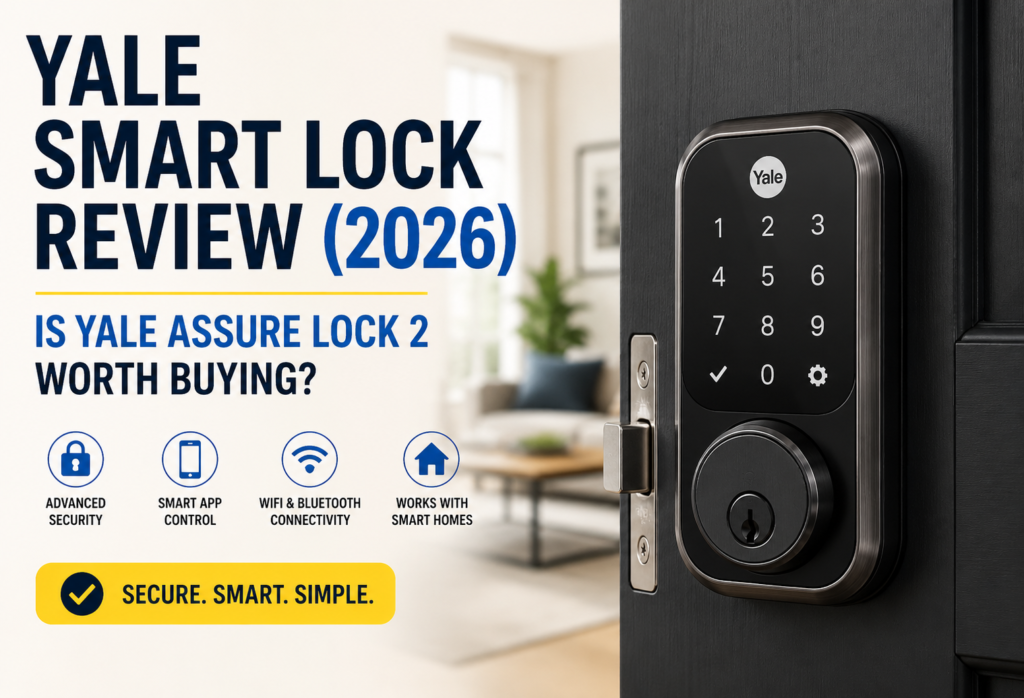
Since the year 1840, Yale has been producing locks, and their foray into smart home technologies has ensured they remain relevant when it comes to providing home security solutions. Yale has earned its reputation for being reliable and high quality, traits that still define their smart locks collection. Even in 2026, Yale continues to be a popular choice thanks to the combination of traditional skills and smart technology in their locks.
This time, Yale has gone all out to try and design a truly universal lock in the form of the Yale Assure Lock 2. Regardless of your experience with smart homes and other connected systems, the Yale Assure Lock 2 is sure to suit your needs, while Matter capability allows you to connect it with virtually any smart home setup.
This Yale Smart Lock Review will show whether or not the Yale Assure Lock 2 belongs in your smart home security system. In this review, you will find all the information regarding installation, usage, security and more, which will help determine how the Yale smart lock compares to other products in the industry. I have spent several weeks reviewing this lock, and I’ll be sharing what I found.
If you read this review until the very end, you’ll see whether or not the Yale smart lock fits into your requirements.
The Yale Assure Lock 2 offers a slimmer design and multiple connectivity options compared to previous Yale smart locks.
Table of Contents
Yale Smart Lock Review at a Glance
Quick Verdict
The Yale Assure Lock 2 is an impressive piece of smart hardware that lives up to its promise. The installation process is straightforward, while functionality and compatibility with any smart home platform due to the inclusion of Matter protocol are top-notch.
✅Pros
- Easy to install
- Compatibility with Matter for broader usage
- Several different connectivity options (WiFi/Bluetooth)
- Elegant design
- Good app performance
❌Cons
- High price considering simpler alternatives
- Battery replacement is required
- Lack of fingerprint scanner
Overall Rating
| Category | Score |
|---|---|
| Security | 9.5/10 |
| Features | 9/10 |
| Ease of Use | 9/10 |
| Value | 8.5/10 |
Yale Assure Lock 2 Specifications
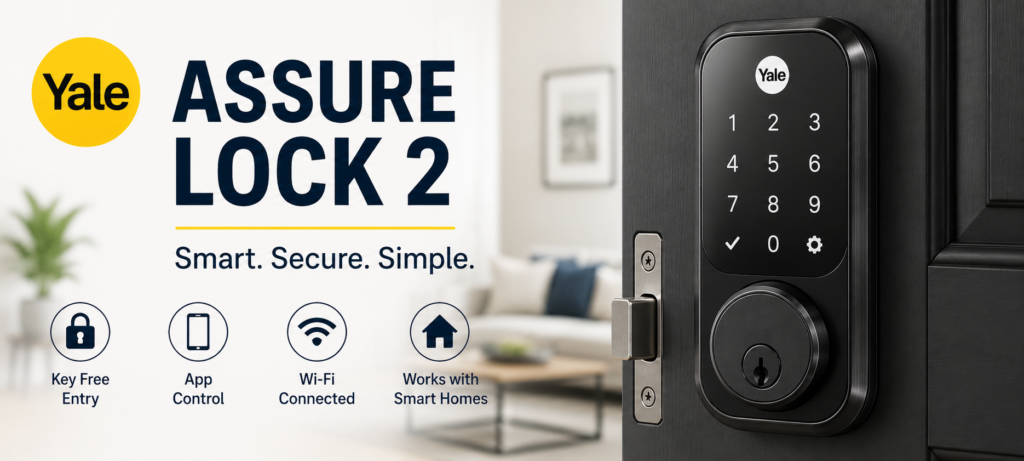
🔑Key Specifications
| Feature | Details |
|---|---|
| Connectivity | WiFi, Bluetooth, Matter |
| Unlock Methods | Keypad, App, Auto-Unlock |
| Smart Home Support | Alexa, Google Home, Apple Home |
| Battery | 4 AA Batteries |
| Remote Access | Yes |
| Auto Lock | Yes |
| Dimensions | 5.7″ x 3.1″ x 1.0″ |
| Weight | 2.4 lbs |
| Finish Options | Black, Silver, Bronze |
| Warranty | 2 Years |
The Assure Lock 2 has integrated WiFi, eliminating the necessity for an extra bridge or hub when setting up remote access features. It makes the purchase cost-effective and simplifies the process. The integration of Matter technology is especially relevant in 2026 because it guarantees the compatibility of the device with further advancements in smart home technologies.
The use of batteries is one of the lock’s advantages, as the AA battery type is common and easy to obtain. Despite the popularity of rechargeable batteries among users, traditional AA models still work sufficiently well and provide adequate notifications regarding their condition. The responsive touch screen can be used even with wet fingers.
Design & Build Quality
Modern and Compact Design
The Yale Assure Lock 2 has a beautiful and elegant design that is simple and not extravagant. It’s also noticeably smaller than other available smart locks, which I value because it won’t draw attention to itself. Its rectangular design matches the style of many doors, and it comes in three colors.
Materials and Finish
All materials used by Yale for manufacturing this lock are of high-quality. For instance, its metallic frame is very durable, and the protective coating on it prevents smudging much more efficiently than I was expecting. My black-colored Yale Assure Lock 2 remained clean without any visible marks of dirt even after using it for many weeks in a row.
Touchscreen Keypad
The touchscreen is fast and becomes visible when approached. The numbers displayed on it are large enough to read at all times. In my experience, this feature performs perfectly regardless of weather, although it slows down significantly in extremely cold weather.
Weather Resistance
This model is designed for outdoor use and comes with water seals protecting the battery chamber. In tests conducted on the product, it showed no problem with moisture and precipitation. Additionally, the touch screen does not become fogged up or unresponsive during humid weather conditions.
The build quality of the item in question can be described as excellent. All its movable elements function seamlessly, while there is no play in the lock itself when it is correctly mounted. This quality is the reason why it may cost more than some other products.
Installation Process
How Easy Is Yale Smart Lock Installation?
The product installation should take less than one hour; all you need are regular tools. Yale made the lock so that it could be easily installed if you replace your existing deadbolt.
What Comes in the Box
Everything you need to install this lock comes with the package – the actual lock, the keypad, mounting screws, batteries, and even instructions. There are also door plates in varying sizes depending on the thickness of your door. You will need a screwdriver and possibly a drill to install the lock.
Installation Steps
It requires you to remove the existing deadbolt and insert this new mechanism with the keypad. It has simple instructions with images that are easy to understand. However, the most difficult part is removing the old locking system.
Setup Time
I spent about 45 minutes on the actual hardware installation, while configuring the application and testing the functions took an additional 15 minutes. Of course, if you have the correct hole configuration, the process will take less time.
App Pairing Process
The process of pairing involves the guidance provided by an app called Yale Access. First, you should scan the QR code on your lock, connect it to your WiFi network, and run a connection test. The lock paired with the application instantly. The WiFi connection worked at once, which is not always the case with old versions of smart locks.
If you encounter setup issues, the Yale Support Center provides installation guides and troubleshooting resources.
Yale Smart Lock Features
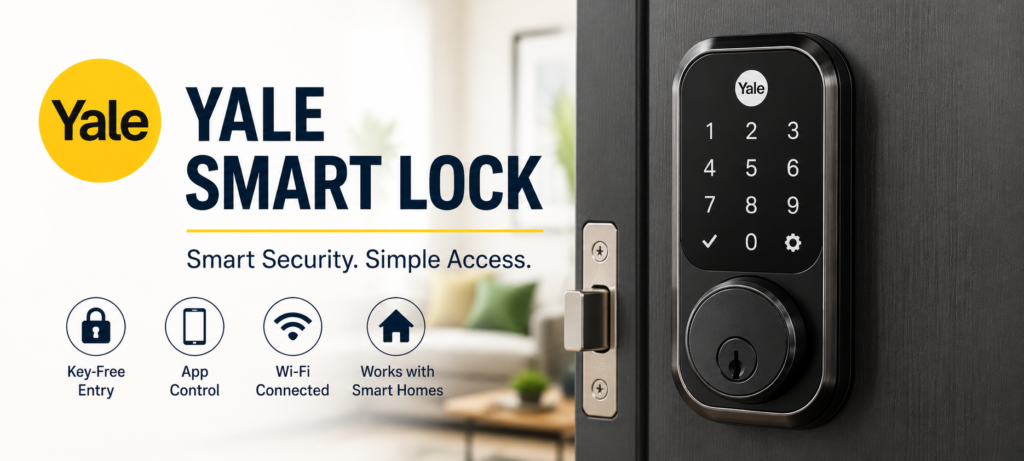
App Control
Yale Access mobile application allows you to monitor and manage the operation of the lock from any place. The home screen will show you the lock state, and one tap will help you unlock or lock the door. You will get the response almost immediately within just 2-3 seconds.
Remote Lock and Unlock
Access to the lock remotely is possible provided that there is a WiFi connection to it. I tried this function many times throughout my review, and it always worked properly. The application displays the lock status, so you know when your commands reach the device.
Guest Access Codes
You can program temporary passwords for friends, professionals who do services at your home, or other relatives who don’t have the access code. The programming allows you to schedule when this password should work by defining the start and finish times; thus, the password of a professional will only work on the days she comes to clean.
Access History
The app records each entry with a lot of detail. It lists the mode of entry (either by code, the application, or auto-unlocking), along with the date and time. I could use this record to check whether my teenager arrived on time and to verify my service appointments.
Auto Lock & Auto Unlock
With auto lock, your door will lock itself after some time automatically in case you forget. The auto unlock works by using your phone’s location to unlock the door as you move towards it. The auto unlock feature worked well whenever I moved towards the door, but sometimes it would unlock if I was just in the garden.
Its location-based functions use geofencing technology, creating a virtual border around your house. There are options for adjusting its sensitivity to avoid unnecessary alerts. After some settings, I managed to get auto-unlocking working flawlessly.
Matter Compatibility
The best feature about this Yale smart lock, in my opinion, is its ability to support Matter technology. Matter is the new standard for smart home technology. Through this technology, you will be able to integrate your Yale smart lock directly with Apple Home, Google Home, or Amazon Alexa.
Why Matter Matters in 2026
The matter support makes it easy for people to install the lock since it will be easily integrated into the existing platform via one QR code only. The lock will, therefore, be controlled by the use of voice assistants and automated routines can also be created.
Another benefit that comes with Matter technology support is increased flexibility in terms of different ecosystems. It is possible to use various platforms such as Apple Home, Google Home, or Amazon Alexa and the lock will still be able to operate.
Smart Notifications
Push notifications will be sent every time something happens. That means that you will be able to get notifications each time a code is entered, when the door is either unlocked or locked manually, as well as each time there are not enough batteries left.
Activity Alerts
Apart from alerts about opening and locking, the device will notify you about any abnormal activities that may be taking place, such as using several incorrect codes or leaving the door unlocked for a long period of time.
Tamper Alerts
In case the lock is subject to any manipulation or attempts of removing, the system sends instant alerts via the app that goes along with it. These alerts make the process safer for the homeowner, who will always know about the possible problems even when he is not at home.
Security Performance
How Secure Is Yale Assure Lock 2?
Another factor that pushes people towards buying a smart lock from Yale is its security performance. All Yale smart locks come with the same level of security features as regular Yale locks.
Encryption
All communications are done in bank-level encrypted form. The access codes and the history of activities are both secure while in transit and storage. Yale updates its security measures regularly and such updates are automatically sent to your locks.
Two-Factor Authentication
Yale app also uses dual factor authentication which makes sure that even if your password is stolen, you cannot open your lock until you have your mobile phone with you. Therefore, it is suggested to turn on this functionality for all smart locks.
PIN Security
There are some other options regarding PIN security of this lock. First of all, this device allows entering a PIN consisting of four to eight numbers, and there is also a possibility to turn on privacy mode which will append random numbers to your code.
Auto-Lock Protection
This feature guarantees that your door is always locked whether or not you remember locking it. The delay is adjustable from 10 seconds up to 99 minutes depending on your personal preference. It is thanks to this feature that I have not been caught unawares more than once.
The actual locking mechanism itself is equally secure, being equipped with features to prevent bumping and picking. It is for this reason that Yale has integrated the smart features as security enhancements rather than replacements.
Battery Life & Maintenance
Yale Smart Lock Battery Performance
The battery life span of Yale smart locks usually lasts from 8 to 12 months depending on usage. However, using remote locking and unlocking frequently or subjecting them to harsh weather conditions may affect their performance slightly.
Expected Battery Life
The aim of having a battery indicator is to enable one to check the status of the power and receive notifications once there is a need for replacement. According to Yale, the lock should run for a few months with four AA batteries. Four AA batteries make for dependable energy provision and could increase the lifespan of the battery as compared to smart locks that use fewer batteries.
Low Battery Alerts
The system alerts you of the low batteries much earlier than your batteries run out. This is done using application alerts, along with the display of a low battery indicator on the keypad. From personal experience, once the system warns you of a low battery, you still have another week of normal operation left.
Battery Replacement Process
Replacing the batteries is relatively simple. All you do is take off a cover inside the door, replace the batteries, and put the cover back on. Your settings and access codes will not change throughout the entire procedure. The time required for this replacement is less than two minutes.
This product also comes with another way to get into the house. If the batteries are totally dead, then you can hold a 9V battery to certain contact points inside the keypad.
Yale Smart Lock App Experience
Yale Access App Review
The yale smart lock app has improved significantly over earlier versions. The interface is clean and intuitive, making daily use simple even for people who aren’t tech-savvy.
Interface
The primary display displays your lock’s status easily and clearly, with big buttons to unlock and lock the door. Other functions have been grouped into separate tabs.
Reliability
Connection to the app was flawless at all times when I tested it. There were no delays, and I had no problems with the app timing out. This app works equally well with iOS and Android phones.
Remote Features
The app functions perfectly in controlling all remote functionalities. You can manage access codes, activity log information, and other settings from wherever you are via the application. Updates made via the application show up on all devices almost instantly.
User Management
The application helps you grant access to your family members and guests. You are able to choose the extent of their access: limited or total one. If necessary, you are always able to cancel it quickly.
Yale Smart Lock vs Competitors
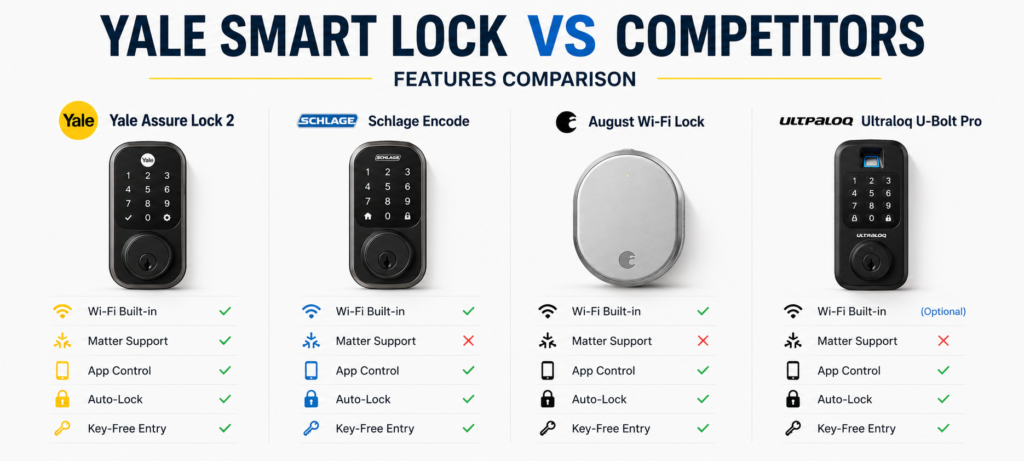
Comparison Table
| Feature | Yale Assure Lock 2 | Schlage Encode | August Wi-Fi | Ultraloq U-Bolt Pro |
|---|---|---|---|---|
| WiFi | Yes | Yes | Yes | Optional |
| Matter Support | Yes | Limited | No | Limited |
| Fingerprint | No | No | No | Yes |
| Remote Access | Yes | Yes | Yes | Yes |
| Battery Type | AA | AA | Rechargeable | AA |
| Price Range | $$$ | $$$ | $$$ | $$ |
| Installation | Easy | Easy | Moderate | Easy |
| App Rating | 4.3/5 | 4.1/5 | 3.8/5 | 4.0/5 |
One of the most remarkable features of the Yale Assure Lock 2 is the Matter support it offers as well as general dependability. Though it may be slightly more expensive than others, the features make the price more than justifiable. The inability to read fingerprints remains the main issue that differentiates it from its competitors.
Schlage provides similar qualities but not quite as good when it comes to integration with smart devices. As for August, this manufacturer puts much emphasis on the retro installation but suffers from problems in terms of app reliability. Fingerprint access can be obtained with Ultraloq, which offers a somewhat lower cost but worse software performance.
Thus, the choice of the best Yale smart lock depends solely on personal preferences. In case the user doesn’t require fingerprint, access and needs the best integration possible, Yale is an almost unbeatable choice.
Who Should Buy the Yale Smart Lock?
Ideal For
Those homeowners who need to have dependable performance of smart locks will enjoy the emphasis on quality and consistency provided by Yale. Additionally, the lock is great for people who rely on various smart home products.
For fans of smart homes, this lock is ideal thanks to the Matter compliance and rich app features. Those who frequently automate tasks or operate their products using voice commands will enjoy using the lock.
Owners of Apple Home systems will appreciate native integration without any additional steps or bridges needed. The Yale Smart Lock can be added to the Apple Home app as easily as any other HomeKit device.
Matter advocates who wish to invest in future-proof solutions will appreciate that Yale supports this standard comprehensively.
Not Ideal For
Those with budget considerations in mind may wish to look at lower-cost models if all the required functionalities of a smart lock are included. Although the brand gives great value, one can save money for something that does not have all those features.
Fingerprint unlocking is not available on any model by Yale, so users requiring this feature may need to find alternative sources.
For individuals living in rentals or who move a lot, Yale is not necessarily a bad choice, but the brand does not specialize in easy removal/installation locks.
Common Issues & Drawbacks
What Could Be Better?
This expensive price makes it unaffordable for some people. Although its price is justified by its high quality, there are other more affordable smart locks on the market.
Its reliance on battery makes it necessary for you to always ensure that you change the batteries annually. Although its low battery alerts provide enough warning, some people would much rather use rechargeable alternatives.
While it comes ready to use right off the bat, some of its more complex functionalities will have to be set up. It is easy to do so, although it might be confusing to some less technologically literate individuals.
Sometimes, the lock takes a bit more time than expected when the WiFi connection is not good.
❓FAQs
Is Yale Smart Lock worth it?
Yes, especially when we talk about the vast majority of homeowners looking for smart lock functions. It is the quality of construction, software, and compatibility with smart home systems that make the cost acceptable and worth every penny spent.
Does Yale Smart Lock work without WiFi?
The lock still works locally through Bluetooth and keypad connections, even if there is no WiFi available. Remote access will not be available, and neither will the smart home functionalities, but the normal operation of the lock will remain unaffected.
How long does Yale Smart Lock battery last?
8-12 months of battery life is expected under normal conditions. Excessive remote access operations and temperature extremes may lower this slightly. The lock offers warnings of impending battery failure for several weeks before they die.
Can Yale Smart Lock be hacked?
However, as any other device that is interconnected, the smart lock could still be subjected to security risks. To prevent such, Yale implements effective encryptions and regular updates on their security measures. Implementing basic security procedures like having strong passwords and two-factor authentication will also lower risks.
Does Yale Assure Lock 2 support Matter?
Absolutely, the Yale Assure Lock 2 supports all aspects of Matter compatibility. This enables seamless connection with systems like Apple Home, Google Home, and Amazon Alexa without any intermediary devices.
Which Yale Smart Lock is best?
Yale Assure Lock 2 is their latest and most advanced device. It comes with all current features such as Matter compatibility, built-in WiFi, and enhanced app performance. If there aren’t any special features you require from previous models, the Assure Lock 2 would be your best bet.
🔗Related Articles
- Smart Home Security Systems in 2026 (Expert Buyer’s Guide)
- How to Build a Smart Home Security System (Ultimate Guide 2026)
- Schlage Smart Lock Review (2026): Is It Worth Buying?
- Best Smart Security Cameras for Home in 2026 (Complete Buyer’s Guide)
- How to Place Security Cameras for Maximum Protection (2026 Guide)
- Best Smart Video Doorbells for Home Security in 2026 (Complete Buyer’s Guide)
- Common Smart Home Security Mistakes to Avoid (2026 Guide)
- Best Smart Home Security Systems WITHOUT Subscription (2026)
- Best Smart Door Sensors for Apartments in the USA (2026 Guide)
- Smart Home Ideas for Renters (USA): 15 Easy Upgrades Without Damaging Your Apartment
💥Final Verdict
Should You Buy Yale Assure Lock 2 in 2026?
The Yale Assure Lock 2 lives up to expectations when it comes to dependable and feature-packed smart lock functionality. Although more expensive than basic models, the solid construction, feature set, and superior smart home compatibility justify the price tag for most buyers.
Best for:
🏆 Smart home enthusiasts looking for perfect compatibility
🏆 Consumers looking for reliable operation above all else
🏆 Apple Home owners wanting native integration
🏆 People looking forward to Matter support
The device excels in dependable day-to-day use, which is more important than rarely-used features. Installation is easy, the app functions reliably, and the lock itself is made well and feels solid.
Overall Score:
⭐ 9/10
My suggestion would be to purchase the Yale Assure Lock 2 because of its ability to provide good service throughout the years, along with its frequent updates. Although there are other models available at a lower price, Yale’s blend of experience and new technology makes them worth the extra money.
For those looking to purchase a smart lock, but not necessarily focusing on getting one cheaply, I would highly suggest looking into the Yale Assure Lock 2.