
Best Smart Home Security Systems WITHOUT Subscription are becoming increasingly popular as home security monitoring fees continue to rise. Many providers now charge $30–$50 per month for professional monitoring, and those recurring costs can add up quickly over time.
No-subscription security systems let you monitor your home yourself using a smartphone app. You’ll receive instant alerts, view live camera feeds, and store recordings locally or through optional cloud storage without being locked into a monthly contract.
Beyond saving money, these systems offer greater flexibility and privacy. There are no long-term commitments, no unexpected price increases, and you decide how your security footage is stored and accessed.
In this guide, we’ll compare the Best Smart Home Security Systems WITHOUT Subscription in 2026, including budget-friendly and premium options, so you can choose the right system for your home without paying ongoing monthly fees.
Table of Contents
Why Choose No Monthly Fee Security Systems
💰 Save Money Long-Term
Subscription-based home security monitoring typically costs $20–$50 per month. Over five years, that adds up to $1,200–$3,000 in monitoring fees alone.
Choosing a no monthly fee security systems eliminates these recurring costs. The money saved can be invested in higher-quality cameras, additional sensors, or other smart home upgrades, making it a more cost-effective option over the long term.
🔐 Better Privacy Control
When you opt for a subscription-based security systems, the videos captured usually get uploaded on the server of the company. Essentially, you’re letting a third party know the most personal aspects of your daily routine. There have been cases when some companies suffered from data breaches, and other times, they’ve handed over the footage to law enforcement without the user’s permission.
On the other hand, self-monitoring systems where there is a local recording facility ensure that everything is kept at home itself.
📱 Full DIY Control
With a self-monitored security system, alerts are sent directly to your smartphone the moment motion, a door opening, or another event is detected. You can view live footage, check recorded clips, and decide how to respond without waiting for a monitoring center.
You also have full control over notifications, allowing you to customize alerts and reduce unnecessary interruptions. This makes it easier to focus on important events while avoiding false alarms from everyday household activity.
⚡ No Contracts
Contractual commitments of up to two or three years are a joy for traditional security companies. No-subscription security devices offer users the flexibility of changing their system settings at any point in time.
What Features Matter Most in Smart Security Systems With Local Storage
📷 Local Video Storage Options
Local storage is at the core of all systems that do not require any subscriptions. There are several choices available, and you should pick one based on your situation.
SD Cards is an excellent choice for standalone cameras and video doorbells. These days’ capacity allows recording video for weeks, and such cards are inexpensive to buy. The drawback is that if a burglar takes away your camera, he will take your recording with him.
Home Hubs solution works to eliminate theft concerns because everything is kept in one place within the confines of your own home. There are many great options for this including companies such as Eufy and Aqara which can support multiple devices without having them go to any cloud services.
NAS Storage Network Attached Storage provides the most sophisticated storage option for people who really know what they’re doing. You can configure a NAS system in which all video from your various cameras gets stored.
📡 Smart Alert Systems
The most effective self-monitored security systems must strike a balance between advanced features and reliable local recording. Advanced AI motion detection technology has progressed far since the days when you would receive an alert every time a leaf passed in front of your security camera.
Motion Detection remains the standard feature to include; however, this technology is not very valuable on its own, since it detects any kind of movement.
AI Person Detection Now we have reached a very exciting part known as AI person detection technology. The better systems can be able to differentiate people from animals and objects. This reduces the false alarms and allows you to concentrate on important tasks.
In addition to that, there are some advanced systems which also provide the feature of package detection, vehicle detection, and facial recognition. Previously, it used to be provided only by subscription-based systems.
🔋 Battery Backup Protection
A blackout is precisely when you will require your security system the most. A majority of break-ins occur at the times of blackouts.
The better quality security systems offer an integrated battery backup for a period of a few hours. These systems even notify you in case they switch to their backup battery mode.
🏠 Smart Home Integration
The security systems should not be standalone. It is best to have a seamless integration of your security systems with your existing smart home ecosystem.
Alexa Integration allows for access to camera feeds on the Echo Show display and provides voice notifications concerning the security status. It also enables Alexa Routines to activate arm/disarm actions upon detecting your location.
Google Home Support works in a similar way using Google Nest display interfaces and voice commands. This will feel natural to anyone already immersed in the Google universe.
Apple HomeKit is the best choice in terms of privacy. Everything is done via the secure Apple platform, with voice control through Siri and the Home application.
📶 WiFi Reliability Requirements
Cameras use lots of bandwidth, particularly when shooting in 4K or using several at once. Your network is critical to making sure everything works well.
Dual-Band Support capability ensures the network shares the workload across both the 2.4GHz and 5GHz bands. Modern networks will automatically assign each device to whichever band is better suited for that particular device.
Mesh Compatibility Networks is important for larger properties. In older configurations, there would be dead spots where devices couldn’t get an adequate signal strength.
Types of Security Systems WITHOUT Subscription
🧠 Self-Monitored Systems
Complete security systems that work independently without any professional monitoring are called self-monitored security systems. There are many companies that provide these services including Eufy, Wyze, and SimpliSafe that offer their services with optional monitoring.
The components that are included in such a security system include a control panel, door and window sensors, motion sensors, and a camera. The information is transferred within the local network only.
☁️ Hybrid Cloud + Local Systems
In other systems, the best of both worlds is offered in that they store video locally but can provide the option for cloud storage as well. Cloud storage isn’t required for use, but it’s available if you want additional protection.
They normally function quite well using only local storage, but cloud storage can come in handy if you travel often or just need an additional backup in case your system is destroyed due to a disaster.
📦 All-in-One Security Kits
This pack will have all the basic requirements to ensure your house is secured. The kit will consist of the hub, sensors, and cameras, but the number may differ.
If your house is small or if you live in an apartment and do not need too many cameras to be installed, you can opt for all-in-one packages that can later be expanded.
🔔 Video Doorbell-Based Systems
A few homeowners have found that the combination of a smart doorbell camera and a couple of indoor cameras is sufficient for their security needs. Such an arrangement is suitable for apartments and condominiums, which do not allow installing extensive sensor equipment.
The modern video doorbells integrate various security features such as motion sensors, two-way audio capability, and local storage capacity, while indoor cameras monitor common areas in case of need.
Top Systems Quick Comparison Table
| System | Local Storage | Smart Alerts | App Control | Subscription Required |
|---|---|---|---|---|
| Eufy Security Home Alarm Kit | Yes (Hub) | AI Detection | Excellent | No |
| Wyze Home Monitoring | Yes (SD Card) | Person Detection | Good | Optional |
| Abode Smart Security Kit | Yes (Hub) | Advanced AI | Excellent | Optional |
| Arlo Essential Security | Yes (Hub) | Smart Detection | Good | Optional |
| Ring Alarm System | Limited | Basic Motion | Good | Optional |
| Google Nest Setup | Limited | AI Detection | Excellent | Optional |
Best Smart Home Security Systems WITHOUT Subscription in 2026
🥇 Best Overall: Eufy Security Home Alarm Kit
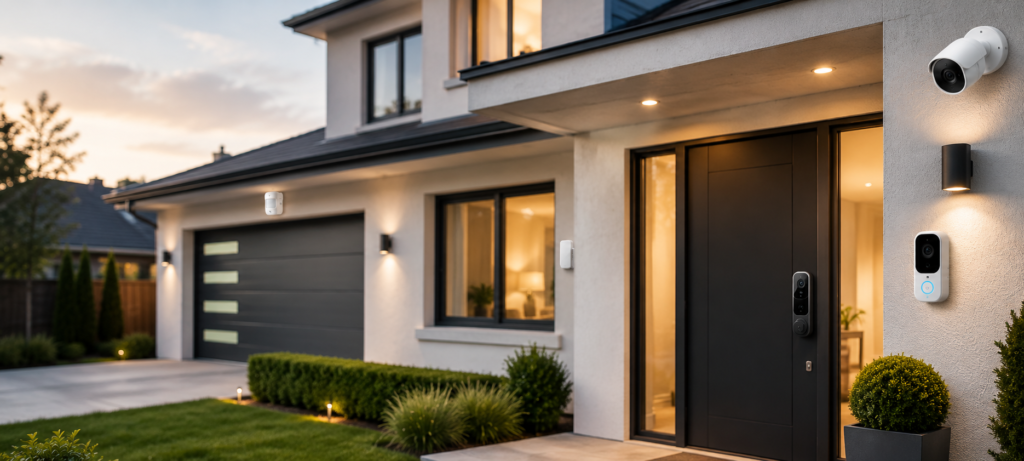
HomeBase 3 by Eufy Security is the winner of my review, after I have been using the system at my house for almost eight months now. This security system perfectly combines all the important aspects – features, reliability, and complete absence of subscriptions.
Key Features:
- Storage space for 16TB of video files in your HomeBase 3 hub
- Highly effective AI detection
- Compatibility with Amazon Alexa, Google Assistant, and Apple HomeKit
- Backup power to ensure continuous operation
- No subscription fees needed
What You Love About This Product:
There are hardly any false alarms on the AI detection. The accuracy rate of the detection of people, animals, and cars is about 95 percent. Plus, local recording ensures that you don’t have any cloud fees, and picture quality at night is exceptional.
Minor Drawbacks:
Setting up the system requires some effort, and the central hub should always remain connected to the router through an ethernet cable. Moreover, the app interface is not user-friendly, although the functionality is okay.
Best For: People who need top-notch security services but do not wish to pay any monthly charges.
💰 Best Budget: Wyze Home Monitoring Core Starter Kit
For those watching their wallet, Wyze provides some great security functions at prices that can’t be beat. My sister has this set up in her apartment, and she absolutely loves the results.
Key Features:
- Includes hub with local storage and battery backup
- Includes door/window sensors and motion sensor
- Professional monitoring option for $10/month (optional)
- Compatible with existing Wyze cameras
- Incredibly cheap expansion sensors
What Makes It Special:
Basic home security costs less than $100, which is cheaper than two months of traditional monitoring service. This security system functions flawlessly without subscription service, though monitoring service is available upon your request.
Limitations:
The application is not as refined as the best applications on the market, and integration into the smart home ecosystem is limited. The cameras used by the security system are average in terms of quality.
Best For: This system is recommended for budget-conscious homeowners and renters who want to test out home security solutions.
🔐 Best for Privacy: Abode Smart Security Kit
When privacy is a paramount concern, there is no better way to achieve local control than that of Abode. All operations can be conducted offline with no dependence on the cloud at all.
Key Features:
- Complete local control with cloud back-up optional
- Effective encryption and privacy features
- Superb integration with smart home devices like HomeKit
- Monitoring service available but not mandatory
- Wide variety of sensors available
Privacy Advantages:
Everything recorded can be kept strictly local. No internet access needed for local notifications and recordings, and you control what, if any, data gets sent to the cloud.
Considerations:
More expensive upfront compared to cheaper systems and more technical skills needed for installation. But the tradeoff is well worth it.
Best For: Those concerned about privacy, tech-savvy users, and anybody looking for total control over their security information.
📷 Best Camera-Based System: Arlo Essential Security Systems
There is more flexibility in subscribing for Arlo and their Essential range is effective without a subscription service per month. It offers great camera quality and advanced smart technology.
Key Features:
- 2K HD quality cameras with color night vision technology
- Smart AI to recognize persons, cars, and packages
- Local backup with Arlo Smart Hub
- Water-resistant outdoor cameras
- Compatibility with all smart homes
Camera Excellence:
The quality of video outperforms many of its competition, particularly in dim lighting. Motion detection is very reliable, and the cameras offer great construction for outdoor use.
Trade-offs:
There is less local storage available than with some competitors, and you will need to get the SmartHub for optimal results. The battery life of wireless cameras is also somewhat lacking.
Best For: Those at home who value high-quality video and good outdoor cameras.
🏠 Best Smart Home Integration: Google Nest Secure Alternative Setup
Despite stopping Nest Secure products, it is possible to build an amazing alternative using Nest cameras, Nest Hub monitors, and compatible sensors.
Key Features:
- Integrates smoothly with Google Assistant and Nest products
- Ability to view cameras on Nest Hub monitors in your home
- Arming/Disarming through voice command
- Options for storing footage locally via compatible hubs
- Compatibility with many smart home devices
Integration Benefits:
This Security systems makes sense to someone who already owns devices like those in Google Nest. The voice commands are very reliable and having camera feeds available on the Nest screen is extremely convenient.
Setup Complexity:
More complicated to set up as there is an integration of different products. This may involve higher initial cost investment but remember you are setting up a smart house.
Best For: Those who are already within the Google ecosystem.
⚡ Best for Apartments: Ring Alarm System
Ring has upgraded its subscription plans, and therefore, their basic model works very effectively without any monthly charge. It is especially favorable for apartment users who have to use rental-friendly solutions.
Key Features:
- Simple do-it-yourself installation without drilling
- Subscriptions not required – works fine as a standalone system for alerts and control
- Professional monitoring service starting from $10/month
- Outstanding application with simple-to-use controls
- Vast selection of sensors and accessories
Apartment Advantages:
All sensors either stick to walls or operate wirelessly. Takes about 30 minutes to set up and is completely portable should you change residences. The device arms/disarms itself according to your phone’s GPS position.
Limitations:
Only allows for local storage if subscribed; video only stores if using Ring Protect plans.
Best For: Renters or people living in apartments.
Subscription vs No Monthly Fee Security Systems
| Feature | Subscription Systems | No Subscription Systems |
|---|---|---|
| Monthly Cost | $20-50+ ongoing | None required |
| Cloud Storage | Usually included | Optional or limited |
| Privacy Control | Depends on provider | More local control |
| Professional Monitoring | Standard | Self-monitored |
| Contract Requirements | Often 2-3 years | None |
| Data Ownership | Shared with provider | You control everything |
| Feature Updates | Tied to subscription | Usually free |
| Emergency Response | Automatic dispatch | You handle emergencies |
It all depends on what is most important to you – convenience or control. With subscription-based security systems, everything is easier for you, but it is costly and private. In no-subscription systems, there is more work on your part, but you will have total freedom.
Hidden Costs to Watch Out For
Even no-monthly-fee security systems can have ongoing costs. While you avoid monitoring subscriptions, you may still need to budget for items such as replacement batteries, cloud storage upgrades, equipment maintenance, and optional premium features.
Before buying, check whether the system charges extra for video storage, AI detection, extended warranties, or additional accessories. Understanding these potential costs upfront helps you choose a security system that fits both your budget and long-term needs.
Cloud Storage Upgrades: Many security systems offer local storage but tempt you with cloud backup options. These often start cheap but increase in price over time.
Extra Sensors: Starter kits rarely include enough sensors for complete coverage. Additional door/window sensors can cost $20-40 each, and motion detectors run $30-60.
Battery Replacements: Wireless sensors need new batteries every 6-24 months. Budget about $20-40 annually for battery replacement across a typical system.
Smart Hubs: Some systems require proprietary hubs for full functionality. These can cost $50-150 and may need eventual replacement as technology evolves.
The key is factoring these costs into your budget from the start. Even with these expenses, no-monthly-fee security systems typically cost less over 3-5 years than monitored alternatives.
How to Choose the Right Security System for Your Home
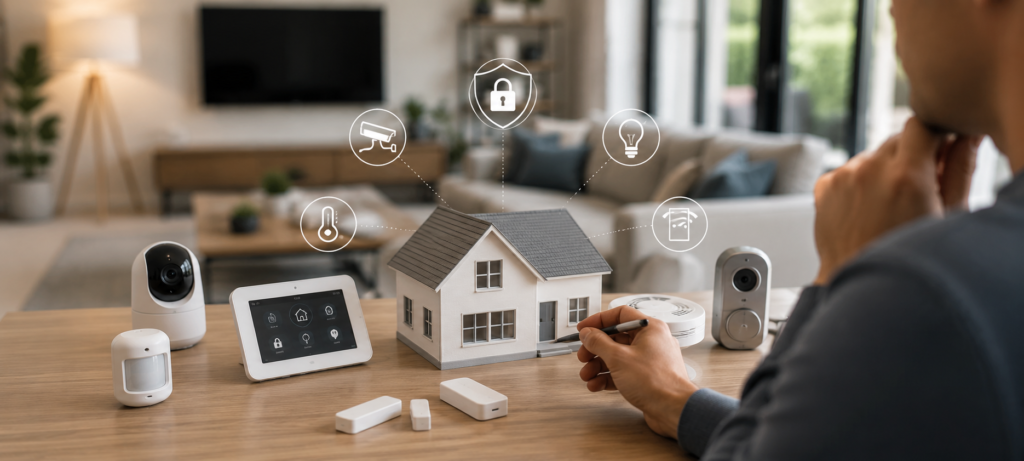
🏠 Consider Your House Size
Apartments/Small Homes (Under 1,500 sq ft): A starter kit with 3-4 sensors plus a camera or two usually provides adequate coverage. Focus on entry points and main living areas.
Medium Homes (1,500-3,000 sq ft): You’ll likely need additional sensors and cameras beyond basic kits. Plan for at least 6-8 sensors plus 2-3 cameras for good coverage.
Large Homes (Over 3,000 sq ft): Invest in systems with strong hubs that can handle many devices. Consider multiple camera zones and ensure your WiFi network can handle the bandwidth.
📷 Determine Camera Needs
Think about what you actually want to monitor. Front door and main entrances are priorities for most people. Backyard cameras matter if you have valuable outdoor equipment or frequent package deliveries.
Indoor cameras are personal preference. Some people love them for checking on pets or kids, while others find them intrusive. Start conservative and add more later if needed.
🔐 Assess Your Privacy Requirements
If privacy is important, prioritize systems with strong local storage and minimal cloud dependence. Look for companies with clear privacy policies and good reputations for data handling.
Consider where you’re comfortable storing footage. Local-only storage is most private but offers no backup if hardware fails. Hybrid approaches give flexibility while maintaining primary local control.
📡 Evaluate Internet Reliability
Security systems need stable internet for smartphone alerts and remote access. If your internet goes down frequently, prioritize systems with local sirens and backup communication methods.
Homes with weak WiFi coverage need mesh networks or systems designed for challenging wireless environments. Don’t assume your current WiFi setup can handle multiple security cameras.
💰 Set a Realistic Budget
Factor in the total cost of ownership, not just initial purchase price. A $200 starter kit that needs $300 in additional sensors and cameras costs $500 total.
Consider whether you want to buy everything at once or expand gradually. Many systems work fine with basic coverage and improve as you add components over time.
Installation and Setup Tips for DIY Home Security Systems
Router Placement Matters: Your security hub and cameras need strong, reliable WiFi signals. If your router is in a basement or far corner, consider upgrading to a mesh network before installing security equipment.
Test Sensor Positioning: Most sensors have indicator lights or app features that show signal strength. Test each location before permanent installation to ensure reliable communication with your hub.
Battery Testing: Even hardwired systems often have battery backup components. Test these during setup and mark your calendar for regular checks. Dead batteries during emergencies defeat the whole purpose.
App Setup Strategy: Download the app and create your account before installing hardware. Many apps work better when you can walk through setup steps with devices in hand rather than trying to configure everything afterward.
I’ve found that taking photos during installation helps later when you need to troubleshoot or explain the system to family members. Document wire routing, sensor positions, and any custom settings you configure.
Common Mistakes to Avoid
Ignoring Local Storage Limits: Many people assume local storage is unlimited, but SD cards and hubs have capacity limits. Plan for how much footage you want to keep and set up automatic deletion of older files.
Underestimating WiFi Requirements: Security cameras, especially 4K models, use significant bandwidth. Multiple cameras can overwhelm older routers or slow internet connections.
Skipping Battery Backup: Power outages are prime times for break-ins. Systems without battery backup leave you completely unprotected when you might need security most.
Poor Camera Placement: Cameras pointed directly at bright lights or positioned too high/low don’t capture useful footage. Test viewing angles during day and night before finalizing mounting locations.
The biggest mistake I see is buying too much equipment initially. Start with basic coverage of entry points and main areas. You can always expand later, but returns and exchanges are harder once everything is installed.
❓FAQs About No-Subscription Security Systems
Are no-subscription security systems worth it?
Absolutely, especially for budget-conscious homeowners who don’t mind self-monitoring. You get most of the same features as subscription systems without ongoing costs. The main trade-off is losing professional monitoring, but smartphone alerts work well for most people.
Can I use security cameras without cloud storage?
Yes, many modern cameras support local storage via SD cards, hubs, or network storage devices. Local storage often provides better privacy and eliminates monthly cloud fees. Just ensure you have adequate storage capacity for your recording needs.
What happens during internet outages?
Good systems continue recording to local storage and can trigger local alarms even without internet. You won’t get smartphone alerts during outages, but recording continues. Some systems also support cellular backup modules for critical connectivity.
Are self-monitored systems reliable?
Modern self-monitored systems are very reliable when properly installed and maintained. The main reliability factors are strong WiFi coverage, regular battery maintenance, and keeping firmware updated. Many work better than older professionally monitored systems.
Which system offers the best privacy protection?
Systems with strong local storage and minimal cloud dependence offer the best privacy. Abode, Eufy, and Apple HomeKit-compatible systems generally provide the most privacy controls. Avoid systems that require cloud connectivity for basic functionality.
🔗Related Articles
- Smart Home Security Systems in 2026 (Expert Buyer’s Guide)
- How to Build a Smart Home Security System (Ultimate Guide 2026)
- Schlage Smart Lock Review (2026): Is It Worth Buying?
- Best Smart Security Cameras for Home in 2026 (Complete Buyer’s Guide)
- How to Place Security Cameras for Maximum Protection (2026 Guide)
- Best Smart Video Doorbells for Home Security in 2026 (Complete Buyer’s Guide)
- Best Smart Door Sensors for Apartments in the USA (2026 Guide)
- Best Smart Sensors for Home Security (2026 Guide)
🚀Final Verdict
After testing numerous security systems and living with several for extended periods, the Eufy Security Home Alarm Kit earns my top overall recommendation. It provides professional-grade features without any subscription requirements, excellent local storage, and reliable smart detection that actually works.
For budget-conscious buyers, the Wyze Home Monitoring Core Starter Kit delivers impressive value under $100. While not as feature-rich as premium options, it covers basic security needs effectively and leaves room in your budget for expansion.
Privacy-focused users should seriously consider Abode’s Smart Security Kit. The higher upfront cost pays off through complete local control and excellent integration options, especially for those using Apple HomeKit.
Choose your security systems based on your specific needs rather than just price or features. A simple setup that you’ll actually use beats a complex system that sits partially configured. Start with good coverage of entry points and main areas, then expand over time as you identify specific needs.
The no-monthly-fee security systems market is more competitive than ever, giving homeowners excellent options for protecting their families without ongoing monthly costs. Whatever system you choose, you’ll likely save hundreds of dollars annually compared to traditional monitored alternatives while maintaining better control over your privacy and data.