
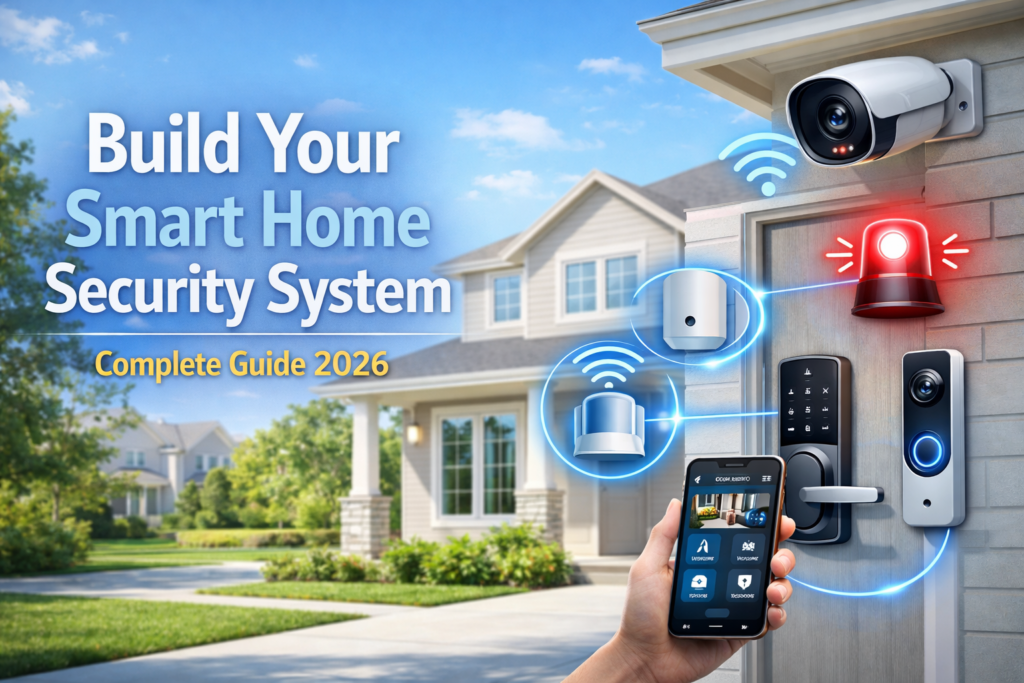
Indeed, technology in home security has come a long way and in 2026, there is need for a smarter system in the area of home security. Simply installing locks and alarms on their own cannot keep you protected from today’s threats.
The good thing about having a smart home security system is that it allows real-time surveillance of your house, instant alerts when something goes wrong, and automation in case of a threat. However, most people usually fall into the trap of installing disconnected systems, and end up frustrated and even losing money.
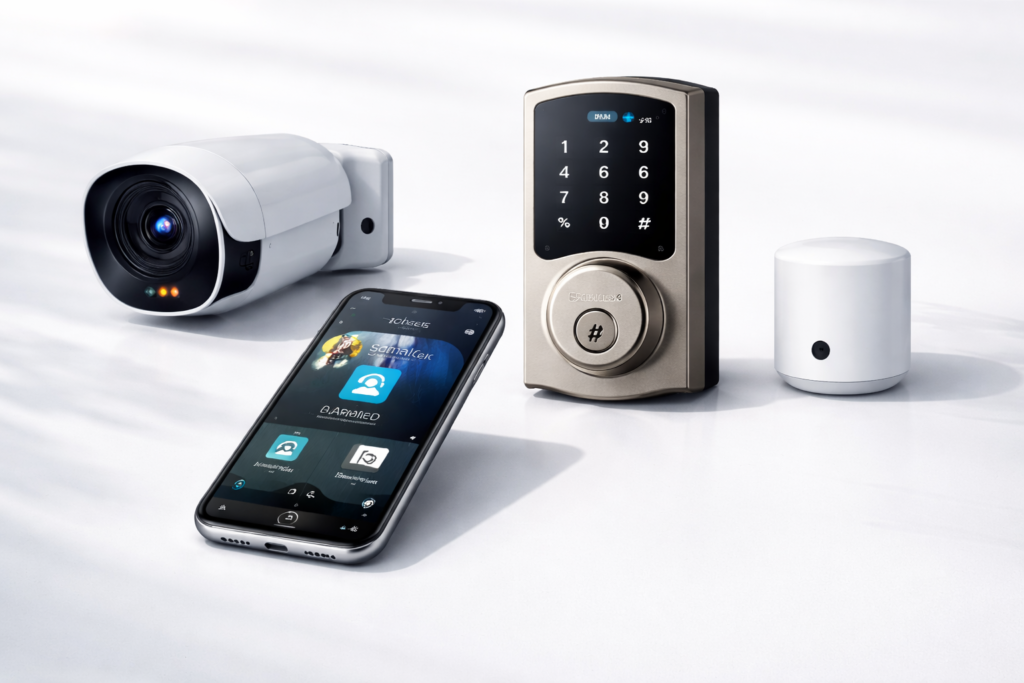
To achieve a fully functional and efficient smart security system, there are four main elements that you will require, namely cameras, sensors, an alarm system, and smart locks.
Check our full guide on Top Smart Home Security Systems in 2026 for specific product recommendations and detailed comparisons.
Table of Contents
Step 1: Choosing the Right Home Security Cameras
Security cameras serve as the building blocks of any modern home security system. Carefully selecting the security cameras guarantees the best video quality when it comes to use cases.
Indoor vs. Outdoor Cameras
The indoor cameras work perfectly for monitoring your living room and entryway as well as your pet. They usually have useful capabilities such as two-way audio and easy integration into the smart home.
Choosing the Right Resolution
- 1080p: It is the affordable and budget-friendly solution but not great for far-off objects.
- 2K: It is the middle-ground camera with high-quality resolution and no extra internet bandwidth consumption.
- 4K: It offers the highest possible resolution suitable for driveways and entrances but takes more storage space and bandwidth.
Night Vision Options
The infrared night vision option operates during total darkness; however, it is capable of producing footage only in grayscale mode. In the case of color night vision, special inbuilt lights enable footage to be produced in color format during nighttime.
Motion Detection and AI Alerts
Standard motion detection detects all types of movements, including animal and weather-based movements. Artificial intelligence-based surveillance cameras are capable of recognizing people, cars, and pets.
Cloud vs. Local Storage
Cloud storage ensures the safety of footage from any thefts and malfunctions, although it usually involves subscriptions. On the other hand, local storage provides more privacy and freedom from subscriptions but becomes an issue when the equipment is lost or gets broken. Many people opt for both ways simultaneously.
Popular Camera Brands
- Arlo: Excellent wireless technology and battery performance.
- Nest Cam: Best AI integration with Google.
- Wyze: Cheap cameras with good performanc
- Eufy: Cameras with a focus on privacy.
Camera Placement Tips
Install cameras at about 8-10 feet high to prevent vandalism without hindering the view. Concentrate on areas where burglars can enter your property such as doors and windows. Also consider installing cameras along your driveway, side gate, back door, and first-story windows.
Test camera placement before deciding to install them permanently.
Step 2: Adding Sensors
Your sensors act as an early detection system, sensing any threat that exists as soon as it appears. By utilizing several types of sensors, you build a layered security system that will be hard for anyone to penetrate.
Door and Window Sensors
This type of sensors is probably the most popular among home security devices. Whenever someone tries to gain entry through a protected door or window, the sensor alerts you instantly through your security app.
Motion Sensors
These sensors sense motion in certain rooms of your house. Using infrared technology, they can distinguish between humans and your pets. These are perfect for monitoring passages, stairs, and other spacious rooms.
Glass Break Sensors
Unlike regular sensors that detect any unexpected motion, glass break sensors only respond to the sound of breaking glass. In case someone tries to break the window or sliding glass door instead of unlocking it, you can detect the attempt.
Sensor Placement Tips
In order to achieve maximum security, follow these suggestions:
- Mount a sensor on all external doors.
- Use window sensors on all first-floor windows accessible from outside.
- Motion detectors should be installed in corridors, entranceways, and other passageways.
- Do not mount motion detectors next to a heat vent, fireplace, or areas exposed to direct sunlight.
Connecting Sensors to Your Security System
Modern sensors are usually wireless and use either Zigbee or Z-Wave technology. Installation will generally require pairing each sensor to the security system hub via an app.
Reducing False Alarms
Automated systems can increase accuracy through:
- Including entry delays for family members.
- Programming automatic arm/disarm times.
- Configuring pet-sensitive motion detector options.
- Setting up customized alarm protocols according to your schedule.
Test Sensors Regularly
Periodically check your system sensors to make sure they are functioning properly. Most automated security systems have a testing feature which lets you test sensors without setting off the entire alarm system.
Hub & system guide in main article provides detailed information about connecting sensors to central control systems.
Step 3: Installing the Alarm System
The alarm is used as a central component of the alert feature of your security system. It helps deter burglars and alerts you of any perceived threat.
Choosing the Right Alarm Type
Audible Sirens
Conventional sirens make sounds that scare away burglars or alert others of their presence. In most cases, the system includes voice messages that warn someone that the place is being recorded or monitored.
Silent Alarms
Silent alarms notify your phone about any intruder trying to break in. This allows you to keep a low profile by not alerting them of your presence.
Smart Security Hubs
A smart security hub acts as a central system for connecting other components like sensors, cameras, and alarms. Most hubs come with battery power backup and cell connectivity capabilities.
Integrating Cameras, Sensors, and Alarms
The best systems respond automatically between gadgets. Such as:
- A door sensor may set off the camera to begin taking footage.
- Motion sensors may turn on the smart light.
- A window break detector may sound an alarm right away.
- Security incidents may be automatically recorded for future reference.
Professional vs. DIY Monitoring
| Option | Benefits | Considerations |
|---|---|---|
| Professional Monitoring | 24/7 emergency response and dispatch services | Monthly subscription fees |
| DIY Monitoring | Lower ongoing costs and full control | Requires you to respond to alerts personally |
It is common for homeowners to use a combination system, where professionals monitor emergency situations, while others manage non-urgent notifications.
Alarm Placement Tips
To ensure proper coverage:
- Place sirens in key locations, including hallways or main rooms.
- Ensure that sirens will be heard all around the house.
- Do not place sirens near bedrooms or infant rooms where loud sirens would disturb them.
Popular Alarm Systems
- Ring Alarm Pro – Seamless integration within the ecosystem, backup internet capabilities, and smart home capability.
- SimpliSafe – Monitoring capabilities, cell service backup, and non-contract plans.
Test Your Alarm System Regularly
Test your alarm system on a regular basis, usually once a month, to ensure that your sensors, sirens, battery backup, and internet connectivity are working properly. Most home security systems have test settings.
Step 4: Smart Locks & Access Control
Smart locks enhance home security by replacing traditional keys with more secure and flexible access methods. They also integrate with other smart home devices to create a more connected security system.
Remote Control and Monitoring
Smart locks allow you to lock, unlock, and check door status from anywhere using a mobile app. This makes it easy to manage access while traveling or away from home.
Keyless Entry Options
PIN Codes
Keypad-enabled locks let family members enter using unique access codes. Many models support multiple user profiles, temporary guest codes, and scheduled access times.
Biometric Access
Fingerprint-enabled smart locks provide fast, secure entry without keys or codes. They offer added convenience but should always be paired with a backup access method.
Smart Home Integration
When connected to your security system, smart locks can automate important tasks such as:
- Locking doors automatically when the alarm system is armed.
- Unlocking doors for authorized users.
- Triggering cameras when repeated access attempts fail.
- Sending alerts when doors remain unlocked for extended periods.
Popular Smart Lock Options
- August Smart Lock – Easy retrofit installation that works with existing deadbolts.
- Yale Smart Lock – Reliable performance, strong security features, and long battery life.
- Schlage Smart Lock – Durable construction with advanced security and tamper alerts.
Installation Considerations
Some smart locks replace the entire deadbolt, while others attach to the interior side of an existing lock. Before purchasing, verify compatibility with your door thickness, deadbolt type, and smart home ecosystem.
Preventing Lockouts
Always maintain a backup entry method, such as:
- Physical keys stored in a secure location.
- Trusted emergency contacts.
- Battery backup features.
- Emergency power options available on certain lock models.
Maintenance Tips
To keep your smart lock operating reliably:
- Check battery levels regularly.
- Clean fingerprint readers when applicable.
- Test all access methods periodically.
- Install firmware updates to maintain security and performance.
A properly configured smart lock adds both convenience and protection, serving as the first line of defense in a complete smart home security system.
If you’re building your first Smart Home Security System setup, this guide covers the most important devices you need. -Schlage smart lock review
Step 5: Automation & Alerts
Automation turns individual security devices into a connected system that can respond intelligently to potential threats while reducing false alarms and unnecessary notifications.
Use a Central Security Hub
A security hub acts as the brain of your smart home security system, connecting cameras, sensors, smart locks, and alarms. It allows all devices to work together and trigger automated actions based on specific events.
Customize Notifications and Alerts
Smart security systems let you control how and when notifications are delivered.
For example:
- Critical alerts can trigger immediate push notifications.
- Break-in or emergency alerts can notify multiple family members.
- Routine activities can be logged quietly within the app to reduce notification fatigue.
Enable Geofencing
Geofencing uses your smartphone’s location to automate security settings.
Common automations include:
- Automatically arming the system when everyone leaves home.
- Disarming entry sensors when authorized users arrive.
- Locking doors when the last family member leaves.
This helps improve security while reducing accidental alarms.
Create Security Schedules
Scheduling allows your system to adapt to daily routines.
Examples include:
- Activating full security monitoring overnight.
- Adjusting motion sensor sensitivity during active daytime hours.
- Enabling vacation mode for 24/7 protection when you’re away.
Reduce False Alarms
Smart automation can minimize unnecessary alerts by:
- Adding entry and exit delays.
- Using pet-friendly motion detection.
- Filtering alerts based on time, location, or user activity.
- Ignoring weather-related triggers through advanced outdoor sensors.
Smart Automation Examples
A well-integrated system can perform multiple actions from a single event:
- A door sensor detects an unexpected opening.
- Nearby cameras automatically begin recording.
- Smart lights turn on to illuminate the area.
- The system sends an instant notification.
- If no authorized user disarms the system, alarms can activate automatically.
Popular Security Ecosystems
| System | Best For |
|---|---|
| Ring | Cameras, alarms, lighting, and doorbell integration |
| Google Nest | Voice control and Google Home integration |
| Abode | Flexible DIY security with professional monitoring options |
AI and Machine Learning Features
Advanced security platforms can learn household routines over time. This allows the system to recognize normal activity patterns and focus alerts on unusual events, helping reduce false alarms while improving security.
Test Your Automations Regularly
Review and test automation rules monthly to ensure everything works correctly. Verify that notifications are delivered, cameras record as expected, alarms activate properly, and backup systems remain operational during outages.
When configured correctly, automation transforms a collection of devices into a proactive security system that protects your home with minimal daily effort.
If you’re just starting out, check our list ofsmart home devices for beginners to build a strong foundation for your system.
Step 6: Testing Your Complete Home Security System
Once you have installed your smart home security system, continuous testing ensures proper functioning of each part of your security device.
Test All Sensors
Ensure each of the sensors is tested for accuracy in terms of triggering alerts.
- Open and close protected doors and windows.
- Test motion sensors by moving around their coverage area.
- See that alerts pop up in the security application.
- Glass break sensors should be tested using the guidelines of the manufacturer.
Verify Camera Performance
Ensure all the functions of your cameras are accurate.
- Watch live videos from different angles.
- Verify the recordings under both day and night modes.
- Test the precision of motion detectors.
- Check two-way audio capabilities, if any.
Check Alarm Functionality
Employ your system’s testing feature to ensure alarms are working properly.
- Test both indoor and outdoor alarms.
- Ensure silence alerts work properly.
- Make sure alarms work by sending notifications to other devices and alarm monitoring services.
- Ensure proper audio volume is set up in the entire house.
Test Smart Locks
Check if all locking mechanisms work properly.
- Unlock and lock doors through your phone application.
- Check if your keypad code works properly.
- Check if biometric locks work properly.
- Also check whether backup keys can still work.
Check Device Connectivity
It is important that your smart security system have reliable connectivity.
Common issues include:
- Poor Wi-Fi connectivity.
- Slow communication between the devices.
- Unreliable sensor connectivity.
- Outdated firmware.
Keep the devices up to date, and ensure good network connectivity to maintain reliability.
Verify Notifications
Ensure that the notifications are received by the right person using the right channel.
Test:
- Push notifications.
- SMS alerts.
- Email notifications.
- Emergency contact settings.
Ensure immediate delivery of crucial notifications and alternative notification systems.
Test Backup Systems
Your security system must function even when there are power cuts.
Verify:
- The battery backup works well.
- The cellular backup is still working.
- Your system’s behavior during Internet downtime.
- System behavior once there is power supply again.
Create a Monthly Testing Routine
Use a simple checklist to keep your system in top condition:
| Component | Test Frequency |
|---|---|
| Sensors | Monthly |
| Cameras | Monthly |
| Alarms | Monthly |
| Smart Locks | Monthly |
| Notifications | Monthly |
| Backup Power | Every 3–6 Months |
Keep Testing Records
Log all tests done to check whether there are any problems with system testing, battery changes, firmware upgrade, etc. This will help you monitor the performance of the system in the long run to detect possible failures even before they become a threat to the safety of your house.
System testing guarantees that everything works smoothly.
Optional Upgrades for Maximum Security
After establishing the fundamental security system, further improvements will give you extra security and convenience as well as make you feel more at ease.
AI-Powered Detection
Today’s intelligent security cameras are capable of discerning whether the object detected is a person, an animal, a vehicle, or just some kind of motion. Some of them even feature face recognition technology.
Video Doorbells
With a video doorbell, you will be able to see, hear, and communicate with people who ring the bell, as well as get footage of deliveries, visitors, and any other suspicious behavior around your front door area.
Key benefits include:
- Live video monitoring
- Audio two-way communication
- Motion detection alerts
- Visitor screening remotely
Motion-Activated Floodlights
Smart floodlights not only enhance night vision but also reduce unnecessary intrusions. Many of them start working with the detection of motion and can operate alongside security cameras for better recording at night time.
Backup Power and Cellular Connectivity
Losing power and internet shouldn’t mean that you lose all security at home.
Consider adding:
- UPS (Uninterruptible Power Supply)
- Backup cellular communication
- Generators for long-term outage backup
This way, your security will remain safe even during crises.
Smart Home Integration
Connecting your security system with other smart devices allows for many automations.
Examples include:
- Turning on lights when movement is detected
- Simulating presence when you’re not there
- Locking doors when the system is armed
- Changing thermostat settings when the home is unoccupied
Voice Assistant Control
Control through voice assistants enables users to control various security features hands-free, including:
- Turning security modes ON/OFF
- Checking the state of the locks
- Watching camera footage on supported screens
- Getting voice notifications for security alerts
Environmental Protection Sensors
It’s not just about security from intruders for home protection. There are additional sensors which can be added such as:
- Smoke detection
- Carbon monoxide monitoring
- Water leak detection
- Extremely high/low temperature detectors
They offer protection against any environmental dangers other than security.
Professional Installation
Whereas some of the devices might be suitable for DIY installation, professional installation can guarantee:
- Correct positioning of cameras
- Effective sensor range
- Network connectivity
- Correct device configuration
This may prove helpful in cases where homeowners have large houses or more complicated security systems.
Perimeter Security
To increase your safety further, perimeter monitoring will be able to spot any activity even before an individual arrives at your doorstep.
Popular options include:
- Driveway monitoring systems
- Outdoor motion detectors
- Gate sensors
- Beam-break security sensors
These systems provide early warnings and allow faster response to potential threats.
Upgrade Priority Checklist
| Upgrade | Benefit |
|---|---|
| AI Cameras | Fewer false alerts |
| Video Doorbell | Front-door monitoring |
| Floodlights | Better nighttime security |
| Cellular Backup | Protection during internet outages |
| Environmental Sensors | Smoke, leak, and CO detection |
| Perimeter Sensors | Earlier intrusion detection |
These optional upgrades can transform a basic smart home security setup into a comprehensive, professional-grade protection system.
Maintenance & Ongoing Safety
Regular maintenance is essential for a home security system to stay efficient and shielded from any cybersecurity risks that may develop with time. Regular maintenance ensures that your home security system is always working efficiently.
Keep Firmware and Apps Updated
These manufacturers constantly release updates to boost performance, provide additional functionality, and resolve security weaknesses.
Best practices include:
- Turn on automatic updates if possible.
- Verify once a month that firmware updates have been installed on your camera, sensor, hub, and smart lock.
- Update mobile security applications.
Monitor and Replace Batteries
Many security gadgets use batteries in order to function without interruption.
In order to prevent sudden failures:
- Always monitor the battery power levels.
- Change batteries in accordance with manufacturer specifications.
- Have extra batteries handy for vital gadgets.
- Look into rechargeable batteries when possible.
Manage Storage Efficiently
Because cameras keep filming videos, storage requirements can increase rapidly.
Review:
- Options for cloud storage and duration of storage.
- Storage options on-site and methods of backing up.
- Setting video retention policies for cost-efficiency and evidence preservation.
Follow a Regular Testing Schedule
Routine testing ensures every component remains operational.
| Maintenance Task | Recommended Frequency |
|---|---|
| Sensor Testing | Monthly |
| Camera Testing | Monthly |
| Alarm Testing | Monthly |
| Software Updates | Monthly |
| Backup System Testing | Quarterly |
| Full System Review | Annually |
Strengthen Cybersecurity
Connected devices can be targeted if they are not secured effectively.
Keep yourself safe by:
- Choosing strong and unique passwords.
- Updating default usernames and passwords.
- Employing two-factor authentication (2FA).
- Discontinuing unnecessary devices/accounts.
- Periodically checking connected devices.
Secure Your Home Network
A Wi-Fi network is vital to securing your smart home.
Recommended steps:
- Upgrade your router software.
- Enable WPA3 encryption or use stronger encryption.
- Make two separate networks; one for smart home devices.
- Change Wi-Fi passwords periodically.
Consider Professional Maintenance
For more complex and bigger systems, having professionals inspect your system will be beneficial in helping detect any problem beforehand.
Professional maintenance may include:
- Testing device integrity
- Aligning cameras
- Calibrating sensors
- System optimization
- Assessing security issues
Protect Your Privacy
Smart security systems generate data that may consist of video footage, audio recordings, and usage details.
To improve privacy:
- Checking privacy settings periodically.
- Reducing unnecessary data sharing.
- Using local storage on your end for restricted areas where necessary.
- Unregistering older devices from your account before selling or disposal.
Final Tip
Home security systems require regular maintenance. The process ensures that your security cameras, motion sensors, security alarms, and smart locks maintain their functionality in order to effectively protect your property for years to come.
❓FAQ
Can I mix different brands in one system?
Yes. Most of the contemporary security smart devices comply with some widely-used standards, for example, Wi-Fi, Zigbee, or Z-Wave. These standards provide compatibility among different devices manufactured by various vendors.
Nevertheless, using various brands can be problematic because of different applications and lack of some automation functions. The optimal approach would be choosing an appropriate ecosystem and incorporating third-party devices when necessary.
Do I need professional monitoring?
Not necessarily. Professional monitoring comes with 24/7 emergency services and is useful if you travel a lot, are part of a bigger family, or feel comfortable knowing that your home is professionally monitored.
DIY monitoring is an affordable option that allows you to monitor your own system independently. Many companies provide hybrid solutions, where critical emergencies are professionally monitored and all other alerts are DIY-monitored.
What’s the cheapest way to build a complete security system?
Professional monitoring – should I go for it? The best value-for-money option will be to begin with the bare minimum and build on that gradually.
Begin with:
- Security hub or base station
- Sensors for doors and windows
- One or two security cameras
- Basic alarm features
This will ensure that your property’s weakest spots are protected while minimizing your budget outlay.
Which Areas Should I Secure First?
Prioritize locations that intruders are most likely to target:
- Front door
- Back door
- Ground-floor windows
- Garage entrances
- Basement access points
Adding cameras to these areas can improve visibility and provide valuable evidence if an incident occurs.
Are Wireless Security Systems Reliable?
Yes. Today’s wireless systems have proved to be extremely reliable in their proper installation and connection to a good Wi-Fi system. Many systems today come with battery and cellular protection too.
How Many Cameras Do I Need?
How many depends on the size of your home.
The average home can generally be protected by:
- 1 video doorbell
- 2–4 outdoor cameras
- 1–2 indoor cameras (optional)
Prioritize your access points, driveways, and garage before considering anything else.
Is Cloud Storage Necessary?
No. Security cameras can have local storage in the form of microSD cards, network video recorders, or even internal storage capacity.
While cloud storage allows remote access and offsite backups, local storage guarantees privacy and saves users from paying subscription fees. Both options are popular among homeowners.
How Often Should I Test My Security System?
System checks on a monthly basis are recommended.
It includes the following tests:
- Sensor testing
- Camera verification
- Alarm testing
- Smart lock functionality
- Notification delivery checks
Testing of the backup power source and internet failover should be done every few months.
How Much Does a Smart Home Security System Cost?
Costs depend on the devices used as well as monitoring services.
| Security Level | Typical Cost |
|---|---|
| Basic DIY Setup | $150–$500 |
| Mid-Range System | $500–$1,500 |
| Advanced Smart Security System | $1,500–$5,000+ |
Be sure to consider other costs like those for cloud storage subscriptions, professional monitoring services, and batteries.
Can Smart Home Security Systems Be Hacked?
Any Internet-connected device, smart security included, is vulnerable if it is not secured properly.
You can reduce the vulnerabilities of smart security systems by:
- Using strong and unique passwords
- Implementing two-factor authentication (2FA)
- Updating firmware
- Securing your home Wi-Fi network
- Deleting unnecessary devices connected to your account
If you implement security practices, smart home security systems remain a viable option for protecting your property.
🔗Related Articles
- Best Smart Security Cameras for Home in 2026 (Complete Buyer’s Guide)
- How to Place Security Cameras for Maximum Protection (2026 Guide)
- Best Smart Video Doorbells for Home Security in 2026 (Complete Buyer’s Guide)
- Best Smart Locks for Home Security (2026 Guide)
🚀Conclusion
Implementing a comprehensive smart home security solution offers peace of mind that is way beyond what basic security can provide you. In this way, you have an opportunity to control your home from afar, get instant alerts regarding any issues, and take automated actions to ensure your home’s safety when you cannot be there yourself.
What is crucial for making such a system work effectively is treating security as an integrated system, rather than assembling separate products. In case the cameras, sensors, alarms, and other systems collaborate intelligently, they will form a layer of defense that cannot be breached by criminals but will not cause any inconveniences to your family.
Please remember that your perfect security system should be one that suits your family and their security needs within the confines of your finances. Begin with basic elements such as doors with sensors and some cameras and expand from there as you figure out what really works for you.
Check recommended Home Security systems in order to evaluate certain products and select those which are suitable according to your budget and requirements. It is recommended that you take each step gradually, starting from the issues that bother you the most, and build up your entire security system over a period of months.
Investing in an adequate home security system is worth your while when it comes to ensuring the safety of your loved ones and your peace of mind.
Pingback: Schlage Smart Lock Review 2026: Is It Worth Buying?