
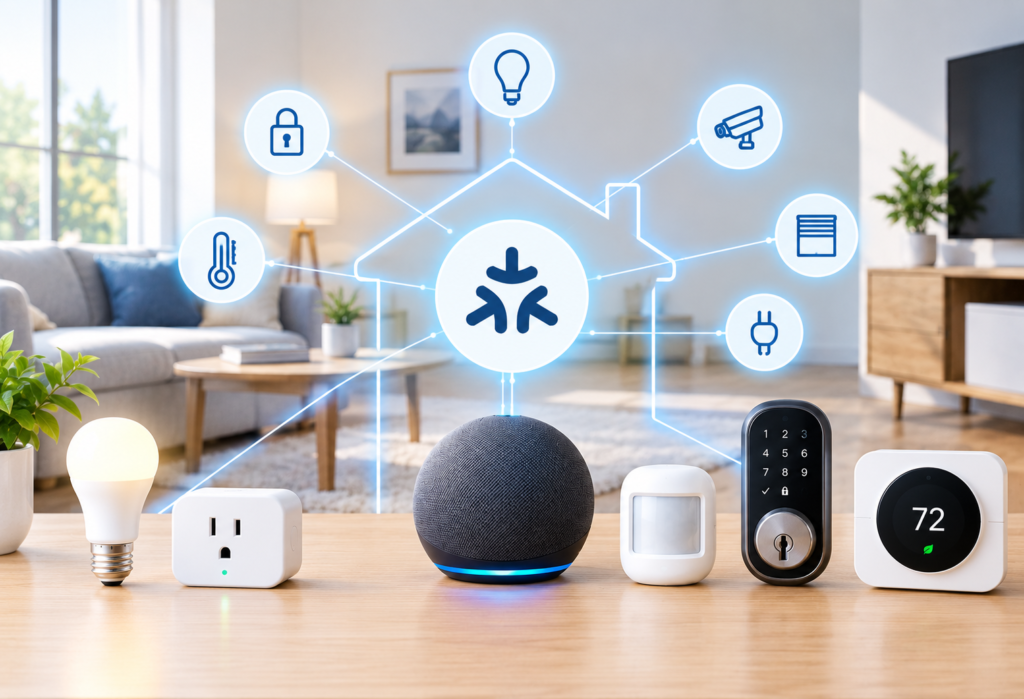
Building a Matter Smart Home Is Easier Than It Sounds
You buy a Matter smart bulb. Then a Matter plug. Then you read about Thread sensors and suddenly you’re staring at a list of questions: Do I need a hub? What’s a Thread Border Router? Should I use Alexa, Google Home, or Apple Home? Does any of this even work together?
It’s a common place to get stuck, and it stops a lot of people before they even get started.
Here’s the thing — knowing how to build a Matter smart home doesn’t require a technical background. Matter was designed to make smart home devices work together, regardless of brand. But a good setup still needs a bit of planning. Buying devices without a clear structure usually leads to confusion, wasted money, and a system that barely works.
This guide will walk you through everything in the right order:
- Choosing an ecosystem
- Choosing the right controller
- Learning about Thread
- Choosing your first devices
- Connecting Matter devices
- Building automations
- Scaling up without starting from scratch
Let’s go through it step by step.
Table of Contents
What Is a Matter Smart Home?
Matter is a shared standard that allows smart home devices from different manufacturers to communicate with each other. Before Matter, buying a smart plug from one brand and a sensor from another often meant dealing with two separate apps, two separate setups, and no way to connect them.
Matter solves that by giving devices a common language. It was developed by the Connectivity Standards Alliance, with backing from Apple, Google, Amazon, Samsung, and others — which is why it works across major platforms.
Beginner takeaway: Matter is the application standard. Wi-Fi and Thread are how devices physically communicate. Your controller is what manages all of it.
A Matter smart home can include devices that connect over Wi-Fi (like smart bulbs and plugs) and devices that connect over Thread (like sensors and buttons). Matter over Wi-Fi uses your existing router. Matter over Thread uses a mesh network that requires a Thread Border Router to connect back to your home network.
Matter itself isn’t Wi-Fi or Thread — it sits on top of both. Understanding this makes the rest of the setup process much clearer.
What You Need to Build a Matter Smart Home
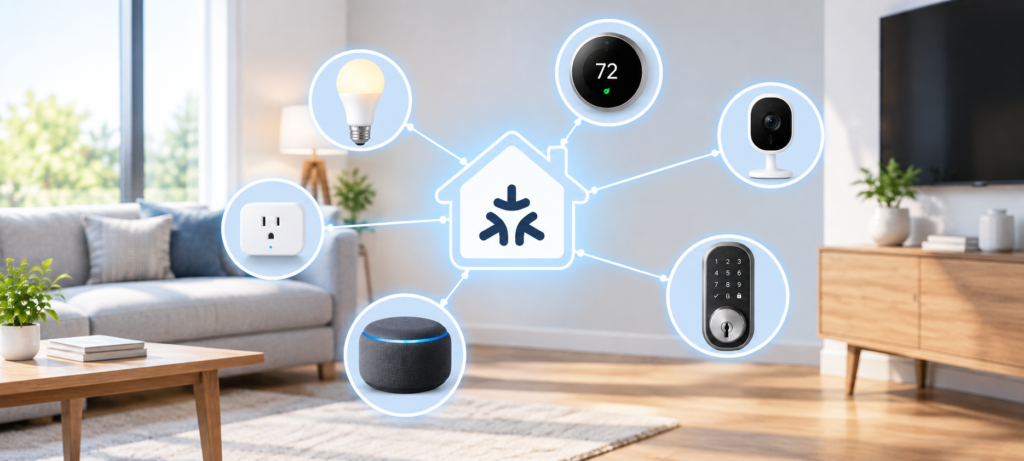
It would be easier to know what components you would need to have before making purchases. Even if not all will be necessary from the very beginning, having an overview will help you better understand what to choose.
Core components:
- Matter-compliant devices (smart plugs, light bulbs, sensors, locks, switches, thermostats)
- Matter controller (the device managing your devices)
- Home Wi-Fi network (you must have a solidly covered network)
- Thread Border Router (needed if Thread-based Matter devices will be used)
- Smartphone or tablet (for initial configuration and control purposes)
- Smart home ecosystem (platform for managing everything) (Alexa, Google Home, Apple Home, etc.)
Here’s a simple way to visualize the flow:
For Wi-Fi devices:
Phone → Smart Home Platform → Matter Controller → Matter DeviceFor Thread devices:
Phone → Matter Controller → Thread Border Router → Thread Matter DeviceThe good news is that some controllers include a Thread Border Router built in, which keeps the hardware count lower. More on that in the steps ahead.
Step 1: Choose Your Smart Home Ecosystem First
This is the most crucial step of the whole process. Your ecosystem will define your controller, your management apps, and your voice assistants. Making the right choice at this point means avoiding many headaches later on.
Here’s a straightforward comparison:
Amazon Alexa
Works best for Echo families, people who love voice control and beginners who need an easy setup. Alexa can support Matter and is a good platform to start from.
Google Home
Works best for Android owners and people who already belong to the Google ecosystem. Google Home can support Matter and has nice automation capabilities via its app.
Apple Home
Good for iPhone users seeking privacy and elegance. Apple Home is compatible with Matter and performs well within the Apple ecosystem.
SmartThings
Good for Samsung users or anyone handling a combination of device types. SmartThings is compatible with Matter and can handle more complex situations.
Home Assistant
Good for advanced users looking for complete local control and customization and don’t need cloud solutions. It offers more flexibility than any other solution but a harder learning curve.
The order of operations is: First, choose your ecosystem. Second, choose your Matter controller. Third, choose your devices. Following this order makes your life easier.
Keywords like ‘Matter and Alexa’, ‘Matter and Google Home’, and ‘Matter and Apple Home’ show up in many beginner search queries for a reason. Ecosystems dictate everything.
Step 2: Choose Your Matter Controller
A Matter controller is a piece of hardware responsible for controlling all your Matter-enabled smart home devices. It listens to the commands issued via your mobile app or voice assistant, then passes them to your Matter devices.
Depending on your ecosystem, your controller might be:
- A compatible smart speaker (such as Amazon Echo or Google Nest Audio)
- Smart display (Amazon Echo Show or Google Nest Hub)
- Smart home hub (SmartThings Hub)
- Advanced automation hub (Home Assistant Green or self-hosted platform)
Important: Thread Border Router, Zigbee hub, and Z-Wave hub are completely different things. Even though some products can combine several features in one hardware, you should always make sure that your controller does not lack something crucial.
For example, a Google Nest Hub (2nd generation) will work as both Matter controller and Thread Border Router, while older Amazon Echo may act only as a Matter controller without Thread connectivity.
Step 3: Decide Whether You Need Thread
Not all Matter devices will utilize Thread. Knowing the difference between these two types will help you set up your network effectively.
Matter over Wi-Fi
Matter over Wi-Fi
Works well for:
- Smart bulbs
- Smart plugs
- Light switches
- Thermostats
These devices are usually mains-powered and already have a Wi-Fi chip, so adding Thread support doesn’t add much value.
Matter over Thread
Works well for:
- Motion sensors
- Contact sensors
- Buttons and remotes
- Battery-powered accessories
Thread is a low-power mesh protocol, which makes it ideal for devices that run on batteries. These devices need a Thread Border Router to connect to your home network and reach your Matter controller.
Beginner recommendation: If you’re starting from scratch and plan to use battery-powered sensors, choose a controller that includes a built-in Thread Border Router. This simplifies your setup by reducing the number of separate devices you need to manage.
Many modern smart home hubs already include Thread Border Router functionality. Just confirm before buying.
Step 4: Build a Reliable Wi-Fi and Thread Network
This step often gets neglected in most of the smart home guide articles. Everyone concentrates on their devices and does not realize the importance of the network on which all the devices depend. Inadequate Wi-Fi will make all devices go offline and will ruin the entire automation process.
Wi-Fi basics for a Matter smart home:
- Wi-Fi tips for your Matter smart home:
- Ensure your router offers strong coverage in all rooms where you will place devices
- 2.4 GHz is used by most smart home devices – make sure your router broadcasts it separately from 5 GHz
- Do not put your router in a closet or behind large home appliances
- Keep the firmware of your router up to date
- Consider installing mesh Wi-Fi systems in case of coverage problems
Thread considerations:
- Thread creates its own mesh network between Thread devices; thus, as you add new devices, the range becomes better
- You will need a Thread Border Router to connect the created mesh to your home network
- Having your Thread Border Router placed in the center can help you to reach more devices
Beginner tip: Start with using two or three devices and check how reliable it works during a week. If there are any problems, it will be easier to detect them when you have fewer devices, rather than a lot of them.
Step 5: Buy Your First Matter Devices
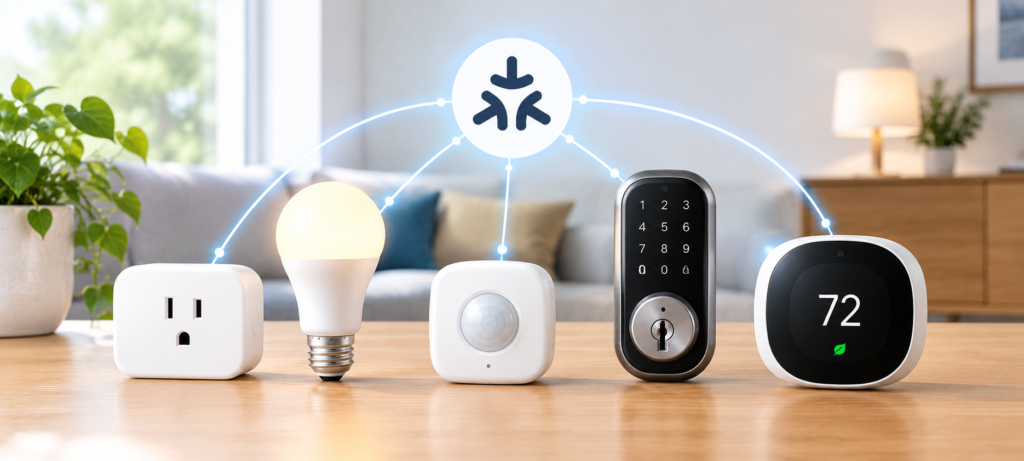
Instead of purchasing many devices at once, a more reasonable option is to proceed through a simple starting sequence. The learning value of each type of device is different.
1. Matter Smart Plug
Start with this one. The smart plug is quick to set up, does not need any wiring, and allows you to check whether your controller and ecosystem are functioning properly. Turn on and off the lamp using your phone. If that works well, you are good to go further.
2. Matter Smart Bulb
Next, purchase a smart bulb. This device brings lighting automation and allows testing of the scheduling and control from an app without involving any wiring.
3. Matter Motion Sensor
That’s where things become even more exciting. A motion sensor provides sensor automation — turning on the light when you enter the room, for instance. It also introduces you to the Thread, in case of Thread-based sensors.
4. Matter Smart Lock
Get a lock once you feel at home in the ecosystem. Locks are more important from the point of view of safety, and thus, it is good to be familiar with your system behavior.
5. Matter Smart Thermostat
The thermostat is good for more advanced automation tasks and can significantly affect the energy consumption, but keep it for last.
Recommended beginner progression:
Plug → Bulb → Sensor → Lock → ThermostatCheck our articles on Best Matter Smart Home Devices in 2026, Best Smart Plugs of 2026, Best Smart Locks for Home Security, and Best Smart Thermostat 2026.
Step 6: Set Up Your First Matter Device
Fortunately, Matter uses a standardized procedure to set up devices, which means that the procedure will not change much from device to device or brand to brand.
Basic setup process:
- Download the manufacturer’s application if necessary for the first-time setup
- Turn on the Matter device
- Check that the device is in pairing mode (generally shown through a light or sound)
- Open the smart home platform application (Alexa, Google Home, Apple Home, etc.)
- Initiate the process to add the new device
- Scan the QR code of the Matter device or the packaging
- Choose the appropriate home and room
- Finish the pairing process
- Name the device properly
- Manually test it using the application
- Test voice control
About the Matter QR code: Each Matter device has a QR code that includes the unique commissioning credential of the device. Scanning the QR code allows the ecosystem to identify and authenticate the device.
In case you would like to add the same device to two different ecosystems (e.g., Apple Home and Google Home), Matter facilitates this through a feature called multi-admin commissioning. The QR code will be scanned again through the second ecosystem.
Step 7: Organize Your Matter Devices by Room
This is a small step that pays off quickly, especially once you start adding automations and using voice commands.
Recommended room structure:
- Living Room
- Bedroom
- Kitchen
- Bathroom
- Entryway
- Garage
- Outdoor
Naming examples:
| Instead of… | Use… |
|---|---|
| Smart Plug 1 | Living Room Lamp |
| Motion Sensor 2 | Front Door Motion |
| Bulb 3 | Bedroom Ceiling Light |
| Lock 1 | Front Door Lock |
Proper naming leads to natural voice commands (“Turn off the bedroom ceiling light”) and easy-to-understand automation logic. This aspect will be even more apparent when you have dozens of devices connected to your system.
Step 8: Create Your First Matter Automations
This is when a smart home becomes useful rather than simply an advanced remote for your lights.
Start simple. These five automations cover most beginner needs and are available in every major ecosystem.
Automation 1: Motion → Light
If: Motion detected in hallway
Then: Turn on hallway light
Automation 2: Sunset → Lights On
If: Sunset
Then: Turn on living room lights
Automation 3: Door Unlock → Entry Light
If: Front door lock unlocks
Then: Turn on entry light
Automation 4: Away Mode
If: Everyone leaves home
Then: Turn off selected devices
Automation 5: Night Mode
If: Bedtime (triggered by time or routine)
Then: Turn off unnecessary lights, dim bedroom light
Hint: It’s not necessary to set up all automations right away. Try out one or two automations for a week and tweak timings, brightness, etc., until the automation actually works the way you want it to work. Unfit automations will not be used and eventually forgotten about.
Step 9: Add Matter Devices Without Creating a Mess
Expanding your Matter smart home is most efficient when done following a step-by-step logical approach rather than purchasing whatever grabs your attention.
Recommended expansion phases:
Phase 1 — Basic Control
- Smart plugs
- Smart bulbs
Phase 2 — Sensors
- Motion sensors
- Contact sensors (doors/windows)
- Temperature sensors
Phase 3 — Security
- Smart locks
- Video doorbells
- Cameras (where supported through your ecosystem)
Phase 4 — Comfort
- Smart thermostat
- Smart switches
- Motorized shades
Before buying any new device, check:
- Compatibility with your ecosystem (will it fit your platform?)
- Wi-Fi or Thread (is the required infrastructure in place?)
- Power supply (is it mains/battery-powered?)
- Required controller (does it require a specific hub?)
- Capabilities for automation (can it support the automations you desire?)
Even though an advertised “Matter compatible” device on its box means good things, it does not always guarantee perfect functionality in all conditions.
Matter vs Zigbee vs Z-Wave: Should You Mix Protocols?
A common misconception is that building a Matter smart home means replacing everything with Matter devices. It doesn’t.
| Protocol | Typical Strength |
|---|---|
| Matter | Cross-platform interoperability |
| Thread | Low-power mesh transport |
| Zigbee | Mature, reliable smart home ecosystem |
| Z-Wave | Established in smart home and security |
| Wi-Fi | High compatibility, broad device support |
If you have functional Zigbee or Z-Wave devices, there is no need to switch to Matter simply because you’re buying new Matter devices. There are many hubs that support several protocols at the same time, so you can add Matter devices to your existing installation without changing anything.
However, the important thing is not “Matter or Zigbee,” but “which protocol would be best for which device type in my home?”
Common Matter Smart Home Mistakes Beginners Make
They are the most popular errors and most of them are pretty easy to prevent.
Mistake 1: Buying devices before choosing an ecosystem
You can wind up with perfectly functioning devices that don’t really work with your preferred platform.
Mistake 2: Assuming every Matter device uses Wi-Fi
If your devices are based on Thread protocol, you will need a Thread Border Router. Just check the specification.
Mistake 3: Forgetting about Thread entirely
If you want battery-powered sensors, you’ll need Thread infrastructure. Plan for it from the start.
Mistake 4: Assuming every hub supports every protocol
Matter controller is not a Thread Border Router nor is it a Zigbee hub. They might coincide in one gadget, but check to be sure.
Mistake 5: Buying too many devices at once
Five gadgets making a reliable system is more valuable than thirty devices in chaos.
Mistake 6: Giving devices confusing names
‘Switch 3’ doesn’t work in voice commands, whereas ‘Kitchen Counter Light’ will.
Mistake 7: Ignoring firmware updates
Outdated firmware will cause bugs, security vulnerabilities, and compatibility problems. Don’t forget to keep everything up-to-date.
Mistake 8: Assuming Matter eliminates every compatibility problem
Although Matter is good at dealing with basic stuff, some sophisticated things like particular automation triggers are not always the same in different ecosystems or manufacturers.
Mistake 9: Ignoring local automation requirements
Certain automations cannot be processed through cloud services. Internet outage leads to automation stopping working.
Mistake 10: Buying a Matter device without checking its supported features
Not every Matter compatible device supports every Matter feature. Read the product page carefully before purchasing.
What is the Price of Making a Matter Smart Home?
The price depends a lot on brands, number of devices, and how complex your system becomes. Below is the estimated price range.
Budget Matter Starter Home — $50 to $150
- One Matter smart plug
- One or two Matter smart bulbs
- Basic controller (like a smart speaker that you can already have)
Mid-Range Setup — $200 to $500
- Several smart plugs and bulbs
- Motion or contact sensors
- One smart lock
- Controller or hub with Thread compatibility
Advanced Matter Home — $500+
- All the rooms equipped with Matter devices
- Motion and contact sensors everywhere
- Smart lock and smart thermostat
- Smart switches and blinds
- Controller with capability for offline operation
The price highly depends on brands and models. Budget brands make Matter devices cheaper, and high-end brands will ask for more money for the build quality and extras. Remember, the controller is better to be reliable rather than cheap.
A Simple Matter Smart Home Setup for Beginners
To make it easier for you to visualize, let me provide you with an example of a simple configuration covering all important components of a house.
Living Room
- Smart bulb Matter (ceiling or floor lamp)
- Smart plug Matter (TV lamp or fan)
Entryway
- Motion sensor Matter
- Smart lock Matter
Bedroom
- Smart bulb Matter
- Smart switch Matter (wall control)
Common Area
- Thermostat compatible with Matter
Controller
- Compatible ecosystem Matter controller with Thread Border Router included
Simple automation flow:
Motion is detected in the entrance area → automatically turns the light in the entrance on → once the smart lock is unlocked, another automation sequence starts (light in the entrance becomes brighter and other devices become active based on the time of day).
That is how smart homes should be – with multi-level automations!
How to Future-Proof Your Matter Smart Home
Technology changes. The key lies in creating something that can maintain its functionality through product evolution and standard evolution.
Practical ways to future-proof your setup:
- Select hardware from vendors who have a history of rolling out firmware updates
- Do not go for something just because it is tagged as Matter—consider its compatibility within your ecosystems
- Go for devices whose supported platforms are stated
- Think about incorporating Thread-compatible infrastructure regardless of whether you have Thread devices or not
- Ensure your controller and router firmware remains up to date
- Do not replace functioning Zigbee/Z-Wave devices under the guise of ‘going all Matter’
- Provide flexibility within your installation to allow more sensors and automation
The big take-away: Create a flexible smart home not a Matter only smart home.
FAQs About Building a Matter Smart Home
Can I build a Matter smart home without a hub?
In some cases, yes. A smart speaker like an Echo or Google Nest can act as a Matter controller. But for more complex setups or Thread devices, a dedicated hub is usually more reliable.
Do Matter devices need Wi-Fi?
Matter devices that use Wi-Fi need Wi-Fi. Matter devices that use Thread connect over the Thread mesh network instead, though they still need a Thread Border Router connected to your home network.
Do I need a Thread Border Router?
Only if you plan to use Thread-based Matter devices, like battery-powered sensors. If you stick to Wi-Fi Matter devices only, you don’t need one.
Is Matter better than Zigbee?
Matter offers better cross-platform compatibility. Zigbee has a larger existing device ecosystem and very reliable low-power performance. Neither is strictly better — they serve different needs.
Is Matter better than Z-Wave?
Similar answer. Matter offers broader ecosystem support. Z-Wave has a strong track record in home security and reliability. Many users run both.
Can Matter devices from different brands work together?
Yes, that’s the core promise of Matter. Devices from different manufacturers can be controlled through the same ecosystem if they are Matter certified.
Can Alexa control Matter devices?
Yes. Amazon Alexa supports Matter, and Echo devices can act as Matter controllers.
Can Google Home control Matter devices?
Yes. Google Home fully supports Matter, and Google Nest devices can serve as Matter controllers and Thread Border Routers.
Can Apple Home control Matter devices?
Yes. Apple Home supports Matter, and Apple TV 4K and HomePod devices can serve as Matter controllers and Thread Border Routers.
How many Matter devices can I have?
This depends on your controller and ecosystem. Most setups support dozens to hundreds of devices. Performance and reliability are more practical limits than hard device caps.
Can I use Zigbee and Matter together?
Yes, if your hub supports both protocols. Home Assistant and SmartThings are good examples of platforms that handle mixed-protocol homes.
What is the best Matter device for beginners?
A Matter smart plug is the easiest starting point. It requires no wiring, works on Wi-Fi, and immediately lets you test your ecosystem.
Is Matter difficult to set up?
No. The QR-code-based commissioning process is straightforward, and most ecosystems walk you through it step by step.
🔗Related Articles
- Best Smart Plugs 2026: Complete Buying Guide
- What Is a Smart Hub? Complete Guide for Beginners (2026)
- 9 Best Smart Bulbs in 2026 (USA Guide) – Top Smart Lights
- Smart Home Setup Under 200$ (2026 Budget Guide): Build a Smarter Home for Less
- 7 Best Smart Speakers Under $100 for Alexa & Google Assistant
- Best Smart Thermostat 2026 (Complete Buyer’s Guide)
- Smart Home Security Systems in 2026 (Expert Buyer’s Guide)
- What Is Matter in Smart Homes? Complete Beginner’s Guide (2026)
- Best Matter Smart Home Devices in 2026: Top Picks for Beginners
- 2.4GHz vs 5GHz for Smart Home Devices: Which Is Better?
Final Verdict: The Best Way to Build a Matter Smart Home
Creating a Matter smart home does not require much money or technological skills. What it requires is the right beginning and logical sequence of actions.
The 5-step method:
Pick your ecosystem (Alexa, Google Home, Apple Home, SmartThings or Home Assistant)
Install Matter controller – and enable Thread Border Router functionality if you’re going to use sensors
Begin with a minimal set of devices – from a plug or a bulb, up to a motion sensor
Create some truly helpful scenarios
Grow only once you feel that your current system works stably and reliably
Dozens of Matter devices are not necessary for a good smart home experience that will make your life easier. A carefully constructed smart home system with a good controller, stable network and just a few useful automations will beat a poorly arranged one always.
Start from one device. Install it properly. And then install the second one.