
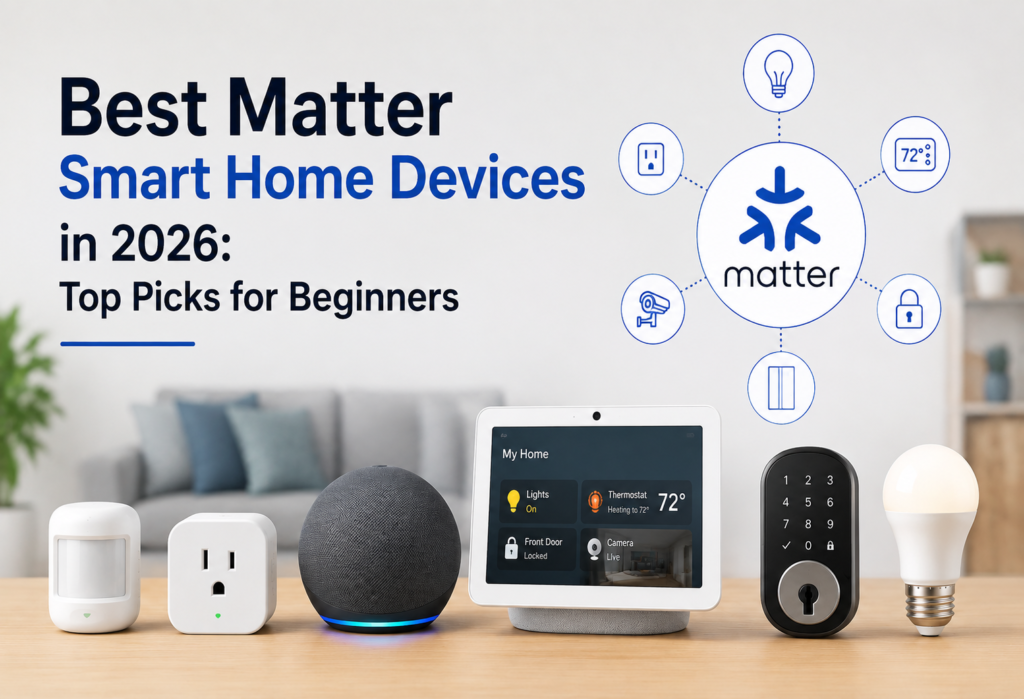
Not too long ago, shopping for smart home hardware involved spending 20 minutes reading the product description page and seeing if the product carried the following three badges: Works with Alexa, Works with Google Home, Works with Apple Home. At times, you would find two logos. Other times you would find one. At other times, you would find none, and your smart plug would be useless when the brand discontinued support.
This is what Matter aims to solve. Matter is an open protocol that allows different brands of smart home devices to interact across platforms. The user does not have to choose a team.
This article is not about the fanciest or costliest Matter devices. This article is about the best Matter smart home devices for those getting into the game – the ones that work and do not need you to be a computer science student to set up.
Here’s what we’ll cover:
Table of Contents
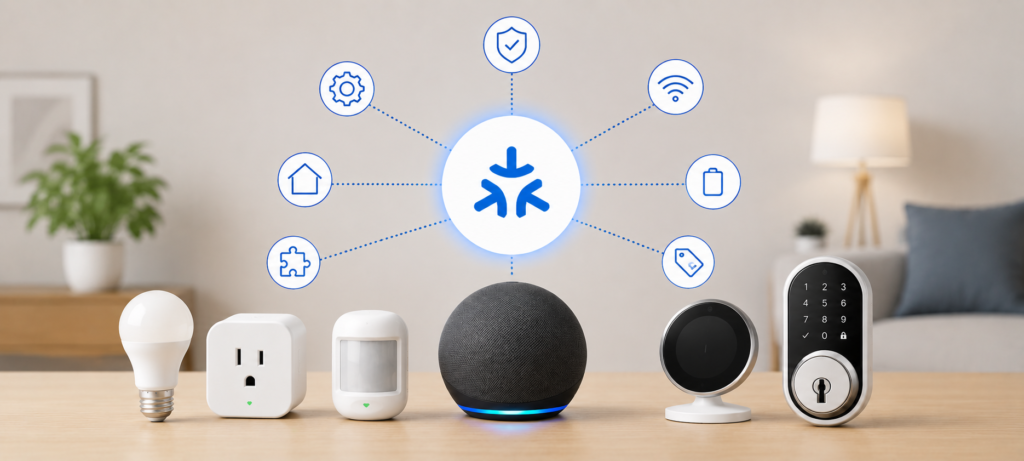
What Makes a Matter Device Worth Buying in 2026?
Prior to listing some particular items, it might be useful to explain what exactly we have analyzed while looking for the best Matter compatible devices. Everything that is “smart” is not necessary worth buying, and being Matter certified is no guarantee either.
Matter Compatibility
First, and most obviously – is the device compatible with Matter? There are “smart home compatible” products which do not comply with Matter. Therefore, it is better to make sure that the item has Matter certification, not just smart compatibility.
Ecosystem Support
Compatibility with three main ecosystems is one of the advantages of Matter. However, compatibility might mean differently. It is necessary to check whether the particular device category is supported by your ecosystem, as there might be differences between platforms.
Wi-Fi vs Thread
The devices will be connected via various networks. While Matter over Wi-Fi works via your router as it is simple and familiar, Matter over Thread involves a low-power mesh network that is better suited for sensors and battery-powered devices and requires Thread Border Router. In any case, knowing in advance about a specific technology will help you avoid some issues.
Ease of Setup
VLAN configuration and IP address management should not scare beginners. The most efficient Matter smart home devices can connect quickly using QR-code and work immediately after installation.
Features Available Through Matter
One more thing to consider. Just because the device supports Matter protocol doesn’t mean all features provided by the manufacturer are available across all platforms. Some functions like energy monitoring may only be available in the official application of the brand. So check this before buying.
Value for Money
It is important. Here we have compared real functions of each smart home device against its price, and not just looked at the certification badge.
Best Matter Smart Home Devices at a Glance
| Category | Best For | Connection | Beginner Rating |
|---|---|---|---|
| Matter Smart Plug | First smart device | Wi-Fi / Thread | ⭐⭐⭐⭐⭐ |
| Matter Smart Bulb | Smart lighting | Wi-Fi / Thread | ⭐⭐⭐⭐⭐ |
| Matter Smart Lock | Keyless entry | Wi-Fi / Thread / other | ⭐⭐⭐⭐ |
| Matter Motion Sensor | Automation | Thread | ⭐⭐⭐⭐⭐ |
| Matter Thermostat | Energy control | Wi-Fi / Thread | ⭐⭐⭐⭐ |
| Matter Hub / Controller | Managing devices | Network dependent | ⭐⭐⭐⭐ |
| Matter Smart Switch | Permanent lighting control | Wi-Fi / Thread | ⭐⭐⭐⭐ |
Editor’s Tip: Beginners will be better off starting off with a single or two basic Matter gadgets before making their entire home system. All that’s required to understand the basics of the system is a smart plug and a smart light bulb.
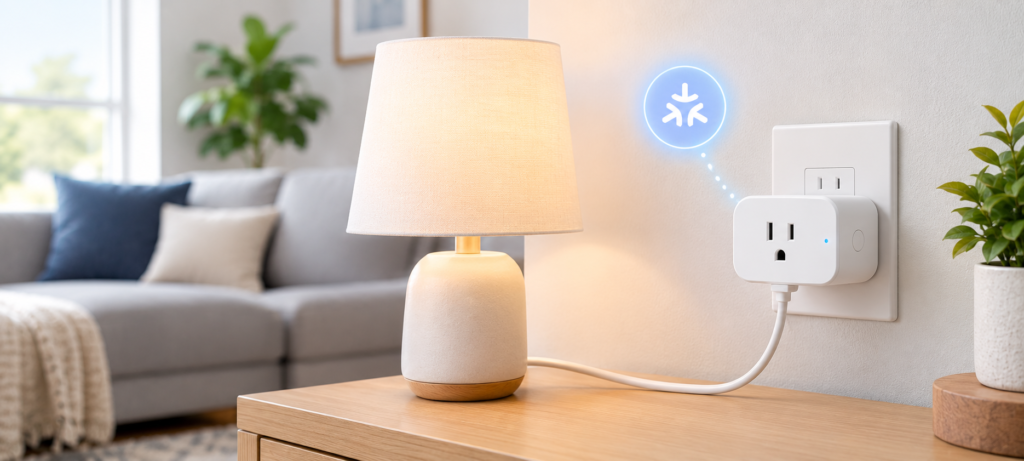
Best Matter Smart Plug for Beginners
If you’re buying just one Matter-based smart home gadget this year, go for a smart plug. This is not only the easiest device to understand but does not require any installation or wiring.
Our Top Pick: Eve Energy Smart Plug (Matter Edition)
Eve Energy is an authentic Thread-based Matter plug that comes recommended by every serious novice reviewer. Here’s why:
- Support for Matter: Yes, fully certified by Matter
- Connection: Thread (needs a Thread Border Router, e.g., the HomePod mini, Apple TV 4K, or some Google Nest/Amazon Echo devices)
- Compatibility with Alexa: Yes
- Compatibility with Google Home: Yes
- Compatibility with Apple Home: Yes, including energy monitoring in Apple Home
- Energy Monitoring: Yes, the device has integrated energy monitoring that allows tracking of the consumed power
- Controls: Manual control through the button on the plug itself
- App interface: The Eve application has an easy-to-use interface
- Set-up complexity: Simple — just scan the QR code, will take about two minutes
- Price/Value ratio: Positioned in the middle range, which is reasonable considering the energy monitoring capability
Why We Recommend It
Setup takes only three minutes. Scan the QR code, add it to your ecosystem, and from there on, you will be able to turn on your lamps from your couch, schedule your coffee makers, or see if you’ve left anything running while you’re away at work. This simple yet useful and universal combination is hard to beat.
Best Use Cases
- Smart lamps you want to control based on schedules or motion sensors
- Fans you want to control using your voice
- Coffee makers (schedule your brew)
- Holiday lights (schedule everything and never think about it again)
- Any appliance that needs to be monitored for its energy consumption
Who Should Buy It?
Beginners trying to get their first Matter compatible smart plug, renters, and anyone trying Matter for the first time. If you are unsure about smart home automation but want to try it out, this is the easiest way to do it.
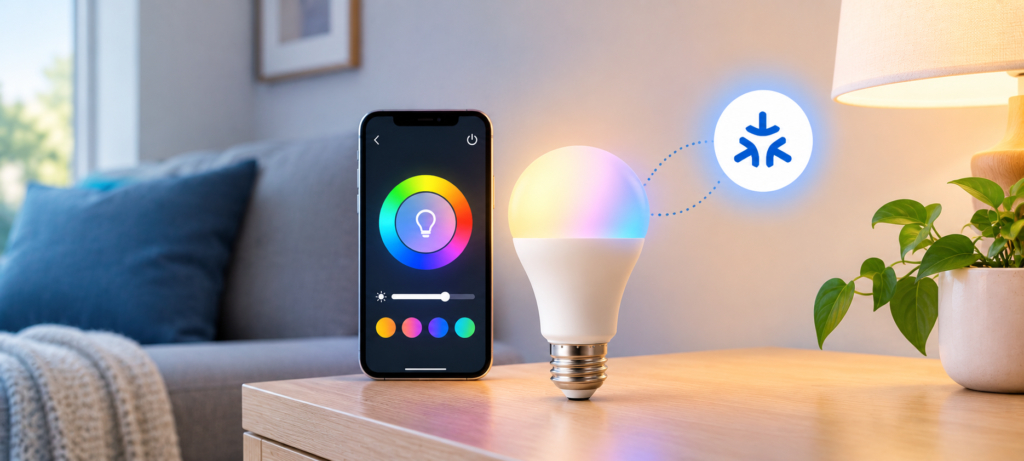
Best Matter Smart Bulb for Beginners
Our Top Pick: Nanoleaf Essentials A19 Bulb (Matter Edition)
The Nanoleaf Essentials smart bulb offers some of the most practical features you’ll find in Matter-compatible lights. There’s nothing fancy about it, but it excels in everything that matters.
- Brightness: Up to 1100 lumens – enough to provide ample lighting, not just mood lighting
- Color choices: Full spectrum of colors including adjustable white
- White temperature range: From 2700K (warm) to 6500K (cool daylight)
- Support for Matter: Yes
- Connectivity: Matter over Thread
- Compatibility with Alexa/Google/Apple: Yes, in all cases
- App capabilities: Scheduling and scenes, as well as color presets
- Voice control: Great performance with any voice assistant
- Pricing: Competitive compared to other color Matter bulbs
Why It’s a Great First Matter Device
Being able to enjoy the benefits of having a smart home starts with how easy it is to see it work. You’ll get that feeling when the light in your hallway turns on as you walk through it, or your bedroom gets dimmed and shifted to a warm orange at 9 pm without even moving a switch. This Nanoleaf Essentials offers that convenience for a moderate price and for any ecosystem you have.
Best Automation Ideas
- Sunrise Lighting: Fade into a warm white in the morning rather than waking up to an alarm in the dark.
- Bedtime Lighting: Start fading and shifting to warm light an hour before bedtime to really help you calm down.
- Motion-sensor triggered hallway lighting: Integrate with motion sensors to have your lights turn on when someone enters and turn off automatically.
- Vacation Lighting: Set random on/off patterns during your holiday time.
Best Matter Smart Lock
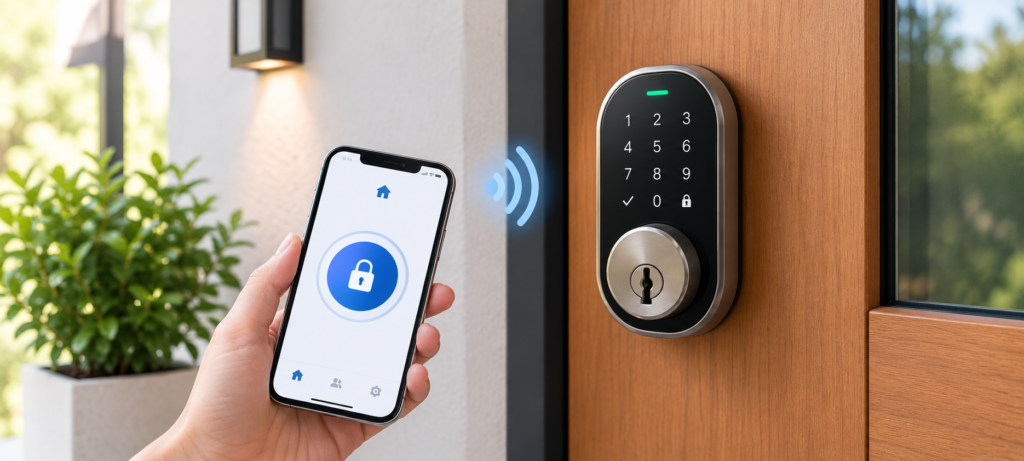
Our Top Pick: Schlage Encode Plus (Matter Edition)
Smart locks require high security as compared to other smart devices, hence a thorough evaluation was performed both for their smart capabilities and their construction quality.
- Compatibility with Matter protocol: Yes
- Apple Home Key compatibility: Supported — lock/unlock the door using your iPhone or Apple watch without accessing any app
- Support for PIN codes: Yes — allows multiple users to enter unique PIN codes
- Back-up lock: Yes – includes key cylinder
- Battery life: Six months with normal AA batteries
- Automatic locking: Yes — available as a configurable feature
- Installation method: Compatible with the current deadbolt; moderate level of installation difficulty – requires approximately half an hour using a screwdriver
- Compatibility with door hardware: Standard US door prep (for most American doors)
- Grade 1 ANSI/BHMA certified: Highest residential security rating
Why Matter Matters for Smart Locks
The true benefit of a Matter smart lock is its role within the greater system. After you’ve gotten your smart lock integrated into your ecosystem, you can actually make some routines that are truly beneficial:
Goodnight routine -> bedroom lights dim -> thermostat set to sleep temperature -> front door locks automatically
That’s more than a flashy party trick; that’s something you’ll use every night.
Important Warning Before Buying
Having Matter integration does not necessarily mean that all functions will be supported on all platforms. Make sure to verify these things before purchasing any smart lock:
- The Matter device type that the lock registers itself as in your ecosystem
- Whether your preferred platform supports the Matter device type
- Whether the smart lock requires a specific hub/controller
- Whether the lock runs on Thread and whether you have a Thread Border Router
Best Matter Motion Sensor for Automation
Our Top Pick: Eve Motion (Thread / Matter Compatible)
Motion sensors are the kind of devices that take your home from voice controls to actual automation. The Eve Motion is a good choice for any reliable Thread-compatible sensor.
- Motion Detection: PIR sensor with adjustable sensitivity
- Occupancy Detection: Yes – distinguishes between motion and presence based on platform capabilities
- Temperature sensor: Yes
- Battery life: Up to 2 years with CR2450 coin cell battery
- Thread support: Yes
- Response time: Quick – usually less than 1 second
- Mounting: Magnetic base, tool-free installation
Why Sensors Make Matter Smart Homes Smarter
It is a great difference between a house where you operate by voice command and a house which reacts to you in real life. Sensors fill the gap:
Motion detected in the hallway → hallway light turns on → no motion for 5 minutes → light turns off automatically
You stop thinking about it. The home just works.
Best Beginner Automations
- Hallway lighting: Lighting on when somebody steps inside and off when the room is unoccupied
- Bathroom lighting: Especially important at night time – dim red light without any bright lighting
- Entry point notifications: Notification or sound when someone comes into certain parts of the house
- Saving energy schemes: Lights turn off automatically when the room is unoccupied
Best Matter Smart Thermostat
Our Top Pick: Google Nest Thermostat (2nd Gen, Matter Compatible)
Google Nest Thermostat now offers Matter compatibility for one of the best designed smart thermostats on the market. It should be mentioned that support for Matter-enabled thermostats is a work-in-progress and needs to be verified for each particular ecosystem.
- Matter-enabled: Yes (using latest firmware update)
- HVAC compatibility: Works with all forced air systems; consult Google compatibility test for your HVAC setup
- Scheduling: Yes, with manual and automatic scheduling options
- Remote control: Yes, using app and voice commands
- Energy monitoring: Monitor heating/cooling energy use
- Sensors: Remote temperature sensor included separately
- Amazon Alexa, Google Assistant & Apple Home compatibility: Google Home native; Alexa and Apple Home via Matter
- Installation: Moderate; works for most people in 30 minutes; verify wiring first
- C-wire needed: Maybe; depends on your HVAC setup
Why Choose a Matter Thermostat?
The functionality of the smart thermostat increases when you connect it to your whole home:
Your phone knows you’ve left home → the thermostat activates → the lights go off → smart plugs go into standby mode
In the long run, it’s going to save you a lot of money on your electricity bill.
Check Compatibility Before Buying
- Learn about your HVAC system (forced air, heat pump, radiant, etc.)
- Check if you have a C-wire or if you have a suitable power adapter
- Consult the compatibility checker for your particular system
- Confirm Matter thermostat device support in your ecosystem
Best Matter Smart Switch
Our Top Pick: Eve Light Switch (Thread / Matter)
The smart switch is the solution to an issue that smart bulbs cannot solve. This is because a smart switch will work with any bulb installed in your light fixture and still retain the ability of the wall switch.
- Neutral wire needed: Yes
- Matter compatibility: Yes
- Dimmable: Yes, for the dimmer option only
- Physical control: Maintains full manual control from the wall switch
- Three-way compatibility: Dependent on the model
- Technology: Thread
- Difficulty of installation: Medium, but possible if you are not afraid of doing some wiring. Else hire an electrician
Smart Bulb vs Matter Smart Switch
| Feature | Smart Bulb | Smart Switch |
|---|---|---|
| Installation | Easy | More involved |
| Works with existing bulbs | No | Yes |
| Physical wall control | Usually limited | Yes |
| Best for renters | Usually | Usually not |
| Automation | Yes | Yes |
For those who own their house and would like to invest in a smart lighting system that will last forever and operate with any preferred bulbs, a smart switch will be a more appropriate choice.
Best Matter Hub or Controller for Beginners
What Is a Matter Controller?
Any device that can interact with and control Matter products on your local network is a Matter controller. In other words, it is the “brain” that helps to manage your smart devices via apps or voice assistants.
Do You Need a Separate Matter Hub?
Most likely no — at least not right now. Depending on your existing setup, you might already have a Matter controller:
- Amazon Echo (4th Gen onwards) — Matter Controller
- Amazon Echo Show 10 / 15 — Matter Controller + Thread Border Router
- Google Nest Hub (2nd Gen) — Matter Controller + Thread Border Router
- HomePod mini / HomePod (2nd Gen) — Matter Controller + Thread Border Router
- Apple TV 4K — Matter Controller + Thread Border Router
Before you purchase anything new, verify whether your existing equipment is capable enough for the task.
What About Thread Border Routers?
This confuses many newbies. A Matter controller is a device that manages your smart devices. A Thread Border Router is a router that bridges your Thread network with your usual Wi-Fi network. This is a separate function, but one and the same device can perform both roles.
If you’re purchasing Thread-enabled devices (many devices presented on this list fall into this category), you’ll have to purchase at least one Thread Border Router.
What Beginners Should Check
- Do you own a smart speaker/display? See if this device can work in Matter
- Do you want to buy Thread-enabled devices? Find out if your current device can work as a Thread Border Router
- If buying a dedicated hub for Matter, make sure it’s compatible with your ecosystem
Best Matter Device for Renters
There is an actual restriction for renters: you cannot permanently change anything within the apartment and will most likely relocate at some point in time. Luckily, the easiest-to-use Matter devices turn out to be renter-friendly as well.
Best Choices for Renters
- Matter smart plugs – just plug them in, no installation needed, easy to take when moving
- Matter smart light bulbs – replace the current one, easy to take when moving
- Thread/Matter motion detectors – usually battery-powered and installed either by magnetic attachment or adhesive
- Smart speakers/displays – act as Matter controllers and easily movable
Avoid as Your First Choice
- Hardwired smart switches —– need electrical work done and create holes in walls
- Hardwired thermostats — need landlord’s approval in many cases and proper wiring (C-wire)
- Permanently installed smart locks — most leases explicitly forbid changing the deadbolt without permission
The general guideline: if it plugs in or can be replaced in less than two minutes, it’s okay to buy as a renter. Otherwise, better check your lease first..
Best Matter Device for Building a New Smart Home
Rather than picking “the single best Matter device,” it’s more useful to think about what problem you’re trying to solve first.
Starter Setup #1: Cheapest Entry Point
- 1 Matter smart plug
- 1 Matter smart bulb
Total investment: Under $60. Enough to understand how Matter works and whether you want more.
Starter Setup #2: Home Automation Focus
- Matter motion sensor
- Matter smart bulbs in key locations
Start automating lighting without touching any wiring.
Starter Setup #3: Security Focus
- Matter smart lock
- Matter contact or motion sensors at entry points
Build awareness of who’s coming and going and automate locking.
Starter Setup #4: Energy Management Focus
- Matter thermostat
- Matter smart plugs on high-use appliances
Track and reduce what you’re actually spending on energy.
Starter Setup #5: Full Beginner Setup
Start with plugs and bulbs, add a motion sensor after a month, then a thermostat or lock when you’re comfortable. There’s no rush. The best Matter smart home is one you build gradually based on what actually helps you.
Matter Device Buying Guide: 7 Things to Check Before You Buy
1. Matter Version
The Matter specification has undergone several revisions since its 2022 release. Identify the version supported by the device and ensure it supports your device and features.
2. Supported Ecosystems
Being “Matter compatible” does not guarantee all the functionalities of the device to be available across all ecosystems. Make sure that your ecosystem – Alexa, Google Home, or Apple Home – is compatible with the device category you’re looking for (locks, thermostats, sensors, etc.).
3. Wi-Fi or Thread
What you must know before purchasing the device. Devices using Wi-Fi directly connect to the router, while those using Thread require a Thread Border Router.
4. Thread Border Router
If you’re buying Thread devices, you need at least one Thread Border Router. Check whether you already have one before buying a separate hub.
5. Matter Controller
Check whether your existing smart speaker, display, or hub is already a Matter controller. Most modern ones are.
6. Manufacturer App
Many Matter devices still require the manufacturer’s app for initial setup, firmware updates, or advanced features. That’s fine — just know going in whether the app is a one-time thing or an ongoing requirement.
7. Feature Compatibility
Write down the specific features you care about — energy monitoring, auto-lock timing, color scenes — and confirm those features work through your platform, not just in the brand’s own app.
Before buying a Matter device, check the Matter Certified Products directory to verify that the product has been certified by the Connectivity Standards Alliance.
Matter vs Wi-Fi, Thread, Zigbee & Z-Wave: What Should Beginners Choose?
| Technology | Main Role | Beginner Takeaway |
|---|---|---|
| Matter | Smart home application standard | Great for cross-platform compatibility |
| Wi-Fi | Network connection | Common, familiar, and easy to set up |
| Thread | Low-power mesh network | Reliable for sensors and battery devices |
| Zigbee | Smart home networking protocol | Mature ecosystem, still widely used |
| Z-Wave | Smart home networking protocol | Solid home automation option |
First things first: matter is not an alternative to Wi-Fi or Thread. Matter is the protocol that lies above your network, which would be best understood as a language where Matter tells the device how to communicate with each other and Wi-Fi and Thread tell them how to communicate through the roads that connect them.
Therefore, when we say “matter over thread”, it means that the device connects to a thread network and communicates in matter. Both aspects are crucial here.
For beginners, the simplest path is usually:
- Use Matter over Wi-Fi if you want easy setup
- Use Matter over Thread if you want long range and good battery life for sensors and better reliability – if you can make sure you have a Thread Border Router
Common Mistakes When Buying Matter Devices
Mistake #1: Purchasing a Thread Device Without Making Sure About Your Infrastructure
Thread works well — but only with a Thread Border Router. You will not be able to use your Thread-based Matter device without one. Just check.
Mistake #2: Thinking That Matter Covers All Features for Anywhere
It does not. Energy monitoring, scheduling capabilities, and locking features might not function in all apps and ecosystems. Just do a simple search before purchasing for your exact device on your specific platform.
Mistake #3: Buying an Extra Hub When There Is No Such Need
Many newbies end up paying $50-$100 for something they already have in their house, such as the Echo or Nest Hub lying around on the counter.
Mistake #4: Ignoring Physical Installation Requirements
Smart switches need neutral wires. Thermostats need C-wires. Smart locks need to fit your door prep. These things matter and can turn a simple purchase into a project.
Mistake #5: Choosing Matter Certification Over Product Quality
A Matter badge doesn’t automatically mean a device is well-built, reliable, or worth the money. Read actual user reviews from people who’ve owned it for more than a week.
Mistake #6: Replacing Devices That Already Work
If your existing Zigbee or Z-Wave setup is working fine, there’s no urgent reason to replace everything. Matter is most valuable when you’re starting fresh or expanding into a new device category.
Best Matter Smart Home Setup for Beginners
Here is a simple step-by-step guide that you can really do.
Stage 1 — Start Small
Purchase a Matter smart plug and a Matter smart bulb. Get used to the app and set up one automation to see how it works over two-three weeks.
Stage 2 — Add Automation
Install a Matter motion sensor. Set up your first automation – hallway light turns on upon motion detection, turns off after five minutes. It’s the point where the majority of people stop seeing smart home as some kind of trickery.
Stage 3 — Add Security
Install a Matter compatible smart lock or door/window contact sensor. Set up your “goodnight” routine which includes checking locks and turning off all the lights.
Stage 4 — Add Energy Management
Install a Matter thermostat or energy monitoring smart plugs. Learn how much you spend on heating/cooling/stanby devices.
Stage 5 — Expand Thoughtfully
Install smart switches in rooms that are frequently used by you. Add more sensors and lights. At this point you will definitely understand what works for you and what doesn’t work.
❓FAQs
What are the best Matter smart home devices in 2026?
For beginners, the best Matter smart home devices are the Eve Energy smart plug, the Nanoleaf Essentials bulb, the Eve Motion sensor, the Schlage Encode Plus lock, and the Google Nest Thermostat. Our top picks above cover each category in detail.
Is Matter worth it in 2026?
Yes — especially if you’re starting fresh or want the flexibility to switch ecosystems without replacing your devices. Matter compatibility gives you options.
Are Matter devices compatible with Alexa?
Supported Matter devices can work with compatible Alexa setups. Amazon Echo devices act as Matter controllers, and many newer Echo devices also support Thread Border Router functionality.
Do Matter devices work with Google Home?
Yes. Supported Matter compatible devices work with Google Home through compatible Nest speakers, displays, and hubs.
Does Matter work with Apple Home?
Yes. Supported Matter devices work with Apple Home. HomePod mini, HomePod (2nd Gen), and Apple TV 4K all function as Matter controllers and Thread Border Routers.
Do Matter devices need Wi-Fi?
Not necessarily. Some Matter devices use Thread instead of Wi-Fi. Both work well — the key difference is that Thread devices need a Thread Border Router on your network.
Do Matter devices need a hub?
Not always. Many people already own a device that functions as a Matter controller. Check what you already have before buying anything new.
Is Matter better than Zigbee?
Not universally. Zigbee has a mature ecosystem and strong device support. Matter’s advantage is cross-platform compatibility. If your existing Zigbee setup works well, you don’t need to replace it.
Are Matter smart devices worth buying for renters?
Yes — particularly smart plugs, bulbs, and battery-powered sensors. These don’t require any installation and move with you when you leave.
Can Matter devices work without internet?
Some local control functions can continue without an internet connection. However, remote access from outside your home and certain cloud-dependent features typically require internet connectivity. This varies by device and platform.
🔗Related Articles
- Best Smart Plugs 2026: Complete Buying Guide
- What Is a Smart Hub? Complete Guide for Beginners (2026)
- 9 Best Smart Bulbs in 2026 (USA Guide) – Top Smart Lights
- Smart Home Setup Under 200$ (2026 Budget Guide): Build a Smarter Home for Less
- 7 Best Smart Speakers Under $100 for Alexa & Google Assistant
- Best Smart Thermostat 2026 (Complete Buyer’s Guide)
- Smart Home Security Systems in 2026 (Expert Buyer’s Guide)
- What Is Matter in Smart Homes? Complete Beginner’s Guide (2026)
- How to Build a Matter Smart Home From Scratch (2026 Beginner’s Guide)
- 2.4GHz vs 5GHz for Smart Home Devices: Which Is Better?
🔥 Conclusion: Which Matter Devices Are the Best for Beginners to Purchase?
Matter simplifies building a smart home, as it allows using various devices compatible with different supported platforms. Beginners should begin with several functional devices rather than purchasing many devices at once.
🥇 Best Choice: Eve Energy Smart Plug – Matter support and energy monitoring.
💰 Best Budget Option: Nanoleaf Essentials A19 – cheap smart light bulb with color-changing ability.
🏠 Best Choice for New Smart Homes: Smart Plug + Motion Sensor – the simplest combination for automation.
🔒 Best Choice for Security: Schlage Encode Plus – premium smart lock with Matter support.
💡 Best Lighting Device: Nanoleaf Essentials A19 for renters; Eve Light Switch for homeowners.
⚡ Best for Energy: Smart Thermostat + Energy-Monitoring Smart Plugs – to help manage energy consumption.
🏢 Best Choice for Renters: Eve Energy Smart Plug – portable device without permanent installation required.
In any case, the best Matter smart home isn’t the one that has the maximum number of devices but the one whose devices operate effectively.
Start with fewer devices which are compatible, reliable, and have useful functions.