
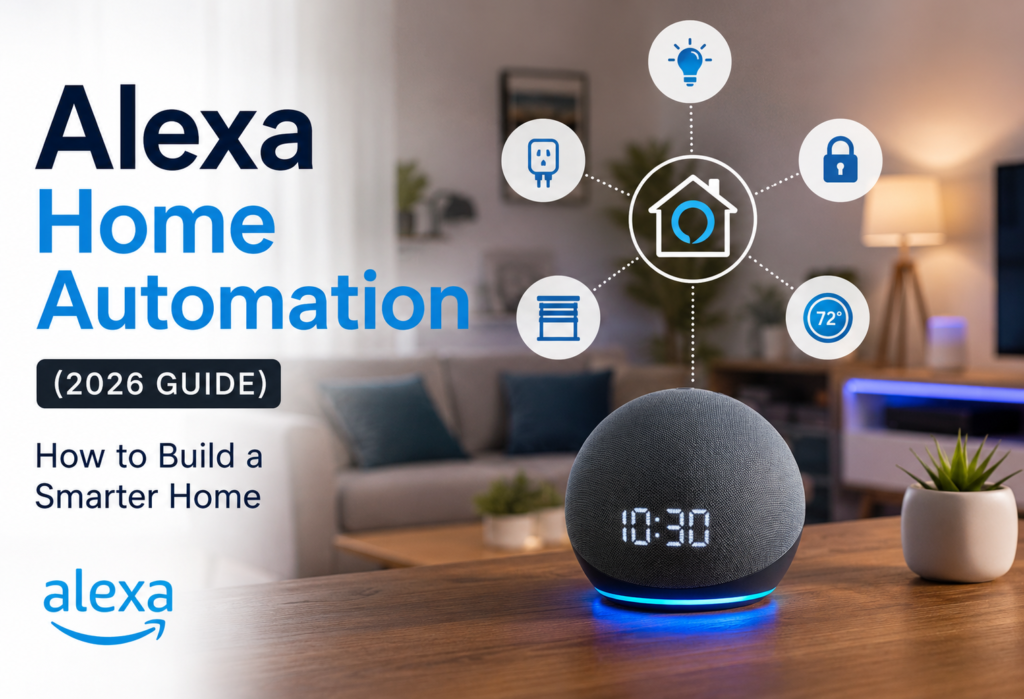
Home automation through smart systems has ceased being the domain of only technology enthusiasts. Alexa eases the way to get started on automating the control of lights, appliances, entertainment systems, and any other compatible device through voice commands and pre-set automation routines.
The true advantage lies in the creation of routines that suit your schedule. You will be able to automatically control various tasks including turning the lights on, setting the thermostat, listening to music, and checking security systems without controlling every single device separately.
This guide will walk you through all the steps that need to be taken in order to set up Alexa automation and to create some useful routines without falling into the most common pitfalls.
Table of Contents
What Is Alexa Home Automation?
How Alexa Controls Smart Devices
Through Alexa, there is one interface that controls compatible smart home devices through voice commands and the Alexa App. Communication can be through Wi-Fi, Bluetooth, Zigbee, Matter or any compatible smart-home hub.
For instance, you may ask, “Alexa, turn off the lights in the living room” and the command will go to a compatible light or smart plug. Several Alexa capabilities need an internet connection even though some functions of smart homes supported by Alexa can be operated locally.
Voice Control vs. Automation
In voice control, you instruct Alexa to carry out an action instantly. This can involve changing settings of a thermostat or switching off the lights.
On automation, devices react automatically based on the trigger that you have set. In this case, lights can switch on automatically when the sun sets or devices can be switched on or off at a certain time.
Voice commands make life easier but automated routines make things even better.
Why Amazon Alexa Is Popular for Smart Homes
People prefer Alexa since it works with many smart-home devices and provides a cost-effective solution. Affordable Echo devices give voice-control capability without investing too much money into it.
The Alexa application enables you to manage your compatible devices, set up routines, and control smart home settings in one application.
Alexa-Compatible Smart Devices Explained
Works with Alexa means that a device is able to connect to Alexa for its functions. The type of function depends on the specific product and can include controlling lights, plugs, thermostats, cameras, locks, and many more devices.
Devices may either connect with Wi-Fi directly or use hubs/bridges to connect to Alexa. Moreover, devices are also not always completely compatible with Alexa.
Therefore, before purchasing any product, make sure that it supports all Alexa functions you want to use with it.
What You Need Before Automating Your Home with Alexa
🔊 Amazon Echo Device
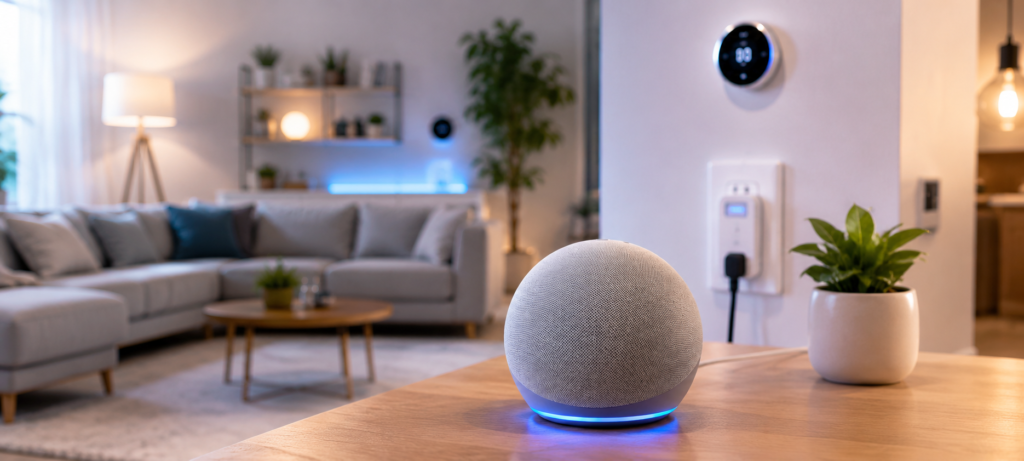
You will require an Echo device if you plan to use Alexa for voice control and routines. The Echo Dot is a great choice since it has all the necessary Alexa functions but costs less than other devices.
You can always purchase more Echo devices in case you would like to use voice control in different rooms. Moreover, some Echo devices have smart home integration, meaning that you might not require additional hubs for compatible devices.
📶 Reliable Wi-Fi
It is vital to have reliable Wi-Fi for an optimal experience with your Alexa smart home. Smart home devices typically use 2.4 GHz Wi-Fi due to its longer range, though some new devices support 5 GHz Wi-Fi too.
For larger homes, a centrally placed router or mesh Wi-Fi system can help improve coverage and reduce connection problems.
💡 Alexa-Compatible Devices
First, think of devices that can help you solve some problem, like:
- Smart plugs for lamps, fans, or compatible devices
- Smart bulbs to control your lighting system automatically
- Smart thermostats for controlling temperature
- Cameras and doorbells for monitoring security in your home
It is always better to start with several devices and expand their capabilities as you gain experience in using Alexa routines.
📱 Alexa App
Download the Amazon Alexa application on your smartphone before starting to set up your devices. This application allows adding devices, creating routines, and managing Alexa settings.
Be sure that the devices you’re using are connected to the same Amazon account. Some of the routines depend on your location and may require granting location permissions on your device.
Setting Up Alexa for Smart Home Automation
📱 Download and Configure the Alexa App
The first step is to download the Amazon Alexa application, log into your Amazon account, and configure your Echo device and Wi-Fi connection according to the guide. Look through the Devices, Routines, and Skills tabs, because they will be the core tabs that you will need when controlling and automating your smart home.
Allow location permissions in case you want to utilize the capabilities of location services, including arrival and departure routines.
🔌 Connect Your First Smart Device
Begin with connecting a simple device, such as a smart plug. Go to the Alexa app, click Add Device, and follow all instructions for device setting. Assign it a short name that will be easy to pronounce.
Test the device by using the voice command, like “Alexa, turn on the lamp.” If the device does not obey your commands properly, check its Wi-Fi connection first.
🏠 Organize Devices by Room
Group your devices according to the room, like Living Room, Bedroom, or Kitchen. This will make your voice commands easy and help you control multiple devices with ease.
For instance, instead of creating separate names for all the lights, you can simply command “Alexa, turn off the bedroom lights.”
👥 Create Device Groups
Grouping enables you to control multiple devices at once. You can create groups like Downstairs Lights, Bedroom, or Movie Time and control multiple devices with just one command.
Routines will become easy through grouping as you will be able to automate a whole group at once rather than repeating the same process for multiple devices.
Understanding Alexa Routines (The Key to Automation)
🔄 What Are Alexa Routines?
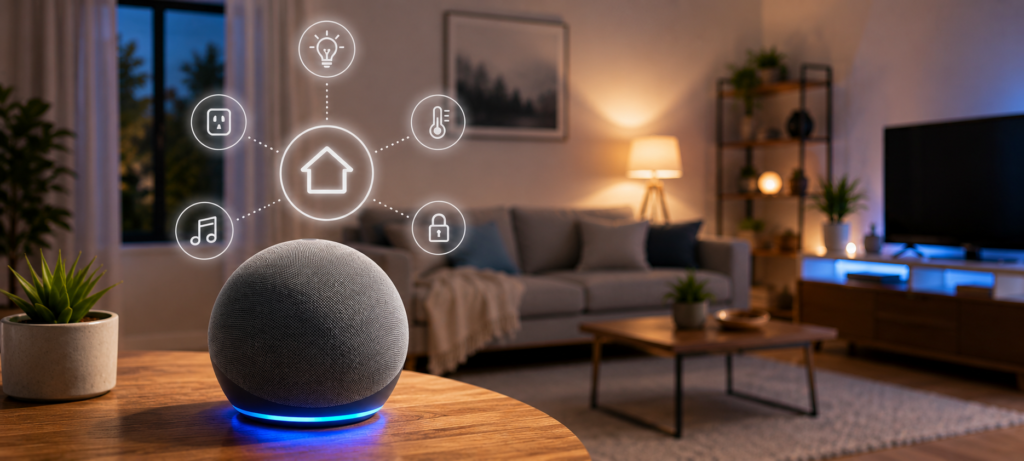
An Alexa routine is an automated set of actions executed when certain trigger conditions are met. Every routine has two main components:
- Trigger: The condition that triggers the routine, e.g., voice command, specific time, or occurrence of an event in your smart home.
- Actions: Actions that are performed by Alexa next, e.g., switching off lights, adjusting the thermostat settings, playing music, etc.
For instance, a “Good morning” routine would include switching lights on, adjusting the thermostat settings, and giving a weather forecast with a single trigger.
⚙️ How Alexa Routines Work
Once a routine is set up, Alexa listens for the trigger conditions and executes the actions when they are met. Most routines depend on Amazon cloud services, and hence internet connection might be needed.
However, the effectiveness of a routine will be determined by the smart devices being used since a particular device might be offline or disconnected from the network.
⏰ Alexa Routine Triggers
You can create routines using different types of triggers, including:
- Voice: “Alexa, movie time.”
- Time: Schedule at a particular time or day.
- Sunrise/sunset: Automatically change with the amount of light.
- Smart home triggers: Triggered when a compatible sensor or device changes its status.
- Location: Triggered on arrival at or departure from a location, where available.
🏠 What Can Alexa Routines Do?
Based on your compatible devices and services, you could use routines to:
- 💡 Control lights (on/off)
- 🔌 Control smart plugs
- 🌡️ Control compatible thermostats
- 📺 Control entertainment devices
- 🔊 Control music/playlists and volume
- 🌤️ Get weather or other info
- ⏱️ Insert delay between actions
- 📢 Make announcements
The benefit of using such routines is that one trigger can do a variety of actions, thus automating routine tasks rather than controlling each device individually.
Best Alexa Automation Ideas for Beginners
🌅 Good Morning Routine
Kickstart the day by automating morning tasks:
- 💡 Dim and turn on bedroom, bathroom, and kitchen lights.
- 🌤️ Check the weather forecast.
- 📰 Listen to the news update.
- ☕ Switch on your compatible coffee machine using a smart plug.
🌙 Good Night Routine
A bedtime routine can make winding down easier:
- 💡 Turn off or dim all the lights at home.
- 🔒 Lock compatible smart locks or remind you to lock the doors.
- ⏰ Set your alarm clock for the next day.
- 🌡️ Control your thermostat setting.
🚪 Leaving Home Routine
Use a voice command or supported location trigger to prepare your home when you leave:
- 💡 Turn off unnecessary lights.
- 🔌 Turn off compatible devices and appliances.
- 📹 Start security cameras or activate Away mode.
- 🔒 Lock your compatible smart locks and check your garage door.
🏠 Arriving Home Routine
Make coming home more convenient by automatically:
- 💡 Lighting your entryway and living room lights.
- 🎵 Playing your favorite music.
- 🌡️ Changing the temperature on your thermostat.
Tip: Begin with one or two routines first. Once they’re working, you can gradually add devices and actions to them.
Automating Smart Lighting with Alexa
💡 Smart Bulb Setup
Setting up smart bulbs is quite an easy task, because all that one needs to do is install the bulb, configure it through the respective manufacturer’s or Alexa app and name it something like “Kitchen Island Light.” Naming your devices will also make your commands much simpler.
On a regular basis, it may be worth getting either dimmable or adjustable white bulbs, since they offer a nice balance between features and pricing.
⏰ Scheduling Lights Automatically
One may set up lights automatically based on specific time periods or on the basis of events like sunrise and sunset.
For safety, it is better not to have your bulbs set to be turned on and off simultaneously, as this will look very artificial.
🚶 Motion-Based Lighting
Connect compatible motion sensors to smart lights to turn on lights for spaces such as hallways, bathrooms, closets, garages, and basements.
Tune the sensitivity and timeout options of the sensor to avoid any accidental triggering caused by pets or other motions.
🎬 Voice-Controlled Lighting Scenes
Create scenes or routines for activities you regularly perform. For example:
- 🎬 Movie Night: Dim your main lights.
- 🍳 Cooking: Brighten your kitchen lights.
- 📚 Reading: Switch on nearby lamps while dimming overhead lights.
- 🎮 Gaming: Modify all the lights simultaneously.
You need not control every light individually; you can simply ask Alexa to start Movie Night, and the scenario will take care of everything else.
Automating Smart Plugs and Appliances
☕ Coffee Makers
Coffee machines with electronic controls will resume functioning once there is a power outage. Just set up your coffee machine before bed and get the plug to turn on right before your waking time.
However, for coffee machines with electronic controls, it would be better to look through the instructions of the particular brand, as not all devices are capable of resuming the process of brewing upon power outage.
🌀 Fans and Heaters
Automating fans and heaters with smart plugs works, but one should consider the electrical rating. Never use plugs that have not been designed for such a load.
As for the space heaters, it is better to automate short-term preheating, rather than to leave the device on uncontrolled.
🎄 Holiday Decorations
Automatically turn on holiday lights and decorations at dusk and off before going to bed with smart plugs. It would be especially useful for outdoor decorations and would avoid lights being left on unintentionally at night.
💰 Energy-Saving Automations
Smart plugs can automate turning off devices when they aren’t required and, therefore, avoid the loss of energy caused by leaving them on. Some examples are as follows:
- 🌙 Going To Bed: Turning off entertainment equipment.
- 🚪 When Leaving: Turning off non-essential lights and appliances.
- ⏰ Set Times: Turning devices on or off at specified times.
Smart plugs with energy monitoring can also reveal which of the appliances require the most energy.
Home Security Automation with Alexa
🔔 Smart Doorbell Integration
Certain smart doorbells can connect to Alexa to announce visitors through Echo speakers as well as send motion and/or doorbell notifications to your smartphone. Some smart doorbells can offer features like two-way communication, person detection, and even package notifications.
🔐 Smart Lock Automation
Smart locks can be added to good night and leaving home routines in order to make sure that doors are locked. Certain smart locks might also provide temporary passcodes and notifications upon use.
You can combine smart locks with lights and other devices; for instance, opening the door will turn on the entryway lights.
📹 Security Camera Routines
Smart security cameras can be added to Home/Away routines. You can turn on monitoring and notifications when you’re not at home and disable them for private areas when you’re at home.
You can use motion-activated notifications from Alexa to notify you about movements around the garage or backyard.
🛡️ Alexa Guard Features
The functions of Alexa Guard can add some extra security capabilities to your supported Echo devices in case of certain sounds. The availability and features can differ depending on the location and device.
You can also use the smart lights that support Alexa in order to make the impression that someone is home.
Note: Consider Alexa’s automation as an additional feature but not as a substitute for the security system.
Advanced Alexa Automation Ideas
📍 Geofencing & Location-Based Actions
Location-based automation is possible to execute certain actions when you arrive or leave home. Based on supported features and devices, you can do things like switching lights on and off, controlling your thermostat, and operating security devices without following a schedule.
🔗 Multi-Step Automation
Make multi-step routines by adding delays and multiple triggers in them. For example, it is possible to set up a morning routine including starting the coffee machine, making a pause, and turning lights on as well as providing the current weather report.
👥 Presence Detection
Presence automation may be used to personalize your house depending on people’s presence or absence. By means of supported devices and services, it is possible to customize the light, temperature, and security settings depending on that.
🗣️ Voice Shortcut Commands
Make voice shortcut routines to control your house via phrases. It means that you can tell Alexa to turn off lights, change the settings of your thermostat, and activate security devices without knowing all their names.
There are family-friendly voice shortcuts such as “Alexa, movie time” or “Alexa, homework time”.
Automating Climate Control with Amazon Alexa
🌡️ Smart Thermostat Automation
Using a compatible smart thermostat, one can automatically set the temperature according to their schedule and preferences. With Amazon Alexa routines, users can control the temperatures at specific hours of the day or upon departure and arrival at home.
🌡️ Temperature-Based Triggers
One can use temperature sensors to create a routine that will perform actions according to high or low temperatures. For instance, a user can program the routine to switch on a compatible fan or change the temperature on the smart thermostat.
☀️ Seasonal Energy Savings
To minimize energy waste and usage, users may create different seasons’ routines. For example, during vacations, the user can make sure to lower or increase the temperature at the time when they are not at home.
🌀 Smart Fan Integration
Smart fans compatible with Amazon Alexa may be used as an addition to the smart thermostat. For example, the fan can be programmed to start working when a room reaches a specific temperature or to turn on automatically in the evening.
Note: Fans do not lower the room temperature but cool the person. Therefore, it is recommended to use fans only when there is somebody in the room.
Amazon Alexa Entertainment Automation
🍿 Movie Night Routine
Create a routine that will dim lights, close smart blinds, set the thermostat, and prepare compatible TVs or audio systems for entertainment with just one command.
You can include delays to achieve a smoother experience. Compatible TVs and streaming devices can also support voice controls for power, volume, and app launches.
🎵 Whole-Home Music Automation
Alexa can play music on all compatible devices at once or restrict playback to specific rooms. You can create routines for different tasks such as “Cooking Time” and “Cleaning Time”.
You can also set up volume levels depending on the time of the day.
📺 Smart TV Voice Commands
With compatible TVs and streaming devices, Alexa can control power, volume, channels, and apps for streamlining content watching experience.
Voice search is also possible in many cases. Device capabilities differ, therefore, check compatibility before setting up TV routines.
🔊 Automated Speaker Groups
Create speaker groups such as Living Room, Downstairs, or Whole Home to play synchronized audio across compatible Alexa speakers.
Use routines like “Party Mode” for whole-home music or “Quiet Time” for selected rooms. Adjust individual speaker volumes for a balanced sound.
Common Alexa Automation Mistakes to Avoid
🔄 Creating Too Many Routines
Too many routines complicate the management of your smart home. Begin by creating a small number of routines that help to solve the problem and then continue building more.
Don’t create overlapping routines that affect the same devices, as different triggers will lead to unintended consequences.
🔗 Ignoring Device Compatibility
Every device is not compatible with all Alexa features. It’s recommended that you look at the Alexa compatibility of every gadget before buying them, as some features can work via the manufacturer’s mobile application.
There can be differences in the speed of response of devices from different manufacturers, hence, test the routines after installation and after every firmware update.
📶 Poor Wi-Fi Coverage
Wi-Fi connection problems will make your smart devices go off-line or react slowly, especially those located in basements, garages, or distant parts of the house.
For bigger houses with many connected devices, ensure that there is proper Wi-Fi coverage by enhancing the placement of your Wi-Fi or by installing a mesh Wi-Fi system.
🔐 Forgetting Security Settings
You should take care to secure your smart home network through strong passwords, two-factor authentication, and firmware updates. Also ensure that the access is periodically reviewed and unwanted users are deleted.
Additionally, the router should have a strong Wi-Fi password.
Best Smart Home Devices for Alexa Automation
🔊 Best Smart Speaker
The Amazon Echo Dot (5th Gen) is a great pick for a majority of Alexa-enabled devices as it is an affordable and reliable speaker that can be used to control voice commands and enable routines.
In case of large rooms, Echo Studio provides great sound quality while several Echo Dots will allow voice coverage. There are some Echo models that come with the integrated smart home hub for compatible Zigbee products.
🔌 Best Smart Plug
The Amazon Smart Plug is perfect for automation purposes and integration with Alexa.
Another good choice in this case is a Kasa Smart Plug that is especially helpful in terms of energy monitoring. You should look for such features as a physical button, compactness, stability and electrical ratings.
💡 Best Smart Bulb
Philips Hue is one of the best options for lighting automation, vivid colors and well-developed ecosystem. More advanced setups would probably need Hue Bridge.
A cheaper alternative would be Wyze Color Bulbs with wireless colors. Good choices among the others are TP-Link Kasa and Sengled lights.
🌡️ Best Smart Thermostat
The Ecobee Smart Thermostat is best due to the ability of it to use room sensors along with the integration of Alexa.
In case you want other smart thermostats that are Alexa compatible, Google Nest, Honeywell, and Emerson have several options that may suit your needs, including the capability to learn from your preferences or even simple scheduling.
🔒 Best Smart Lock
August Wi-Fi Smart Lock is one smart lock that will work on almost any deadbolt and comes with Alexa control and automation features.
Schlage Encode Smart Deadbolt comes integrated with Wi-Fi and keyless access control features along with an Alexa control feature. Yale and Kwikset smart locks are other Alexa-enabled options available.
Amazon Alexa vs Google Home Automation
⚙️ Ease of Setup
It is relatively easy to install Alexa, because of an intuitive app and installation of most compatible devices step by step. Discovery of most devices goes fast, especially when the device is optimized for Alexa.
Google Home can be installed on many devices too. In case you are a user of Google services it will go faster. Some devices might need additional settings using their manufacturer’s app.
🔄 Routine Features
Alexa routines allow you to create a variety of triggers and actions: schedules, voice, events and delay. That means that Alexa is a good option for people who like to automate things in smart home.
Google Home also allows creating routines and integrates with Google services well. Google Home would fit for people using Google Assistant and Android phones.
For people who just want to create routines for automation in smart home Alexa is more suitable.
🔗 Smart Device Compatibility
Both Amazon Alexa and Google Home are compatible with thousands of smart home devices, including top brands like Philips Hue, TP-Link, Ring, and Nest.
While Alexa has been famous for device compatibility for a long time, Google Home has kept developing its device ecosystem. Compatibility may vary from device to device, model, region, and features, so make sure to check the “Works with Alexa” or Google Home compatibility information.
👤 Which Is Better for Beginners?
For beginners who need easy setup, broad device compatibility, and flexible routines, Amazon Alexa is a good choice. You may even begin with a few basic smart devices like plugs, lights, and Echo devices.
If you already use many Google products like Android, Google Assistant, Google Calendar, and others, then Google Home is the better choice for you.
Bottom Line: Pick Alexa for simplicity and flexibility. Google Home when you want deep integration with your current Google products and services.
❓FAQs
How do I automate my home with Alexa?
Get an Amazon Echo and Alexa app and hook up some devices such as smart plug or light bulb. Make some basic routines for morning, bedtime, and other daily activities.
Start with some basic automations to make your life easier and expand once you get used to it.
What devices work with Alexa automation?
Alexa automates many devices which include lights, plugs, thermostats, locks, cameras, doorbells, televisions, and appliances. Find the ‘Works with Alexa’ sticker on your purchase.
Popular brands that work with Alexa include Philips Hue, TP-Link Kasa, Ring, Nest, Ecobee, Schlage, August, and Samsung SmartThings.
Are Alexa routines free?
Yes. All of the routines for Alexa are free to make and use. What you only need are some smart devices and internet connection.
There are some third-party subscription services like streaming or security which might cost extra money.
Can Alexa automate lights and plugs?
Yes. Smart lights and outlets are some of the easiest devices to automate via Alexa. You can schedule them, control them using voice commands, or automate them using routines.
Compatible smart bulbs can be controlled by being dimmed or having colors altered.
Is Alexa good for smart home beginners?
Yes. Alexa is very user-friendly, connects with a variety of devices, and allows users to make routines easily using the Alexa app.
Users can build their smart home one device at a time while learning what is practical.
Final Verdict: How to Automate Your Home with Alexa
Best Automation for Beginners
Begin with an easy morning automation that includes turning on lights and giving weather forecasts. Include a smart plug for either your coffee machine or lamp so that you can learn about Alexa routines without making things complicated.
Once you’ve become accustomed to this, develop a bedtime routine that turns off your lights and locks all doors. Start with voice-activated routines and then try other trigger types.
Best Automation for Energy Savings
Thermostat automation using smart thermostats is able to save on energy by automating the temperature according to whether the room is occupied and the weather outside. Smart plugs can also be used to automate turning off devices when you don’t need them.
Automations such as lighting and smart blinds and Away routines help save on wasted energy.
Best Security Automation
Using smart locks, doorbell cameras, and smart lights will improve your security at home. Routines from Alexa can lock your door, start the cameras and lights as well as send alerts to your phone when you leave and if there is some suspicious movement.
Lights that automatically turn on when movement is detected near your doorsteps and paths will not only improve the security but also will be convenient.
Recommended Alexa Smart Home Setup
First you should buy Echo Dot, two smart plugs and four smart lights for basic home automation. In addition to that you should purchase a compatible smart thermostat.
Secondly, you should think about adding a smart lock, more lights or plugs and a smart doorbell or security camera.
🔗Related Articles
- 10 Best Smart Home Devices for Beginners (2026 Guide)
- Best Smart Plugs of 2026 (Alexa, Google Home & Budget Picks)
- Best Smart Thermostat 2026 (Complete Buyer’s Guide)
- Best Smart Thermostats without C Wire (2026 Guide)
- Alexa Keeps Disconnecting? 12 Powerful Fixes That Work Instantly (2026 Guide)
- 7 Best Smart Plugs Under $25 (USA 2026) – Powerful Budget Picks
- Best Smart Video Doorbells for Home Security in 2026 (Complete Buyer’s Guide)
- How to Fix Alexa Not Controlling Lights (Step-by-Step)
🚀Conclusion
Smart home automation made easy, convenient and accessible by Alexa. Begin with some basic automation that will help you solve your problems on daily basis and as you get experience, extend your setup further.
You do not need to invest in fancy equipment and create some complicated routines to start using smart home automation technology for improvement in your everyday life.
Concentrate only on those automations that will help you save time, effort and energy. The best smart home is the one which runs behind your back!