
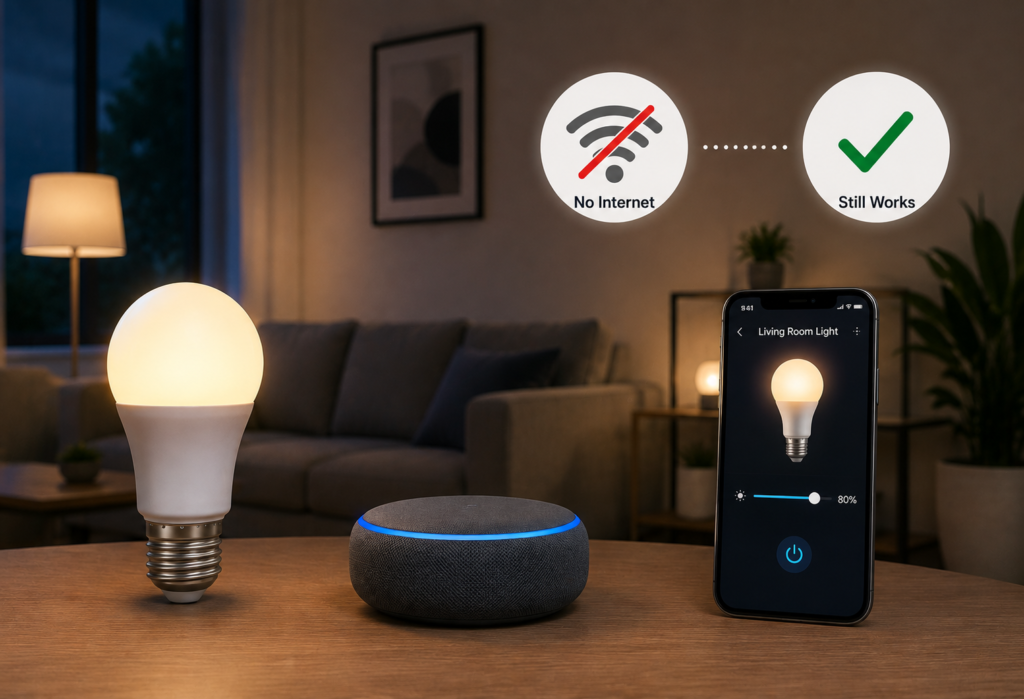
Imagine being in the mood for watching movies, setting up your smart lights for dimming when, boom! The internet is out. You try to use your phone application to dim the lights, but there’s no response from it at all. This common situation makes many users think that smart lights are not functional when the internet connection goes down.
Well, to answer the question “Do smart lights work without internet,” we need to be aware that everything boils down to what kind of lighting system is being used by the user. Not all smart lights are made equal, especially when it comes to the absence of an internet connection.
There are smart lights that operate differently when internet connection is down such as WiFi, Zigbee, Bluetooth, and Matter lights. Some smart lights without wifi keep functioning just fine, while some become pretty much useless because they lack almost all smart functions.
However, there is something to rejoice about. Many smart bulbs without internet are capable of performing basic functions while some of them retain all of their automated features.
This guide will teach you how different types of smart lighting systems behave when there is no internet, which features are disabled (or continue functioning), and how to make your smart home reliable even without the internet connection.
Table of Contents
Quick Answer: Do Smart Lights Work Without Internet?
The performance of such a device is not affected by the lack of the Internet, with an exception of the advanced features of the lighting. The performance of such a device is not affected by the lack of the Internet, with an exception of the advanced features of the lighting.
What normally happens when your Internet connection gets cut off:
- Local control usually continues to function – you will be able to operate any app and hub which controls the lights on a local level
- Alexa and Google Assistant voice control stops functioning, because it relies on cloud servers
- Wall switches usually work regardless of internet access
- Internet-based automation usually stops until you have internet again; however, local automation continues working
It all depends on whether your lighting device relies on local control or cloud control. If the control is local (Zigbee hub, for example), then your device will keep working, while in case of cloud control devices, such as most Wi-Fi lights, your device will become useless.
To put it simply, local control is like talking to someone who is right in front of you, and cloud control is like talking on the phone.
⚖️Quick Comparison Table
| Smart Light Type | Works Without Internet? | Voice Control | App Control | Best For |
|---|---|---|---|---|
| WiFi Smart Bulbs | Partially | Usually No | Sometimes | Beginners |
| Zigbee Smart Lights | Yes | Limited | Yes (Local Hub) | Reliable smart homes |
| Bluetooth Smart Bulbs | Yes | No | Yes Nearby | Single rooms |
| Matter Smart Lights | Mostly Yes | Sometimes | Local Control | Future-proof setups |
How Smart Lights Actually Work
Knowing the process of how smart lights actually work can provide an insight into why some are working without the internet while others don’t. The smart light uses different protocols – basically, different languages that allow your devices to give each other commands.
The main difference is the internet vs local network connection. In the case of the local network, it is like the inside of your house (like walkie-talkies), whereas the internet is the outside of the house (like cellular network).
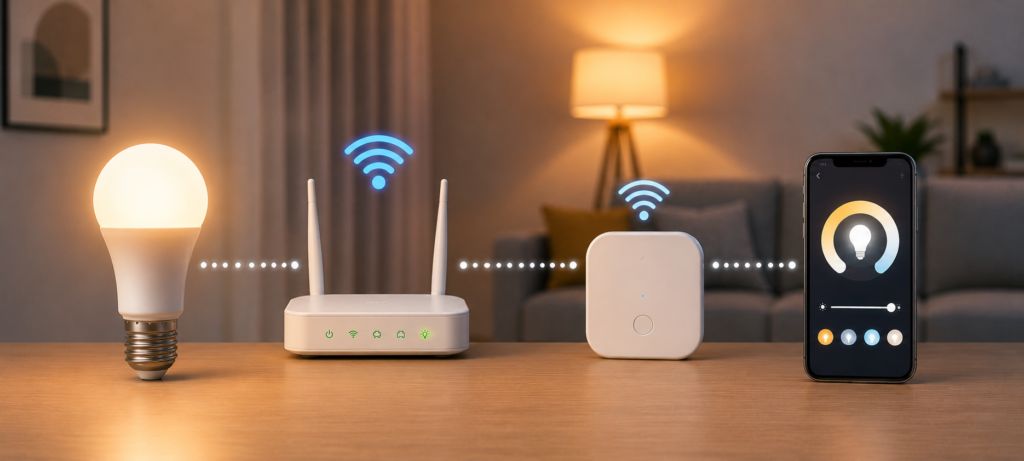
A cloud-based system sends your commands through the following route: phone -> internet -> server of the company -> internet -> your lights. As you see, without internet access, there is no possibility of controlling anything.
This works quite differently. Orders flow from your smartphone to the local hub, then directly to the lights on your home network. This local hub is a translator living inside your house and will keep performing its functions regardless of failures in the external communication.
That’s why some lights don’t function in an offline mode, while others work perfectly. It turns out that a smart home not connected to the Internet can operate fairly effectively if choosing the correct base for the technology.
In the case of the internet being down for a long time, Zigbee products will be able to work locally via a suitable hub, but many smart plugs using Wi-Fi will become incapable of functioning remotely and online.
Do WiFi Smart Lights Work Without Internet?
The functionality of WiFi smart lights when they go offline is diverse. They operate through your WiFi router in the same way that your computer or phone does.
This is what happens with WiFi lights when there is no internet:
The majority of WiFi lights continue to function normally with traditional wall switches. Yet, controlling them via an application stops working due to lack of internet connection which is required for communication with a cloud server where most of the manufacturers store commands.
Lack of functionality is the main problem with lights not being able to connect to your router. If your router stops functioning, then WiFi lights cannot operate in any way except switching on/off via a traditional wall switch till the router starts again.
Some lights may have the ability to operate via an application only through the local network. It is possible because some manufacturers developed their products in such a way.
Control via virtual assistants, Alexa, and Google, becomes impossible without the Internet access due to these systems’ requirements.
Popular WiFi Brands
- TP-Link Kasa – Has some local control capabilities
- Wyze – Affordable but requires cloud services
- LIFX – Expensive but with improved local control
- Govee – Inconsistency in offline capability across models
✅Pros
- Simple installation process for newbies
- Complete control when there is an Internet connection
- Highly compatible with other smart home devices
❌Cons
- Internet dependent for majority of the functions
- Requires servers of the brand manufacturer
- Privacy concerns related to cloud processing
Do Zigbee Smart Lights Work Without Internet?
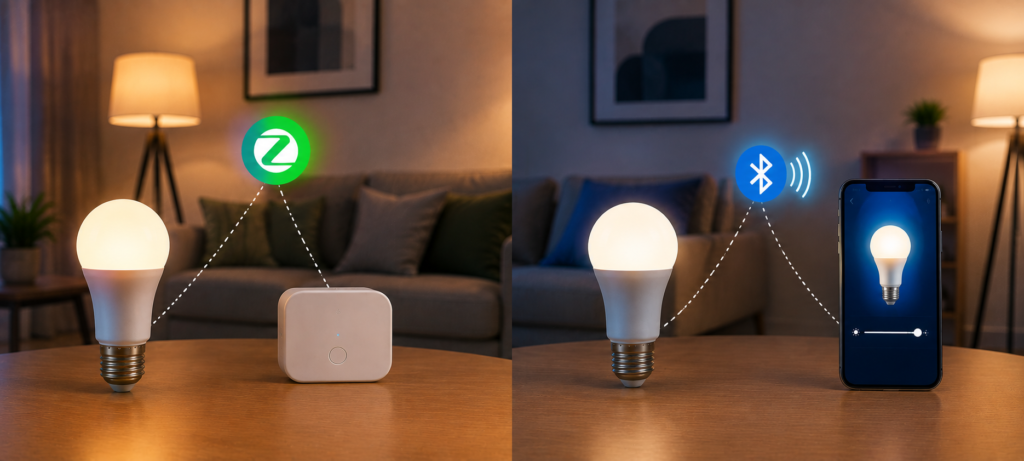
Zigbee smart lights provide the best offline performance. Zigbee smart lights work using a local mesh network which works without the internet.
In case you have zigbee smart lights, then your hub will control the lights regardless of internet availability. Control commands are issued directly from the hub to the bulb via the network without leaving your network.
The mesh network allows each device to relay the commands to others, thus creating a network that can self-heal and become stronger as you add devices. Even if there is failure of some connection points, commands will bypass the failure.
Popular Zigbee Systems
- Philips Hue – The most popular and reliable option
- Sengled – The best budget option
- IKEA TRÅDFRI – Affordable European option
Advantages
- Work completely locally without requiring the internet
- More reliable than cloud-based systems
- Faster response times because of staying local
- Mesh network gets stronger as more devices are added
Limitations
- Needs a hub device
- Setup process is more complicated than Wi-Fi
- Hub needs to be plugged in for the whole thing to work
A zigbee system can give your Wi-Fi smart bulbs a run for their money when it comes to offline performance due to the fact that the devices use a local network to communicate with each other. Therefore, the lights will still work if the internet goes down.
Zigbee uses a low-power mesh network that allows compatible smart-home devices to communicate locally. You can learn more about the Zigbee standard and its smart-home applications from the Connectivity Standards Alliance.
🔵Do Bluetooth Smart Lights Work Without Internet?
The smart light bulbs that operate using Bluetooth do not require an Internet connection to function. In Bluetooth smart lights, the connection between your device and the bulbs is made wirelessly.
As the connection is directly made using Bluetooth, Internet is not necessary for controlling the bulbs nearby. You will be able to modify their brightness level and color if you are within Bluetooth range (usually 30-50 feet).
However, there are downsides of using Bluetooth connection. If you want to control the light remotely, then Bluetooth is not the appropriate option for you because you will not be able to do it when you are not at home. Due to range limitation, it does not suit bigger homes either.
Popular Examples
- Govee Bluetooth lights – Best for accent lighting
- GE Cync Bluetooth – Good basic smart bulbs
Bluetooth smart light bulbs are ideal for smaller rooms such as bedrooms because you do not have to be far away from them to control them. Unlike Wi-Fi bulbs, Bluetooth bulbs make a connection to a phone without requiring Internet. Therefore, they allow for basic control even when there is an Internet outage.
Bluetooth smart lights are one of the easiest options for offline lighting control because they can communicate directly with a nearby phone or tablet. For more information about Bluetooth technology, visit the Bluetooth official website.
Matter Smart Lights & Offline Control
Matter is the future of smart home tech, crafted explicitly to enhance smart home control locally. In the new standard, local functionality and cross-platform compatibility come first.
Matter smart bulbs are created to function offline right from the ground up. The standard does not utilize the company’s cloud servers but instead makes local connections capable of supporting all smart home platforms at once.
The protocol allows greater compatibility of ecosystems, enabling you to use your lights in Apple Home, Google Home, Amazon Alexa, and SmartThings without connecting to separate cloud systems for every platform.
In addition, the standard makes local automation faster because the command does not have to go anywhere else but to your local hub. Your automations will operate locally regardless of internet connection status.
Although Matter is still relatively new, early users say that the offline capability is much greater than in case of WiFi smart lights.
❗What Stops Working Without Internet?
Knowing what gets disabled without internet access sets proper expectations about your smart lighting system capabilities.
Features that typically stop working:
- Voice Assistants – Voice processing requires internet access (Alexa, Google Assistant, Siri)
- Remote control – Not able to control your lights from work or vacation
- Automations using cloud services – Schedules using online weather forecast
- Firmware updates – Updates and security patches have to wait for internet connection
- Third-party integration services – IFTTT, Zapier and other services will be offline
What Usually Still Works
- Wall switches – Always working regardless of any smart component
- Local control through an app – Local connected apps still will function
- Automation based on hub – Time-based and sensor triggered automations work
- Bluetooth control within range – Local direct connection between device and controller still available
The main idea is building your system around components that will perform their core functions without internet access. The physical switch always remains the best choice of fail-proof solution.
🌍Best Smart Lights That Work Without Internet
Based on how well they work without an internet connection, here are the best smart lights that do not need an internet connection:
Best Overall → Philips Hue
- Pros: Excellent local control, reliable Zigbee mesh, compatibility
- Cons: More expensive, needs a hub
Best Budget → Sengled Zigbee
- Pros: Reliability and affordability of Zigbee, great local control
- Cons: Fewer features compared to premium brands
Best WiFi Local Control → LIFX
- Pros: Superior local controls compared to most WiFi lights, color accuracy
- Cons: Somewhat internet dependent, consumes more power
Best Bluetooth → Govee
- Pros: Good for accent lighting, can operate entirely offline within proximity
- Cons: Short range, no remote capability
Best Future-Proof Option → Nanoleaf Essentials
- Pros: Compatible with Matter standard, uses Thread mesh networking, operates locally
- Cons: New technology, less compatible hubs
🛠️How to Build a Smart Lighting Setup That Works Offline
Constructing a reliable smart home without dependence on internet can be challenging but requires thorough planning.
First of all, choose either Zigbee or Matter protocol as your basis. The protocols ensure local control without requiring an active internet connection.
Don’t buy cloud-dependent devices that require routing commands through the manufacturer’s servers. Investigate how devices function without the internet in advance.
Use local hubs such as SmartThings, Hubitat or Philips Hue Bridge which perform automations locally. Hubs serve as the brain of your offline smart home.
Maintain the ability to control your smart home using physical switches as a backup. It is better to have smart switches which allow controlling devices manually.
There are some suggestions for offline smart home control automations you can use:
- Triggering lights by motion sensors locally
- Performing time-schedules automations on hubs
- Using smart buttons for scenes control
- Activating security lighting due to door/window sensors
One of the easiest ways to check for the offline functioning is to disconnect your router for a while and check your smart lights.
⚠️Common Smart Lighting Internet Problems
The issues related to the Internet connectivity of smart lights are wider than mere internet outages. Knowledge of common problems will help you identify problems quickly and select better systems.
Routers have more influence on WiFi lights rather than Zigbee or Bluetooth. In case of failure of your router, WiFi lights lose their smart features till the replacement.
The outages of Internet Service Provider influence cloud-based lights only. The internet outages at your ISP won’t prevent local communication between devices.
The downtime of cloud servers is a situation when manufacturers face some technical difficulties. In such cases, the lights won’t work in spite of your functioning internet.
Sometimes there are connection problems that are not related to the internet issues. In case you face any troubles, try restarting the WiFi connection of your phone.
Voice control may fail without any lighting issues. You may try controlling lights using manufacturer apps.
Quick Troubleshooting Tips
- Restart your router and wait 2-3 minutes before testing
- Check manufacturer status pages for known outages
- Try controlling lights through different apps or methods
- Power cycle smart bulbs by turning off wall switches for 10 seconds
- Verify your phone connects to the same WiFi network as your lights
❓FAQs
Can smart lights turn on without internet?
Yes, most smart lights can turn on without internet through wall switches. However, some retain app controls through local connections according to the technology used.
Do smart bulbs need WiFi all the time?
No, smart bulbs do not need WiFi always. Zigbee and Bluetooth bulbs function independent of WiFi whereas some WiFi bulbs have offline capabilities as well.
Does Alexa control smart lights without internet?
Not really, as Alexa uses internet to interpret voice commands and control smart lights. App controls provided by the manufacturers continue to work offline.
Which smart lights work best offline?
Zigbee lights work best offline followed by Matter-enabled products and Bluetooth smart lights. Philips Hue and Sengled have outstanding offline functionality.
Can Zigbee work without WiFi?
Yes, Zigbee works independently from WiFi via its own mesh network. Zigbee lights remain functional without internet or WiFi provided the Zigbee hub is powered.
🔗Related Articles
- Smart Lighting System in the USA: Complete 2026 Buyer’s Guide
- How to Set Up Smart Lighting at Home (Step-by-Step Guide)
- 9 Best Smart LED Light Strips (2026 Review)
- Best Philips Hue vs LIFX vs TP-Link Kasa Smart Bulb Comparison for 2026
- 9 Best Smart Bulbs in 2026 (USA Guide) – Top Smart Lights
- Best Budget Smart Lights Under $50 (2026) – Affordable Smart Lighting Guide
- iRobot Roomba i3 EVO Review (2026): Is This Older Roomba Still Worth Buying?
- WiFi vs Zigbee vs Z-Wave: Which Lighting System Is Better? (2026 Guide)
- How to Fix Alexa Not Controlling Lights (Step-by-Step)
🚀Conclusion
Asking “do smart lights work without internet,” you won’t get a definite yes or no answer. Most smart lights will still function during internet outages, but the extent of the functionality will be determined by the system you chose.
Both Zigbee and Matter guarantee maximum local reliability allowing you to use your devices almost fully during long internet outages. This way, you will learn that there are really efficient smart lights that don’t depend on the cloud services.
Most WiFi lights require connection to the cloud services, but certain manufacturers have managed to improve the offline capabilities of their products. In order to be sure of this, you need to research the product thoroughly.
Bluetooth-based smart lights work perfectly in those cases when you do not require complex functions and just want to control them within proximity. All these lights don’t require any internet connectivity at all.
Before buying lighting technologies, you need to determine what your goals are when building the smart house. For example, if you are interested in reliability during long outages, then you should buy Zigbee or Matter-based lights. And WiFi lights are good when it is convenient to install them but the reliability of the internet is low.
At the moment, it is extremely important to think about the local control of your smart home devices. Choosing a system of this type, you’ll ensure yourself that your investments will pay off regardless of the reliability of the internet in your area.
Offline functionality of smart lights is becoming increasingly popular. You can easily find an option either for the new smart house or for updating the old one.