
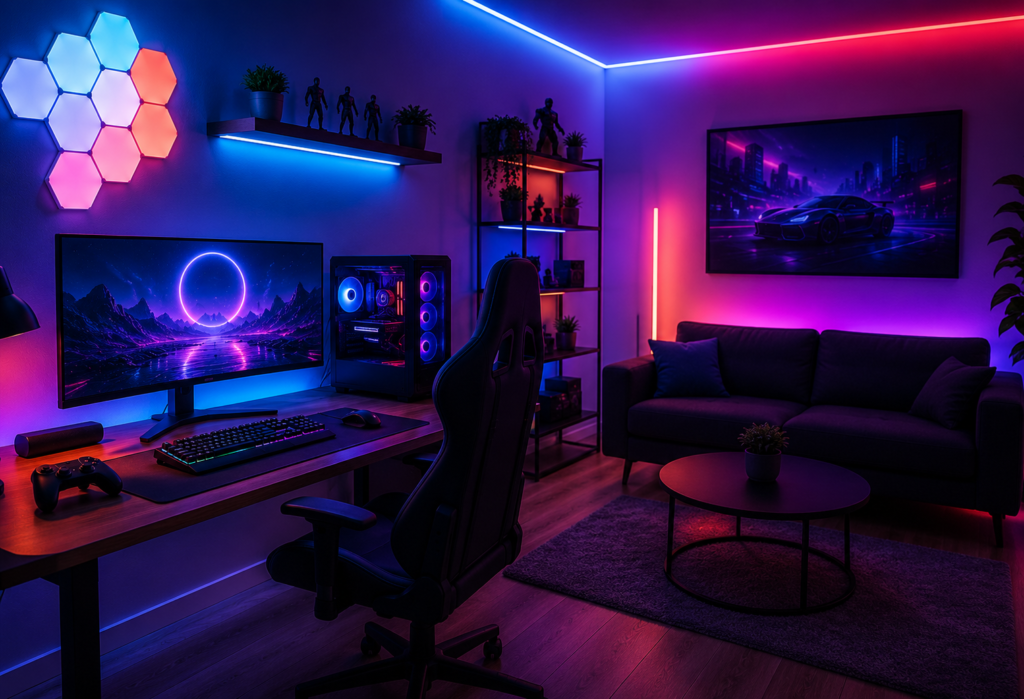
A Gaming room smart lighting setups is considered the most widespread trend in home gaming in 2026. From the use of basic LED strips installed behind the monitors, today the development of home gaming systems has come to an integrated smart lighting system that completely changes the gaming experience by using RGB smart lights, automation and voice controls.
Smart lighting is not only about decorative effects. Properly implemented home gaming room lighting may help to ease the feeling of discomfort during a long gaming session, as well as enhance screen readability and create an atmosphere for your game. Moreover, many systems include such features as screen syncing, music reactive lighting, scenes creation and scheduling.
Smart lighting has become popular even among gamers who use it to enhance their streaming experience by creating an interesting background. No matter whether you are planning a budget gaming station or you want to add some improvements to your dedicated gaming room, you will find the best solutions for yourself.
In this guide, we will show you how to create an ideal gaming room smart lighting system, as well as share our RGB smart lighting ideas and the smart home devices to make your gaming experience more exciting.
Table of Contents
Quick Gaming Room Smart Lighting Setup Table
| Lighting Type | Best For | Smart Features | Budget |
|---|---|---|---|
| RGB LED Strips | Desk & walls | App control, music sync | $ |
| Smart Bulbs | Ambient lighting | Voice control | $ |
| Hexagon Panels | Wall effects | RGB scenes | $$ |
| Monitor Backlights | Screen sync | Reactive lighting | $$ |
| Floor Lamps | Corner lighting | Dynamic RGB modes | $$ |
| Smart Light Bars | Gaming desk | Scene presets | $$ |
Why Smart Lighting Matters for Gaming Rooms
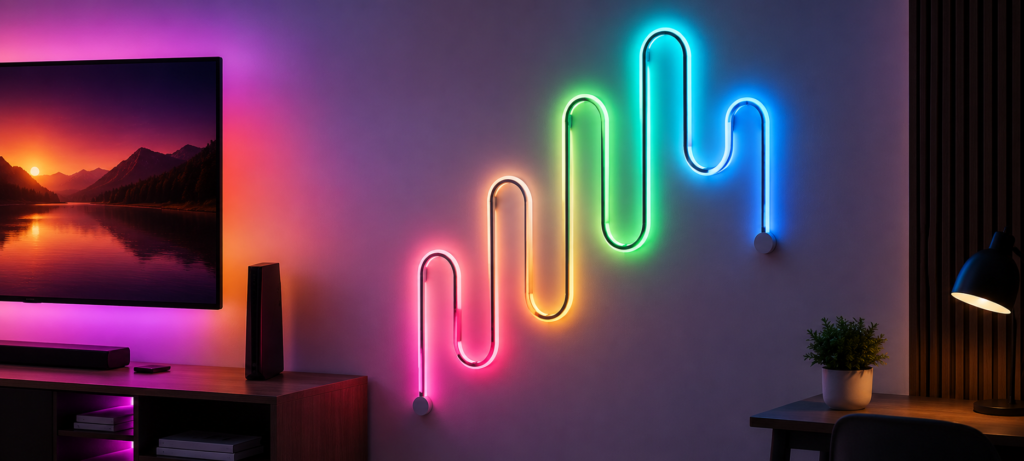
Smart lights are not just about making everything look good; they can make a whole new experience for your gaming room. By using RGB smart lights, you will be able to recreate the same atmosphere on the screen through your lights.
The first major advantage is that you reduce eye strain. The ambient lighting from behind the screen helps cut down the contrast between the bright screen and the dark room. Gamers use custom lighting scenes where they can have white lighting for competitive gaming and RGB lighting for relaxing games.
For those who live-stream and create content, smart lighting is an excellent way to give their space a professional look. Lighting that can synchronize with the screen, with music, be controlled by voice commands, and that has preprogrammed lighting scenes creates amazing backgrounds for your videos and live-streams.
Whether you are putting together a low-budget gamer’s setup or an advanced streaming room, smart lighting will make your gaming experience comfortable and immersive.
Best Smart Lights for Gaming Rooms
Govee RGBIC LED Strip Lights
Best Overall Gaming RGB Lights
Govee RGBIC LED Strip Lights are widely used in gaming areas because of the RGBIC technology they employ. It provides for displaying several colors in separate parts of one strip, allowing dynamic visual effects like flowing rainbows and other cool patterns that cannot be reproduced by common RGB LED strips.
Moreover, the device has the music synchronization function, responding to game sounds, music, etc., while the app allows creating customized scenes, scheduling, controlling several Govee lights, and much more. Most models also support voice control using Amazon Alexa and Google Assistant.
The installation process is easy, as it is done with the help of an adhesive backing. It is possible to mount Govee RGBIC strips onto the wall, shelf, desk, monitor backlight, and any other area where lighting is necessary. The price is about $30-$40 for 16 feet.
For Govee LED lights, the Govee Support center includes reset instructions and app troubleshooting.
Philips Hue Play Gradient Lightstrip
Best Premium Gaming Room Lighting
Philips Hue Play Gradient Lightstrip is a great choice if you are after the best gaming lighting solutions because of its precise colors and various lighting effects.
The gradient light strip synchronizes with your TV or monitor via the Hue Sync Box and responds to the colors and action shown on the screen in real-time, offering you a better gaming experience. Besides, the product works using Zigbee technology, thus ensuring good response time and performance.
Using the Hue app, you will be able to customize the lighting to any scene, set up various schedules, and even automate it, and thanks to compatibility with Alexa, Google Assistant, and Apple HomeKit, you will be able to use voice commands. Additionally, Philips Hue Play Gradient Lightstrip is capable of showing several colors at once, creating a continuous light effect around your gaming screen.
Despite its relatively high price ($150-$200), Philips Hue Play Gradient Lightstrip is a premium device offering good performance, reliability, and smart home integration features.
For official setup instructions and troubleshooting, visit the Philips Hue Support page.
Nanoleaf Shapes Panels
Best Wall Smart Lighting for Gaming Rooms
Nanoleaf Smart Light Panels can be considered one of the best choices if you want to create impressive gaming room wall installations. This product is quite modular in nature, thus, providing you with an opportunity to arrange panels in certain geometric patterns. What is more important, you can always enlarge your configuration as much as you wish.
Nanoleaf panels have impressive RGB lighting, smooth color change, and a variety of predefined scenes. Moreover, Screen Mirror, Music Sync, Scheduling, and Voice Control can provide you with additional flexibility and customization. It is also worth mentioning that Nanoleaf is compatible with Amazon Alexa, Google Assistant, Apple HomeKit, and Matter.
The installation process is quite simple thanks to the adhesive mounts that are included in the starter kit. All panels in one configuration are powered by a single power source and can be connected easily to each other. Starter kits usually cost about $200.
Nanoleaf users can find pairing guides on the Nanoleaf Support page.
TP-Link Kasa Smart Bulbs
Best Budget Smart Gaming Rooms Bulbs
For affordable smart lights that would fit perfectly in your gaming room, you should definitely try TP-Link Kasa Smart Bulbs. These bulbs feature reliable Wi-Fi, millions of RGB color combinations, dimming, and scheduling capabilities without needing an extra hub to use all features.
Kasa Smart bulbs allow you to customize scenes and set a schedule by using the Kasa Smart app. You can easily control these bulbs even if you are away from home because they are compatible with Alexa and Google Assistant.
Unfortunately, there are no such advanced features as screen sync and music sync in Kasa smart bulbs, but their everyday performance is very reliable. With the cost of around $10-$15 for one bulb, these lights would be great for overhead lighting, desk lamps, and ambient lighting.
If your Kasa smart bulbs aren’t responding, check the TP-Link Kasa Support website for firmware updates and network troubleshooting.
Govee Glide Wall Lights
Best RGB Wall Lighting Effects
Govee Glide Wall Lights can be considered an excellent choice when it comes to obtaining RGB wall lights for your gaming room. In addition to the variety of colors offered, users can choose from several arrangements of light bars to create a unique appearance for their gaming room.
All light bars have the ability to use the RGBIC technology that will allow displaying a variety of colors and gradients. There is also a Govee Home app which provides such features as scene creation, scheduling, music synchronization, and voice commands through Alexa and Google Assistant.
The installation of the lights becomes easier thanks to the magnetic mounting system, and you can even change the layout of the installation in case of the necessity. The bright and vivid lighting will become perfect for your gaming, streaming, and entertainment purposes.
Govee Glide Wall Lights can be purchased for approximately $100-$150.
Philips Hue Play Light Bars
Best Desk Gaming Lights
The Philips Hue Play Light Bars will be a great option for those gamers who prefer using them as desk and monitor lighting. They have a compact size, so you can easily install them behind your monitor, alongside the display or even on your desk without taking much room.
They provide vivid colors, great dimming, and brightness. Moreover, they can sync their lighting effect with the onscreen content thanks to the Philips Hue Sync Box or Hue Sync desktop application.
Each individual light bar is independently controllable from the Hue app. Also, they support Alexa, Google Assistant and Apple HomeKit. Their top-quality materials and durable connectivity via Zigbee made them very popular among gamers.
Priced about $70 per light bar, the Philips Hue Play Light Bars are definitely a premium product for gamers who like immersive lighting for desks.
Gaming Room RGB Lighting Comparison
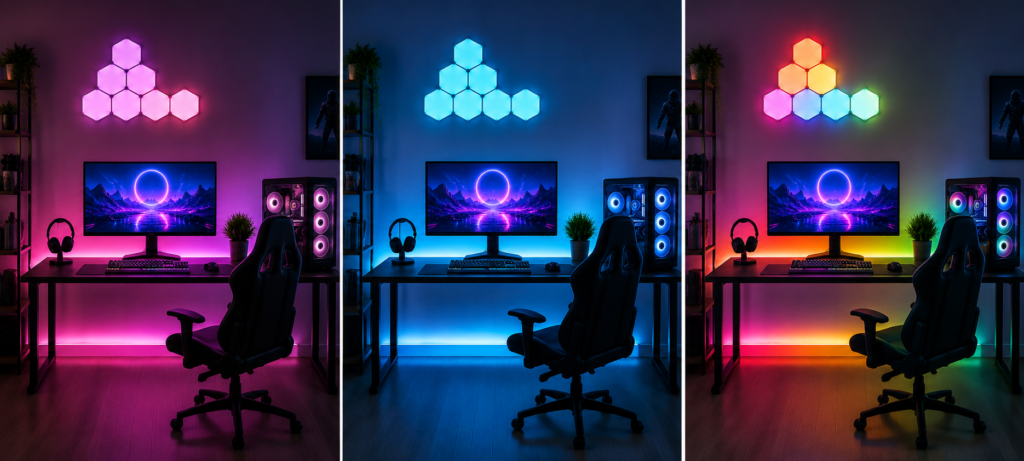
Each smart lighting product has their own strengths based on your budget and setup for your gaming.
Govee offers the best combination of features that include bright lights, reliable music synchronization, user-friendly app interface, and affordability. This is one of the best brands to have for budget and mid-level gaming rooms.
If you are looking for premium products, Philips Hue is your go-to. The reason behind this is its accurate colors, rapid response time, reliable Zigbee wireless connection, and easy integration with smart home systems.
The third product that is unique in terms of lighting design is Nanoleaf. They offer the best way to create your own custom wall display through its modular panels. Even though Nanoleaf also includes RGB effects and synchronization with screens, it is best suited to make visual centerpiece of the gaming room or streaming background.
So depending on your needs, choose the best one from them all.
| Brand | RGB Effects | Music Sync | Best For |
|---|---|---|---|
| Govee | Excellent | Excellent | Budget setups |
| Philips Hue | Premium | Very Good | High-end gaming |
| Nanoleaf | Excellent | Good | Wall aesthetics |
| Kasa | Basic | No | Simple setups |
Support from smart assistants is usually satisfactory with any brand; however, the integration provided by Hue is often the best in terms of responsiveness and completeness of features. App quality is diverse as well – Hue and Govee provide high-quality user experience, but there are still some other smaller brands which provide rather cumbersome apps to work with on a regular basis.
Best Gaming Room Lighting Ideas
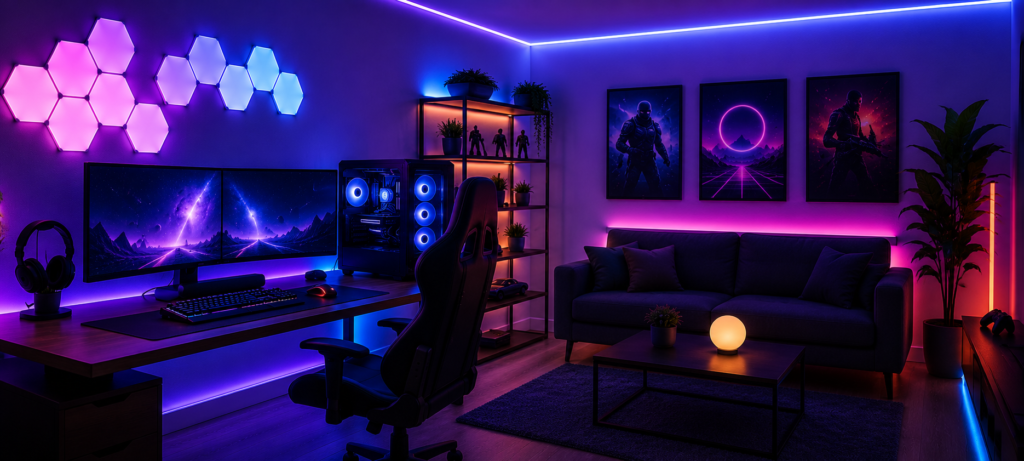
Proper gaming room RGB configuration requires combining different types of lighting in order to achieve the best possible result in terms of functionality and atmosphere. Combining ambient lighting, monitor backlighting, RGB LED strip lights, smart light bulbs, and wall lights will help to create a unique gaming atmosphere and reduce eye strain at the same time.
Under-Desk LED Strips deliver great ambient lighting without eye strain and without making any glare on the screen. I have RGBIC strips behind my computer along the back side of the desk to get a nice glow that lights up the wall behind the monitor. It suits music sync well because the lights are dancing in the bottom out of your field of view when you are playing the game.
Monitor Backlighting is the most powerful single modification one can make. Whether it’s going to be light bars or LED strips, backlight makes everything more comfortable to look at and adds more immersion with the help of screen-sync. One may like light bars for the sake of their appearance but LED strips do their job perfectly fine and they are cheaper.
RGB Wall Panels such as Nanoleaf add drama to your interior and serve well as accent lighting. These panels go well in case there is some wall behind your gaming setup and it looks very impressive on the picture during streaming. The important thing here is to not overdo it because a well-thought layout will look much better than completely covered wall.
Ceiling Glow Lighting provides general illumination that avoids harsh shadows. Smart bulbs in ceiling lamps or even RGB strip lighting around the edges of your ceiling will serve as soft background lighting that changes according to your mood while playing video games. Warm white color bulbs may be used for active gaming sessions, while colors will be better for chill-out hours.
Smart Corner Lamps will illuminate dark spots of the room and make your lighting design complete. Floor lamps with RGB smart bulbs will be very helpful to create an effect of being illuminated from all sides rather than having only front lights in your gaming room.
Shelf and Cabinet Lighting will help you to highlight your gaming collection of items and add some visual accents. LED strips that are installed on the insides of display cabinets and behind your floating shelves will serve as good accent lighting.
The trick with smart lighting ideas for gaming rooms is to start with something basic and then develop your setup gradually. Monitor backlighting and under-desk strips should be done first, followed by accent lighting.
WiFi vs RGBIC vs Zigbee Gaming Lights
Learning about the different types of smart lighting technologies will help you to make the right choice for your gaming room. The differences between Wi-Fi, Zigbee, and Bluetooth smart lights lie in their installation, performance, range, and integration with other smart home technologies. Correct connectivity will guarantee high-quality performance of the lights and gaming experience.
Wi-Fi RGB Lights are connected directly to your router and are the most convenient type of smart lighting systems to be installed. Almost all affordable and medium-priced devices, like most Govee LED strips and TP-Link Kasa smart bulbs, use Wi-Fi connectivity and can be controlled using a dedicated application, which does not require any hubs.
This kind of lights is suitable for the majority of gaming rooms and includes such functions as RGB control, scheduling, voice assistant capability, and music sync capabilities. Yet, their performance will depend on the strength of your Wi-Fi signal and the amount of devices connected to your network. Wi-Fi RGB lights will be good for small and medium-sized gaming rooms.
RGBIC Lighting makes it possible to light up various portions of an LED strip with various colors simultaneously. While traditional RGB lights allow illuminating a strip with one color, RGBIC creates visual effects such as gradients, animations, rainbows, and chases.
RGBIC is available for Wi-Fi and Zigbee, as well as many other intelligent lighting devices, making this technology applicable in various gaming configurations. Vibrant visual effects created by RGBIC make it suitable for gaming rooms, live streaming backgrounds, and entertainment rooms, creating an atmosphere more impressive than traditional RGB lighting.
Zigbee Smart Lights have their own network protocol that is specifically designed for Zigbee, not WiFi. Some other high-end light bulbs like Hue are based on Zigbee, which needs a hub but provides faster responses and better connectivity. Zigbee networks can accommodate more number of devices without losing speed and do not interfere with WiFi traffic.
This comes at a price though; you have to purchase a hub, and the lighting fixtures themselves tend to be expensive. But then again, if you are setting up an extensive lighting arrangement or just want the best results in gaming, then Zigbee is well worth your time and money.
| Type | Best For | Limitation |
|---|---|---|
| WiFi | Beginners | Router dependence |
| RGBIC | Gaming effects | Slightly expensive |
| Zigbee | Premium setups | Requires hub |
For most gaming setups, I recommend starting with WiFi RGBIC strips and upgrading to Zigbee later if you expand significantly or experience reliability issues.
How to Build a Budget Gaming Room Smart Lighting Setup
There is no need to invest several hundred dollars in order to create an interesting gaming lighting system. I have helped my friends create great lighting setups on any budget and this can be done regardless of how much money you want to invest.
Under $50 Setup is dedicated to making the most expensive setup possible with the smallest expenses. You should start by purchasing a 16-foot long Govee LED Strip that costs from $25 to $30 for either the desk or monitor backlight and one Kasa smart bulb which costs $8-$10 for overhead ambient lighting. This solution offers you accent and general lighting as well as complete RGB control via app.
With such setup your gaming room will look very cool. You will receive a music synchronization for LED strips, voice control for the smart bulb and enough variety of lighting for different needs – gaming, streaming, chilling etc. Also, it is a great option for testing if you like smart lighting.
Under $100 Setup is more sophisticated in terms of incorporating RGBIC strips and desk lighting specifically. You may upgrade to Govee RGBIC strips which cost $35-45, use Hue Play light bars ($70) as backlighting for monitors or even have an additional strip for wall lighting accents. In this case, you will be able to have a good layered setup for lighting with both functional and decorative components.
Here you can divide your gaming room into various lighting zones. Strips under your desk will function as ambient lighting, strips on the walls as accents, and smart bulbs will do the rest. RGBIC effect makes a huge difference in terms of dynamics.
Premium Setup ($200+) uses the best elements to achieve a premium look. With Hue Sync system with gradient strips (up to $200), Nanoleaf wall panels ($200), and extra RGB bars, you get a complete light system comparable to the best gaming setups available today. Such an installation includes screen synchronization capabilities and perfect ecosystem integration.
For budget RGB gaming lights, the main thing to keep in mind is selecting the most reliable products with a functional application. It won’t save you money when you have lights with frequent disconnections or difficult to navigate applications.
Common Gaming Room Lighting Mistakes
No matter how great your smart lighting is, you won’t be able to achieve maximum satisfaction if the installation is done improperly. There are several common problems that plague many gaming environments and make them less visually attractive and functional. By avoiding these problems, you will be able to create an effective gaming atmosphere and benefit from your smart lighting fully.
Overcrowding RGB lights are the most common errors made when decorating a gaming room. Putting up lights everywhere you can, on all four walls, desk, shelves, etc., may overcrowd the room rather than immersing it with lights. In general, a well-placed LED strip light or wall panel will create a much neater appearance.
Make sure to highlight particular areas, like behind the computer screen, below the desk, in shelves, or even feature walls.
Too much brightness makes playing games a strenuous task, while the created environment is washed away. The RGB lights tend to be very bright, and most individuals tend to push them to maximum brightness levels because the brighter, the better. In terms of gaming, the level of brightness required should be adequate for reducing eye strain but not so high as to distract from the screen.
Poor LED strip placement will negate the effect that you’re trying to create. If the strips have been installed where the individual LEDs are visible, the result will be ugly and unprofessional looking. You must always install your LED strips such that they light up the surface without shining directly into your eyes.
Weak WiFi signal leads to the disconnection or sluggish reaction of smart lights. Gaming zones are usually located in basements, far bedrooms or any place that doesn’t provide the best WiFi signal possible. If your lights are frequently dislocated or react sluggishly to commands, first solve the network issue before buying new lights.
Mixing incompatible ecosystems becomes quite irritating. It is hard to have some lights being controlled by one application, while others by another one without a single way to connect all together. Choose the main ecosystem or buy the lights that are compatible with Alexa or Google Assistant.
Fast installation tips: check the WiFi signal power before fixing your lights permanently, begin with less lights and gradually increase their number, put LED strips behind any surface or channel, and spend time tuning up the brightness levels.
❓FAQs
What are the best smart lights for gaming rooms?
According to tests, Govee RGBIC LED strips are the best options available, considering their impressive features and reasonable price range. They offer great RGB effects, perfect synchronization with music, and good app controls. On the other hand, Philips Hue Play and Nanoleaf can be the right solutions for premium gaming rooms due to their high level of color accuracy and striking visual effects.
Are RGB lights good for gaming?
RGB lights are very beneficial when it comes to gaming and should be used properly to enhance one’s gaming experience. They can help to eliminate eye fatigue as they can serve as ambient lights behind computer screens, as well as create an immersive atmosphere.
What is RGBIC lighting?
RGBIC means “RGB Individually Controllable.” RGBIC lighting allows different parts of the light strip to exhibit different colors at the same time. As opposed to the standard RGB lighting, where only one color appears along the entire light strip, RGBIC enables you to get various light effects, such as flowing colors, gradients, and much more.
Do gaming lights work with Alexa?
Modern gaming smart lights allow you to use Alexa and integrate with its ecosystem so you could use voice commands to control the lights’ color, dimming, scenes, etc. Some of the brands supporting Alexa are Govee, Philips Hue, TP-Link Kasa, and Nanoleaf. You can create your own scenes (such as gaming or streaming) and switch between them using voice commands.
Which gaming lights sync with music?
The Govee LED strips provide superior synchronization options with music at low costs. They sync not only with the audio but also with the game audio and have variable sensitivity levels. The Philips Hue lights can sync with the music using third-party apps, while Nanoleaf lights come with rhythm features built-in. Music sync detects audio via the microphone of your device or directly from the music output.
How do I make my gaming room look better?
Start with correct lighting layers, including ambient lighting behind the monitor, accent lighting under the desk or along the walls, and overhead lighting. Include RGB features in stages, instead of all at once. Take care of cable and LED strip management, choose colors consistently, and do not clutter your room with lighting features. Your room should be adapted to its actual usage.
🔗Related Articles
- Smart Lighting System in the USA: Complete 2026 Buyer’s Guide
- How to Set Up Smart Lighting at Home (Step-by-Step Guide)
- 9 Best Smart LED Light Strips (2026 Review)
- Best Philips Hue vs LIFX vs TP-Link Kasa Smart Bulb Comparison for 2026
- Best Smart Lighting for Bedrooms (2026 Setup Ideas)
- Smart Lighting for Small Apartments (Budget Setup Guide 2026)
- WiFi vs Zigbee vs Z-Wave: Which Lighting System Is Better? (2026 Guide)
- Do Smart Lights Work Without Internet? (Explained Clearly)
🚀Conclusion
Having made our analysis of the top-of-the-range smart lights available on the market right now, here are the best options for various gaming room configurations, budgets, and lighting needs. No matter whether you’re setting up your very first gaming room or looking for ways to upgrade your current configuration, here’s the best selection for you.
🏆 Overall Winner: Govee RGBIC LED Strips – The perfect combination of outstanding features and reliability at affordable prices
⚡ Premium Solution: Philips Hue Play Gradient – Professional level color accuracy and flawless integration into ecosystem
🌈 Wall Lighting: Nanoleaf Shapes – Unique design providing a distinctive look of your gaming room
💰 Budget Option: TP-Link Kasa Smart Bulbs – Reliably simple smart lighting covering all basics
The secret of successful lighting installation is having a clear vision of what you are going to get from the very beginning and implementing it step-by-step rather than doing everything at once. Just a small under-desk RGB strip and smart bulbs will completely change the game under $50, while a premium installation with screen synchronization and wall panels creates an immersion atmosphere.
Think about what is important for you: if it is all about making your gaming experience comfortable by minimizing eye-strain, start from the monitor backlighting and ambient lights strips. If you are a content creator, you may pay more attention to the camera-friendly light. If you are a gamer and you take your gaming seriously, go for functional lighting.
And the main thing to remember is that there will always be a way to improve and develop your lighting. Start with some good basic equipment from reputable brands, find out which solutions are suitable for you, and then add more sophisticated lighting elements to your setup later on. It has never been easier to build an ideal RGB gaming lighting setup thanks to the smart lighting system of 2026.