
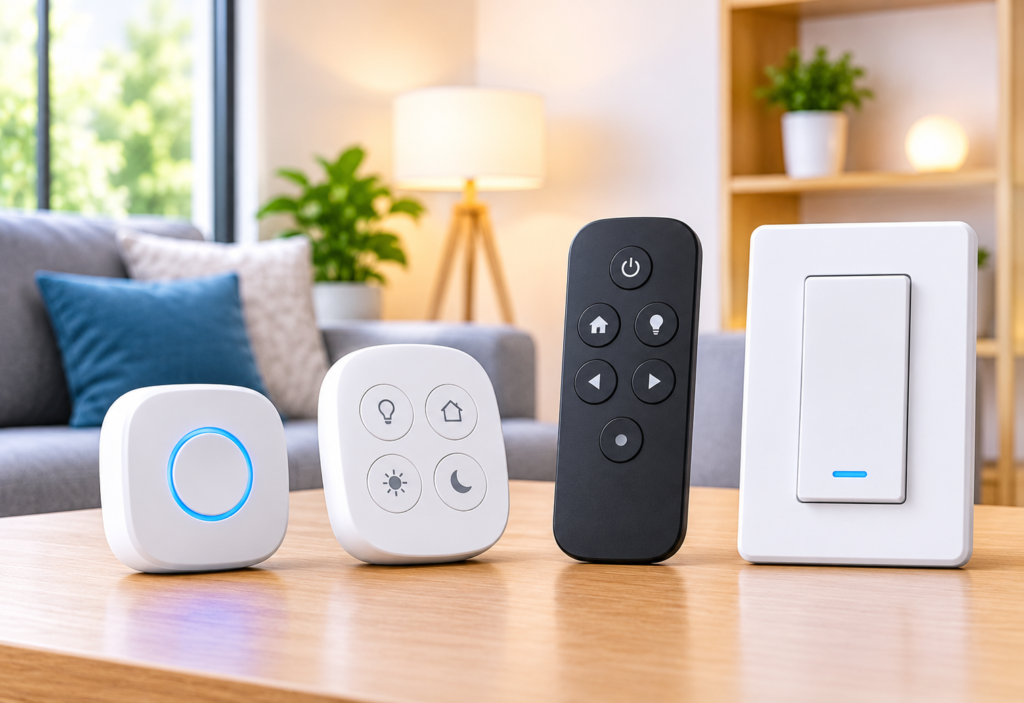
Introduction: Why Physical Controls Still Matter in a Smart Home
Voice assistants are convenient, and smartphone apps give you detailed control over every device in your home. But there are moments when neither feels quite right. You are carrying groceries, your hands are full, and you just want the lights on. Or a family member is visiting and has no idea what to say to your voice assistant. In those moments, a physical button wins every time.
A single press can be faster than any voice command or app tap, especially for actions you repeat several times a day. Physical controls also make your smart home accessible to everyone in the household, not just the people who set it up.
One button can trigger an entire scene — dimming the lights, closing the blinds, and switching on a lamp — all at once. Placed beside a bed, near the front door, next to the sofa, or on the kitchen counter, smart buttons fit naturally into daily routines.
This article compares smart buttons, scene controllers, and remote controls to help you find the best smart buttons and remote controls for home automation. Whether you are new to smart home remote controls or upgrading an existing setup, there is something here for every household.
Table of Contents
Smart Buttons vs. Smart Remotes vs. Wireless Switches
Before choosing a controller, it helps to understand what each type actually does.
Smart Buttons
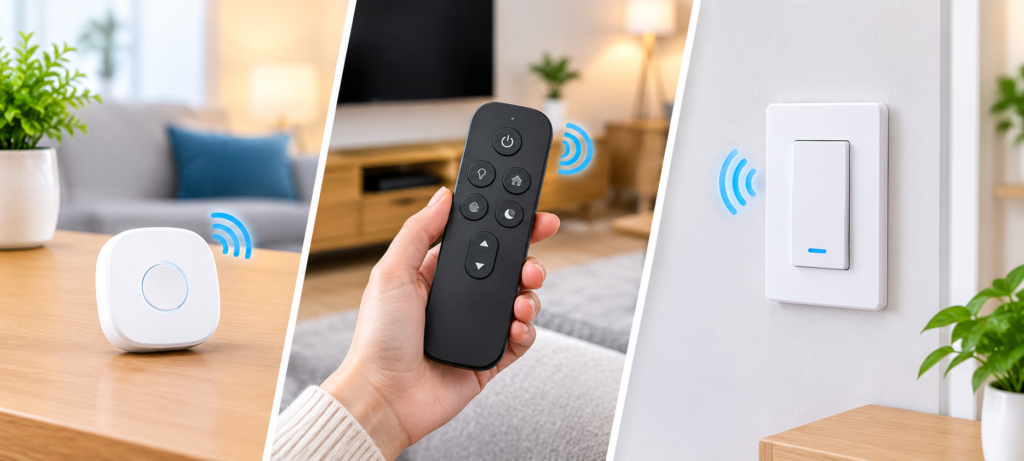
A smart button is a small, usually wireless device that triggers one or more actions depending on how you press it. A single press might turn on a light. A double press could activate a scene. A long press might start a bedtime routine. Most wireless smart buttons run on batteries and require no wiring, which makes them easy to place anywhere in your home. They communicate through Wi-Fi, Bluetooth, Zigbee, or Thread, depending on the model.
Smart Remotes
A smart remote looks more like a traditional remote control and includes several buttons. Each button can be assigned a different action — one for lighting, one for a scene, one for a group of compatible devices. Remotes come in handheld and wall-mounted formats. They are useful when you want to manage a room without pulling out your phone.
Wireless Smart Switches
A smart scene controller in the form of a wireless switch looks like a standard wall switch but does not need to be wired into your electrical system. It sits on the wall using adhesive or a mounting bracket and sends wireless signals to compatible smart lights or a hub. Some models replace a conventional wall switch entirely and do require wiring.
Which One Fits Your Home?
| Feature | Smart Button | Smart Remote | Wireless Switch |
|---|---|---|---|
| Portability | High | Medium | Low |
| Number of actions | Few | Several | Few to several |
| Installation | Adhesive or clip | Handheld or bracket | Adhesive or wired |
| Controls device directly | Sometimes | Sometimes | Sometimes |
| Triggers routines | Yes | Yes | Yes |
For a rapid trigger for one or two functions, consider getting a smart button. For room-level controls, a smart remote will suit your purpose. And for those who want the convenience of a simple light switch in their homes but without the need to connect wires, a wireless smart switch is what you want.
Best Smart Buttons and Remote Controls: Top Picks by Use Case
Instead of ranking the devices by prices and brands, it would make sense to categorize the controllers based on their applications. Here are some of the best by application.
Best Overall Smart Button
A good all-around smart button must be able to work in many press modes and connect easily to your system. In addition, such a device must be able to last long without the need for replacement batteries. Ideally, a good button must be able to control scenes and individual devices without requiring complex configurations. The devices in this category come with adhesive mounts, making them portable around the house.
Best Smart Button for Lighting
In terms of lighting control, the essential factor to consider would be the ability to operate scenes or groups of lights rather than just a single bulb with the button. The single light operation function of a button may prove helpful, however, the ability to adjust the whole room with one button press adds significant value to the device.
Best Multi-Button Scene Controller
The multi-button device will provide you with several operations using one device. The use of such devices is perfect for living and bedroom lighting control. You may need a bright scene for morning activities, a softer scene in the evening, and darkness at night.
Best Handheld Smart Remote
In situations where you want to take care of the entire room from the comfort of your couch, go for the handheld remote that will group together compatible lights in the same room and can perform scene switching. This type of remote should be able to give you about four to eight buttons to play around with.
Best Wall-Mounted Controller
Installing a controller on the wall close to the entrance, bed, or kitchen counter makes an excellent control point that everyone in the house will recognize. Make sure you choose a wall-mounted controller depending on its mounting ability, battery life, and appearance relative to your current wall plates. There are wall-mounted controllers that are just like the regular light switches.
Best Budget Smart Button
When creating your first smart home system, go for the budget smart button as your entry product. Ensure that the smart button works with your current smart home system before making the purchase decision.
Best Ecosystem-Specific Controller
If your home runs entirely on Alexa, Google Home, or Apple Home, an ecosystem-specific controller tends to integrate more reliably than a general-purpose device. These are designed to work natively with one platform, which reduces setup steps and compatibility guesswork.
Comparison Table
| Controller Type | Best Use | Main Feature to Check | Potential Drawback |
|---|---|---|---|
| Single smart button | One frequent action | Supported press patterns | Limited controls |
| Multi-button controller | Several scenes | Number of configurable actions | More setup |
| Handheld remote | Room-level control | Supported devices and scenes | Can be misplaced |
| Wall-mounted controller | Fixed control point | Mounting and battery life | Placement is important |
| Wireless switch | Lighting control | Wiring and compatibility | May require installation |
| Budget button | Simple automation | Hub and ecosystem support | Fewer advanced features |
Smart Buttons for Everyday Lighting and Routines
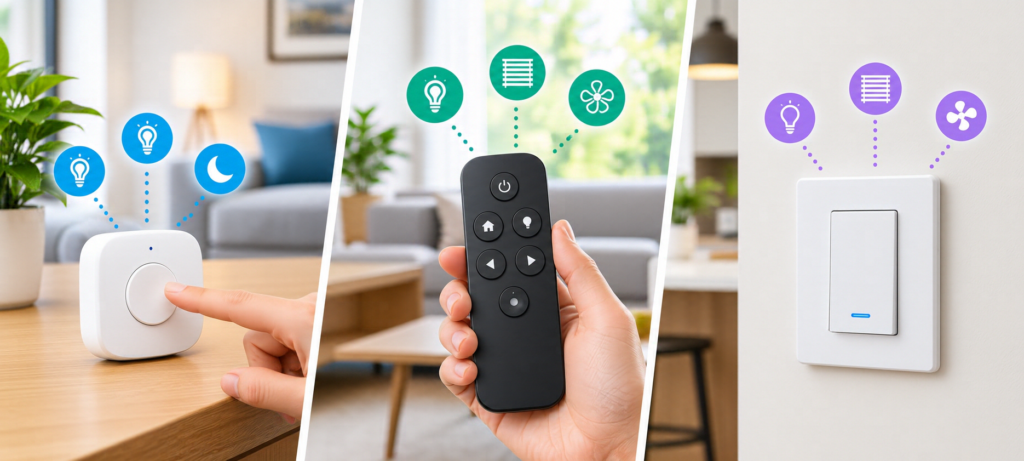
One of the most practical uses for a smart button is lighting — not just turning a single bulb on and off, but managing a group of lights with one action.
Here is how a well-placed smart button can handle common daily routines:
- Single press: Turns on a group of lights in a room, already set to a preferred brightness and color temperature.
- Double press: Activates a movie or relaxation scene — dimmed lights, warm color, perhaps a reading lamp turned off.
- Long press: Starts a bedtime routine that gradually dims all lights in the home before turning them off.
- Button near the front door: A single press activates an “away” scene — all lights off, locks checked, thermostat adjusted.
- Bedside button: A press at night turns off selected lights without reaching for a phone or waking a partner with a voice command.
Different models allow to use different clicking patterns, and this is one thing you should pay attention to. There are some smart switches for lights that allow only one clicking pattern and not more than this. Some of them can be programmed via hub/platform in order to allow for different clicking patterns to trigger different routines.
When it comes to hub/platform, the button usually sends a signal to the hub that then activates the routine. That way, the complexity of the routine is limited by the platform rather than by the button.
Smart Remotes for Whole-Room Control
Pressing one button is fine for one command, but often it is necessary to change the room lighting several times during the day. It is when a smart remote for light or scenes will work better.
Good design of the smart remote allows you to unite all the appropriate lights in the room, and change scenes without having to open any applications or say any words aloud. Thus, the living room could have four scenes: light, normal, dim, and off. They should be assigned to certain buttons on one remote device.
Handheld remotes work great for those who want to control the room lights from any place within the room. For those who prefer to have some fixed place, smart home remote controls installed on walls are a better option. Some families combine these devices: there is one wall-mounted and one handheld remote.
But one thing which might be quite easily overlooked – remotes with numerous buttons end up being neglected. Remotes which have four to six controls with labels which can be seen from a distance will be more convenient to use compared to remotes which have ten controls which no one can understand.
Also, it will be easier for those people who come to your house to use the system in a case when you give them a remote with several buttons which are marked, rather than explain them how to issue voice commands or download an application on their phone.
Compatibility: Alexa, Google Home, Apple Home, and Matter
Compatibility should always be one of the first factors to consider when buying any smart button or remote. It can mean quite a few different things, not all of which are compatible with each other.
Alexa
While some of these gadgets will allow you to set actions for Alexa to perform upon pressing the button, others will only work with Alexa-compatible hubs or bridges. Some devices also need an Alexa skill to function. Check whether the devices you are considering are Alexa-compatible and whether they have their own Wi-Fi or require an Echo device as a hub.
“If your home uses Alexa, verify that the button or remote supports your setup by checking the official Amazon Alexa smart home information.
Google Home
The Google Home smart switches and buttons are not always fully integrated in their functionality. While some can initiate routines via Google Home, others can control supported devices but can’t initiate routines. This information will typically be available on the product page but also worth verifying through reviews.”
Apple Home
Buttons that are smart and designed for Apple Home need to satisfy the specific compatibility criterion, known as HomeKit compatibility. For certain devices, an Apple Home hub, which is any Apple TV, HomePod, or an iPad configured as a home hub, is required for accessing all available functionalities. The device marked as “works with Apple Home” should be verified for your specific model and not for the brand only.
Matter
Matter is the unified standard that enables interoperability between the compatible devices within the respective ecosystems. This is quite helpful, as one device will be able to operate within the environments of Alexa, Google Home, and Apple Home simultaneously without producing different versions of the same gadget. But Matter does not ensure the compatibility of all actions triggered by the buttons in all platforms, as some routine actions and scene configurations are platform specific.
“Before choosing a smart button, check how it connects with your other devices and review the Matter smart home standard to understand how supported products work across compatible ecosystems.”
Important buying rule: Always verify the compatibility of the exact model, not the product line. The statement “works with smart home” is meaningless without checking.
Do Smart Buttons Need a Hub or Wi-Fi?
This is a question that causes confusion, and understandably so. The short answer is: it depends on the device.
- Wi-Fi buttons connect directly to your home network. They usually work without a separate hub, but they do use more battery power than other wireless options.
- Zigbee buttons are energy-efficient and dependable, but they require a Zigbee hub (or coordinator). This device supports Zigbee and allows the button to get access to your network. Otherwise, the button cannot contact anyone or anything.
- Bluetooth buttons have direct access to a smartphone or nearby hub. The range is up to 10 meters; however, walls decrease the range considerably.
- Thread buttons are low-power wireless devices that are ideal for a mesh network. However, they require a Thread border router, which can be your Apple HomePod, Google Nest, or Amazon Echo.
- Proprietary protocol devices are wireless devices with their own wireless standard. Usually, they require a corresponding brand hub/bridge.
“Hub free” doesn’t necessarily mean completely standalone. There are many gadgets referred to as “hub-free,” but they still require a certain platform, bridge, or application connectivity to activate certain functions or provide remote access. Study the description of the gadget carefully before thinking that it can work independently.
If you’re looking for battery-powered smart buttons, Zigbee and Thread protocols will be preferable to Wi-Fi due to their low-power consumption. The button that will run out of battery in three months is more troublesome than it sounds.
Where to Place Smart Buttons and Remotes
The placement of the smart button is crucially important. An inconveniently located button that is easily forgotten is completely useless.
Here are the locations that tend to work well:
- Beside the bed: Good choice for bedtime routines and turning off lights without having to get out of bed. Pushing the button once during the night should be intuitive and effortless.
- Near the main entrance: The button next to the front door manages leaving-home actions: switching off all lights, activating away mode, or locking compatible devices.
- Beside the sofa:Setting up movie lighting or scenes for relaxing or dimming the lights in the evening are everyday actions performed from the same location.
- In the kitchen: Useful for task lighting when cooking or toggling between bright and soft lighting.
- Near a conventional switch: Having the smart button next to a traditional switch makes it easier for everyone in the house to locate the device intuitively.
Most buttons have an adhesive mount that is very easy to mount and, if need be, can be removed easily if you wish to relocate it. Some buttons, especially those meant for mounting on the wall, may also come with screw mounts. It is always advisable to make sure that the surface is clean and dry if using adhesive mount.
When mounting multiple buttons for control of multiple scenes, labeling the buttons with written labels makes it easy for all other users in the house. You could as well go for clearly labeled scenes in your application in case the buttons do not have labels.
There is one very important thing that must be taken into consideration. Make sure that the buttons are not mounted in places that may accidentally be pressed.
Features to Check Before Buying
Here is a checklist to work through before you buy any smart button or remote:
- Press modes: Can it be used for single presses, double presses, and/or long presses? More press modes allow for performing more actions with one button.
- Compatibility with existing devices and ecosystems: Does it fit your current light fixtures, hub, or ecosystem?
- Connection type: Wi-Fi, Bluetooth, Zigbee, Thread, or proprietary connection protocol – they have different needs.
- Bridge/hub: Does it require a bridge or a hub to operate properly?
- Battery type and capacity: AA, AAA, coin battery, or rechargeable. What is its lifespan?
- Mounting methods: Adhesive mounting, screws, clips, or handheld – what do you need based on where you plan to install the button?
- Feedback from the button itself: Does it include a LED indicator of some kind or some form of feedback that shows that the button was pressed?
- Support for scenes and routines: Can it control a whole scenario or just perform a simple action?
- Support from manufacturer and updates: Are updates still ongoing? Does it have a history of fixes?
The best controller is not the one with the most buttons or the longest feature list. It is the one that reliably performs the actions your household needs, every time.
Smart Buttons vs. Voice Assistants vs. Phone Apps
All three control methods have a place in a smart home. Understanding when each one works best helps you avoid over-relying on any single option.
| Control Method | Best For | Limitation |
|---|---|---|
| Smart button | Fast repeated actions | Limited actions per button |
| Smart remote | Several controls in one place | May need setup or can be misplaced |
| Voice assistant | Hands-free control | Not always convenient |
| Phone app | Detailed settings | Requires opening the app |
While these physical devices for the smart home may be alternatives to voice assistants or apps, it should be remembered that they complement each other. For example, a button next to the bed is used to control the lights in the evening time. Scheduling and settings of the devices will be taken care of by the app, while the voice assistant deals with the tasks you have on hand.
In other words, these are tools for specific purposes and not an alternative to everything else. In case you know exactly what you want from the start and are ready to use it right away, it is a button for routines that is the best choice. Otherwise, an app and the voice assistant come in handy when needed.
Common Smart Button Buying Mistakes
A few missteps come up repeatedly when people buy smart buttons and remotes, and most of them are easy to avoid with a little preparation.
- Assuming that all buttons will work with all platforms. Smart button compatibility is not one-size-fits-all; if something works with Alexa, it does not have to be compatible with Apple Home and vice versa.
- Not considering hub installation requirements. Many Zigbee and Thread buttons require a proper hub in order to work. If there is no such hub available, the button simply won’t function.
- Selecting a button which will not be able to activate a particular scene. Not all smart buttons are capable of controlling more than one gadget. Make sure to check for this requirement.
- Failing to pay attention to battery replacement. Coin cell batteries used in small buttons can be quite challenging to change.
- Placing the controller where it is difficult to access. It would be very difficult to use any button which is placed too high, too low, or somewhere where it is infrequently accessed.
- Selecting an unnecessarily complex controller for a simple task. A five-button controller becomes redundant when the requirement is just to have a single button performing one function.
- Making assumptions about Matter ensuring everything works. Matter ensures greater connectivity across platforms but it does not imply that each routine or scene type is available on every platform.
- Neglecting to ensure the model number of the device. Compatibility of smart buttons may vary from generation to generation of the same product range.
Frequently Asked Questions
What does a smart button do?
A smart button triggers a supported action on one or more compatible devices. Depending on the model and your setup, that action could be turning on a light, activating a scene, or starting an automation routine.
Can one smart button control multiple lights?
Yes, some buttons can trigger scenes or routines that operate several compatible lights at once. This depends on the button’s supported actions and how you configure it through your hub or smart home platform.
Do smart buttons work without Wi-Fi?
Some do. Zigbee, Thread, and Bluetooth buttons do not use your home’s Wi-Fi network. However, they may still require a hub, bridge, or border router to connect to your broader smart home setup. Full offline functionality is rare.
Do smart buttons work with Alexa?
Some Alexa compatible smart buttons work directly with Alexa. Others need a compatible hub, bridge, or Alexa skill. Check the specific product’s compatibility details before buying.
Can smart buttons work with Apple Home?
Some are compatible with Apple Home or HomeKit. Others may require a bridge or do not support Apple Home at all. Always verify the exact model and any hub requirements before purchasing.
Are smart buttons better than smart switches?
They serve different purposes. A smart button typically triggers a wireless action, scene, or routine and requires no wiring. A wireless smart switch may directly control a lighting circuit and sometimes requires installation. The right choice depends on what you need it to do.
🔗Related Articles
- 10 Best Smart Home Devices for Beginners (2026 Guide)
- Alexa vs Google Assistant: Smart Home Comparison
- Best Smart Plugs of 2026 (Alexa, Google Home & Budget Picks)
- Smart Lighting System in the USA: Complete 2026 Buyer’s Guide
- How to Set Up Smart Lighting at Home (Step-by-Step Guide)
Final Verdict: Which Smart Button or Remote Should You Buy?
The right choice depends on what you actually need it to do, where you plan to put it, and which smart home platform you already use.
- Select a smart button if you have only one task that you perform regularly, such as switching on a light or initiating a certain scene.
- If you need to change between various scenes, go for a smart scene controller.
- Go for a handheld remote in case you need to control things from the comfort of your seat.
- In case you need a permanent installation that is easy to locate, go for a wall-mounted controller near your door, bed, and counter.
- If you need something that looks like a regular wall switch but can control lights without any wiring, then you should consider a wireless smart switch.
Make sure of four things before purchase: platform compatibility, need for hub or bridge, the press actions supported, and battery life. A reliable smart button capable of handling the daily actions required by you and your family members is invaluable compared to one that has plenty of features but ends up annoying you.
The best smart buttons and remote controls for home automation are those that simplify life in your home, not only for you but for everyone around you.