
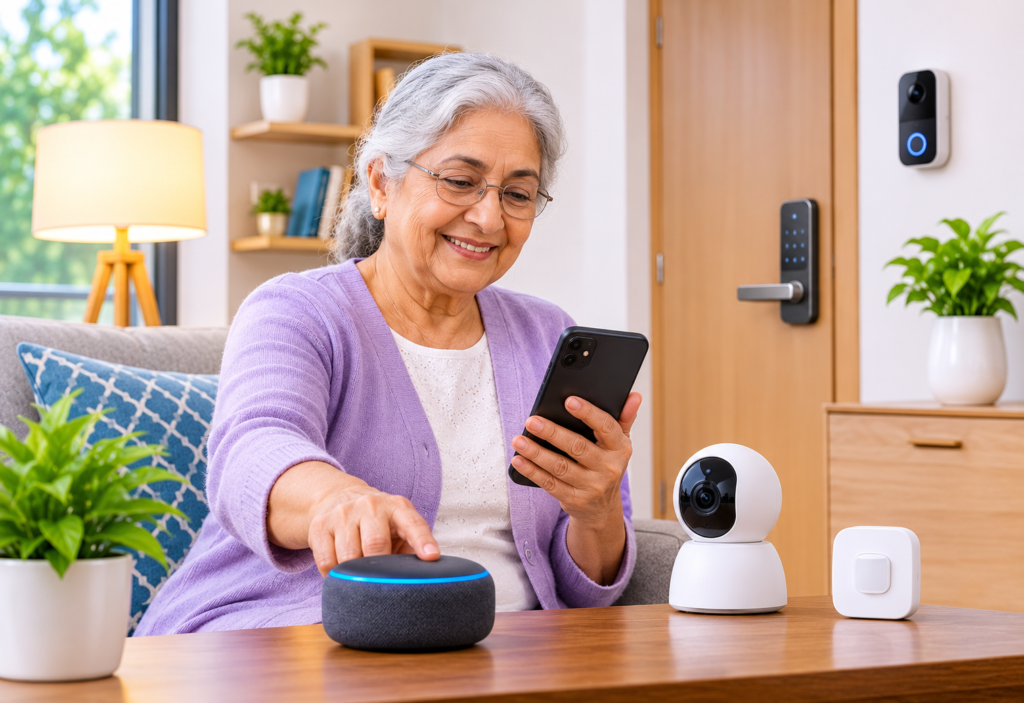
Increasingly more families are posing an essential question: how to keep Mom or Dad safe in their own homes without surveillance and loss of freedom? Smart home technology provides some solutions that help to take care of older people and at the same time make them feel comfortable in the familiar environment.
For example, voice assistants can remind about medication without the need for a smartphone. Automated lights can turn on the light of the way to the toilet in the evening time. Smart locks can let the authorized family members enter without the need to get up an older person. In case the devices are compatible, suspicious activities or absence of certain actions can also be reported to the authorized family member.
And one thing should be mentioned – improving the home safety does not mean complete redesigning the house into a smart home.
In this guide, we will consider the types of useful devices of the smart home for independent living seniors including speakers, lighting, sensors, video doorbells, smart locks, medical alert systems, and others..
Smart home technology can make everyday tasks easier, but it should be part of a wider home-safety plan. The National Institute on Aging’s guide to aging in place offers practical advice on helping older adults remain safe, comfortable, and independent at home.
Table of Contents
Best Smart Home Devices for Seniors: Top Picks by Need
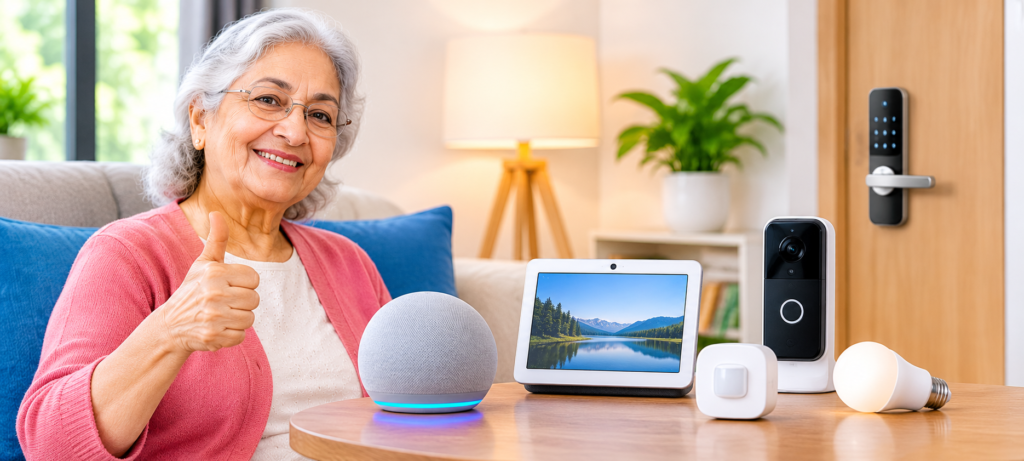
Prior to providing details about each type, here is an easy-to-understand list of devices worth considering for seniors. In contrast to mentioning all available products, they are selected based on the types of real-life problems that they address.
- Best overall smart speaker: Voice-controlled speakers that serve as a reminder for daily activities, weather announcements, playing music, making phone calls, and managing other devices. Amazon Echo and Google Nest Audio are the two most widely compatible devices in 2027.
- Best smart lighting: Light bulbs or light switches that automatically turn on at night or in response to any motion. Philips Hue and equivalent systems can be installed in several rooms.
- Best motion sensor: A sensor installed in the hallway or entrance to a bedroom that allows lights to automatically go on. It can also send notifications to family members about movement.
- Best video doorbell: Device allowing the senior to see who is at the door without going there themselves. It works via the smart display or phone. Common examples include Ring and Google Nest Doorbell.
- Best smart lock: Smart lock with keypad access or using an app that enables the use of temporary codes to allow caregivers and family members inside. Good examples are Schlage Encode.
- Best emergency response device: An emergency alert device is different from the smart home devices and it includes a wearable with an emergency button and/or fall detection.
- Best smart display: Video call and reminder device. Amazon Echo Show and Google Nest Hub Max are some good devices to consider.
- Best water leak and smoke detection system: Sensors in the kitchen, bathroom, and utility rooms to detect any leaks and smoke and to be alerted of the same through your phone or monitoring services.
Quick Comparison Table
| Device Category | Main Benefit | Best Location | Important Consideration |
|---|---|---|---|
| Smart speaker | Hands-free assistance | Bedroom or living room | Voice recognition clarity |
| Smart lighting | Better nighttime visibility | Hallway and bathroom | Reliable automation |
| Motion sensor | Automatic lighting and alerts | Entryway and hallway | Sensor placement |
| Video doorbell | Visitor identification | Main entrance | Internet connection |
| Smart lock | Convenient access | Front door | Backup entry method |
| Medical alert device | Emergency assistance | Worn or carried | Monitoring and response time |
| Smart display | Communication and reminders | Living room | Simple interface |
| Leak/smoke sensors | Early hazard notifications | Kitchen and utility areas | Alert reliability |
Before installing monitoring devices or location trackers, families should consider privacy, security, and the older adult’s comfort. The Alzheimer’s Association’s technology safety guide for older adults explains how smart home devices can support independence while highlighting important safety considerations.
Smart Speakers and Voice Assistants for Hands-Free Control
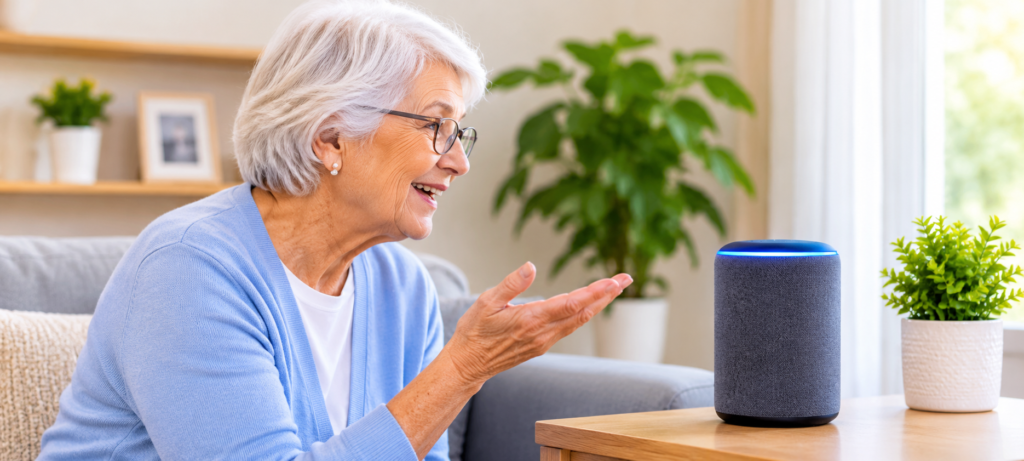
Smart speakers could serve as an excellent solution for older people living on their own. The first feature that stands out is that the user would not have to go through any complicated procedures such as downloading an app, tapping screens, or even picking up the phone. There is always going to be an easy way to get the device to perform the functions via voice command.
Amazon Alexa
At the moment, Alexa, which operates through Echo products, is the widest range of compatible voice assistants for controlling smart home devices.
- Control lights, plugs, and thermostats without moving your fingers.
- Get daily reminders for medications and wake up in time.
- Find out weather forecast, news, or other information.
- Use Drop In and Calling features to contact family members through compatible devices.
- Send reminders using multiple Echo devices around the house.
Google Home
The voice assistant of Google operates through Nest products and is a good choice for the families who already have Android phones or Google accounts.
- Control smart home devices using natural language voice commands.
- Schedule reminders and set up routines for various periods of the day.
- Works great with Google Calendar, which can be used to manage the appointment schedule remotely.
Apple Home and Siri
Families that have iPhones and iPads can have another familiar choice in the form of the Apple ecosystem.
- Voice control of the supported accessories with Siri by using an iPhone, iPad or HomePod.
- Control of the lighting, heating, scenes by using the Home app in Apple compatible devices.
- HomePod is the optimal solution if most members of the family use Apple devices.
What Families Should Check Before Buying
- Does the speaker understand the command in the noisy environment (e.g., TV playing)?
- Is the voice output from the speaker audible and understandable?
- Does the family member need to update reminders/settings remotely without bothering the senior?
- Do the important commands (reminders, calling, controlling the light) work properly every day?
Smart Lighting and Motion Sensors for Safer Movement at Night
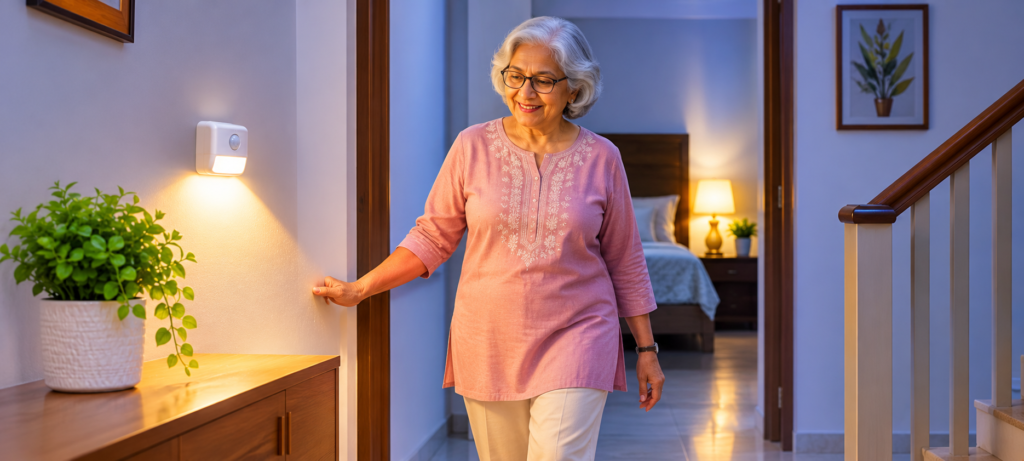
Nighttime falls are one of the leading hazards that older people who live alone have to face. These occur because someone was compelled to get up to find a light switch. Smart lighting helps to avoid such incidents in a convenient manner.
Types of Smart Lighting Worth Knowing
Smart bulbs are replacements for regular light bulbs. They are usually connected to home Wi-Fi or hub and could be turned on via voice command, an app, and schedule. Examples of such products are Philips Hue and LIFX.
Smart switches replace regular wall switches and work with regular bulbs. In some cases, they become the preferred option when changing all bulbs is impossible.
Plug-in night lights are the easiest solution since they could be plugged into a socket. They are set to come on at certain hours or due to motion sensors. This device does not require connection to Wi-Fi for its operation.
Motion sensors detect movement and trigger connected lights to turn on. They are sold separately or bundled with smart lighting systems.
Practical Ways to Use Smart Lighting
- Arrange for lights in hallways and bathrooms to turn on automatically at sunset time.
- Install motion detectors by bedroom entrances to turn on a light automatically once someone moves out of bed at night.
- Control bedroom lights using voice commands.
- Arrange for gradual light turning on in the morning.
A simple example: Motion detector installed near the entrance of the bedroom will activate light in the hall. No need for a switch and moving in the dark.
One Important Note
Smart lighting enhances visibility and ease of access. However, it is not a substitute for other security measures including handrails, non-slip mats, absence of loose rugs, etc.
Smart Doorbells, Cameras, and Locks for Home Security
If seniors have trouble walking fast enough to reach the door or may hesitate when it comes to opening the door for uninvited guests, security devices will help simplify their lives.
Video Doorbells
The video doorbell is a high-tech device instead of the regular one. It has a camera which provides a live video feed to your phone, tablet, or smart display.
- Know who is at the door and decide if you should let the visitor in.
- Talk to the guest through an audio system from the comfort of your sofa.
- Get a notification when the doorbell button is pressed or when motion occurs near the door.
- Watch the recording of events if such an option is available with your chosen plan.
Ring and Google Nest Doorbell are some of the most popular choices and work with Alexa and Google Home.
Indoor and Outdoor Security Cameras
In cases where families require additional peace of mind, such as when the family wants to know that their parent has come back home safely, indoor and outdoor security cameras would be helpful.
- Give your family permission to see certain spots in the house.
- Get notifications of motion detected.
- Camera locations and concerns regarding privacy must always be discussed with the senior. Installing cameras in the bedrooms and bathrooms without their consent is inappropriate.
Smart Locks
With the use of smart locks, it becomes possible to enter the house via the keypad, app, or voice command; hence, there will be no need to have keys to access the home.
- Set up a keypad combination for the entrance door.
- Generate temporary codes for the caregiver, family members, and other guests.
- Get notified when the door has been either locked or unlocked.
- Lock status could be checked through the app.
Important buying consideration: It is essential to buy a smart lock that has a clear backup solution, whether it is a physical lock or keypad. You should never only depend upon an app.
Medical Alert Systems and Fall Detection Devices
This section requires particular consideration since there is quite a difference between smart home sensors and real emergency alert systems. They do not have anything to do with each other.
Medical Alert Pendants and Wristbands
Specialized medical alert system consists of wearable item with an emergency alert button.
- The press of a button establishes a connection with a professional monitoring center or predetermined emergency contacts.
- Most of the items are water resistant and can be used while showering as well as during a fall.
- There are different types such as wristbands, pendants and clip-on devices.
- One type of services calls for emergencies, the second contacts families first.
Fall Detection Devices
Medical alert wearable systems come equipped with automatic fall detectors, which try to sense a fall without pressing a button.
- It is a system with movement sensors that detects a sudden fall or an impact.
- An alert will be issued to the monitoring agency or any emergency contacts automatically.
- Accuracy of fall detection differs between products, depending on the fall itself and the way the device is worn.
Important: It is important to understand that fall detection is not foolproof. There will be cases when a fall is not registered by the device; there will be movements that are not falls but may be detected as such. This feature is a useful enhancement but it cannot be used as a guarantee.
Room-Based Monitoring Sensors
There are sensors made by several brands which monitor movements in the whole room. Any unusual activity in the room – such as there is no movement in the kitchen before a particular time of the day – sends out an alert which goes to the family member.
- These systems operate in a passive manner without requiring any button to be pressed by the senior.
- They are more suitable for the purpose of family checking rather than emergency response.
What to Check Before Purchasing
- Does it work both inside and outside the house?
- Does it require a monthly fee for monitoring? If so, what does the subscription plan offer?
- Does it depend on smartphone or Wi-Fi, or does it operate on a cellular network?
- What if the senior is unable to press the button after falling down?
- Who gets the alert, and how soon can he/she respond?
A smart speaker, security camera, or usual motion sensor should never be taken as an alternative of a medical alert system.
Smart Sensors for Monitoring Everyday Home Safety
In addition to emergency equipment, there are sensors which are not as loud or visible and can help avoid household dangers before they happen.
Water Leak Sensors
The damage caused by water leakage can remain unnoticed for several hours, especially in those areas where people do not spend much time.
- Install water leak sensors next to the sink, under the washing machine, water heater, and dishwasher.
- Upon detecting the presence of water, a sensor will notify the user via the phone or smart screen in seconds.
- There are cheap and easy to set up basic water sensors available on the market.
Smoke and Carbon Monoxide Alarms
Smart smoke and carbon monoxide alarms have one additional feature – remote notifications.
- Once an alarm is activated, an alert will be sent to the user’s phone and all the specified family members.
- Interconnected alarms can notify the entire house if any of them is activated.
- Smart smoke and carbon monoxide alarms have to comply with the local safety certification standards.
Temperature Sensors
Temperature sensors inside the room will detect when temperature goes above or below the set range and alarm about it.
- Good way to prevent any heating or cooling problem from becoming a health problem.
- Some advanced thermostats already have an option to track room temperature.
Door and Window Sensors
They are small sensors installed on the doors and windows that inform when they are open.
- Good way to keep track of the patient’s activity pattern – for instance, to see if the front door was used in the morning.
- They can serve the purpose of detecting entry for some safety purposes in the house.
However, these sensors provide additional information without being a substitute for the smoke and carbon monoxide detectors.
Medication Reminders and Smart Displays for Daily Routines
One of the most common problems of daily life faced by older adults is managing medications on time and here, technology can serve as an aid in an uncomplicated manner.
Smart Speakers for Medication Reminders
- Each dosage can be scheduled to have a voice alert, including the name of the drug and instructions, if any.
- Reminder will be handled by someone else in the family from remote end with permission of the older adult through the companion app.
- The alarm will sound out aloud and hence is better compared to having it as a notification in phones that may go unnoticed by some people.
Smart Displays for Calendars and Appointments
With the use of smart display such as the Amazon Echo Show or Google Nest Hub, a display option can be added to the voice assistant.
- Show a calendar everyday including upcoming appointments and reminders.
- Display the time and date clearly.
- Enable video calls with the family members through a single button press or voice commands.
- Visual instructions can be shown for daily routines.
Automatic Pill Dispensers
In cases where you have a complicated medication schedule, you may want to consider using an automatic pill dispenser.
- This type of device will sort your medication by dose and time, and then release the right medication at the right time.
- There are some that will alarm a family member if a dose of medication was skipped.
- It is one level above a mere reminder and it is very helpful if missing doses is always a problem.
The difference here is that a voice alarm just reminds you that it is time for your medication but it does not know if the medication was actually taken.
It is another level of accountability but neither of these can replace professional supervision. You have to consider the following aspects when buying one of these gadgets.
Smart Thermostats and Appliances for Everyday Comfort
Some of the most useful smart home gadgets for seniors are not necessarily the most technologically advanced ones. These are gadgets that eliminate minor day-to-day discomforts.
Smart Thermostats
- Change the temperature by voice command without having to get out of the chair or reach the thermostat panel.
- Set various temperature profiles for different periods of the day.
- Let the family member access the temperature of the house and set it remotely via an app.
- The Ecobee and Google Nest Thermostat are the popular smart thermostats that are compatible with Alexa and Google Home.
Smart Plugs
- With a smart plug, a regular lamp or appliance becomes a voice-activated or schedule-driven one.
- Control the operation of a bedside lamp using voice commands.
- Program a coffee machine to operate automatically each morning at a certain hour.
One practical caution: not all appliances can be plugged into the smart plug. Such devices as space heaters, electric blankets, or other appliances with heating components that cannot be automatically switched on again must not be plugged in the smart plug.
Smart Kitchen Appliances
Among the current generation of kitchen appliances are those with easy-to-use controls, such as bigger buttons, easier-to-read displays, and voice recognition capabilities. It will pay off to look into those controls when selecting new appliances in the kitchen.
How to Choose the Right Smart Home Ecosystem for Seniors
One of the most typical errors that families tend to make is buying devices across various platforms that do not connect with each other. Prior to purchasing any device, it would be wise to select the main ecosystem of smart devices.
Amazon Alexa
- Works well with various compatible devices by many different manufacturers.
- The Echo series of speakers and displays are relatively cheap and easily obtainable.
- Fits best in the homes which do not have any predilection to devices by Google or Apple.
Google Home
- Excellent choice for households that already have Android phones, Google Calendar, and Google services.
- Google Nest Hub Max is an especially versatile smart display device.
- Voice recognition is usually reliable and can be used effectively through natural speech.
Apple Home
- Recommended if most family members use iPhones, iPads, and Mac computers.
- Siri and the Home app enable controlling the devices from any Apple device.
- HomePod and HomePod Mini act as a hub for Apple Home accessories.
- Integration with other Apple services, like FaceTime, may prove really helpful in communicating within the family.
What About Matter?
Matter is a new compatibility standard that enables some smart home devices to work across several ecosystems — Alexa, Google Home, and Apple Home — and not be limited to one ecosystem. By 2027, the Matter functionality has increased significantly, yet all the features of all the devices are still not available across all platforms even with Matter compatibility.
Practical recommendation: Opt for one ecosystem only. Install several devices and check whether they work properly before buying more.
How Much Does a Senior-Friendly Smart Home Cost?
It doesn’t have to cost a lot. The well-thought-through approach can provide useful benefits without much money being spent at once.
Basic Setup
A starting point that covers the most important daily needs:
- One voice-activated smart speaker.
- One or two plug-in motion lights for hallways and bathrooms.
- One or two water leak detectors and a smart smoke detector.
This system will include basic voice-activated functions, lighting safety, and awareness of potential hazards in the house. It’s an acceptable level for most households.
Mid-Range Setup
Adding security and comfort features:
- Video doorbell.
- Smart lock with keyless entry and one physical key.
- Thermostat for comfortable temperature control.
- Additional smart lighting in bedroom and living room.
Advanced Setup
For households with more complex needs:
- Professional medical alert system with monitoring service.
- Smart display for making video calls, tracking calendars, and visual reminders.
- A compatible whole-home monitoring system with sensors for doors, temperature, and water.
Ongoing Costs to Plan For
- Subscriptions to professional monitoring services for medical alert systems.
- Cloud storage of video from doorbell or camera.
- Batteries for the sensors and wearables.
- Needs of internet connection and potentially, of hub purchase.
- Professional installation if preferred.
A smaller, well-chosen setup that is used consistently will provide more value than a large collection of devices that become confusing or go unused.
Common Mistakes to Avoid When Setting Up a Smart Home for Seniors
Even the best devices can create frustration if the setup process is not handled thoughtfully. These are the most common problems families run into.
- Installing too many devices at once. Adding one or two devices first and ensuring they are working fine will avoid any confusion and frustration.
- Choosing apps and controls that are too complicated. The senior will get frustrated with having to go through a lot of menus just to perform a task. Complexity is not important.
- Ignoring Wi-Fi coverage. Smart devices will require good Wi-Fi coverage to operate. A poor connection in the bedroom may cause issues with the device operation. Check the coverage beforehand.
- Forgetting backup access for smart locks. A smart lock which cannot be used when there is no electricity or internet is very dangerous. Always check for the backup option.
- Relying entirely on voice commands.Voice commands are not always effective, particularly when the volume is low or if there is some ambient sound in the room. Physical alternative controls will be important.
- Ignoring ongoing battery and subscription costs. Most gadgets need batteries to operate and usually have to be subscribed to. The expenses must be taken into account from the very beginning.
- Installing cameras without discussing privacy.Any installation of cameras, regardless of its location but especially inside the house, must be agreed with the elderly person.
- Assuming motion sensors or wearables detect every emergency. No detector or wearable gadget can guarantee the detection of every emergency situation. They are just helping in ensuring the safety.
- Failing to explain how to ask for help. Every senior who uses smart home technology should understand the procedure of requesting for help via voice commands, wearable devices, or the phone.
Frequently Asked Questions
What are the best smart home devices for seniors living alone?
A good initial setup would consist of a smart speaker for controlling things and reminders via voice, motion sensor lights in halls and bathrooms, video doorbells for visitors, and an alarm button that serves as an emergency contact device. These four types cover the main everyday needs – communicating, seeing, being secure, and emergency access – without making the whole process too complicated.
Are smart home devices easy for elderly people to use?
Again, it depends on the specific device and its configuration. Devices that have voice commands, large buttons, clear interfaces, and easy routines work better. The devices that need small text interfaces and regular updates create frustration for older adults. Assistance in setting things up at the beginning from a family member or a professional makes a lot of difference.
Can Alexa help elderly people living alone?
Sure, there are many possible ways of doing it. Alexa can create medication alerts, control lights and plugs, give answers to various questions, show the weather report, and call family members via Echo devices. Also, one can use Alexa to make announcements in the house, like saying “Alexa, announce that lunch is ready.” However, Alexa is not an emergency monitor. It doesn’t have fall detection, nor calling to emergency services, nor does it substitute any medical alert device.
Do seniors need Wi-Fi for smart home devices?
Yes, Wi-Fi is necessary in order to use smart speakers, video doorbells, and smart locks. However, some medical alert devices are connected via cellular technology and don’t require Wi-Fi at all. There are even some night lights that work without any connection. If the stability of the Wi-Fi connection is questionable, it would be useful to check if the devices which are really crucial, especially emergency alert devices, don’t require it.
What is the best fall detection device for seniors?
The wearable fall detectors are one of the most popular choices for such needs and consist of pendants or wristbands that have a built-in sensor for detecting the motion pattern of a fall. Room sensors use sensors installed in different locations of a person’s house to detect the lack of activity in an abnormal period of time. Both devices have certain limitations. Wearable sensors require consistent wearing while the efficiency varies from brand to brand and from one type of fall to another.
Can family members monitor smart home devices remotely?
It is possible to install a monitoring application and get remote notifications through your smartphone whenever you need them. You will be able to see if the door has been locked, get an alert once the motion sensor has been activated, check the temperature inside, and watch videos from a video doorbell. It is necessary to clarify the scope of your access rights before using such applications.
🔗Related Articles
- Best Smart Plugs 2026: Complete Buying Guide
- Alexa vs Google Assistant: Smart Home Comparison
- Smart Home Security: Protecting Your Connected Devices
- Best Smart Curtains and Motorized Blinds in 2026
Final Verdict: Build a Safer and Simpler Smart Home for Seniors
All the considerations above boil down to selecting the appropriate device for the appropriate problem.
- For hands-free control: The place to start is a smart speaker. It’s the most accessible starting point and offers an immediate benefit in reminders, voice controls, and communications.
- For nighttime visibility: Motion-sensitive lights in halls and bathrooms is among the most valuable and inexpensive modifications a family can do.
- For visitor awareness: A video doorbell will enable a senior to see and talk to visitors without getting up from a chair.
- For home entry: A smart lock with a keypad access and a spare physical key does away with the annoyance of dealing with keys.
- For emergency assistance: a personal alert button, which is part of an emergency medical alert system, cannot be overlooked in the case of an elderly individual who lives alone. This is the only piece of equipment in this guide, which provides direct safety for seniors.
- For household awareness: water leak sensors, intelligent smoke detectors, and temperature sensors provide another level of silent safety in the face of common household hazards.
- For daily organization: a smart display or reminder system provides organization without needing any technical expertise.
The ideal smart home for an older person is not the home that boasts the most gadgets and high tech features. The ideal smart home is the one tailored to fit that particular individual’s life, needs, and preferences. A few well-chosen devices and proper use of those devices will go much further than a house filled with gadgets, which just gather dust and create confusion on a daily basis.
Start small, choose carefully, and build from there.