
What Is Matter in Smart Homes? Ever ended up with more than one app, voice assistants, and smart gadgets that just refuse to work together? Then you will be glad to know about Matter and how it can help you deal with it.
In this beginner’s guide, you will get a comprehensive look at Matter, its functioning, compatibility of various devices, how it differs from other technologies such as Wi-Fi, Thread, Zigbee, and Z-Wave, and if buying Matter-compatible devices is worth it in 2026.
And one thing to keep in mind: Matter does not mean that all your smart gadgets will become compatible with each other and with other platforms. However, with all conditions fulfilled, Matter makes smart homes more manageable and simpler.
Table of Contents
What Is Matter?
Matter in Simple Terms
Matter is a smart home ecosystem standard that works at the application layer to enable interoperability between compatible devices across supported smart home ecosystems.
Imagine the Alexa, Google Home, and Apple Home platforms as being three different countries with different languages. Before Matter, the same smart home device could have worked on one ecosystem and not the other. Matter is basically a language standard that allows devices to talk to each other through multiple smart home ecosystems.
Ecosystems may be different but Matter makes it possible for compatible devices to interoperate across multiple platforms.
The official Matter specification defines the requirements for an interoperable smart-home application layer that works over IP-based networks
Who Created Matter?
Matter is an initiative of the Connectivity Standards Alliance (CSA), with the participation of big technology firms like Amazon, Apple, Google, and Samsung SmartThings and many others.
Big players came together to create a smart home standard that could be shared by different platforms. The fact that competing platforms share a standard has made Matter very important in the world of smart homes.
Why Was Matter Created?
Before Matter, selecting smart home gadgets was not an easy task. You had to find out:
- If the gadget is compatible with Alexa, Google Home, or Apple Home
- What type of app it uses
- If you will need a separate hub for it
- If it will be compatible with your current gadgets
- If you will need to change gadgets if you move ecosystems
The main advantage of Matter was in the creation of a unified standard that will make it easier for consumers to select their smart home gadgets.
The biggest advantage of Matter is that it helps to create a smart home without restrictions of one ecosystem.
Matter is developed and maintained by the Connectivity Standards Alliance (CSA), the organization responsible for developing and managing the Matter standard.
How Does Matter Work in a Smart Home?
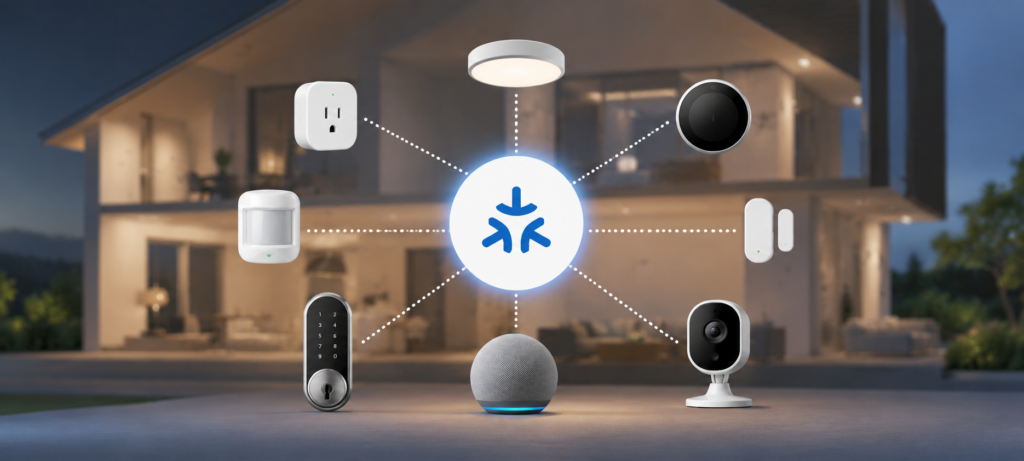
Matter might seem complex at first glance, but the principle is pretty straightforward: Matter makes it possible for compatible smart home devices to communicate on supported platforms.
A simplified communication path is:
Smart Device → Wi-Fi/Thread/Ethernet → Matter Controller → Smart Home Platform → User
For instance, a Matter smart light bulb communicates via Wi-Fi or Thread with a Matter controller, allowing platforms like Alexa, Google Home, or Apple Home to control it.
Matter Is Not the Same as Wi-Fi
The most widespread misunderstanding about Matter is that it is a wireless network protocol. No, it’s not. Matter is the communication protocol, whereas Wi-Fi, Thread, or Ethernet is the network itself.
Matter can use:
- Wi-Fi – Perfect for many powered devices, such as smart TVs and plugs
- Thread – A low-energy mesh network for smart home devices
- Ethernet – A wired network
Bluetooth Low Energy (BLE) is mostly employed during the process of device setup (commissioning).
In other words, Matter is a language, while Wi-Fi, Thread, or Ethernet is a highway for it.
What Happens When You Add a Matter Device?
Setting up a Matter device is generally straightforward:
- Pick out a Matter-enabled device.
- Launch the Amazon Alexa app, Google Home app, Apple Home app, or any other supporting app.
- Scan the Matter QR code or enter the setup code.
- Link your device to the network.
- Your Matter controller recognizes the device.
- Operate your device using your preferred smart home application.
Setup varies based on the particular device, controller, and platform.
Does Matter Require the Internet?
It may not be needed. Matter enables the use of local connectivity, thus ensuring that your compatible devices keep communicating in your home even if the internet is down.
Nonetheless, remote connectivity and cloud capabilities necessitate an internet connection. In that case, while Matter can enhance local reliability, it may not entirely do away with the necessity for internet connectivity.
Matter vs Wi-Fi vs Thread vs Zigbee: What’s the Difference?
It is one of the most popular topics when it comes to Matter, and the answer to why so many people are confused about it is because they do not compete against each other but rather operate on different levels.
Here’s a quick reference table:
| Technology | What It Is | Main Purpose |
|---|---|---|
| Matter | Smart-home application standard | Helps compatible devices communicate |
| Wi-Fi | Wireless networking technology | Connects devices to a network |
| Thread | Low-power mesh networking technology | Connects compatible smart-home devices |
| Zigbee | Wireless smart-home protocol | Device communication and mesh networking |
| Z-Wave | Wireless smart-home protocol | Device communication and automation |
| Bluetooth | Short-range wireless technology | Setup and device communication |
Matter vs Wi-Fi
They are definitely not competitors. Matter works over Wi-Fi. In case you have a Matter certified smart plug that utilizes Wi-Fi technology, it will connect to the home network via Wi-Fi and communicate with the smart-home controller using the Matter protocol.
Wi-Fi takes care of the network side, while Matter deals with communication with the smart-home system.
Matter vs Thread
These two technologies are often mentioned together, as they fit great together, yet serve different purposes.
Thread is a networking technology (Wi-Fi-like, yet tailored especially for low-power smart home devices). Matter, on the other hand, is an application standard defining how devices are supposed to function and communicate.
The smart sensor could leverage Thread technology to make sure the signal gets from point A to point B, and Matter to ensure it will be recognized by Alexa or Google Home environment.
Matter vs Zigbee
Zigbee is a common wireless technology that smart-home devices (especially those of Philips Hue, older bulbs, and IKEA) have been using for many years.
The essential difference is that a Zigbee device does not turn into a Matter device. It uses an alternative communication protocol. The matter protocol allows some manufacturers to release firmware updates and connect some Zigbee devices to the Matter network through a hub or controller, but a Zigbee device remains a Zigbee device.
In case you already have a Zigbee smart home and plan to adopt Matter, the two technologies are not mutually exclusive — there will be no problem in using them both, but one thing needs to be kept in mind: having bought a new Matter device does not mean that your old Zigbee equipment now supports the Matter protocol.
Matter vs Z-Wave
Z-Wave is another wireless technology used in smart homes and mainly security systems and smart locks. Just like Zigbee, it is not associated with Matter and requires its own ecosystem.
In case you have a Z-Wave device, you should know that it is not compatible with a Matter device by default.
What Devices Work With Matter?
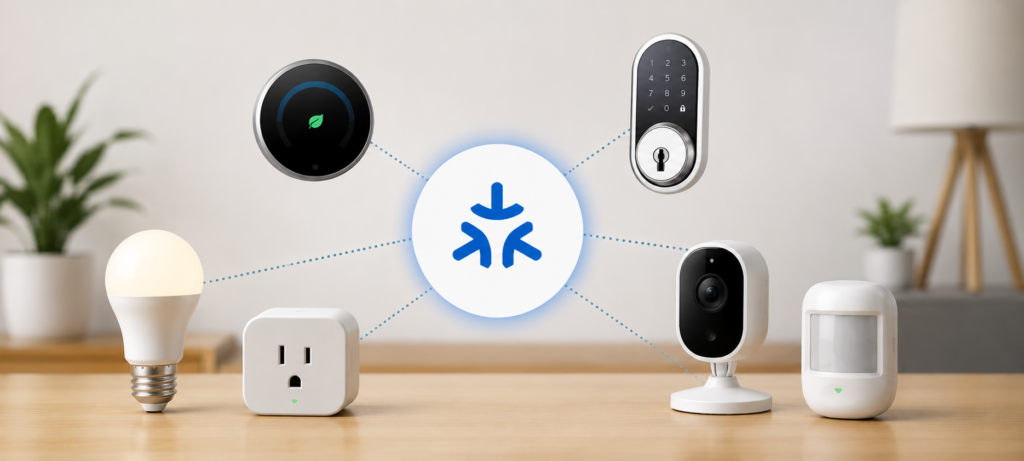
There is a much bigger list of Matter-compatible devices compared to before, and in 2026, there are many more choices for those who are at the start of their journey with building their smart house.
Matter Smart Lights
When talking about Matter lights, it is quite easy to choose because there are many choices like:
- Smart bulbs (screw-in, spotlight, and decorative)
- Light strips (accent and under cabinet lighting)
- Smart switches that are replacements of your normal light switch
- Lighting controllers to control groups of lights
For beginners, Matter smart bulbs and switches would be a good choice to start with.
Matter Smart Plugs
Smart plugs are definitely one of the simplest matter devices. Simply put the plug in a normal outlet, connect your lamp or fan to the smart plug, and then control it with your smartphone or voice.
You don’t have to be an electrician, smart plugs fit almost any house (even rental), and most importantly, they usually don’t cost much. This is a relatively safe way to try out if Matter fits your home without buying some costly equipment.
Matter Smart Locks
Matter smart locks allow you to lock/unlock your door with the help of an app or your voice assistant. Besides, some of these products also provide such functions as keypad entry codes, logs of access, and guest access.
A few things worth knowing before buying:
- Make sure that this lock is compatible with your particular ecosystem of smart homes
- There are significant differences in battery life between different smart locks, pay attention to it in reviews
- Security is a legitimate issue, select the most trusted manufacturers
- Most installations involve replacement of your deadbolt mechanism
Matter Sensors
One of the most useful but least appreciated categories in smart homes is sensors. Some examples of Matter sensors are:
- Motion sensor (used to switch on/off lights and other appliances)
- Contact sensor (used in doors and windows)
- Temperature sensor
- Humidity sensor
- Occupancy sensor
Automations make use of sensors much effectively such as “Notify me when the back door opens” or “When motion is detected after 11 p.m. in the hallway, switch on the hall light.”
Other Matter Device Categories
Support has been extended to the new categories in Matter devices which are: Thermostats, Blinds and Shades, Garage Door Controller, Smoke and Carbon Monoxide alarms, and Air Quality Monitor.
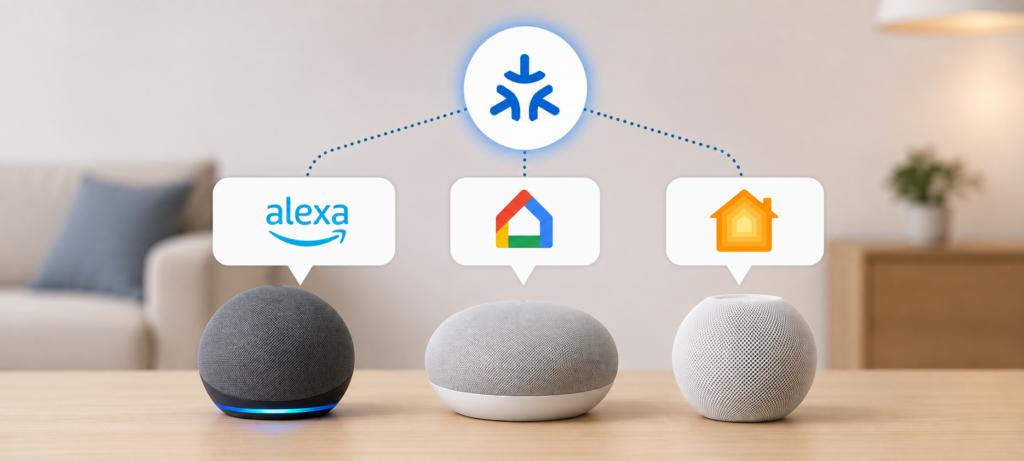
Matter and Alexa, Google Home, and Apple Home
Matter With Amazon Alexa
Amazon has made available Matter functionality in some Alexa enabled devices, such as select Echo speaker and Echo Show displays. Compatible Matter devices can be added to your compatible Alexa system via the Alexa app. Once you add them, you will be able to control them using voice commands and integrate them in your routines.
Not all Alexa devices have the capability to become a Matter controller, which means you should double check the specific device you have before making any assumptions.
Matter With Google Home
Google has integrated Matter compatibility into the Google Home system. Some compatible Google Nest speakers and displays have the ability to act as Matter controllers. Matter devices can be added via the Google Home app and used in your routines and automations.
In addition, Google has made strides in implementing Thread compatibility using their Nest devices, which act as Thread Border Routers – more on this in another section below.
Matter With Apple Home
Apple provides support for Matter by the Home app available on iPhone, iPad, and Mac. Matter-compatible devices may be used within a supported Apple Home setup and can be managed using the Home app or Siri voice commands. Apple HomePod and HomePod mini are capable of serving as Matter controllers and Thread Border Routers.
Can One Matter Device Work With Multiple Platforms?
Yes – this is one of the most useful things about Matter, and it is known as Multi-Admin.
The Multi-Admin feature lets you share your Matter device across several supported smart home ecosystems and not lock it to a single platform forever.
So, for example, a Matter-based smart light bulb could be used at the same time on Amazon Alexa, Google Home, and Apple Home. While one member of the family manages their lights via Amazon, another does the same through Google Home.
However, keep in mind that the level of actual compatibility may vary as well as the process of configuration will become a bit more complex compared to single ecosystem configuration.
What Is a Matter Controller?
What Does a Matter Controller Do?
A matter controller is the component in charge of controlling all Matter devices in your smart home. This is the component that accepts your instructions (whether through apps, voice commands, or automation) and passes it to your Matter devices.
Without a matter controller, you have no device to command your Matter devices from the smart home side.
Is a Matter Controller the Same as a Smart Hub?
Not entirely, but there can be similarities in their functionality. The traditional smart hub was a separate device for controlling different protocols of devices.
For example:
- Amazon Echo Speaker Can Have a Matter Controller
- Google Nest Hub Can Have a Matter Controller
- Apple HomePod mini Can Have a Matter Controller
- A Smart Home Hub Can Also Have a Matter Controller
The matter controller feature can come built into the devices that you may already have.
Do You Always Need to Buy a Separate Matter Hub?
No. Do not go ahead and get yourself a dedicated hub until you verify what you already have.
With an Echo, Nest speaker, or HomePod, chances are high that you already have a Matter controller right there at your disposal. Look at what you already have in your smart home devices before you decide on whether or not to get one.
What Is a Thread Border Router?
When using Matter devices that operate through Thread technology and not Wi-Fi, it is important to know how Thread Border Routers work since they play a role different from the matter controller’s.
Here’s the simplest way to break it down:
- Matter – The language in which devices communicate
- Thread – The pathway that transfers messages between Thread devices
- Thread Border Routers – The connection between your Thread network and your standard IP network (Wi-Fi in your home)
- Matter Controllers – Devices that manage other matter devices
In essence, a Thread Border Router connects Thread devices to the larger home network to make them accessible through the IP network and apps for management purposes. Without it, the Thread-based devices cannot be accessed from outside of the Thread network.
The great thing is that sometimes a single device can perform multiple functions. For example, an Apple HomePod mini acts as both a Matter Controller and Thread Border Router. The same goes for some Google Nest speakers and displays.
If you buy Thread-based Matter devices, you might want to check if you have a Thread Border Router in your home smarthome hardware already.
Benefits of Matter for Smart Home Users
Better Cross-Platform Compatibility
The matter protocol makes life easier for consumers that have devices connected on all three ecosystems of Alexa, Google Home, and Apple Home. Using matter-compliant devices does not require users to stick to one ecosystem from the beginning.
Easier Device Selection
Where before matter protocol there were specific labels for smart home devices that could work on a particular ecosystem, now the choice of available devices is wider, and you do not have to be too much attached to one brand’s proprietary protocol.
Local Control
Since the matter protocol allows for local communication as well, you can control devices faster and even use them when there is no internet connectivity (for basic functionality).
Easier Ecosystem Switching
In case at some point in the future you will find yourself in need of switching from Alexa to Google Home, a Matter-compliant device will give you more freedom of making such a switch without having to change all of your devices. You won’t be as much tied down as when using older proprietary devices.
Simpler Smart Home Expansion
The process of adding new devices to the Matter-compliant smart home is likely to be simpler than dealing with different proprietary systems.
What Are the Limitations of Matter?
This section is important. Matter is genuinely useful, but it’s not a magic fix for everything.
Not Every Smart Device Supports Matter
Some smart gadgets are still employing proprietary protocols to communicate, especially the older ones. You can have a smart house running on the technology of Zigbee, Z-Wave or even platform-specific devices, which means that those will not automatically become compatible with Matter just because it was invented.
Matter Does Not Guarantee Every Feature
Even though a gadget might have passed certification for compatibility with Matter, it does not mean that it will give you access to all features in Matter as compared to those provided by the manufacturer’s application.
Ecosystem Support Still Matters
All three smart home hubs Alexa, Google Home, and Apple Home have their own functionality, weaknesses, and unique features. Even if you add a Matter device, it doesn’t mean that all features will function similarly on all three systems. Some functions that will operate in one system will fail to do so in another one.
Some Devices Still Need a Manufacturer App
Despite Matter, some devices require the manufacturer’s app at least for the initial firmware update, updates, creating an account, or other special settings. Matter simplifies daily use but can’t remove manufacturer apps completely.
Matter Versions and Device Support Can Be Confusing
Matter is a dynamic standard, which means it evolves and gets updated with new devices and capabilities. Not all devices that support Matter support all its versions and capabilities.
How to Set Up a Matter Device
Here are the easy steps to set up your very first Matter device.
Step 1: Check for the Matter Logo
First, check to see if your device has the Matter logo on it. The logo typically resembles an “M.” If the logo is present, then it means the device is certified for Matter compatibility.
Step 2: Check Your Smart Home Platform
Check your smart home platform and ensure that your Alexa, Google Home, Apple Home, etc., support Matter and your controller device, such as a speaker or hub.
Step 3: Check Network Requirements
You will need to find out if the device requires:
- Wi-Fi — Most likely you have the requirements
- Thread —A Thread Border Router, which you probably don’t have
Step 4: Scan the Matter QR Code
Go into your smart home app and try to add the device to your smart home network. Once you are asked to do so, scan the QR code of the matter.
Step 5: Assign the Device to a Room
Assign devices to rooms –For example, assign the smart bulbs to “Living Room” or a sensor to “Back Door.” This will make things simpler with voice commands and automations.
Step 6: Test Voice and Automation Controls
Once the device is added, test the basics:
- After you add the device, you will need to check a few things:
- Turn the device on and off using the app
- Give it a try with a voice command (“Hey Google, turn on the living room light”)
- Create an automation or a scene if you want to
Common Matter Mistakes Beginners Should Avoid
Mistake 1: Thinking Matter Is Wi-Fi
Wi-Fi is not Matter. In fact, Matter is a home automation communication protocol while Wi-Fi is a type of network architecture.
Mistake 2: Buying a Matter Device Without Checking the Network
A Matter over Thread device needs the Thread infrastructure (a Thread Border Router). Unless you have it, make sure you have all the necessary components.
Mistake 3: Assuming Every Feature Works Everywhere
Availability of the features can vary from one ecosystem to another. Make sure you check their compatibility before making the purchase.
Mistake 4: Assuming Matter Makes Old Devices Compatible
Even if your hub is compatible with Matter, a Zigbee or proprietary device won’t become Matter-compliant automatically.
Mistake 5: Buying a Separate Hub Too Quickly
Before purchasing the hub, consider the devices that are already Matter controllers: Echoes, Nests, and HomePods.
Mistake 6: Ignoring Firmware Updates
Make sure to regularly update firmware of both controllers and devices.
Is Matter Worth It for a New Smart Home in 2026?
For Beginners
Absolutely. If you are just beginning your smart home journey, then focusing on Matter-certified products is the way to go, especially if their price and features compare well to non-Matter products.
For Existing Smart Homes
No reason to throw away working Zigbee, Z-Wave, Wi-Fi or proprietary devices just because Matter has come along. Let it happen gradually as you replace things.
For Multi-Platform Homes
In such situations, Matter can prove particularly useful, because if there is more than one person in your household who prefers a different voice assistant or ecosystem, then the Multi-Admin capability within Matter provides you with a practical method for device sharing without making them switch platforms.
For Renters
Focus on portable, easy-to-remove devices:
- Smart plugs
- Smart bulbs
- Sensors
- Smart speakers or displays
These give you full smart-home functionality without requiring permanent installation, and they travel with you when you move.
❓FAQs
What is Matter in smart homes?
Matter is an application layer standard for smart home ecosystem devices created by the Connectivity Standards Alliance (CSA). This helps devices from compatible ecosystems to be able to interact in ecosystems like Alexa, Google Home, and Apple Home. The purpose of Matter is to solve the issue of fragmentation of devices working in one particular ecosystem.
Is Matter the same as Wi-Fi?
No. Matter is an application layer standard defining the interaction of smart home devices while Wi-Fi is a networking technology. Actually, Matter can be implemented over Wi-Fi networks.
Does Matter require Wi-Fi?
No. Matter can be implemented over several networking technologies, including but not limited to Wi-Fi and Thread.
Does Matter work with Alexa?
Compatible Matter devices will function with compatible Alexa setups. Not all Alexa devices will be compatible with Matter as a controller.
Does Matter work with Google Home?
Compatible Matter devices will function with compatible Google Home setups. Google has added Matter compatibility to some of its Nest devices, which also function as Thread Border Routers.
Does Matter work with Apple Home?
Compatible Matter devices will function with compatible Apple Home setups. Apple HomePod devices function as Matter controllers as well as Thread Border Routers.
Is Matter better than Zigbee?
Neither is necessarily “better.” Zigbee is a networking protocol used in connecting devices, whereas Matter is an application-layer framework that works on various networking protocols. Most of the currently existing Zigbee devices can function properly in their ecosystem.
Do Matter devices need a hub?
It depends on the type of device, network protocol, and smart home ecosystem that you use. Perhaps, you might have a Matter controller in an existing device.
Can Matter devices work without the internet?
Most Matter devices might be able to perform some functions locally even without internet access, including basic device management. However, remote management and cloud-based ecosystem functions would likely require internet access.
Should I buy Matter devices in 2026?
In case you are building a new smart home ecosystem, you can consider purchasing Matter compatible devices that suit your needs. However, there is no necessity to purchase such devices if you have working ones.
🔗Related Articles
- Best Smart Plugs 2026: Complete Buying Guide
- What Is a Smart Hub? Complete Guide for Beginners (2026)
- 9 Best Smart Bulbs in 2026 (USA Guide) – Top Smart Lights
- Smart Home Setup Under 200$ (2026 Budget Guide): Build a Smarter Home for Less
- 7 Best Smart Speakers Under $100 for Alexa & Google Assistant
- Best Smart Thermostat 2026 (Complete Buyer’s Guide)
- Smart Home Security Systems in 2026 (Expert Buyer’s Guide)
- Best Matter Smart Home Devices in 2026: Top Picks for Beginners
- How to Build a Matter Smart Home From Scratch (2026 Beginner’s Guide)
- 2.4GHz vs 5GHz for Smart Home Devices: Which Is Better?
🚀Final Verdict: Should You Choose Matter for Your Smart Home?
Best for Beginners
Begin with Matter-compatible:
Smart Plugs
Smart Bulbs
Sensors
These devices are affordable, simple to install, and create a decent basis to expand on.
Best Choice for Multi-Ecosystem Homes
Embrace Matter + Multi-Admin. This allows the various household members to use their desired platform while not being restricted to a single ecosystem.
Best Choice for Thread-Based Products
Ensure you have a Thread Border Router in advance of purchasing your Thread-based Matter products. See if your current smart-home equipment already comes with one.
Best Choice for Existing Smart Home Owners
Continue to use your working devices. There is no need to replace working Zigbee, Z-Wave, or Wi-Fi devices simply for the sake of Matter. Gradually introduce Matter where it benefits you.
Final note: Matter is not a replacement for Wi-Fi, Thread, Zigbee, or your smart-home assistants. It is a smart-home protocol which will make the compatible devices more user-friendly in the compatible ecosystems – and for many people beginning a smart home in 2026, it is an excellent starting point.