
However, WIFI vs Zigbee vs Z-Wave smart lighting technology has received immense popularity in 2026 for a very valid reason. In modern houses, people use smart lights to provide automatic porch lights, to create relaxing ambiance in their bedrooms, and also to execute complicated automated procedures.
However, choosing the right protocol for smart lights is extremely important and many people do not realize this fact. Choosing the wrong protocol will lead to issues like frequent disconnection, slow responses from the lights, and even frustration while operating them.
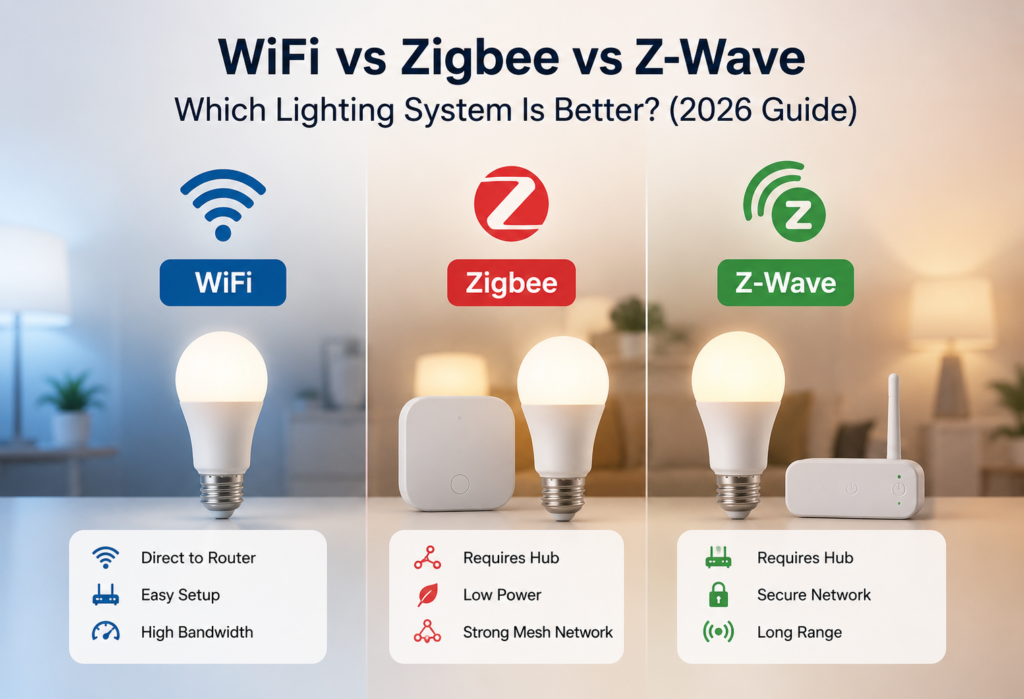
There are three protocols of smart lighting in 2026 which include WiFi, Zigbee, and Z-Wave. While WiFi connected lights are connected to your WiFi router, Zigbee uses your hub to form a mesh network and Z-Wave uses the smart home frequency for stable automation.
There is an assumption in the minds of many customers that WiFi works better than others because of faster connections and costly Z-Wave smart lights are better than others. There is much to consider when selecting between the options and it all depends on what you need.
This review will give you a clear insight into how WiFi, Zigbee, and Z-Wave perform in practice.
Table of Contents
📊Quick Comparison Table
| Feature | WiFi | Zigbee | Z-Wave |
|---|---|---|---|
| Hub Required | No | Yes | Yes |
| Speed | Fast | Very Fast | Fast |
| Range | Medium | Long (Mesh) | Long (Mesh) |
| Reliability | Moderate | Excellent | Excellent |
| Power Usage | High | Low | Very Low |
| Best For | Beginners | Smart homes | Advanced automation |
| Setup Difficulty | Easy | Medium | Medium |
| Device Limit | Limited by router | Very high | High |
What Is WiFi Smart Lighting?
How WiFi Smart Lights Work
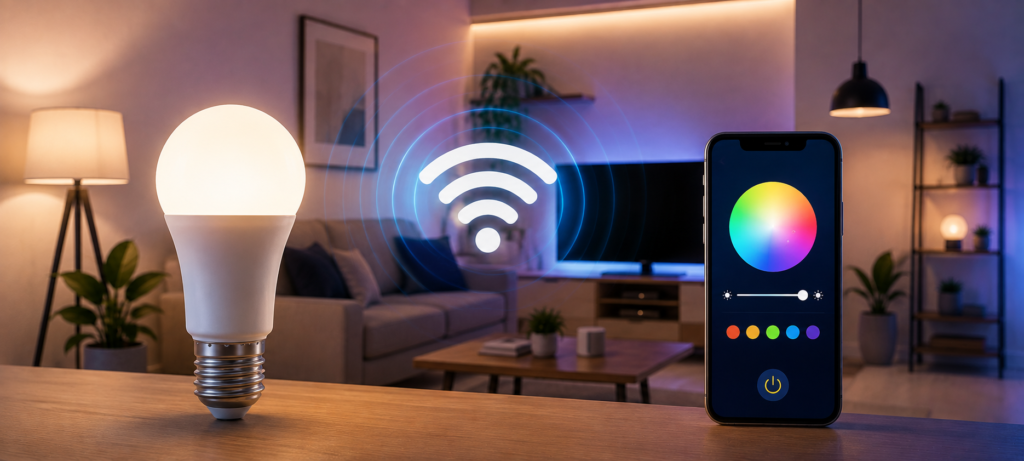
WiFi smart lights use the home router directly to communicate in the same way that your computer, tablet, and mobile devices do. Essentially, when you hit a light switch in the app on your phone, the message is sent first to your router and then wirelessly to the actual light bulb.
Picture a miniature computer inside the light bulb, and that computer speaks the WiFi language the same as the rest of your devices do, making installation a breeze but also adding more competition for your home network’s bandwidth.
Most WiFi bulbs can even communicate with your voice assistants, such as Alexa and Google Assistant, without the need for extra equipment at all. Simply install the bulb, download the app, and you’re ready to go.
Popular WiFi Smart Light Brands
TP-Link Kasa brand lights have grown to be my favorite suggestion for those starting out. Their lights are dependable, inexpensive, and the mobile application works well. I have been using their light dimmer switches for over two years and haven’t experienced any connectivity problems.
Wyze shook up the market with very cheap smart lights that didn’t seem like it. For about ten dollars, one could obtain color-changing ability that would otherwise cost fifty dollars a few years ago. The downside is the poor app and automation capabilities.
Govee is an innovative brand of lights, whose LEDs create a fantastic atmosphere but have been found to be quite picky regarding router compatibility.
Main Advantages of WiFi Lighting
Simple Setup- You don’t need to configure anything and there is no mesh network to fix; just plug it in and use WiFi.
Control from Anywhere on Earth-Since WiFi lights are connected to the internet, you can control them wherever you are.
Low Start-Up Cost-WiFi lights have the smallest start-up cost among all types because you don’t need a hub.
WiFi Smart Light Limitations
Router Stress-Home routers usually can support only 15-25 devices using WiFi at one time.
More Energy Usage-WiFi radios consume more energy than Zigbee or Z-Wave radios.
Connection Issues-If the connection to your router is lost, your WiFi lights will be “dumb” lights controlled only by manual light switches.
Wi-Fi smart lights connect directly to your home network, making them one of the easiest options for beginners. For a deeper explanation of Wi-Fi technology and how it works, you can visit the Wi-Fi Alliance.
What Is Zigbee Smart Lighting?
How Zigbee Smart Lights Work
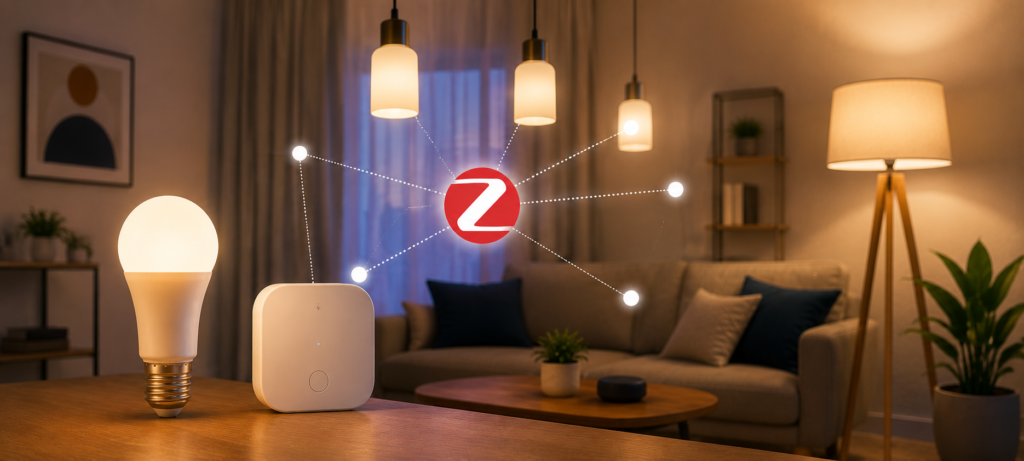
The Zigbee protocol establishes a network that is private and is built using low power mesh technology. Unlike WiFi, where each connected device is linked directly to your router, Zigbee links the devices to a central hub that communicates with the rest of the home network.
It is in the meshing of the network where Zigbee excels. With every powered Zigbee device such as smart bulbs and switches acting as signal repeaters, the mesh network becomes more powerful and reliable by adding more devices.
As the network established is local, Zigbee devices can communicate directly and in real-time, and this makes the communication speed very fast and reliable.
Popular Zigbee Smart Lighting Systems
Philips Hue continues to be the top smart lighting system in the market. This company has an extensive, reliable ecosystem that goes from simple white lighting bulbs to very sophisticated LED light strips with many features. In addition, the Philips Hue Bridge works flawlessly and receives regular firmware updates.
Sengled Zigbee bulbs offer decent value while delivering high quality performance. The bulbs are compatible with many popular Zigbee hubs, such as the Philips Hue system, and provide a cost-effective option to get reliable smart lights without having to spend premium prices.
Benefits of Zigbee Smart Lights
Excellent Connections- most Zigbee smart lights react to signals within 100-200 milliseconds.
Very Fast Reacting-Time– this type of light reacts immediately as the signals do not leave your house.
Perfect for Large Smart Houses– you can connect thousands of devices to your Zigbee network.
Low Energy Consumption- the low energy design allows many Zigbee devices to work on batteries during months/years or using minimal energy while working.
Zigbee Lighting Drawbacks
Need for a Hub– presence of the hub raises your expenses by $50-150 and gives a single point of failure.
A Little More Difficult to Set Up– you should configure the hub, add devices to your network, and learn new terms like “device pairing” and “mesh healing.”
Zigbee is designed for low-power, reliable smart-home communication and is widely used for connected lighting and other home automation devices. You can learn more about the technology and its ecosystem through the Connectivity Standards Alliance.
💥What Is Z-Wave Smart Lighting?
How Z-Wave Smart Lights Work
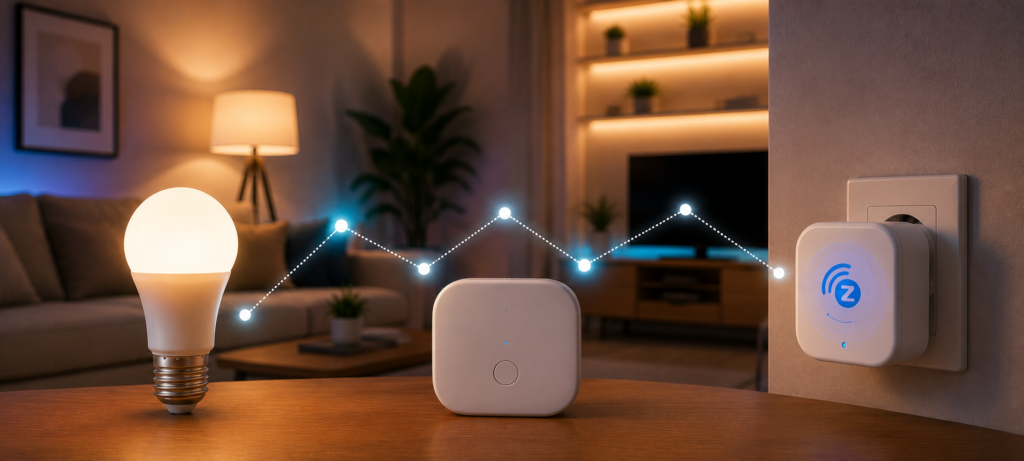
The Z-Wave works on a separate radio frequency (908.42 MHz in the US) that is separate and distinct from WiFi, Bluetooth, and other wireless technologies. The dedicated frequency makes Z-Wave products immune to the interference caused by other gadgets in your house.
As Zigbee, Z-Wave employs mesh networking in which devices communicate with one another to increase range and reliability. Unlike Zigbee, however, the Z-Wave network structure is rigid as each device knows where it sits in the topology of the network.
All Z-Wave gadgets have to go through a certification process from the Z-Wave Alliance to ensure interoperability between various brands. This means that Z-Wave smart light switch from one brand will definitely function with a Z-Wave controller from another brand.
Popular Z-Wave Lighting Brands
Zooz is known for its robust switches and dimmers with all kinds of useful features for a fairly affordable price. In addition, Zooz products usually have some interesting features which would have to be paid additionally to some other brands’ devices.
Aeotec is famous for its very advanced Z-Wave devices. They produce very robust smart switches and sensors which cost quite a lot of money.
Advantages of Z-Wave Lighting
Strong Smart Home Automation-The structured topology and standardized communication protocols ensure that Z-Wave is perfect for the complicated automation tasks.
Minimal Interference-The special frequency of Z-Wave significantly decreases interference issues in such wireless-rich environment.
Stable Long-Range Connectivity-Range Connectivity-The Z-Wave’s mesh network provides a possibility to connect to each other even at great distances, especially for bigger homes.
Better Security-Z-Wave uses AES-128 encryption as its default, and the latest Z-Wave Plus standard has even more security features.
Z-Wave Lighting Limitations
More Expensive-Z-Wave devices usually cost about 20-50% more compared to Wi-Fi and Zigbee equivalents.
Smaller Product Selection-There is less choice of bulb designs, fixture types, and decorations in comparison with Wi-Fi and Zigbee.
Requires Hub-Z-Wave, just like Zigbee, requires a central hub for its operation.
Z-Wave uses low-power wireless communication and mesh networking, making it well suited for reliable smart-home automation. For the official technical details, see the Z-Wave Alliance Technology Overview.
🆚WiFi vs Zigbee vs Z-Wave: Real-World Performance
Speed Comparison
Fastest Smart Lighting Protocol
The Zigbee protocol gives you the fastest response time when controlling lighting fixtures with an average reaction time ranging from 100 to 200 milliseconds. Your lighting will be as fast as using a regular switch.
Next in line is Z-Wave, which responds within 200 to 400 milliseconds, a reaction time that is nearly unnoticeable except for the dimming or changing colors that Zigbee does a bit faster.
Finally, there is WiFi whose performance will vary depending on the router and the number of devices connected. With a powerful router and few other devices, the WiFi lights will respond as quickly as Zigbee. Otherwise, WiFi lights tend to get delayed for up to 500-1000 milliseconds and beyond.
⚖️Reliability Comparison
Which Smart Lighting System Disconnects Less?
Zigbee and Z-Wave can offer strong reliability for smart lighting, particularly in larger setups where dedicated mesh networks can reduce dependence on Wi-Fi congestion. However, reliability varies by device, hub, network environment, and installation.
- Average 2-3 device disconnects per month for WiFi
- Less than 1 disconnection per month for Zigbee systems
- Disconnections occurred very rarely for Z-Wave systems
The benefits of a mesh network become evident once you start using the system in real conditions. If one of the devices is disconnected from the router in a WiFi system, it will stop working.
📡Range Comparison
Best Protocol for Large Homes
Mesh network (Zigbee/Z-Wave) will grow with the number of powered devices as these devices will serve as signal repeaters.
Zigbee network allows for reliable coverage even when using big houses including multi-floor houses. Due to the fact that there are many devices powered by Zigbee technology that can be used as signal repeaters in mesh networks, smart lamps powered by Zigbee technology can extend such networks between floors and rooms.
Coverage area of WiFi networks depends only on where your router is located and its power. Even though the development of mesh WiFi networks solved some problems with WiFi network coverage, it still remains dependent on the coverage area of your router.
🔋Power Consumption Comparison
Most Energy-Efficient Smart Lighting
Z-Wave emerges victorious in the battle of energy-efficiency. Due to its ultralow power characteristics, the devices consume a little amount of power while in standby mode – usually less than 1 watt per device.
Next in line comes Zigbee, which in standby mode consumes only about 2 watts per device. The batteries in sensors and switches powered by Zigbee can last 1-2 years without replacements.
The power consumed by WiFi technology is higher, and most of the smart bulbs have an average power consumption in standby mode at 3-5 watts per device. While this may seem insignificant, over 20-30 smart lights in your house will add up to $20-$40 yearly costs.
🧠Smart Home Compatibility Comparison
WiFi Smart Home Compatibility
As WiFi devices operate via the Internet connection, setting up voice commands is typically as easy as making a statement “discover devices” to your smart speaker.
Setting up integration with home automation systems such as Home Assistant or Hubitat depends greatly on whether the manufacturer allows for controlling devices locally or makes users use their cloud-based platform.
Zigbee Smart Home Ecosystem
Zigbee protocol allows for connecting devices of different brands into one ecosystem. Thus, you can easily control IKEA switches along with Philips Hue lights and other Sengled products at once.
It becomes possible due to standardization of protocol of this ecosystem.
Z-Wave Smart Home Systems
The certification program employed by Z-Wave produces the best compatibility between devices from different brands. The devices from this brand will be compatible with any Z-Wave hubs; therefore, you get maximum freedom while constructing the system.
This standardization benefits particularly the users who want to integrate the devices from several different brands in their scenes.
Matter Compatibility in 2026
Matter (previously Thread) is revolutionizing the world of the smart homes by introducing the universal standard for the communication protocols. By 2026, almost all of the new products designed for the smart lighting will support Matter, and consequently, will be compatible with Apple HomeKit, Google Home, Amazon Alexa, and Samsung SmartThings at the same time.
However, this cross-platform compatibility makes the choice of the protocol somewhat irrelevant for the basic functionality of the lighting control.
💡Best Lighting System for Different Users
Best for Beginners → WiFi
The most natural starting point for getting into smart lighting is via WiFi models. The reason is that you can get one light, install an app and have it working in just a few minutes without needing to learn anything new.
The affordable price tag will allow you to try different brands and functions until you find the perfect one for you. Should smart lighting not be what you were looking for, you’ll have only lost a few bulbs in the process.
Voice controls come naturally with WiFi lighting fixtures and give the users the feeling of magic.
Best for Reliability → Zigbee
Where reliability is far more important than the absolute lowest cost, Zigbee stands above the rest. With mesh networking and local control, systems using Zigbee technology are ultra-reliable and simply work every time.
Zigbee also has the best combination of feature-richness and simplicity. No computer science degree is required to achieve reliability at a level not seen before.
With many device choices, it is possible to start off simply with some lights and grow from there.
Best for Advanced Automation → Z-Wave
Users with the need to make advanced automation sequences and complex lighting scenes will find the precision and reliability of Z-Wave helpful. The organized structure and standardized protocol of Z-Wave allow executing any automation sequence without errors.
Moreover, users concerned with safety will find the high level of security of Z-Wave very attractive because of its independence from the cloud services.
Best for Apartments
WiFi smart bulbs work great in small apartments with the need for only 5-10 devices in total. The absence of special infrastructure required to use smart bulbs makes them perfect for rentals where installation of smart switches is impossible.
It is also important that you can take your smart bulbs when moving apartments.
Best for Large Homes
Mesh networks such as Zigbee and Z-Wave will work best in large houses where WiFi range becomes limited. Each new smart device creates an addition to the existing network.
In case you need many smart bulbs or switches in a large house, the maximum number of devices in the network will be also important.
🆚WiFi vs Zigbee vs Z-Wave Cost Comparison
Initial Setup Costs
Wi-Fi has the cheapest entry point, where simple color changing light bulbs begin at $8-12 each. You will need just 4 light bulbs and a couple of switches and pay less than $100 to get started with smart lighting.
Zigbee needs the hub ($50-150) along with the bulbs ($15-25 each). The total price you have to spend on getting a basic system will be $150-200. But with Philips Hue, it becomes higher than $300.
Z-Wave technology demands the highest upfront cost, as an adequate hub will cost you $150-200, while individual devices will cost $30-60 each. So a complete Z-Wave lighting system for the whole house starts from $500-700.
Long-Term Value
Since both Zigbee and Z-Wave are much more reliable, the benefit cannot be quantified but can certainly be felt when no connection issues need troubleshooting at critical times or when the application doesn’t crash during significant moments.
Efficiency is one of the aspects that also matters when considering how much energy the system saves. For example, if you have 25 smart lighting devices in your house, the energy savings difference between a WiFi system and Z-Wave might be around $30-$50 per year.
Budget Smart Lighting vs Premium Ecosystems
If you’re on a tight budget, WiFi solutions by manufacturers such as Wyze or Kasa will be perfect choices to have great smart lighting in several rooms for less than $200.
Philips Hue is one of the examples of premium lighting ecosystem, which costs significantly more but offers better light quality, additional features, and more efficient customer support.
🔒Security & Privacy Comparison
Zigbee and Z-Wave offer better local security than WiFi because they rely less on cloud connectivity. Z-Wave includes strong encryption and dedicated frequencies, while WiFi devices depend more on internet-based communication.
Smart Home Privacy Tips
Regardless of which protocol you choose, follow these best practices for smart home security:
- Set up a separate IoT network to isolate smart devices from your main computers and phones
- Use strong, unique passwords for all smart home accounts
- Enable automatic firmware updates when available
- Review app permissions and disable unnecessary data sharing
- Consider using a local hub that doesn’t require cloud connectivity
⚠️Common Problems With Each Lighting System
WiFi Smart Light Problems
Frequent disconnections affect many WiFi-based smart light systems as their bulbs disconnect unexpectedly and need to be manually paired using the application. It appears that the problem occurs most frequently after a reboot of the router and/or power outage.
Overload of the router begins to occur when you have more than 10 WiFi-based smart home devices. Speeds of the internet connection will begin to decrease, and at the same time, all devices fight for bandwidth. Old routers can handle only 15-20 connections.
The cloud-based dependency implies that you won’t be able to control your lights during an internet connection outage.
Zigbee Issues
Hub placement problems can become an obstacle in the operation of the network. In particular, Zigbee signals do not pass through the wall in the same way as WiFi does, which makes it important to place hubs in the center of the house.
Channel interference with WiFi since both networks operate on the 2.4 GHz spectrum, where some WiFi channels conflict with Zigbee. However, most hubs pick the best channel on their own, though, in some cases, it is better to change the channel manually.
Pairing of devices may fail, thus making it necessary to repeat it several times or reset the bulbs to the factory settings.
Z-Wave Problems
The inability to have compatible devices for other parts of the world than North America can be annoying since Z-Wave has a different frequency in each place and the devices used from elsewhere will not connect to US hubs.
In terms of installation, Z-Wave can take more time than WiFi and Zigbee.
Z-Wave updates to the firmware of the devices can take up to 10-20 minutes.
🆚WiFi vs Zigbee vs Z-Wave: Which One Should You Choose?
Choose WiFi If:
The easiest lighting installation without learning process. WiFi is perfect for renter, newbie or those who needs just some smart light bulbs for a starter.
Cost is the first priority and you need basic lighting control function. The cheapest variant of the solution for small implementation.
Remote access is the highest priority and you need lighting control possibility from everywhere in the world without any special preparations.
Choose Zigbee If:
Consistent whole-house lighting. Zigbee provides the best combination of performance, functionality and complexity for users who want to implement full-scale smart lighting system.
Future expansion of your smart house beyond lighting to other devices. Large range of devices which can be connected via Zigbee protocol make this process easy.
High speed reaction is important for you.
Choose Z-Wave If:
You want the latest automation technology and willing to pay more for it. Z-Wave is perfect for elaborate scenes and automation schemes.
Privacy and security concerns are paramount. Z-Wave uses its own radio frequency and offers strong encryption to protect from any intrusions.
You have Z-Wave smart house infrastructure and need lights that will be compatible with it.
❓FAQs
Is Zigbee better than WiFi for smart lights?
Zigbee is normally more stable and scalable compared to WiFi especially when the number of devices is high in large-scale smart homes. The mesh networking gives better coverage and fast responsiveness, with the local control being less dependent on the internet connectivity. On the other hand, WiFi is easy to configure and cheaper to install.
Do WiFi smart lights slow internet?
An excess number of devices using the WiFi network may cause the router to get overwhelmed. Normally, home routers are capable of handling 15-25 smart devices before performance problems occur, although newer mesh systems handle more connections. Each smart lightbulb uses very little bandwidth and occupies a connection slot.
Which smart lighting system is easiest to set up?
The easiest would be WiFi smart lights, as these do not need hub installation and network configuration. You just install the bulb and pair it with your network through an application of the same manufacturer. On the other hand, Zigbee and Z-Wave solutions require hub installation and pairing, which entails additional steps during the set up process.
Are Zigbee and Z-Wave future-proof?
Yes, particularly with increased Matter compatibility in 2026. Both have been on the market for more than a decade now, and continue to improve. These solutions are already installed in a lot of homes, and manufacturers are actively developing these technologies. They are also becoming increasingly compatible with Matter platform.
🔗Related Articles
- Smart Lighting System in the USA: Complete 2026 Buyer’s Guide
- How to Set Up Smart Lighting at Home (Step-by-Step Guide)
- 9 Best Smart LED Light Strips (2026 Review)
- Best Philips Hue vs LIFX vs TP-Link Kasa Smart Bulb Comparison for 2026
- 9 Best Smart Bulbs in 2026 (USA Guide) – Top Smart Lights
- Best Budget Smart Lights Under $50 (2026) – Affordable Smart Lighting Guide
- Do Smart Lights Work Without Internet? (Explained Clearly)
- How to Fix Alexa Not Controlling Lights (Step-by-Step)
🚀Conclusion
Smart light bulbs with WiFi technology are best suited for beginners seeking simplicity and fast smart lighting without complex technology integration. WiFi smart light bulbs are characterized by affordable price and good results for one or a few rooms.
Zigbee combines high performance in terms of speed, reliability, and scalability better than other protocols. This is a good solution for whole-house smart lighting systems due to great coverage, good response time, and scalability.
Z-Wave performs well when advanced automation and smart lighting solutions with high reliability are needed. It uses special frequency and reliable mesh networking that allows creating powerful smart home systems.
Thus, the optimal smart lighting system depends on the size of your home, budget, and automation needs. In case you need simple lighting, it is sufficient to use WiFi only. However, when building a smart home in the future, it is more logical to start with Zigbee or Z-Wave.