
👉 Your smart thermostat suddenly stopped working or won’t turn on?
Most disappointments occur when walking into the living room to discover that there is no life from the smart thermostat. This is common among Wi-Fi thermostats, smart home thermostats, and even other forms of connected thermostats. In cases where the thermostat has connectivity or display issues, then one will never be able to fully control the heating/cooling system in his or her home.
It is vital to understand that the main problems associated with the operation of a smart thermostat come about due to some insignificant issues such as power interruption, Wi-Fi connectivity issue, incorrect wiring, and low battery.
👉 This guide will help you fix your thermostat quickly without calling a technician.
The majority of the issues encountered with smart thermostats are actually quite simple to solve. In addition, all that is required is an effective strategy and some time.
Table of Contents
Why Is Your Smart Thermostat Not Turning On?
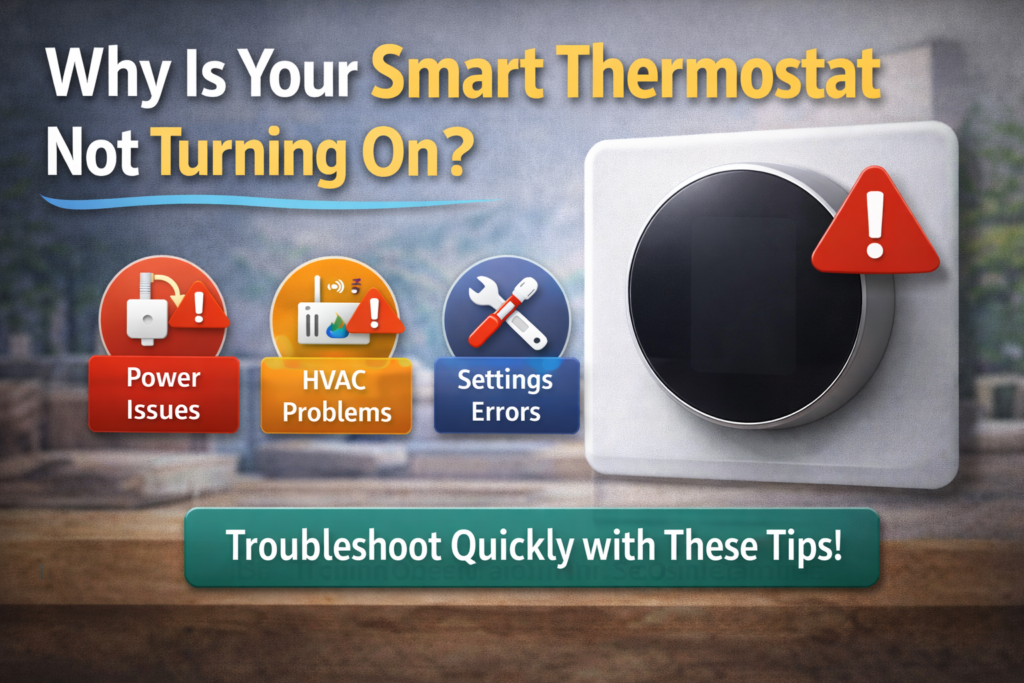
However, before proceeding to different ways of resolving this problem, let us see which are the most common reasons why a smart thermostat malfunctions. Such factors affect all smart thermostats regardless of whether it is a basic WiFi or a smart home one.
Common causes include:
- Power issues (C-wire problem) – This is probably the most common reason for malfunction of smart thermostats.
- Dead batteries – This term refers to power failures of the system’s secondary power source.
- Wiring issues -The damaged wires cut off the power supply.
- HVAC system failure – This refers to problems with your system.
- Incorrect installation -It may cause malfunction later.
Luckily, most of the malfunctions in smart thermostats happen due to such common problems as power outage, problems with Wi-Fi, faulty wiring or improper settings. Some of those problems can be easily solved without professional assistance.
This article will start from the easiest and most common issues that can help you get your smart thermostat working as soon as possible.
12 Proven Fixes for Smart Thermostat Not Turning On
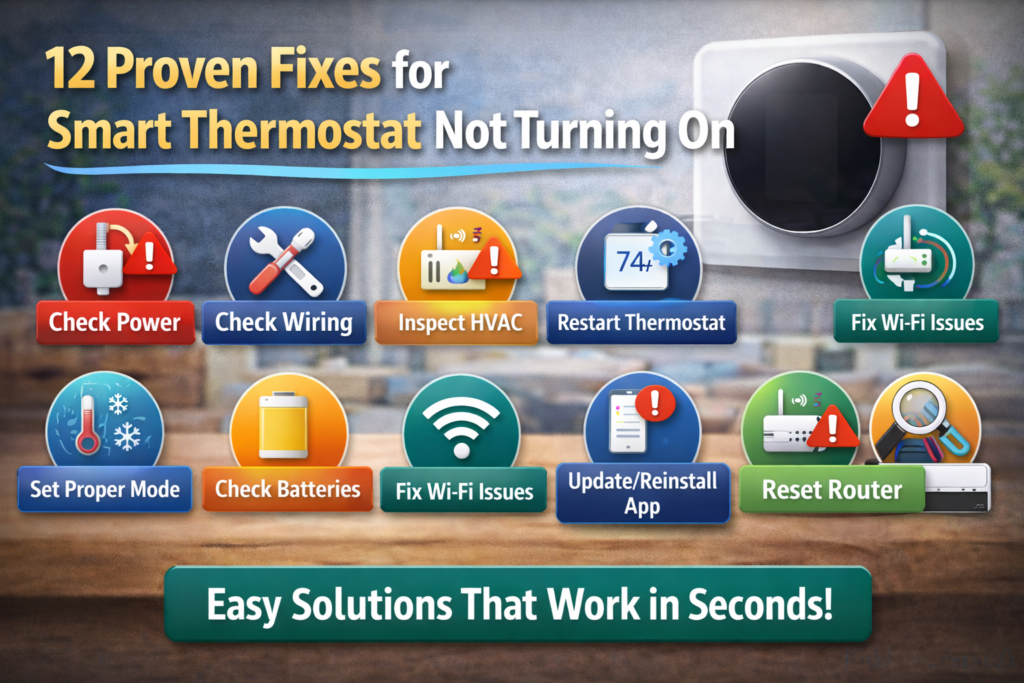
1. Check Power Supply (Most Common Issue)
First of all, you need to verify your power supply because the majority of thermostats’ problems might have something to do with the power cut – the easiest and the most common problem to fix.
Here’s what to check:
- Circuit breaker status -Look into your electrical panel and find out if the breaker connected to your HVAC system is tripped
- HVAC system power -Find out if your furnace or air handler has power and functions normally
- Wall switch -Sometimes, there might be an older wall switch near the furnace that can accidentally be switched off
In case you are going to move forward with some more advanced steps, first, it is important to make sure that your HVAC system’s switch and the circuit breaker are turned on. The thing is that lots of thermostat problems may occur due to the lack of power, so this step will not take much time.
Quick test: Test to check if the problem isn’t related to your power supply: Try to see if other electronic appliances in the area function normally.
2. Check Batteries (If Applicable)
Intelligent thermostats normally employ batteries for retaining the settings even in absence of any power supply. Similarly, some hardwired thermostats also include backup batteries which might occasionally go wrong.
Signs of battery issues:
- Display becomes dim or keeps flickering
- Need to keep resetting thermostat
- Settings are not retained
You just need to change the batteries using fresh batteries (usually AA or AAA) which are suitable for the device. Some smart thermostats require lithium batteries that last long but cost more.
3. Inspect C-Wire Connection
The C-wire provides power to smart thermostats. The majority of old houses lack C-wire and, thus, you may face some issues with the power supply to your smart thermostat.
For smart thermostat without c wire setups:
- You should find out whether you have a thin blue or black wire behind your thermostat
- You should figure out if the wire is installed properly on the C terminal
- If you do not have the C-wire for the smart thermostat, you can try one of these approaches:
If you have no c wire smart thermostat situation:
- You can purchase C-wire adapter ($20-40)
- You can use a smart thermostat that does not need a C-wire, but you still may encounter the issue with the power
- Sometimes, it is necessary to call professionals because of the complex wiring system
In case, your thermostat needs a C-wire for constant power supply, you should ensure proper installation of the wire on both ends of the connection.
4. Reset Your Thermostat
Factory reset will help you to fix all software issues and connectivity problems. It could be particularly helpful if you have one of the most popular models like ecobee thermostat or honeywell smart thermostat.
Standard reset process:
- Press the reset button (it is usually small and not visible)
- Press it for 10-15 seconds while the device is on
- Wait till it is rebooted
- Make sure that it is configured again
There are various combinations of buttons depending on the model of your thermostat.
5. Check Wiring Behind Thermostat
There are lots of problems associated with malfunctioning smart thermostat wiring. It is crucial to turn off the power supply of your HVAC before working on its wiring.
What to look for:
- Loose connection of wires to terminals
- Corrosion and damage of wire tips
- Connection wire disconnected from terminals
- Burnt traces near the connection points
Safety note: It is advisable to consult a professional technician if you don’t feel confident working with wiring because incorrectly done wiring can lead to damage of your HVAC system.
Remember that you have to take photos of the wire connections in your thermostat prior to doing anything with them.
6. Restart HVAC System
Sometimes, the issue is not with the thermostat but rather the HVAC system itself. The reset will help to solve the problem of any connection that exists among the components of the HVAC system.
Complete restart process:
- Turn off the power to the HVAC system at the circuit breaker
- Wait for 5-10 minutes until all capacitors discharge themselves
- Turn on the power again
- Allow the system to reset itself for 5 minutes
- See if the thermostat works now
This step is similar to rebooting a computer, where all the temporary issues get cleared out.
7. Check Fuse or Circuit Breaker
Many HVAC units have additional fuses aside from the circuit breaker. In case the fuse blows up, the power supply to the thermostat will be cut off.
Where to check:
- HVAC unit itself (as most HVAC units have a fuse box separately attached to them)
- Control panel for the air handler or furnace
- Outdoor unit for the central air conditioning system
Fuses are cheap (they cost below $5), however, make sure to use only those with the proper amperage ratin
8. Update Thermostat Firmware
Smart thermostats, just as other devices that are considered smart, must be regularly updated in terms of their software. Outdated software can cause multiple problems, among which is an issue with power supply.
How to update:
- Look into the menu of your device for an item called “update” or “firmware”.
- Be sure that you have good internet connection before initiating an update process.
- Do not interrupt the process of updating.
- Study smart thermostats reviews online and find out whether there are any problems with certain version of the firmware.
Modern devices will usually update themselves after being connected to the wifi network.
9. Ensure Proper Installation
Your device can face installation problems that will lead to problems after some weeks or months. Even though your device was working fine initially, there may come times when installation problems will be faced.
Common installation problems:
- Not inserting the wires in the proper way into the terminals
- Connecting the wires to a wrong terminal
- Inclined installation (might become a problem for some sensors present in the device)
- Wrong installation place of smart thermostat (area with sunlight exposure or vents, etc.)
The installation problems can be verified by consulting the manufacturer’s wiring diagram and comparing it with your device installation.
10. Test With Another Thermostat
If there is any other working thermostat present, either for yourself or on loan from someone else, you can easily figure out if the problem is due to the thermostat or the HVAC system itself.
What this test reveals:
- In case the replacement one works properly, the part that is malfunctioning is the thermostat itself
- In case the replacement one does not work properly, the problem is with the wiring or the HVAC system itself
- This way you will be saving money and time
In case you have another thermostat of the same type, testing it will help you figure out if the malfunction lies with the thermostat or HVAC system.
11. Check Compatibility (Heat Pump / Baseboard)
Every thermostat is not always compatible with every heating system available. This means that there could be issues relating to power and hardware due to this situation.
Special considerations:
For thermostat for heat pump systems:
- Will need some specific wiring for auxiliary heat
- Will require that some specific heat pump features are enabled
- Will not be suitable for budget models to work with heat pump system
For thermostat for baseboard heater setups:
- Will often require a line voltage thermostat instead of a low voltage one
- A completely new wiring will be required
- Many WiFi thermostats are incompatible with baseboard heaters
Check the compatibility list before purchasing or installing your thermostat. An incompatible thermostat could render both the thermostat and the system useless.
12. Replace Faulty Thermostat
This is possibly the most cost-effective method if nothing else works and the problem is that of your thermostat.
Signs you need replacement:
- Multiple problems even after repair attempts
- Damaged thermostat
- More than 7-10 years old with regular problems
- Cost of repairs nearly equals the cost of replacement
While purchasing the replacement, ensure you do not have an issue with your heating and air conditioning system.
Quick Fix Table
| Problem | Fix |
|---|---|
| No power | Check circuit breaker and C-wire connection |
| Blank screen | Replace batteries and verify power supply |
| No C-wire | Use C-wire adapter or compatible no-C-wire model |
| HVAC issue | Reset system and check fuses |
| Wiring problems | Tighten connections and verify correct terminals |
| Software glitch | Reset thermostat and update firmware |
Smart Thermostat Without C-Wire – Solutions
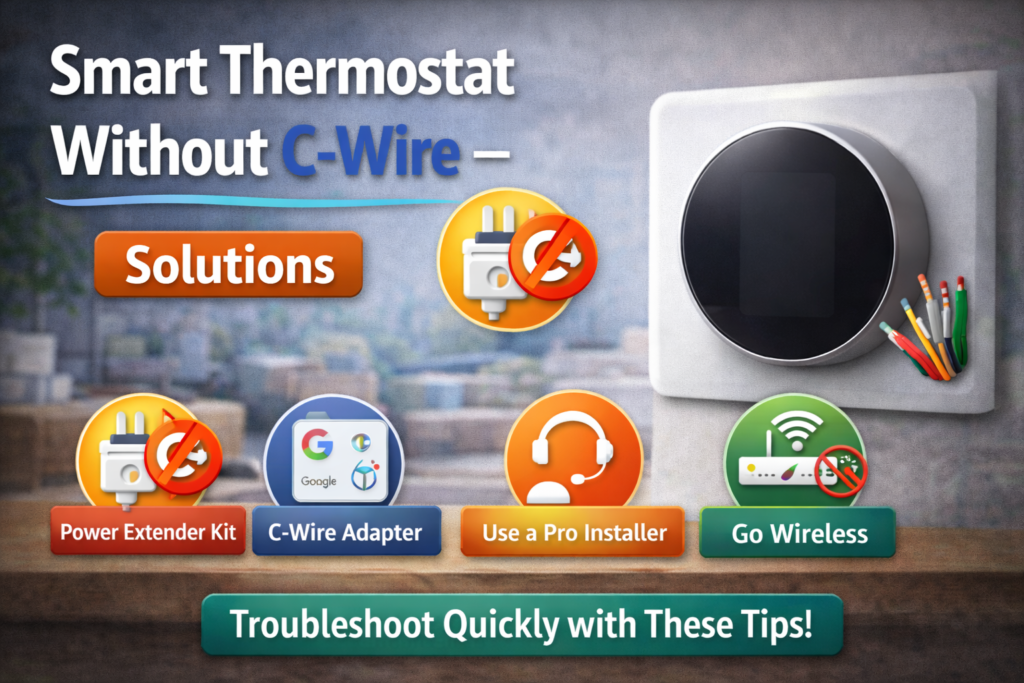
The challenge for many households comes in balancing the need for the wifi thermostat upgrade despite having no C-wire in place. Such a problem is often faced by houses built prior to 1990.
Effective solutions for no c wire thermostat situations:
Use a C-wire adapter:
- An installation that will be done at the heating ventilation air conditioning (HVAC) unit rather than the thermostat
- Uses existing wiring to supply power
- Can work with any HVAC system
- Affordable: costs about $25-$50 without professional installation
Choose compatible models:
- There are WiFi thermostats no C-wire that operate without constant power
- Thermostats for old houses should be chosen
- Battery-operated smart thermostats are also available though with fewer features
Professional C-wire installation:
- Installation requires adding a new wire and is the best option to consider when a permanent solution is required
- More costly but no power issues in the future
- Required by some advanced smart thermostats no C-wire
In case there is no C-wire in your HVAC system, the installation of a C-wire adapter can be a good solution for you. C-wire adapter is suitable for most smart thermostats and doesn’t need the installation of new wiring in the wall.
Learn more about smart thermostat wiring and energy efficiency from Energy Star.
Brand-Specific Fixes
Fix Ecobee Smart Thermostat Premium Not Turning On
While Ecobee devices are generally dependable, their specific troubleshooting process differs when they fail to start.
Specific fixes for ecobee smart thermostat models:
- Extended reset: Hold the device’s screen for 15 seconds until it resets
- Check PEK (Power Extender Kit): Check Ecobee’s power extender kit which could have dislodged
- Verify ecobee app connectivity: Make sure that there isn’t an app issue causing the problem
- Room sensor problems: There could be faulty sensors located remotely that could cause the power problem
Ecobee’s customer support usually comes in handy when they do remote diagnostics on your device after failing to troubleshoot it yourself.
Fix Honeywell Smart Thermostat Issues
Since the Honeywell Smart Thermostats came into existence much earlier than many of their counterparts, there are already established steps to troubleshooting them.
Honeywell-specific solutions:
- Model-specific reset procedures: Each Honeywell model has a different resetting procedure
- RedLINK connection issues: There could be some problems in connecting the Honeywell wifi thermostat to its wireless adapter
- Legacy system compatibility: The Honeywell smart thermostat works very well with old HVAC systems but requires specific settings for it
- Professional installation requirement: Professional installation is required for some Honeywell models
Overall, the Honeywell smart thermostat is quite dependable when set up properly. When installing the Honeywell smart thermostat for the first time, you should pay careful attention to all installation instructions provided by the manufacturer.
You can also follow Honeywell Home troubleshooting steps for smart thermostat issues.
Best Smart Thermostats to Upgrade
If your current thermostat is no longer functioning or you have been having a difficult time with it, getting an improved model will likely be the best choice.
Top recommendations for best smart thermostat options:
Ecobee Smart Thermostat Premium:
- Very good in terms of build and performance
- Has sensors for room temperature
- Compatible with most HVAC systems
- Provides reliable warranty
Honeywell Home T9 Smart Thermostat:
- Best for conventional HVAC systems
- Easiest installation process
- Reliable wifi
- Best value for its capabilities
What makes the best intelligent thermostat:
- Reliable power supply (preferably non-C-wire)
- Installation process that is easy to follow
- Reliable wifi connectivity
- Responsive customer support
- Compatibility with your HVAC system
Consider your specific needs, budget, and technical comfort level when choosing a replacement unit.
Smart Thermostat Use Cases
Heating and cooling systems vary in their characteristics that define the kind of thermostat and troubleshooting needed.
Smart thermostat for heat pump systems:
- Specific wiring for emergency/auxiliary heat required
- Supports settings specific to heat pumps
- Professional installation may be necessary for complicated systems
- Efficiency increases if the correct thermostat is set up
Smart thermostat for baseboard heaters:
- Requiress line voltage thermostats (120V and 240V)
- Most standard smart thermostats do not work
- Wi-fi thermostats available but limited for electric baseboard heaters
- Professional installation necessary
Electric heat thermostat considerations:
- Higher voltage than for gas systems
- Safety concerns differ from those of gas systems
- Special permits may be necessary during installation
- Few smart features in comparison with standard thermostats
Knowing your specific system will help you to avoid compatibility problems and power issues..
Safety Tips
Handling smart home thermostat systems requires the use of electricity which can pose some risk when not handled properly.
Important safety considerations for smart home thermostat work:
What to avoid:
- Wrong wiring connections -This might cause damage to the expensive HVAC systems
- Working on live circuits – Ensure power is off before any work starts
- Overloading systems – Ensure you do not exceed the electric capacity of your system
- Ignoring gas safety -Gas furnaces need extra precaution
Best practices:
- Take pictures of everything before disconnection of wires
- Use a voltage tester before touching any wire
- Stick to manufacturer’s instructions strictly
- When in doubt, consult a professional
It is always advisable to consult an expert if unsure of anything. When in doubt about thermostat wire connections or HVAC repairs, seek the services of a professional HVAC installer to help.
Smart Thermostat Rebates
There are many incentive programs run by utilities and the government that provide rebates to homeowners installing smart thermostats.
Available smart thermostat rebate programs:
- Utility company rebates – Typically $50-$100 for eligible thermostats
- Federal tax credits – For energy-efficiency improvements to homes
- State and local programs – Depends on location
- Manufacturer rebates – Often offered together with utility company rebates
How to find rebates for smart thermostats:
- Visit the website of your utility company
- Google “smart thermostat rebates [your city]”
- Look for information at home improvement retailers
- Ask smart thermostat manufacturers
This way, you may save money when buying a smart thermostat and get rid of a problem one at the same time.
❓FAQs
Why is my thermostat not turning on?
The usual causes may be power supply problems, battery issues, loose wires connections or HVAC troubles. First, you should check the circuit breaker and see whether the heating/cooling system gets power.
Does a smart thermostat need a C-wire?
Mostly all modern thermostats require a C-wire for proper functioning, but there are some ways to bypass this requirement. For example, you may use a C-wire adapter, buy a new thermostat, which does not need it, or have a professional install a new C-wire.
How do I reset my thermostat?
Usually, there is a small reset button on a thermostat that you need to push for 10-15 seconds. In other cases, certain button combinations are needed. It is recommended to consult the instruction manual.
Which is the best smart thermostat?
There isn’t a one-size-fits-all answer as it will depend on your needs. Some well-known options that you could consider are Ecobee Smart Thermostat Premium and Honeywell Home T9.
Can I install a smart thermostat myself?
For some people who feel confident enough with basic electrical work, it would be feasible. But if your heating and cooling system is complicated, uses a heat pump, or you have no C-wire in your home, hiring a professional is better.
🔗Related Articles
- Smart thermostat installation guide for beginners
- Best thermostats without C-wire for older homes
- Best Smart Thermostat 2026 (Complete Buyer’s Guide)
- Honeywell Smart Thermostat Review: Shocking Truth – Is It worth It? (2026)
- Sensi Smart Thermostat Review (Budget Pick?) – Honest 2026 Guide
🚀Conclusion
The majority of smart thermostat malfunctions that render the device unable to function are caused by one of three factors: power supply problems, faulty wiring, and installation malfunctions. The positive thing here is that all of these problems are easily solvable.
It is enough to start with simple actions – test your power supply, make sure the connections are correct and perform a simple reset – and most likely, your system will be working again in no time.
First of all, safety comes before everything else while dealing with any kind of electrical parts. In case you are unsure about anything from the above list, as well as if nothing helps after several attempts, it is better to consult an HVAC expert.
👉 Follow these solutions to have your thermostat work again shortly. Most homeowners are able to solve their power problems with the help of these troubleshooting tricks.