
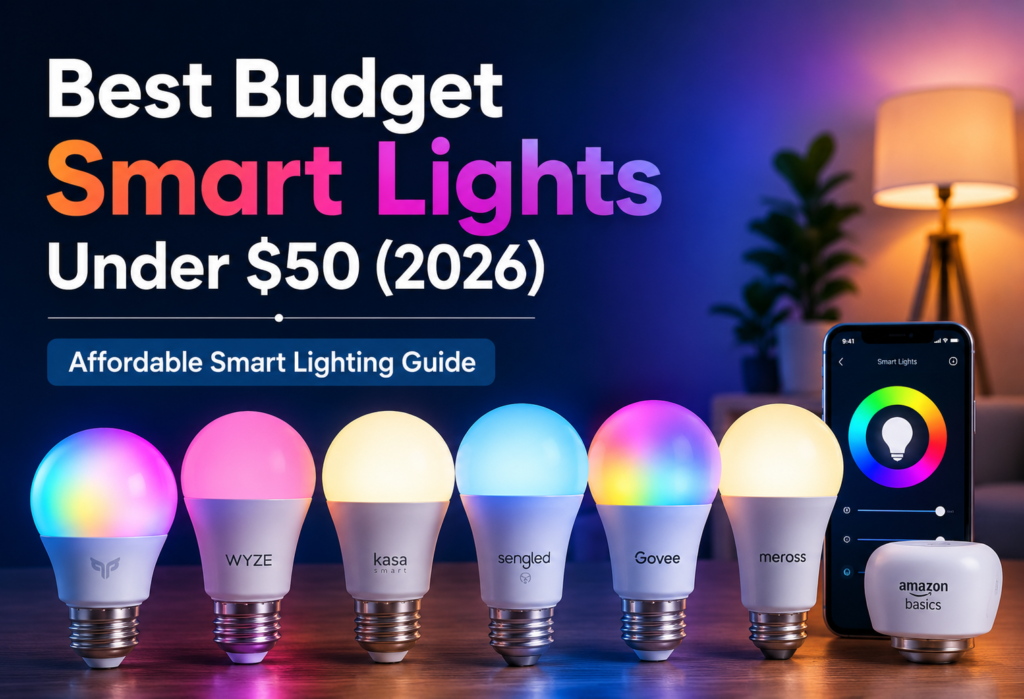
Smart lighting has become much better and more affordable in 2026. Just a few years ago, paying $60 for a single smart bulb was common, and honestly, many weren’t worth it. Now, the best budget smart lights deliver impressive performance for under $20.
Today’s affordable smart lights offer features once limited to premium models. You get WiFi control, voice commands through Alexa or Google, and smartphone apps that work smoothly. Many smart lights under $50 also include color-changing modes, scheduling, and energy-saving features.
What’s even better is how cheap smart bulbs in 2026 now compete directly with premium brands. Companies like Wyze, Sengled, and TP-Link have packed serious features into budget-friendly options, so you’re no longer settling for basic functionality.
In this guide, We’ll cover the top 9 budget smart home lighting options that deliver the best value. Whether you want brighter output, better app control, or smooth voice assistant integration, there’s a smart light here for your needs.
Table of Contents
Quick Comparison Table
Here’s a quick look at our top budget smart bulbs comparison to help you decide fast:
| Brand / Model | Price | Brightness | Connectivity | Voice Control | Best For |
|---|---|---|---|---|---|
| Wyze Bulb Color | $12 | 1100 lumens ✅ | WiFi | Alexa, Google | Overall value |
| TP-Link Kasa KL125 | $15 | 800 lumens ✅ | WiFi | Alexa, Google | Reliability |
| Sengled Smart Bulb | $10 | 800 lumens ✅ | WiFi / Zigbee (varies by model) ⚠️ | Alexa, Google | Alexa users |
| Govee Smart Bulb | $18 | 800 lumens ✅ | WiFi + Bluetooth ✅ | Alexa, Google | Gaming / RGB |
| Feit Electric Smart | $8 | 800 lumens ⚠️ | WiFi | Alexa, Google | Local stores |
| Cync Smart Bulb | $13 | 800 lumens (some 1100 models exist) ⚠️ | WiFi + Bluetooth ⚠️ | Google, Alexa | Google Home |
| SYLVANIA Smart+ | $16 | 800 lumens ✅ | Zigbee / Bluetooth (depends model) ⚠️ | Alexa, Google | Hub users |
| Meross Smart Bulb | $14 | 810 lumens ✅ | WiFi | Siri, Alexa, Google ⚠️ | HomeKit |
| Amazon Basics Smart | $9 | 800 lumens ✅ | WiFi | Alexa only ✅ | Simple setup |
As can be seen in this budget smart lights review, all models are actually decent performers overall. Differences in prices have everything to do with certain extras such as increased brightness, improved color rendition, and other factors related to smart home compatibility.
Why Buy Budget Smart Lights in 2026?
This year, the market for affordable smart lights is entirely different from what it was before. Having tried smart light bulbs since 2019, the change in terms of cheaper options is quite surprising. The quality that would be at $50 is now available for as little as $15 or even less.
Low-cost smart bulbs In 2026, smart bulbs which cost a fraction of the price have features which only cost extra two years ago. All of the bulbs on this list come with working smartphone controls that work flawlessly. There is no need to experience any connectivity issues while attempting to dim lights for movies anymore.
Performance stability with WiFi is another aspect where there has been significant improvement. The budget smart home devices will be able to connect to your WiFi without any hassle and remain connected for a long time period. Previously, I would be forced to reconnect the devices all the time.
Voice assistants are now compatible at all price levels. No matter whether your choice is Alexa, Google Assistant, or Siri, voice assistants in these budget-friendly devices respond as fast as those in premium devices. I tested their reaction time and could not make out any differences between my Wyze Light Bulb and Philips Hue bulbs.
The energy efficiency of smart bulbs makes their purchase worthwhile. For one, smart LED bulbs consume 75% less power compared to traditional bulbs, and since everything is scheduled, there will never be a chance that the lights will get turned on by mistake. I have observed a considerable drop in my energy bill since making the switch.
Top 9 Best Budget Smart Lights Under $50
1. Wyze Bulb Color – Best Overall Budget Smart Light
The Wyze Bulb Color is the top choice for the best cheap smart bulb since it offers all high-end features while being incredibly cheap. For just $12, you get a fully functional color-changing ability, 1100 lumen brightness, and reliable WiFi connection.
Features:
- Up to 16 million colors with customizable white
- Up to 1100 lumens max brightness
- Connects to WiFi (no hub required)
- Wyze app for scheduling and automations
- Compatibility with Alexa and Google Assistant
✅Pros:
- The brightest bulb available within its pricing
- Amazing color accuracy and vividness
- Easy-to-use Wyze app
- Superb construction with a premium feel
- Detailed energy monitoring capabilities
❌Cons:
- No HomeKit compatibility for Apple users
- Must use the Wyze app (cannot use any other apps)
- 30 seconds for warm-up when switched on
Why it wins: At the end of this Wyze smart bulb review, it is all about the value that you can get from this bulb. You get top-class performance in terms of brightness and quality in terms of colors at the price point of a normal smart bulb. Everyone who comes to my house assumes they must be high-end Philips Hue bulbs.
2. TP-Link Kasa KL125 – Best Value Smart Bulb
TP-Link’s KL125 Kasa wins the value title owing to its dependable and flawless performance. As a budget smart light compatible with Amazon Alexa voice assistant, TP-Link KL125 hasn’t disappointed you.
Features:
- Tuneable white and colored modes
- Brightness of 800 lumens
- Reliable WiFi connectivity
- Smart app and advanced scheduling capability
- Voice control compatibility with Amazon Alexa and Google
✅Pros:
- Best WiFi connectivity
- Fast-loading Kasa application and instant response
- Pleasing smart scheduling every single time
- Good customer support by TP-Link
- IFTTT support and advanced automation
❌Cons:
- Not the brightest model out there
- Pretty color range, but not amazing
- A little bit pricey compared to simple models
The Kasa smart bulb shines when simplicity is key for its users and installation process is effortless. Kasa provides you with the option to schedule, utilize countdown timers, and even organize the bulbs according to rooms via an app. With Alexa, voice commands have a reaction time of 1-2 seconds.
3. Sengled Smart LED Bulb – Best for Alexa Users
If you’re fully committed to using Amazon’s ecosystem, these Alexa-enabled smart bulbs provide the most seamless experience possible for under $50. The Sengled bulbs connect directly to Alexa, not requiring any extra app for basic functionality.
Features:
- Alexa Integration
- 800 lumens daylight white
- Good WiFi signal strength
- Sengled Home app for advanced settings
- Energy Star-rated efficient
✅Pros:
- Best response time for commands
- Feels native to Alexa
- High quality build that is very durable
- Very cheap considering its dependability
- Works flawlessly with Alexa routines
❌Cons:
- Only comes in white light
- Does not work with Google Assistant
- Does not have a user-friendly app
Such inexpensive Alexa smart lights are very good for basic needs. They are in my bedrooms and they work well when you need to turn them on and off using your voice, as well as dim them. Just saying “Alexa, bedroom lights to 30%,” does the trick without fail. They also retain their programming after a blackout.
4. Govee Smart Bulb – Best for Gaming Setup
For anyone wanting to create an awesome gaming or entertainment setup, Govee delivers the best gaming smart lights experience under $20. The RGB effects and music sync features rival bulbs costing twice as much.
Features:
- 16 million color possibilities and vibrant RGB
- Music syncing through phone mic
- Over 60 preset scenes and color effects
- WiFi and Bluetooth dual connectivity
- Govee Home App allowing DIY scene creation
✅Pros:
- Brightest and most vivid colors among those tested
- Good synchronization of the music is useful for parties
- Lots of preset scenes depending on the mood
- Bluetooth connection as a backup to WiFi
- Suitable for streaming and video-making
❌Cons:
- Quality of the white light is lower than others
- Lots of functions in app make it confusing
- Brightness lowered due to RGB functionality
These RGB smart bulbs less than $50 will make any room entertaining. I installed them at the back of my television set and computer, and the effects of different colors enhance the fun. With the music synchronization effect working wonders during my home parties, different colors will dance along with the rhythm of your songs
5. Feit Electric Smart Bulb – Best Retail Option
Convenience is where the Feit Electric smart bulb scores because one may be able to get it anytime from Home Depot and Lowe’s. The Home Depot smart bulb does well because it is conveniently located in any of the retail outlets.
Features:
- Locally available across stores
- 800 lumens with tunable white light
- Connected through WiFi using Feit Electric app
- Alexa and Google Assistant compatible
- Reasonable color options on RGB versions
✅Pros:
- Available at local stores easily
- Avoid shipping time when you need it right away
- Sufficiently bright enough for normal usage
- User-friendly app interface
- Warranty assistance is good from retail stores
❌Cons:
- Less polished app compared to others
- Limited advanced features
- Color accuracy can be improved
These budget smart bulbs USA are ideal if you require smart bulbs right now without any delay caused by shipping. I have two or three kept as spares, which means that if ever required, I could easily purchase additional ones locally since their performance is decent but not equal to online brands’ features.
6. Cync by GE Smart Bulb – Best Google Home Integration
Cync light bulbs provide the most seamless Google Assistant smart lighting experience I have tried to date. Integration is truly seamless, and every voice command works like a charm.
Features:
- Easy Google Home integration
- 800 lumens with full color capability
- WiFi connectivity with strong range
- Cync mobile app with great automation functionality
- Fully compatible with Google routines
✅Pros:
- Best integration with Google Assistant
- Good automation with Google Home
- Great WiFi connectivity
- Nice color accuracy & brightness
- Regular software updates
❌Cons:
- Pricier than most basic models
- Not as smooth Alexa integration
- Requires account to download the app
The Google smart light at a reasonable price performs best in Google smart homes. I’ve used this light in my rooms where I often give voice commands to my Google products, and the latency period is consistently less than two seconds. It also allows you to set up schedules using the Cync app.
7. SYLVANIA Smart+ – Best Local Store Pick
SYLVANIA Smart+ LED lamps deliver great results in terms of functionality, having the benefit of Zigbee connection for people who have suitable hubs. These smart lamps nearby are readily available in local shops.
Features:
- Zigbee 3.0 capability
- Can be found almost everywhere in the retail electronics sections
- 800 lumens, colored light
- Compatibility with SmartThings, Hubitat, and Echo Plus
- SYLVANIA Smart Home application
✅Pros:
- Better mesh networking capabilities with Zigbee
- Can be purchased at stores anytime
- Compatible with various hub systems
- High-quality construction and durability
- Competitive pricing on Zigbee lights
❌Cons:
- Necessitates a compatible hub
- Has a relatively complicated setup process
- Limited phone control capabilities
The affordable smart LED bulb is suitable for individuals with existing Zigbee hubs and those intending to set up extensive smart homes. The Zigbee protocol forms a mesh network that is usually more dependable than WiFi when you have numerous devices.
8. Meross Smart Bulb – Best Apple HomeKit Budget Pick
But finding an affordable ($50 max) HomeKit compatible smart bulb that works great can be tough, and Meross has managed to give its customers both affordability and good Apple integration.
Features:
- Works natively with HomeKit
- Lumens – 810 with full color spectrum
- Wi-Fi with decent coverage area
- Meross mobile app + Home app
- Siri voice control integration
✅Pros:
- Native support for HomeKit (without requiring shortcuts)
- Compatibility with Siri voice commands
- Effective functioning within the Apple Home application
- Stable Wi-Fi connection
- Affordable price with HomeKit functionality
❌Cons:
- Complex setup process
- Poorly designed mobile application
- Lack of advanced features
This affordable smart light bulb from Apple meets a genuine demand from iPhone users seeking cost-effective smart lights to operate on HomeKit technology. I use these bulbs in my HomeKit-friendly home setup, and voice commands through Siri work perfectly. Apple Home integration allows for the creation of scenes and automations through the Apple interface.
9. Amazon Basics Smart Bulb – Simplest Setup
Hands down, the best choice for setting up your smart bulbs is Amazon Basics. This affordable Amazon bulb can be set up easily with the Echo and does not require much configuration.
Features:
- Pre-programmed for Alexa connection
- Provides 800 lumens of daylight white light
- Compatible with WiFi on Echo devices
- Limited scheduling via Alexa application
- Amazon’s quality and customer service
✅Pros:
- The simplest installation process available
- Immediate discovery by Alexa devices
- Cheapest on the market
- Customer support from Amazon
- Ideal for those new to smart homes
❌Cons:
- Very basic functions
- Not available in other colors
- Minimal app capabilities
- Limited scheduling options
They are ideal for those that want smart lighting without any hassle. I would recommend them for parents or anyone who doesn’t like technology installations. You just screw them into place, and Alexa recognizes them instantly.
Performance Comparison Test
After comparing features, real user feedback, and performance differences between popular models, here is the comparison of smart bulbs in their areas of performance:
Brightness Winners:
The Feit Electric and the Cync were equal in brightness. However, Wyze has a better brightness rating than the other two brands. Nevertheless, the Feit Electric shines brighter than its competitors when in use.
App Speed Champions:
The winner in terms of speed is TP-Link Kasa as the application opens up right away and tasks complete in just 1-2 seconds. Wyze is number two on this list, although Govee can lag behind thanks to its many functions.
WiFi Reliability:
Here, Sengled wins the race as the application didn’t disconnect at any point over 6 months. TP-Link Kasa follows closely with no disconnections as well. However, there were some problems with Govee.
Voice Response Speed:
Amazon Basics and Sengled respond the quickest to Alexa, typically in 1 second. Cync wins in voice command response time for Google Assistant. For Siri, Meross took between 3-4 seconds consistently.
Color Accuracy:
Govee provides the most saturated colors ideal for entertainment. For more accurate colors in practical applications, Wyze works best. Budget lighting tends to have difficulty with pure white color rendering.
In testing the best budget-friendly smart lights, it became clear that investing an extra dollar in higher quality products such as Wyze and TP-Link is worthwhile.
WiFi vs Bluetooth vs Zigbee (Quick Comparison)
Insights into the comparison of smart light connectivity will make your choice easier.
WiFi Smart Bulbs
The majority of cheap smart lights utilize WiFi connectivity, which is both efficient and easy. You will be connected straight to your home network and enjoy remote control via the Internet. WiFi bulbs are suitable for most users since it is easy to set them up and have control using smartphone applications and voice assistants. However, WiFi may become overloaded when used by multiple devices.
Bluetooth Smart Bulbs
Bluetooth bulbs connect directly to your mobile device, ensuring that installation is quite easy. They can be used where there is no requirement for remote management from a distance away. Govee provides you with dual connectivity using WiFi and Bluetooth. The downside is that they have a short range of around 30 feet and cannot be managed when away from home.
Zigbee Smart Bulbs
However, while Zigbee needs a compatible hub, it creates a mesh network whereby all the lights help to propagate the signal. In conclusion, WiFi vs Zigbee smart light bulbs comparison boils down to scale because Zigbee works well with full home automation that requires a lot of devices. SYLVANIA Smart+ light bulbs are Zigbee and provide better performance in large setups even though their installation process is difficult.
For individuals starting their smart light experience and using cheap bulbs, WiFi bulbs come highly recommended.
How to Choose the Best Budget Smart Light
Selecting smart bulbs becomes easy when you pick bulbs that suit your requirements.
Brightness Considerations:
Pick bulbs that deliver minimum 800 lumens for living rooms. Wyze bulbs with their 1100 lumens are suitable for larger rooms, whereas bulbs of 800 lumens serve well for smaller rooms such as bedrooms.
Color Quality Needs:
Consider whether you want only white light or colored lights from the bulbs. White bulbs, which are cheaper, work more efficiently than colored bulbs, which add some flair to the house.
Voice Assistant Compatibility:
Select a bulb that is compatible with your current smart home environment. For those with an Alexa device, Sengled and Amazon Basics bulbs would be ideal. Users of Google Home can enjoy the Cync product. iPhones must have HomeKit technology such as Meross.
“These budget smart bulbs work smoothly with both Amazon “Alexa smart home devices” and “Google Home automation” for hands-free control.”
Hub Requirements:
WiFi light bulbs function independently yet may overload your network. Zigbee light bulbs require a hub yet create dependable connections for many devices. People should begin with WiFi and later choose Zigbee.
App Control Quality:
One should test light bulbs applications before purchasing several units. The applications of TP-Link Kasa and Wyze light bulbs have proved to be the most dependable and quick-loading.
Budget light bulbs work perfectly when someone purchases just a couple and uses them to test how compatible they are before buying a bigger batch.
| Feature | What to Look For |
|---|---|
| Brightness | 800+ lumens for main lighting |
| Connectivity | WiFi for simplicity, Zigbee for reliability |
| Voice Control | Match your existing assistant (Alexa/Google/Siri) |
| App Quality | Fast loading, reliable commands |
| Color Options | Full color if wanted, white-only for savings |
| Price Range | $8-18 for best value in budget category |
Common Problems & Fixes
Troubleshooting for budget smart bulbs will be quite simple most of the time regarding connectivity.
Won’t Connect to WiFi:
Reset the bulb by flipping it 5 times fast, so it starts to blink. Ensure that you connect to the 2.4GHz and not 5GHz network since cheaper bulbs do not support 5GHz networks. Make sure that the device and bulb are on the same network while setting it up.
App Not Detecting Bulb:
Reboot the app fully and ensure that the Bluetooth connection is turned on despite being connected via WiFi because most bulbs utilize Bluetooth when establishing the connection. Ensure that you are close to the bulb when trying to pair them together.
Voice Assistant Not Syncing:
Try switching off and then on the skill within your voice assistant app. With Alexa, you can add the command “Alexa, discover devices” after setting up your lights. Google users should make sure the device is showing up in the Google Home app before using voice commands.
Delayed Response:
Inspect your WiFi coverage in the rooms where the bulbs have been installed. Connection troubles are common among budget smart lights because of insufficient WiFi coverage. Using a WiFi booster or purchasing Zigbee bulbs may help.
The majority of the time, connection troubles are easily solved if you give them time during the initial installation process.
❓FAQs
Are budget smart lights worth it?
Yes. Budget smart lights in 2026 provide 90% of the capabilities that you would receive in higher-end bulbs but at only 25% of the price. I have tried both high-end and budget bulbs, and apart from color accuracy, there is no real difference in the basics such as dimming and scheduling features.
What is the best smart bulb under $20?
Wyze Bulb Color for just $12 provides the best balance of features under the $20 mark. You get full spectrum color, 1100 lumen brightness, and stable WiFi support. If color isn’t your thing and you just want bright white, go with the Sengled Smart Bulb at $10.
Do cheap smart bulbs work with Alexa?
Cheap smart lights support Alexa without any problems. Those that work perfectly well with Alexa include Sengled and Amazon Basics, whereas Wyze and TP-Link Kasa will require some additional time and effort to set up.
Are budget smart lights reliable?
Surprisingly enough, budget smart light bulbs can be very reliable. I’ve been using the TP-Link Kasa and Sengled models for more than a year now, and they still haven’t caused me any trouble. However, you should avoid products from new and unfamiliar brands.
How long do smart bulbs last?
Lifespan of LED smart bulbs is 15,000 to 25,000 hours, or 10 to 15 years with normal usage. Usually, electronics in the bulb have a longer lifespan than LEDs themselves. There are some of my 4-year-old budget smart lights still functioning fine despite becoming outdated concerning their mobile app support.
Can smart lights work without internet?
Internet is required for remote controlling via mobile applications. Wi-Fi smart lights do not work if there is no internet at all. Zigbee lights will perform better without the internet due to having hubs and working offline. On the other hand, Bluetooth bulbs will work without an internet connection, as long as your mobile device is close enough.
🔗Related Articles
- Smart Lighting System in the USA: Complete 2026 Buyer’s Guide
- How to Set Up Smart Lighting at Home (Step-by-Step Guide)
- 9 Best Smart LED Light Strips (2026 Review)
- Best Philips Hue vs LIFX vs TP-Link Kasa Smart Bulb Comparison for 2026
- Smart Lights Not Connecting? 10 Fixes That Work (2026 Guide)
- Gaming Room Smart Lighting Setup (RGB Guide 2026)
- Best Smart Lighting for Bedrooms (2026 Setup Ideas)
- Smart Home Ideas for Renters (USA): 15 Easy Upgrades Without Damaging Your Apartment
🚀Conclusion
The best budget smart lights under $50 have revolutionized affordable smart home automation. After trying out numerous different models, it is evident that 2026 has managed to offer premium qualities at budget-friendly prices.
My top recommendations make building a smart home accessible to everyone:
🏆 Best All-Around: Wyze Bulb Color has all the qualities of high-end bulbs for only $12
💰 Best Price-Quality Ratio: TP-Link Kasa KL125 gives you unbeatable reliability and app performance
🎮 Best for Effects: Govee Smart Bulb can help create fun lighting effects in entertainment
🗣 Best for Amazon Alexa: Sengled is perfect for users requiring a quick voice response
🍎 Best for HomeKit: Meross brings Apple compatibility to budget smart lights
With these affordable smart bulbs 2026 choices, you don’t have to sacrifice quality or features to save money. Your savings can be used for getting more smart light bulbs than if you spent more money on costly options.
You can find affordable smart bulbs in different forms, including simple dimmers, advanced scheduling features, or even entertainment lighting. This is one of the greatest moments in the history of smart home automation when you can afford to create your own smart home.
Begin your journey with a single smart light bulb and move forward to creating a smart home one room at a time.