
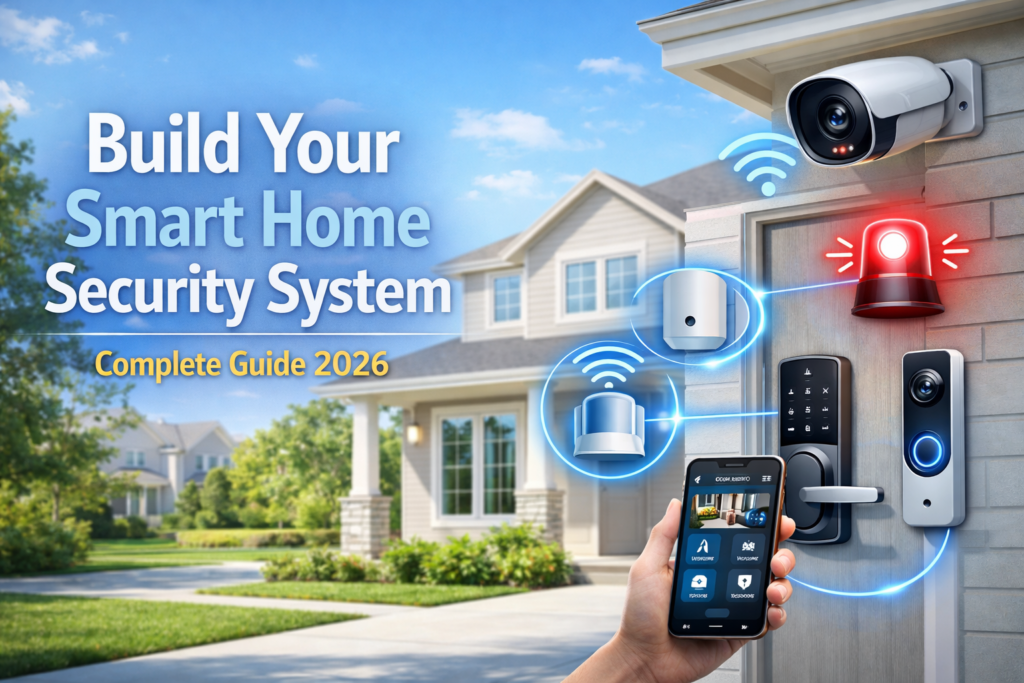
Home security has changed dramatically over the past few years, and in 2026, smart home security systems are no longer a luxury—they’re essential. With break-ins happening every 26 seconds in the United States and cybercrime affecting millions of households, protecting your home requires more than just basic locks and simple alarms.
A fully integrated smart security system offers benefits that traditional security systems simply can’t match. You get real-time monitoring from anywhere in the world, instant alerts when something unusual happens, and the ability to automate responses that can stop problems before they escalate. I’ve seen too many homeowners sleep better knowing they can check their cameras from vacation or get notified the moment a door opens unexpectedly.
However, many people make the mistake of buying random security devices without a plan. They end up with cameras that don’t talk to their sensors, alarms that trigger false alerts constantly, or systems so complicated that family members avoid using them altogether. This scattered approach often costs more money and provides less security than a well-planned complete system.
A comprehensive smart home security system includes four main components: security cameras for visual monitoring, sensors to detect entry points and movement, alarm systems to alert you and scare off intruders, and smart locks to control access to your home. Each piece works with the others to create layers of protection that are much stronger together than individually.
Check our full guide on Top Smart Home Security Systems in 2026 for specific product recommendations and detailed comparisons.
📷Step 1: Choosing the Right Home Security Cameras
Security cameras form the eyes of your smart home system, and choosing the right ones makes the difference between clear evidence and blurry footage when you need it most. The first major decision involves indoor versus outdoor cameras, and each serves different purposes in your security plan.
Indoor cameras work best for monitoring common areas, checking on pets, and keeping an eye on entry points from inside your home. They typically focus on convenience features like two-way audio and smooth app integration. Outdoor cameras handle weather exposure and need stronger night vision capabilities, plus they often include built-in sirens and floodlights.
Resolution determines how clearly you can see faces, license plates, and other crucial details. While 1080p cameras cost less and use less storage space, they struggle with distant subjects or low-light situations. 2K cameras offer the sweet spot for most homes—clear enough for identification without overwhelming your internet connection. 4K cameras provide incredible detail but require significant bandwidth and storage, making them best for high-priority areas like front doors or driveways.
Night vision technology has improved significantly, with two main options available. Infrared night vision costs less and works in complete darkness, but everything appears in black and white, which can make it harder to identify clothing colors or vehicle details. Color night vision cameras use built-in LED spotlights to maintain full color footage even at night, though they’re more expensive and may disturb neighbors if not positioned carefully.
Motion detection and AI alerts prevent your phone from buzzing every time a leaf blows past the camera. Basic motion detection triggers on any movement, including animals, shadows, and weather changes. AI-powered cameras learn to distinguish between people, vehicles, animals, and random movement, sending alerts only for genuine security concerns. This feature alone has saved me from hundreds of false notifications.
Storage options affect both privacy and ongoing costs. Cloud storage keeps footage safe from theft or damage but requires monthly subscriptions and raises privacy concerns about who can access your videos. Local storage using SD cards or network drives gives you complete control but risks losing footage if equipment gets stolen or damaged. Many people choose hybrid systems that store critical clips locally while backing up important footage to the cloud.
For specific recommendations, Arlo cameras excel at wireless outdoor installation with long battery life. Nest Cam offers excellent AI detection and seamless Google ecosystem integration. Wyze provides budget-friendly options with surprisingly good features, while Eufy focuses on local storage and privacy protection.
Camera placement determines how effectively your system works. Install cameras 8-10 feet high to prevent tampering while maintaining clear facial recognition. Angle cameras to cover entry points directly, avoiding backlighting from windows or bright lights. Each camera should overlap with neighboring cameras’ coverage areas to eliminate blind spots. Pay special attention to side gates, back doors, and ground-floor windows that burglars often target.
Consider your home’s specific layout when planning camera positions. Corner-mounted cameras often cover two walls with a single device, while cameras near outdoor lighting provide better night footage. Test camera views using temporary mounts before making permanent installations to ensure you capture the angles that matter most.
🚶Step 2: Adding Sensors
Sensors act as your home security system’s early warning network, detecting problems the moment they start rather than waiting for visual confirmation. Different sensor types protect against specific threats, and combining them creates comprehensive coverage that’s hard for intruders to bypass.
Door and window sensors form the foundation of most systems, triggering alerts whenever entry points open unexpectedly. These small devices include two parts: one on the frame and another on the moving door or window. When separated, they send immediate notifications to your system. Modern versions distinguish between authorized family members coming home and unexpected openings during armed periods.
Motion sensors detect movement inside your home using infrared technology that reads heat signatures. Pet-immune models prevent false alarms from cats and dogs while still catching human-sized intruders. Some advanced models use microwave technology to detect movement through walls, making them ideal for monitoring multiple rooms with a single device.
Glass break sensors listen for the specific sound frequency of breaking glass, protecting windows and sliding doors that might be broken rather than opened. These sensors cover multiple windows from a central location, making them cost-effective for rooms with several glass entry points.
Strategic placement maximizes sensor coverage while minimizing false alarms. Install door sensors on all ground-floor entry points plus any upstairs doors leading to balconies or fire escapes. Window sensors work best on accessible windows—those on the first floor or near climbing aids like trees, porches, or air conditioning units.
Motion sensors should cover main pathways intruders would use to move through your home, typically hallways, stairways, and large rooms with multiple entry points. Avoid placing them near heating vents, fireplaces, or large windows where temperature changes might trigger false readings. Install them in corners at a 45-degree angle to the room for maximum coverage.
Integration with your security hub requires following manufacturer pairing instructions, which usually involve pressing buttons on sensors while adding them through your system’s app. Most modern sensors use wireless protocols like Z-Wave or Zigbee that create mesh networks, meaning sensors help relay signals from other devices to strengthen overall connectivity.
False alarm reduction starts with proper calibration and continues with smart automation rules. Set up delays for entry doors so family members can disarm the system before alerts trigger. Use scheduling to automatically arm and disarm sensors based on daily routines. Some systems learn family patterns over time, reducing alerts for expected activities while maintaining protection against unusual events.
Regular testing ensures sensors work when needed. Most systems include test modes that let you trigger sensors without setting off alarms. Replace sensor batteries annually or when low-battery notifications appear, as weak batteries cause connectivity issues that look like equipment failures.
Hub & system guide in main article provides detailed information about connecting sensors to central control systems.
⚙️Step 3: Installing the Alarm System
Alarm systems serve as your security system’s voice, deterring intruders and alerting you to problems through multiple notification methods. The type of alarm you choose affects both effectiveness and neighbor relations, so understanding your options helps create appropriate responses for different situations.
Sirens provide the classic loud alarm that most people expect from security systems. Indoor sirens alert family members and neighbors to problems while scaring intruders who prefer to avoid attention. Outdoor sirens warn neighbors and can trigger community response, but they may cause noise complaints if they malfunction. Modern sirens often include voice announcements that tell intruders they’re being recorded and police have been notified.
Silent alarms notify you and monitoring services without alerting intruders to your system’s presence. These work well for situations where you want to gather evidence or avoid confrontation, such as when traveling or dealing with sophisticated criminals who might disable obvious alarm systems. Some homeowners prefer silent alerts during daytime hours and audible alarms at night.
Hub-based alarms centralize control and often include backup power and cellular connectivity that keeps working during power outages or internet disruptions. Quality hubs manage multiple alarm types, adjusting responses based on which sensors trigger and what time of day problems occur.
Integration between cameras, sensors, and alarms creates coordinated responses that adapt to specific threats. When a door sensor triggers, cameras can automatically start recording while sirens activate after a brief delay. Motion sensors can trigger lights and cameras without sounding alarms during certain hours, while glass break sensors might immediately activate all security measures.
Professional monitoring services provide 24/7 response teams that can contact police, fire departments, or emergency medical services when alarms trigger. These services typically cost $15-50 monthly but ensure someone always watches your system even when you’re unavailable. DIY monitoring means you handle all alerts personally, which costs less but requires constant availability and quick decision-making during emergencies.
I’ve found that hybrid approaches work well for many families—professional monitoring for major alarms like break-ins or fire, with DIY handling for minor alerts like doors left open. This reduces costs while ensuring critical emergencies get professional response.
Alarm placement affects both sound coverage and family convenience. Central locations like hallways or living rooms provide good sound distribution throughout the home. Avoid placing sirens near bedrooms where they might cause hearing damage, or near infant rooms where loud sounds could cause serious distress.
Ring Alarm Pro offers excellent integration with other Ring devices and includes built-in Wi-Fi mesh networking that improves connectivity throughout your home. SimpliSafe Hub provides reliable cellular backup and professional monitoring options with no long-term contracts, making it easy to try different service levels.
Test alarm systems monthly to ensure proper operation and appropriate volume levels. Most systems include test modes that activate alarms briefly without triggering monitoring service responses. Check backup battery power by disconnecting main power and verifying the system continues working normally.
🔐Step 4: Smart Locks & Access Control
Smart locks eliminate the home security weaknesses of traditional keys while providing convenient access control that adapts to your family’s changing needs. They form a crucial bridge between detection and prevention, stopping problems before they require camera footage or alarm responses.
App control lets you lock or check lock status from anywhere, which proves invaluable when you can’t remember if you locked up before leaving for vacation. Remote access also allows you to let trusted visitors inside without sharing physical keys, and you can immediately revoke access if circumstances change.
Key codes provide convenient keyless entry for family members while creating audit trails that show who entered when. Modern smart locks support multiple codes with different access schedules—temporary codes for house sitters, permanent codes for family members, and one-time codes for deliveries or service appointments.
Biometric access using fingerprints offers the highest security level, as fingerprints can’t be copied or shared like codes or keys. However, these systems cost more and may struggle with dirty or injured fingers, so maintaining backup access methods remains important.
Integration between smart locks and other home security components creates powerful automation possibilities. Locks can automatically engage when alarm systems arm or unlock when authorized family members arrive home and disarm the system. Some configurations automatically lock doors if sensors detect they’ve been left open too long.
Smart locks also enhance camera and sensor effectiveness by controlling when security measures activate. Geofencing can disarm entry sensors when family members arrive while keeping perimeter monitoring active. Failed unlock attempts can trigger cameras to record and send immediate alerts about potential break-in attempts.
August locks excel at retrofitting existing deadbolts with smart functionality while maintaining the ability to use original keys. Yale offers robust construction and excellent battery life, often lasting over a year with normal use. Schlage provides commercial-grade security features in residential packages, including built-in alarms that sound when someone tampers with the lock.
Installation varies significantly between brands and door types. Some smart locks replace entire deadbolt assemblies, while others attach to existing deadbolts from the inside. Professional installation costs $100-200 but ensures proper alignment and operation, especially important for doors that don’t fit standard measurements.
Backup access methods prevent lockouts when technology fails. Physical keys should be hidden securely off-property or kept with trusted neighbors. Backup batteries keep electronic locks working during power outages, and some models include emergency power connections that let you power the lock with a 9V battery if internal batteries die.
Regular maintenance includes checking battery levels monthly, cleaning fingerprint sensors, and testing all access methods quarterly. Update lock firmware when manufacturers release security patches, as connected devices can become vulnerable to hacking if not properly maintained.
If you’re building your first Smart Home Security System setup, this guide covers the most important devices you need. -Schlage smart lock review
🧠Step 5: Automation & Alerts
Automation transforms individual security devices into an intelligent system that responds appropriately to different situations while reducing false alarms and notification fatigue. A central hub coordinates all devices, creating sophisticated rules that adapt to your family’s routines and preferences.
Security hubs process information from cameras, sensors, locks, and alarms to make smart decisions about when and how to respond. Quality hubs learn normal patterns like when family members typically arrive home, which doors get used most often, and what times of day different areas should be monitored most carefully.
Push notifications and real-time alerts keep you informed without overwhelming your phone with unnecessary messages. Modern systems let you customize notification types, timing, and priority levels. Critical alerts like break-ins can bypass do-not-disturb settings and call multiple family members, while routine notifications like doors opening during active hours might only appear in your app’s activity feed.
Geofencing uses your smartphone’s location to automatically adjust security settings as you come and go. The system can disarm entry sensors when you arrive home while keeping perimeter monitoring active, or automatically arm all systems when everyone leaves. This reduces false alarms from family members while ensuring protection activates consistently.
Scheduling creates time-based rules that adapt security responses to daily routines. Daytime schedules might disable motion sensors in active areas while maintaining door and window monitoring. Nighttime modes can increase sensitivity and activate all monitoring zones, while vacation settings maintain full protection around the clock.
False alarm reduction requires balancing security with convenience. Delayed responses on entry doors give family members time to disarm systems without triggering alerts. Smart sensors that distinguish between pets and people prevent false motion alerts. Weather-resistant outdoor sensors reduce false triggers from rain, snow, or extreme temperature changes.
Integration examples demonstrate how coordinated systems work better than individual devices. When a door sensor triggers during armed periods, cameras automatically start recording while lights turn on to illuminate the area. If no additional sensors trigger within 30 seconds and the system gets disarmed with a valid code, the incident logs as a normal entry without sending alerts.
Ring systems excel at integrating cameras, doorbells, alarms, and lights into unified responses. When someone approaches your door, the doorbell camera activates, outdoor lights turn on, and you receive notifications with live video feeds. Google Nest Hub provides excellent voice control and integrates well with other Google smart home devices. Abode Iota offers professional-grade security features with flexible DIY and professional monitoring options.
Machine learning capabilities in advanced systems reduce false alarms over time by learning normal household patterns. These systems recognize that back door activity at 7 AM likely means someone letting out dogs, while the same activity at 2 AM probably deserves immediate attention.
Regular automation testing ensures rules work as intended when real emergencies occur. Monthly tests should verify that alerts reach appropriate family members, automated responses activate correctly, and backup systems engage if primary components fail.
If you’re just starting out, check our list of smart home devices for beginners to build a strong foundation for your system.
🎯Step 6: Testing Your Complete Home Security System
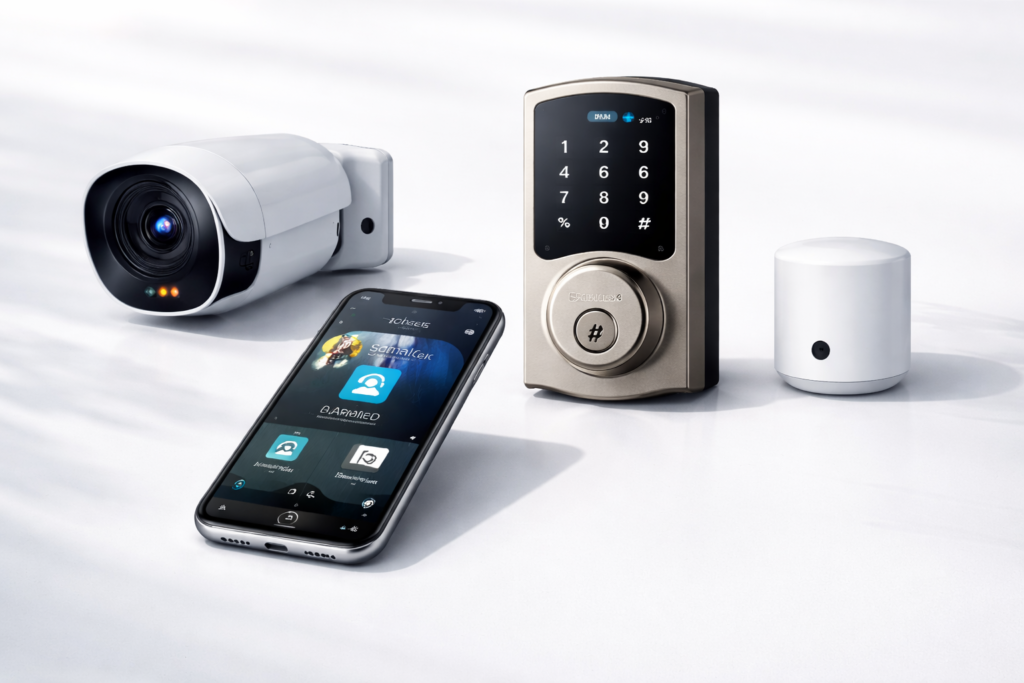
Systematic testing verifies that all home security components work individually and together, identifying problems before they compromise your home’s protection. Regular testing also familiarizes family members with system operation, ensuring everyone can respond appropriately during actual emergencies.
Sensor testing starts with triggering each device individually while monitoring system responses through your control app. Open doors and windows with sensors to verify immediate notifications. Walk through motion sensor coverage areas to confirm detection ranges and timing. Test glass break sensors by clapping loudly near protected windows, as most sensors respond to sharp, loud sounds similar to breaking glass.
Camera testing involves checking live feeds, recording quality, night vision performance, and motion detection sensitivity. View cameras during different lighting conditions to ensure clear identification capabilities. Test two-way audio features if available, and verify that motion alerts trigger appropriately without excessive false alarms from normal activity.
Alarm testing should include all types configured in your system—sirens, silent alerts, hub alarms, and monitoring service notifications. Most systems include test modes that activate alarms briefly without triggering emergency response services. Test during different times of day to ensure volume levels are appropriate for alerting household members without violating noise ordinances.
Smart lock testing verifies all access methods work reliably. Test app control, key codes, biometric access, and physical keys if retained. Verify that lock status reports accurately in your control app, and confirm that integration triggers work properly—locks engaging when systems arm or disengaging when authorized users arrive.
Connectivity troubleshooting addresses common issues that develop over time. Weak Wi-Fi signals cause intermittent device failures, especially for battery-powered sensors and cameras. Network congestion during peak usage hours can delay notifications or cause missed alerts. Firmware updates sometimes change device behavior, requiring adjustment of automation rules or sensitivity settings.
Battery-powered devices need regular power level monitoring, as low batteries often cause connectivity problems before complete failure. Replace batteries proactively rather than waiting for low-battery notifications, especially in critical sensors protecting main entry points.
Notification verification ensures alerts reach appropriate family members through correct channels. Test push notifications, SMS messages, email alerts, and phone calls if configured. Verify that critical alerts override do-not-disturb settings and that backup notification methods work if primary contact methods fail.
Backup system testing confirms protection continues during power outages, internet disruptions, or cellular network problems. Disconnect main power to test battery backup duration and functionality. Disable internet connections to verify cellular backup operation. These tests reveal how long your system works independently and which features remain available during different types of emergencies.
Document test results to track system performance over time and identify components that may need replacement or adjustment. Monthly testing logs help identify patterns that suggest environmental interference, device aging, or configuration problems that could compromise security effectiveness.
💡Optional Upgrades for Maximum Security
Advanced security features provide additional protection layers for homeowners who want maximum coverage or have specific security concerns. These upgrades often prevent problems that basic systems might only detect after they’ve already started.
AI-powered person detection eliminates most false alarms by distinguishing between people, animals, vehicles, and environmental movement. Advanced systems recognize familiar faces, identifying family members versus strangers, and can even detect unusual behavior patterns like someone loitering near your property or attempting to hide from cameras.
Video doorbells extend your home security perimeter beyond traditional entry points, letting you screen visitors before they reach your door. Modern models include pre-recorded messages for delivery instructions, two-way communication for remote conversations, and integration with smart locks that let you admit trusted visitors remotely.
Outdoor motion-activated floodlights deter intruders while improving camera footage quality during nighttime incidents. Solar-powered models reduce installation complexity while providing reliable operation during power outages. Some include built-in cameras and sirens, creating comprehensive security stations for large properties.
Backup power and cellular connectivity ensure continuous protection during emergencies when intruders might cut power or internet lines. Uninterruptible power supplies (UPS) keep systems running during brief outages, while generator connections provide extended backup power. Cellular backup maintains communication with monitoring services and sends alerts even when internet service fails.
Smart home device integration creates comprehensive responses that go beyond traditional security measures. Automated lighting can simulate occupancy during vacations or instantly illuminate your entire property when sensors trigger. Smart thermostats can reduce energy usage when nobody’s home while maintaining settings that prevent pipe freezing or equipment damage.
Voice assistant integration lets you control security systems hands-free and receive status updates through smart speakers. Advanced setups can announce door openings, provide daily security briefings, and accept voice commands to arm or disarm specific zones.
Environmental monitoring sensors detect threats beyond burglary, including smoke, carbon monoxide, water leaks, and temperature extremes. These sensors often integrate with existing security systems, providing comprehensive property protection through a single app and notification system.
Professional installation services ensure optimal placement and configuration of advanced components. While DIY installation saves money, professional installers understand local building codes, optimal camera angles, and proper grounding for electrical components. They also provide ongoing maintenance and system optimization services.
Perimeter monitoring uses outdoor sensors and cameras to detect intruders before they reach your home. Driveway sensors announce approaching vehicles, while beam-break sensors protect gates, pathways, and property boundaries. These systems provide the earliest possible warning and greatest opportunity for effective response.
🔧Maintenance & Ongoing Safety
Regular maintenance keeps security systems operating reliably while protecting against evolving cyber threats that could compromise your home’s digital protection. Establishing maintenance routines prevents small problems from becoming security vulnerabilities.
Firmware and software updates patch security holes and improve device performance, making them critical for maintaining protection against hackers. Enable automatic updates when available, or check monthly for available updates to cameras, hubs, sensors, and mobile apps. Outdated firmware often contains known vulnerabilities that criminals actively exploit.
Battery monitoring and replacement prevents unexpected device failures during critical moments. Create replacement schedules based on manufacturer recommendations rather than waiting for low-battery alerts. Keep spare batteries on hand for all devices, and consider upgrading to rechargeable options for frequently-replaced items.
Storage management becomes important as systems accumulate weeks or months of footage and sensor data. Cloud storage plans may need adjustment as your usage patterns become clear. Local storage devices require periodic cleanup and backup to prevent data loss. Establish retention policies that balance storage costs with evidence preservation needs.
Regular testing schedules verify that all components continue working correctly as equipment ages and environmental conditions change. Monthly testing should cover all sensors, cameras, and alarms. Quarterly tests should include backup power systems and cellular connectivity. Annual tests might involve professional inspection of wiring, mounts, and weatherproofing.
Cybersecurity practices protect against hackers who target poorly-secured smart home devices. Change default passwords on all devices and use unique, strong passwords for each component. Enable two-factor authentication where available. Regularly review connected device lists and remove unused or unrecognized equipment.
Network security updates should include router firmware updates and Wi-Fi password changes. Consider creating separate network segments for security devices, isolating them from computers and personal devices that might be compromised. Monitor network traffic for unusual patterns that might indicate hacked devices.
Professional maintenance services provide expertise for complex systems or busy homeowners who prefer expert oversight. Annual inspections can identify worn components, optimize system performance, and recommend upgrades based on changing security threats or family needs.
Privacy protection requires understanding what data your devices collect and how manufacturers use that information. Review privacy policies annually, as companies sometimes change data usage practices. Consider local storage options for sensitive areas like bedrooms or home offices where cloud storage might raise privacy concerns.
❓FAQ
Can I mix different brands in one system?
Most modern home security devices use standard protocols like Z-Wave, Zigbee, or Wi-Fi that allow different brands to work together through compatible hubs. However, mixing brands often means using multiple apps and losing some integration features. The best approach involves choosing one primary ecosystem (like Ring, Nest, or SmartThings) and adding compatible devices from other manufacturers when needed. This maintains core functionality while allowing flexibility for specific needs or budget considerations.
Do I need professional monitoring?
Professional monitoring provides 24/7 oversight and emergency response when you’re unavailable, asleep, or traveling. It’s particularly valuable for families with elderly members, frequent travelers, or those living in high-crime areas. However, DIY monitoring works well for tech-savvy users who want complete control and lower ongoing costs. Many services offer hybrid plans that provide professional monitoring for critical alerts while letting you handle routine notifications personally.
What’s the cheapest way to build a complete security system?
Start with a basic hub and a few essential sensors for doors and main living areas, then expand gradually as budget allows. Wyze cameras offer excellent value for basic monitoring, while companies like SimpliSafe provide affordable complete systems. Used or refurbished equipment can reduce costs significantly, though warranty coverage may be limited. Many manufacturers offer seasonal sales that can reduce total system costs by 20-40% compared to retail pricing.
Focus on protecting the most vulnerable entry points first—front and back doors, ground-floor windows, and any basement or garage access. Add cameras for these same areas, since footage evidence often helps recover stolen items and identify criminals. Expand to additional rooms and advanced features like smart locks and automation once core protection is established.
Consider total cost of ownership, including ongoing monitoring fees, cloud storage subscriptions, and battery replacement costs. Sometimes spending more upfront for devices with longer battery life or local storage capabilities reduces long-term expenses significantly.
🚀Conclusion
Building a complete smart home security system provides peace of mind that goes far beyond traditional security measures. You gain the ability to monitor your home remotely, receive immediate alerts about potential problems, and coordinate automated responses that protect your property even when you’re not available to respond personally.
The key to success lies in treating security as a coordinated system rather than collecting individual devices. When cameras, sensors, alarms, and smart locks work together through intelligent automation, they create protection layers that are difficult for criminals to bypass while remaining convenient for your family to use daily.
Remember that the best security system is one that fits your family’s lifestyle, budget, and specific security concerns. Start with essential components like door sensors and a few cameras, then expand gradually as you learn what works best for your situation. This approach spreads costs over time while ensuring each addition genuinely improves your overall security.
Check recommended Home Security systems to compare specific products and find the best options for your budget and needs. Consider implementing one step at a time, beginning with the areas that concern you most, and building your complete security system over several months as you become comfortable with each component.
Your family’s safety and your peace of mind are worth the investment in a properly planned and implemented smart home security system.
Pingback: Schlage Smart Lock Review 2026: Is It Worth Buying?