
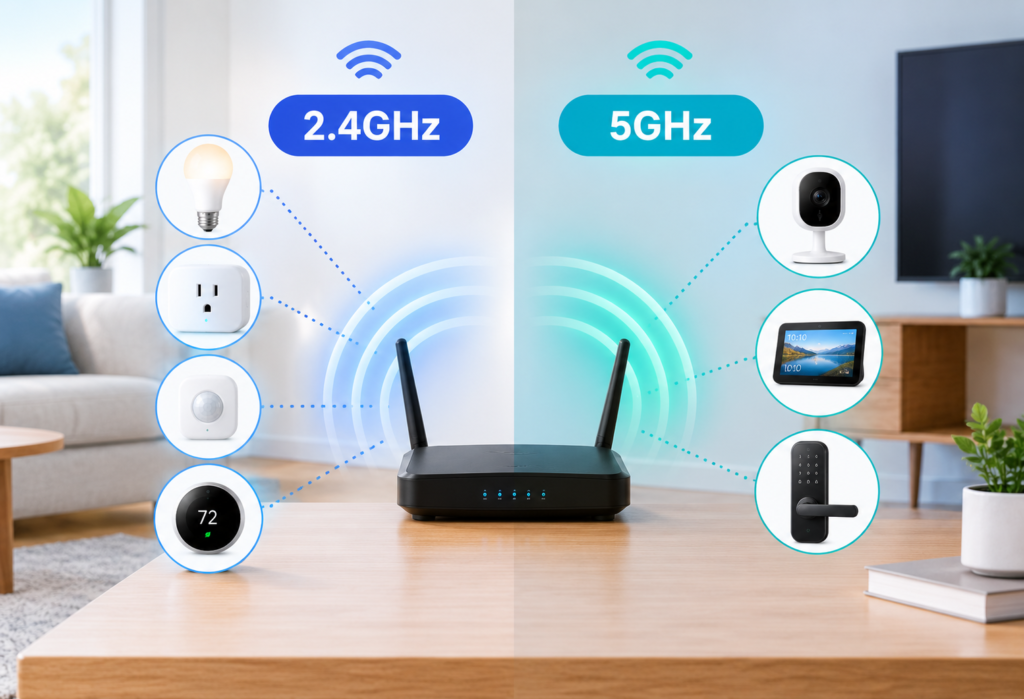
Why Your Smart Home Wi-Fi Band Matters
Walk through a typical smart home and you might find a thermostat in the hallway, motion sensors near the front door, smart bulbs in every room, a video doorbell outside, and a 4K security camera mounted in the garage. That is easily 20 to 30 connected devices — sometimes more.
Here is the thing: not every one of those devices needs the same type of Wi-Fi connection. Some need range and reliability far more than speed. Others genuinely benefit from a faster, less congested connection. Forcing everything onto one band without thinking about it can lead to dropouts, failed setups, and devices that never quite work the way you expected.
Choosing between 2.4GHz vs 5GHz for smart home devices is not about picking a winner. It is about matching the right band to the right device in the right location. Understanding that distinction is what makes a smart home Wi-Fi setup actually reliable.
Table of Contents
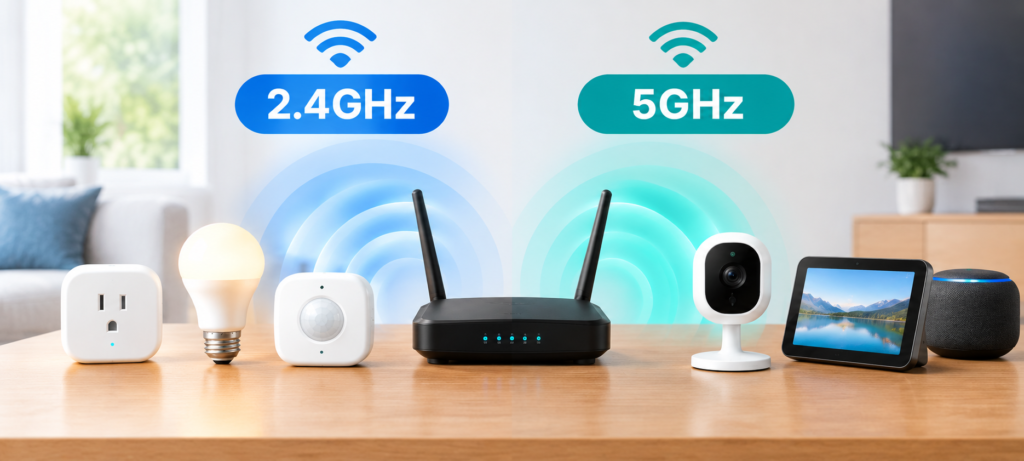
2.4GHz vs 5GHz: What Do These Numbers Mean?
The above numbers pertain to radio frequencies, the particular frequencies that your router uses for communicating wirelessly. It’s kind of like lanes in a road. One lane is wide and slow, but goes farther. The other lane is faster but shorter.
2.4GHz uses a lower frequency to transmit, meaning the signals will go farther and penetrate walls better. The downside is that many different devices use this band; older routers, baby monitors, Bluetooth products, and microwave ovens among others.
5GHz uses a higher frequency to transmit, meaning fast data transfer and less interference from other devices in the home. But the signals don’t reach as far or penetrate solid surfaces as well.
The one thing to note about all this is that your Wi-Fi frequency is not your internet speed. Your internet speed comes from the internet package you purchase, and the band decides how the data is sent from the router to the device.
| Feature | 2.4GHz | 5GHz |
|---|---|---|
| Range | Longer | Shorter |
| Wall penetration | Better | Lower |
| Typical speed | Lower | Higher |
| Congestion | Often higher | Often lower |
| Best use | IoT and distant devices | High-bandwidth devices |
2.4GHz Wi-Fi for Smart Home Devices
For devices that are scattered around the house in the basement, outside the house, or in another room far from your router, 2.4GHz Wi-Fi will be more suitable for smart home applications.
The longer range of the 2.4GHz signal ensures that smart plugs in the far bedroom and door sensors at the garage location will work reliably compared to 5GHz Wi-Fi. For these devices, reliability of the signal is more important than speed of transmission.
In addition, the majority of smart-home devices transfer little amounts of data. Reporting the power consumption of a smart plug or sending the alert from a motion sensor does not require high-speed data transfer, but reliable and low-power data transmission, which 2.4GHz Wi-Fi offers.
Smart devices that commonly use 2.4GHz:
- Smart plugs
- Smart bulbs
- Smart switches
- Smart thermostats
- Door sensors
- Motion sensors
- Smoke and CO detectors
- Some smart locks
- Garage door controllers
If you are wondering which band to assign these types of products to, 2.4GHz is almost always the right starting point.
5GHz Wi-Fi for Smart Home Devices
When it comes to 5 GHz Wi-Fi usage in smart home devices, it is logical to use such Wi-Fi when the distance to the router is low, more data is expected to be handled, and the device has a capability to benefit from the increased throughput of 5 GHz.
To give an example, a smart TV with a feature of 4K video transmission or a video doorbell uploading high-resolution videos will work better with the 5 GHz network in case the distance to the router is not too long and there are not many obstacles along the way.
Also, one should remember that 5 GHz is less crowded than 2.4 GHz in many cases. The fact is that fewer household appliances use 5 GHz and it leads to a better connection in some cases.
At the same time, it is wrong to say that any device working on 5 GHz will work better than the same device working on 2.4 GHz because the distance to the router can ruin the advantages of 5 GHz.
Smart devices that can benefit from 5GHz:
- Smart TVs
- Streaming devices (Roku, Fire TV, Apple TV)
- Some security cameras
- Video doorbells with 5GHz support
- Smart displays
- Certain smart speakers handling high-quality audio streaming
2.4GHz vs 5GHz for Smart Home Devices: Side-by-Side Comparison
This is the stage where the two frequencies are pitted against each other. Neither can be considered superior; the choice lies in the context of the use case.
| Feature | 2.4GHz | 5GHz |
|---|---|---|
| Range | Long | Short to medium |
| Speed | Lower | Higher |
| Wall penetration | Good | Limited |
| Interference | Higher (more devices share this band) | Lower in most homes |
| Congestion | Can be crowded | Usually less crowded |
| Device compatibility | Very wide — most IoT devices support it | Narrower — not all smart devices support it |
| Power efficiency | Better for battery-powered devices | Can draw more power |
| Setup difficulty | Generally simpler, wider compatibility | Some devices don’t support it at all |
| Best room or location | Distant rooms, basements, outdoors | Living room, home office, near router |
| Best device types | Sensors, plugs, bulbs, thermostats | TVs, cameras, streaming devices, displays |
The biggest misconception that people have is that 5 GHz is the superior band while 2.4 GHz is inferior. But in many cases, the right frequency band to use is the 2.4 GHz one.
Which Smart Home Devices Should Use 2.4GHz?
For many of the most common smart home devices, 2.4GHz is not only an adequate but even an optimal choice.
Good candidates for 2.4GHz:
- Smart plugs — Small packets of information that they transmit and receive; range is of greater importance than speed.
- Smart bulbs — Same reasoning. They don’t stream data, they just respond to on/off and dimming signals.
- Smart switches — Wall outlets, typically located in distant rooms from the router.
- Smart thermostats — Usually situated in the halls with walls between them and the router.
- Smart sensors — Doors, motion and windows sensors with small amounts of data transferred.
- Smart locks — Reliable transmission is essential; 2.4GHz is more reliable at a distance.
- Garage door controllers — Typically located in separate buildings and out of reach of 5GHz frequency.
- Basic appliances —Washer, refrigerator and alike devices with smart features do not require high bandwidth.
Using 2.4GHz smart plug connections and Wi-Fi for smart thermostats on this frequency will help decrease congestion of your 5GHz network.
Which Smart Home Devices Should Use 5GHz?
There are some devices among the smart home devices that could make use of the 5 GHz connection as long as there is support for this frequency and the device is placed close enough to the router.
Good candidates for 5GHz:
- 4K security cameras — The high-quality video requires more bandwidth.
- Smart TVs — High-quality video streaming may be provided using faster and less congested connection.
- Streaming sticks and boxes — Such devices as Fire TV or Apple TV will be working better on 5 GHz if they are placed near the router.
- Smart displays — especially those handling video calls or streaming content.
- Video doorbells with 5GHz support — if they are placed close to the front door.
- Devices transferring large amounts of data — Anything that regularly uploads or downloads large files.
First of all, to determine which of the smart home devices need 5 GHz connection, it is necessary to take a look at the manufacturer specifications as many smart home devices including cameras are still 2.4GHz-only even though it’s not very old.
What About Smart Security Cameras?
Security cameras represent one of the most frequent sources of confusion regarding smart camera 2.4GHz vs 5GHz choice, and they are worth special consideration.
The answer depends on several factors:
- Indoor vs outdoor placement — The outdoor camera will be installed further from the router, through the external wall. 2.4GHz works better with such distances.
- Camera resolution — The 1080p resolution camera will not produce as much information as a 4K resolution camera will. Increased resolution might need more bandwidth provided by 5GHz.
- Distance from router — The camera installed right at the front door near the router will work better for 5GHz than the one installed in the back garden.
- Walls and obstacles — The brick wall, concrete and insulation significantly affect the 5GHz range.
A practical way to think about it:
Camera far from router + multiple walls = 2.4GHz is likely the more reliable option.
Camera near router + 4K resolution = 5GHz may be beneficial if the device supports it.
The fact that a 4K camera requires 5GHz does not automatically mean that. Many devices function perfectly fine on 2.4GHz especially in case the producer has done their best to optimize the device for use with that frequency and the smart home Wi-Fi coverage is sufficient.
Why Some Smart Devices Only Support 2.4GHz
It is a popular question to ask why a certain smart plug or sensor you’ve bought won’t connect to your 5GHz network.
The reasons are practical:
- First, IoT devices tend to be optimized for range and reliability. For a sensor that has to remain connected, 2.4GHz is a more reasonable choice.
- Secondly, high bandwidth is not a necessity. For a smart switch to send an on/off signal to a device there’s no need for fast Wi-Fi connection.
- Cost considerations. 5GHz connectivity increases the price of the chipsets used in wireless devices. In case of cheap devices it simply becomes cut.
- Power limitations. Battery-operated devices have some energy limitations and using 5GHz radios may require too much power consumption.
- Small data transfers. Motion sensors, door sensors and other types of devices transfer small data packets only.
And therefore, if your smart plug asks for a 2.4GHz network during the configuration process, it is done intentionally — you do not need to worry about it and overcome any limitations.
Can 2.4GHz and 5GHz Devices Work Together?
Indeed. It is completely possible that one and the same network in your home will contain devices that operate at different frequencies — 2.4GHz and 5GHz.
Modern routers are, most likely, dual band and send signals at the frequencies of 2.4GHz and 5GHz at once. All devices get connected to a respective frequency and your smart home hub (Google Home, Amazon Alexa, Apple HomeKit, or whatever else it might be) takes control over all of them via one application.
It does not matter what band your smart home devices use. There is no need to create two separate networks just because of that fact.
A few things to be aware of:
- Some routers offer a possibility to broadcast both bands under one SSID (network name). Devices usually connect to the respective band automatically.
- Some routers offer you a chance to give different names to 2.4GHz and 5GHz bands.
- Settings of router differ from vendor to vendor, so the setup process will differ as well.
Having 2.4GHz and 5GHz smart home devices coexisting on the same network is the normal, expected setup — not something unusual.
Why Some Smart Devices Fail During Setup
Setup failures are frustrating, and many of them come down to the band issue rather than a broken device.
Common reasons smart devices fail to connect:
- Phone connected to 5GHz during setup — if the device does not have the capability to connect via 5GHz, then your phone and the device will not be able to establish a connection during the pairing process.
- Band steering confusion — some routers switch devices between bands depending on their capabilities and this interferes with the handshake process.
- Combined SSID — when bands use the same network name, your phone will connect to 5GHz while the device will need to connect to 2.4GHz.
- WPA3 compatibility —some older devices cannot use WPA3 security protocol. Use WPA2/WPA3 mixed mode instead.
- Weak signal —device placed too far away from the router during setup.
- Guest network isolation —devices that are part of the guest network cannot connect to the main network or phone.
- Router blocking local communication — AP isolation or firewall settings prevent device discovery.
Practical tip: during setup try connecting to the 2.4GHz band (if both bands use the same SSID, disconnect from 5GHz). Once the setup is complete you can return to using 5GHz.
Should You Separate Your 2.4GHz and 5GHz Wi-Fi Networks?
This is a genuinely useful question to think through.
Option A — Keep the same Wi-Fi name for both bands:
- Easier to set up
- Router determines what band each device uses
- More straightforward
- Suitable in almost all cases
Option B — Use separate names for each band:
- Better when trying to figure out what’s going on
- You can intentionally put IoT devices on 2.4GHz when setting them up
- Will help when you are dealing with old or stubborn smart devices that cannot handle band steering
- Will be helpful if you have a lot of IoT devices and wish to control network congestion yourself
It is not mandatory for your smart home to keep the bands separate. Lots of people operate their IoT devices using a combined SSID just fine. However, if you experience setup problems often or need more flexibility in how devices are distributed between the bands, you can use different names for each one.
Intelligent modern routers with band steering capabilities are created specifically to make combining SSIDs easy – but the band steering works differently depending on the brand of the router.
What About Matter Smart Home Devices?
There is an interesting twist in case of Matter Wi-Fi devices, and it needs to be explained properly.
Matter is a smart home connectivity standard aimed at improving compatibility between devices and platforms. But Matter is not a Wi-Fi band. Matter is a protocol running on top of various transport networks.
Matter-over-Wi-Fi devices are connected to your Wi-Fi network, and the 2.4GHz vs 5GHz dilemma is relevant for them. Make sure you look at the specification of a device to know what type of band it uses.
Matter-over-Thread devices use Thread, which is a wireless mesh network protocol. They connect via a Thread border router, which is often a smart speaker or a smart home hub, and the 2.4GHz vs 5GHz issue is not relevant to them.
Before purchasing a Matter smart home device, always check the spec sheet to understand whether it uses Wi-Fi, Thread, or another transport.
How to Choose the Right Wi-Fi Band for Your Smart Home
Rather than guessing, use this simple process when setting up a new device:
Step 1: Check device requirements.
Check the packaging or the manufacturer’s app. Does it require 2.4GHz, 5GHz, or both?
Step 2: Check distance from router.
If the device needs to be further away from the router, use 2.4GHz.
Step 3: Consider walls and obstacles.
Concrete walls, brick walls, and many floors interfere with 5GHz signals.
Step 4: Consider bandwidth requirements.
Will the device transmit only a few commands or high-resolution video? Small amount of information = go with 2.4GHz. Large amount of video = consider using 5GHz.
Step 5: Test reliability.
More important than speed is the stability of the connection. A device that maintains a stable 2.4GHz connection beats one that falls off 5GHz every few hours.
| Device situation | Starting point |
|---|---|
| Far from router | 2.4GHz |
| Several walls away | 2.4GHz |
| Smart plug | 2.4GHz |
| Smart bulb | 2.4GHz |
| 4K camera near router | 5GHz if supported |
| Smart TV | 5GHz if supported |
| Thread Matter device | Thread |
Common 2.4GHz vs 5GHz Mistakes to Avoid
- Thinking that 5GHz is always the best option. It is not the case for most IoT devices.
- Ignoring device capabilities. Make sure that a device supports 5GHz before trying to connect to it using 5GHz frequency.
- Connecting all devices to 5GHz. Overcrowds the 5GHz network and does not provide any advantage to the devices that do not require high bandwidth.
- Using only 2.4 GHz because of poor channel management without checking if there is too much traffic on 2.4GHz. With 30+ devices, poor channel management on 2.4GHz will cause slowdowns.
- Installing an outdoor camera far away from the house on 5GHz without checking signal strength. Weak signal on 5GHz is worse than strong signal on 2.4GHz.
- Mixing up Wi-Fi frequency with internet speed. Increasing the speed from 2.4GHz to 5GHz will not increase your internet speed, just the speed at which data is transferred from the router to the device.
FAQs: 2.4GHz vs 5GHz for Smart Home Devices
Q1. Is 2.4GHz or 5GHz better for smart home devices?
Neither is universally better. 2.4GHz suits most IoT devices due to its range. 5GHz suits high-bandwidth devices close to the router. Device type and location determine the right choice.
Q2. Should smart plugs use 2.4GHz or 5GHz?
2.4GHz. Smart plugs transmit small amounts of data and benefit from longer range and broad compatibility. Most smart plugs only support 2.4GHz.
Q3. Are smart bulbs 2.4GHz only?
Most Wi-Fi smart bulbs are 2.4GHz only. Some use Zigbee or Z-Wave instead of Wi-Fi entirely. Check the product specifications before purchasing.
Q4. Is 5GHz better for security cameras?
It depends. 5GHz suits high-resolution cameras close to the router. For cameras far away or outdoors, 2.4GHz often provides a more reliable connection.
Q5. Can 2.4GHz and 5GHz devices work together?
Yes. A dual-band router supports both simultaneously. Your smart home app controls all devices regardless of which band they use.
Q6. Does Matter use 2.4GHz or 5GHz?
Matter-over-Wi-Fi devices use Wi-Fi — check the device spec for band support. Matter-over-Thread devices use Thread networking and bypass the 2.4GHz vs 5GHz question.
Q7. Why won’t my smart device connect to 5GHz?
The device likely only supports 2.4GHz. Check the manufacturer’s specifications. Many smart-home products are designed exclusively for 2.4GHz networks.
Q8. Should I create separate 2.4GHz and 5GHz networks?
It is optional. Separate SSIDs make band management easier and can simplify setup for older IoT devices. Most households manage fine with a combined network name.
🔗Related Articles
- Best Smart Plugs 2026: Complete Buying Guide
- 9 Best Smart Bulbs in 2026 (USA Guide) – Top Smart Lights
- Smart Home Setup Under 200$ (2026 Budget Guide): Build a Smarter Home for Less
- 7 Best Smart Speakers Under $100 for Alexa & Google Assistant
- Smart Home Security Systems in 2026 (Expert Buyer’s Guide)
- What Is Matter in Smart Homes? Complete Beginner’s Guide (2026)
- Best Matter Smart Home Devices in 2026: Top Picks for Beginners
- How to Build a Matter Smart Home From Scratch (2026 Beginner’s Guide)
Final Takeaway
2.4 GHz is the right frequency band to start with most smart-home devices like sensors, plugs, bulbs, thermostats, and other equipment placed far from the router.
5 GHz should be used for high-bandwidth devices near the router like 4K cameras, smart TVs, and streamers.
There is no universal solution because there is not a single band better in every situation.
Choosing between two frequencies depends on the device type, location, objects between the router and the device, and the device maker recommendations. It is important to review Wi-Fi specifications of the device before you change router settings or troubleshoot any connection problems. This one step helps save a lot of time and efforts.