
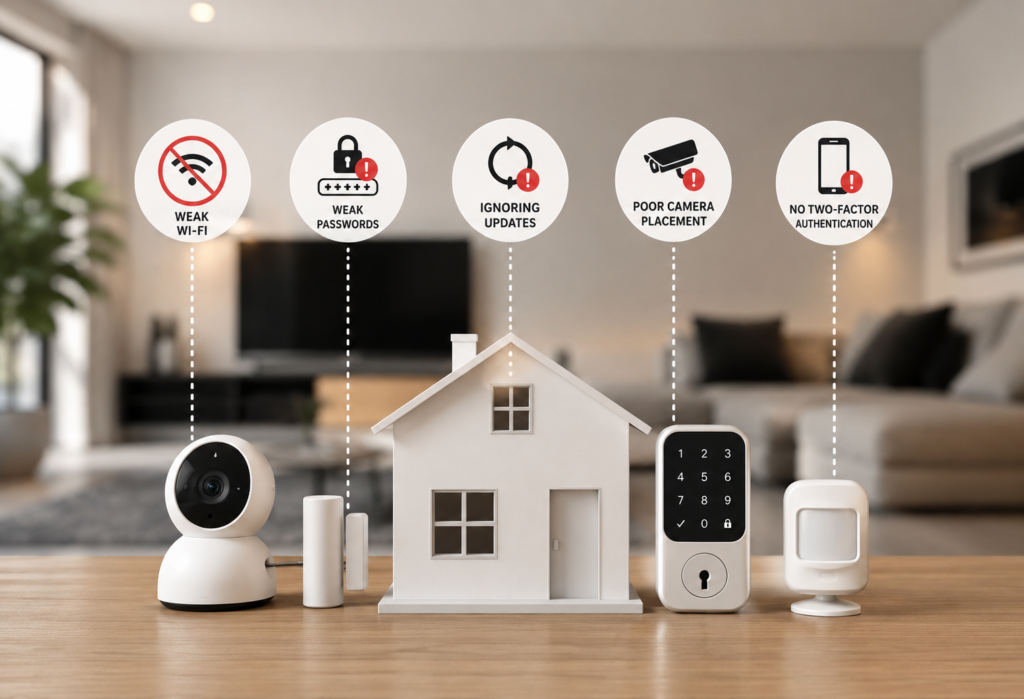
Today, smart home security is both cheaper and easier to install for homeowners who have access to smart cameras and doorbells, along with DIY home security systems, as well as many other options. Nonetheless, even the most high-tech gadgets can fail you in case of wrong installation, configuration, and maintenance.
In fact, many problems with home security have nothing to do with defective hardware and come down to simple mistakes that you may easily make, including wrong camera positioning, weak passwords, out-of-date firmware, lack of network protection, etc. These mistakes may make the best home security system much less efficient.
Knowing how to avoid the Smart Home Security mistakes of the typical home security system may greatly enhance the functionality of your cameras, smart locks, alarms, and other gadgets. Here is a guide on the most common home security mistakes that homeowners usually make, along with tips on how to improve home security.
Table of Contents
Why Smart Home Security Fails
Technology Isn’t Always the Problem
Most people will place the blame on the technology if the smart home security fails. They believe their cameras malfunction, their sensors are not reliable, and their smart locks are not well-designed. However, after consulting with security experts and studying many cases of failure, a different story unfolds.
Human errors lead to the majority of failures associated with smart home security. The technology is normally okay; the problem lies in the way it has been set up and maintained.
Poor Planning
Most individuals purchase smart home security gadgets on impulse. Seeing a good offer on a smart camera or having heard about a burglary in their neighborhood, they will quickly decide to purchase something through the internet. The impulsive way of buying results in poor integration, conflicts between devices, and non-compatible gadgets.
For Home Security systems to be efficient, all the gadgets have to communicate and be part of an ecosystem that functions well. Mixing gadgets and alarms from different companies may cause issues with their operation and inconsistencies in the alerting process. If there are no coordinated alerts coming from various apps, it is easy to lose valuable information and get too many useless notifications.
Incorrect Installation
A highly sophisticated home security system will not function if it is installed improperly. Too much height causes cameras to be unable to see faces clearly; sensors may not be appropriately located and cause frequent false alarms. If not calibrated well, smart locks may fail to lock effectively.
Weak Security Settings
This sounds a bit strange because most home security systems have poor security settings. The default passwords and encryption, in addition to the open network connections, make these systems vulnerable to hacking. Most of the time, people don’t even bother changing the default settings.
Common Smart Home Security Mistakes at a Glance
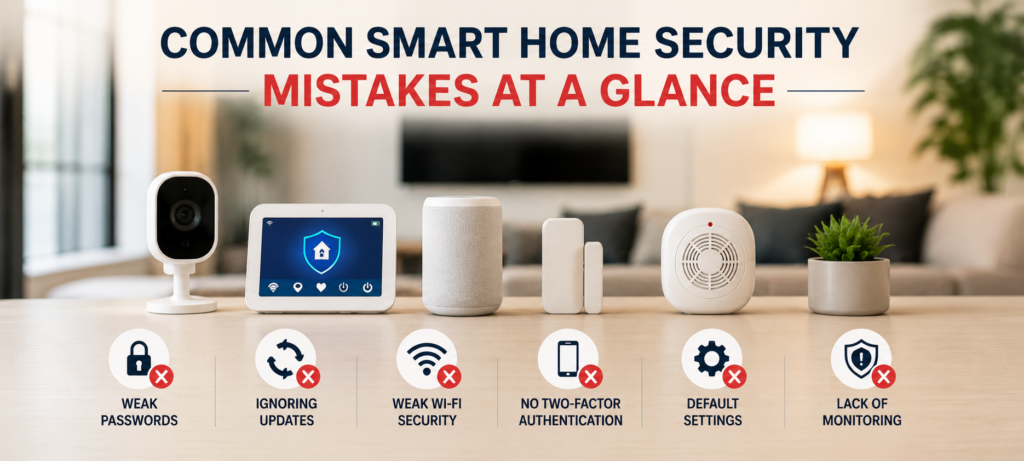
| Mistake | Risk | Better Solution |
|---|---|---|
| Weak Passwords | Unauthorized Access | Strong Unique Passwords |
| Poor Camera Placement | Blind Spots | Strategic Coverage |
| No 2FA | Account Takeover | Enable Two-Factor Authentication |
| Ignoring Updates | Security Vulnerabilities | Automatic Updates |
| Weak WiFi | Device Disconnects | Mesh WiFi System |
Mistake #1: Using Weak Passwords
The Biggest Security Risk
If there is one problem that you should take care of in regard to your home security, then it is your passwords. The largest security threat related to smart home security systems lies in weak passwords. They are also the most vulnerable to be exploited by cyber criminals.
Common Password Mistakes
Reusing Passwords
It is easier to use the same password for all your home security devices, but once one account becomes compromised, your other accounts can become vulnerable too. For example, if your doorbell camera password was cracked by hackers and you have been using it as your password for your smart locks, then now hackers have access to the whole security system.
Simple Passwords
Some people tend to use very easy passwords such as “123456,” “password,” or even the number of their house as a password. Automated password cracking tools can easily guess such passwords within a second. Once, I heard that someone uses his house number as a PIN for smart locks.
Shared Credentials
Sharing your account passwords with others can create problems. Once the relationship is over, the credentials usually remain the same.
Better Alternatives
Password Managers
Password managers allow you to create and save unique passwords for all accounts and devices. With programs such as Bitwarden, 1Password, or LastPass, maintaining good security becomes easy even when you need not remember a huge list of passwords.
Unique Passwords
Each device must be provided with a unique password. While this may appear daunting at first, it becomes totally doable with the help of password managers. In case your device is hacked, others remain safe.
In the case of smart locks, avoid using important dates or numbers as passwords but go for PIN codes. These must be frequently changed.
Mistake #2: Not Enabling Two-Factor Authentication
Why 2FA Matters
Two-factor authentication provides a further level of home security that will make your accounts highly secure. In case a person gets hold of your password, they won’t be able to access your accounts as they need a second factor – normally it is a code sent to your phone.
Account Protection
With 2FA, you’ll be protected from password theft, phishing attacks, and brute force hacking. Two-factor authentication is extremely important for smart home devices that can open doors and disarm alarms.
Prevent Unauthorized Access
Without two-factor authentication, any person who gets access to your password can manipulate your whole home security system from anywhere remotely. They can disarm your cameras, unlock doors or observe your activities at home.
Devices That Support 2FA
Cameras
All leading brands for home security cameras have the 2FA option via their mobile applications. Brands such as Ring, Nest, Arlo and others provide this capability. Activate 2FA for all of your cameras.
Doorbells
As smart doorbells often work on the same account as security cameras, activating 2FA on these devices will protect both types of devices. In addition, this step is vital since a doorbell camera could let strangers know if you are at home or not.
Smart Locks
Almost all manufacturers of smart locks give their mobile application the ability to use 2FA. This is an absolute must since these applications have access to unlocking the doors remotely.
It will take you only several minutes to do this per device. The system will send you a verification code every time you log into the application from a new device or location.
Mistake #3: Placing Security Cameras Incorrectly
Poor Camera Placement Creates Blind Spots
The placement of your cameras plays an integral role in the efficiency of your home security system. Despite purchasing high-quality surveillance cameras, you may still run into issues if the placement is incorrect. A properly placed camera will give you great coverage, while wrong placement will result in blind spots and inefficiencies of your whole security system.
Common Problems
Cameras Too High
Although mounting cameras in places where it will be hard to tamper with them seems like a smart move, it makes identification problematic. If a camera is placed at a height higher than 10 feet, the faces won’t be captured – the only thing you’ll get is the top of people’s heads when something happens on camera.
Cameras Facing Direct Sunlight
A camera that faces the direct sunlight or bright light source will produce unusable footage. During specific hours of the day, you will not get a video due to blinding.
Blocked Views
Over time, cameras may get blocked by trees, decoration objects or spider webs. Although you may have chosen a proper place during winter, it can turn out to be inappropriate in summer due to leaf cover.
Best Placement Tips
Keep the cameras at an elevation of 8 to 10 feet for optimal levels of safety and security combined. At this height, they are relatively difficult to damage, and still capture clear facial recognition.
Do not position cameras facing east or west because of the risk of direct sunlight. In case you have no choice but to position the cameras in this direction, ensure you get the ones that have good back lighting compensation abilities.
Walk around the monitored areas during different times of the day and year to ensure they capture clear images of the persons under surveillance from different angles.
Place cameras where they will serve as camera blind spots. Your front door camera should capture an approaching person’s facial recognition, whereas another one captures the whole person and his vehicle.
Mistake #4: Ignoring Firmware Updates
Why Updates Matter
Firmware updates can be dull, but they play a vital role in keeping your house secure. The updates are full of security patches, which are necessary because many cybercriminals are looking for vulnerabilities that can be exploited.
Security Patches
Cybersecurity specialists frequently discover vulnerabilities in smart home devices. To resolve the problem, the company releases the necessary firmware update; however, it will not solve anything unless you install it yourself. All devices with outdated firmware are vulnerable.
New Features
Apart from security patches, updates also bring new features and improve performance. Your camera may now have better low-light capabilities, and your smart lock could have additional options. By neglecting updates, you are losing access to something that you have already paid for.
Bug Fixes
All devices are full of bugs; therefore, firmware updates eliminate the most serious of them. For example, the motion sensor that stops working from time to time can be fixed with an update.
Automatic vs Manual Updates
Almost all smart home gadgets are capable of automatic updates. Always turn on this option if it is available. Automatic updates will keep your devices safe while you do not have to worry about it.
If your device does not offer this option, make sure to set up a monthly reminder to perform checks for firmware. This should not be difficult at all – it can be done alongside other home maintenance tasks such as smoke detector battery checks.
Mistake #5: Relying on a Single Security Device
Cameras Alone Aren’t Enough
One of the most common mistakes made by people is the assumption that there is only one type of home security system that will secure all of the property. Cameras are useful tools; however, they do not have the ability to lock the doors. The same is true for smart locks, which cannot detect any motion outside of the home. It is necessary to use different types of devices at once to secure the property.
Combine Multiple Device Types
Cameras
Cameras are great tools that allow for the visual confirmation and record of events. However, cameras are purely reactive devices since they only record problems after they occur.
Smart Locks
Smart locks are good proactive security devices that provide control and the possibility to send alerts whenever the doors are opened. However, they do not offer any protection for the windows and do not detect any motion outside the house.
Sensors
Motion detectors, door and window sensors, and vibration sensors give warnings about any possible dangers. These devices will notice any problems even before the video surveillance will see anything.
Alarm Systems
Alarm system unites everything and gives you very noisy deterrent which almost any burglar will be trying to avoid. It can also call the alarm service if there is a problem.
Layering helps to create redundancy because if something happens to one device then another will continue to protect your property.
Mistake #6: Weak WiFi Coverage
Poor Connectivity Creates Security Gaps
For smart home security systems to work effectively, an uninterrupted internet connection is crucial. A poor WiFi signal can make a security system lose connection with its sensors and cameras or not record anything happening due to poor internet connectivity. Although a smart home security system may work efficiently during installation, lack of a sufficient signal at particular parts of the house makes the system unreliable in the long run.
Common WiFi Issues
Dead Zones
Homes have dead zones that lack adequate WiFi signals. This is common in rooms that are further away from the router like the basement and garage. The Home Security gadgets in those rooms will either randomly disconnect or even stop functioning completely.
Router Placement
Some homeowners tend to put their WiFi routers in places like the basement or closet. Although this helps in decluttering the house, it affects the signal strength in the entire home.
Congestion
Having multiple gadgets connected to the network causes congestion and affects the efficiency of the gadgets. This problem is very common in gadgets like smart cameras, which need to upload videos.
Solutions
Mesh WiFi
Mesh WiFi setups employ several access points around the house in order to ensure coverage throughout. Unlike the standard router that uses only one device, a mesh setup consists of a group of interconnected devices with no dead zones.
Access Points
In case you cannot afford the entire mesh, access points will allow you to get the coverage needed in some problematic places like detached garages, basements, or even outdoors.
Test the WiFi signal strength in all the areas where you want to install your security systems before installing any of them. All modern phones come equipped with WiFi testers.
Mistake #7: Ignoring Local Storage or Backup Options
What Happens During Internet Outages?
Internet security cameras depend solely on cloud storage. Whenever the internet is down or when cloud services experience problems, such surveillance cameras will be unable to record or store footage. This means that during these moments, security may be compromised.
Benefits of Local Storage
SD Cards
The majority of security cameras have microSD card storage capability. In cases where internet connectivity goes down, such SD card will continue recording. This recording is transferred back to the cloud when internet connectivity resumes.
Hubs
There are security hubs that come equipped with a storage drive which enables recording of video footage from different cameras at once.
NAS Systems
The Network Attached Storage (NAS) systems are designed to give you professional-grade local storage for your whole security system. They cost more than an SD card, but they have more storage space and reliability.
Local storage is also safe from any changes that can occur at cloud storage service providers. They may change their policy, raise the price, or even stop providing their services. But you still remain able to run your security system in any case.
Some insurance companies also require local storage for their services, because it guarantees more evidence. Your video data may become inaccessible on the cloud due to some technical difficulties, but the local storage will always be available.
Mistake #8: Not Securing Smart Locks Properly
Smart Lock Safety Tips
Smart locks make life easier for us, however, the lack of proper configuration leads to security risks. Unlike regular locks that are exposed to physical attacks, smart locks are subject to physical and digital attacks at the same time.
Common Mistakes
Sharing PINs
People share the code to their smart lock with their relatives, friends, contractors, and other service providers. Gradually, there are just too many people who know the code, and it is difficult to determine who has the access to your house.
Never Changing Codes
There are people who set their smart lock’s PIN code and never update it. This way, you allow everyone who ever knew your PIN code to enter your property, even those people who are no longer your friend or partners.
Ignoring Access Logs
Smart locks store the history of the door openings and PIN codes that were used to unlock the door. However, most users ignore these logs.
Better Smart Lock Practices
Use temporary passwords for contractors, deliveries, and visitors, rather than handing out the main PIN to them. Passwords can be set to self-destruct once a certain period passes or they reach a set use limit.
Update the PIN periodically, and particularly after temporary access is provided to services or after terminating associations with those who have had access to the PIN.
Look at access records monthly to confirm that there is nothing suspicious going on and that all access to the door has been legitimate. Unexpected access may signal a security issue or even the sharing of keys.
Receive notifications regarding lock and unlock activities. This may seem like overkill but will help detect any irregularities.
Try using fingerprint authentication and/or smartphone-enabled smart locks in place of a numerical PIN.
Mistake #9: Poor Video Doorbell Positioning
Common Doorbell Camera Errors
Although video doorbells appear easy to install, improper installation may make them ineffective for security reasons. Proper placement versus incorrect installation will make you either be able to recognize visitors or just see dark spots.
Height Issues
There are lots of people installing doorbell cameras at the traditional height of doorsbells – about 48 inches off the ground. This is sufficient for seeing people approaching the door; however, such a height is not enough for security reasons. It is very simple for people to obstruct the camera by using a hand or a hat.
Doorbells should be installed at 54-60 inches of height.This height captures clear facial images of most adults while being difficult to block or tamper with.
Narrow Field of View
Common doorbell cameras have small viewing angles. Mounting them straight ahead means that you could fail to see people moving around on the sides or any packages delivered just outside the reach of the camera.
Mount doorbell cameras at an angle, pointing downward and into the center of the porch. Such a configuration will allow you to cover a larger surface area and the package delivery zones.
Remember the path people take towards the front door when mounting the cameras. The camera should be able to show the face of the people coming to the door within several seconds.
Test how well you can see the camera views at different times of the day. You may experience glare and shadow conditions due to porch lights, street lights, and the sun.
Mistake #10: Forgetting About Physical Security
Smart Devices Can’t Fix Weak Doors
A great home security system is useless if your doors and windows can be easily breached. Most people spend money on high-end cameras and sensors while overlooking the most basic of all security issues.
Reinforce Key Areas
Door Frames
The door frames of almost all doors are held by small screws that can be easily broken by a powerful kick. You should switch those small screws with bigger screws that go all the way through the wall studs.
Window Locks
Ordinary window locks tend to be weak or nonfunctional. Install more effective locks, and think about using protective film that makes breaking the glass difficult. Windows on the ground floor are particularly important.
Exterior Lighting
Shadows outside your house can offer hiding places for criminals. The combination of motion-activated lighting and security cameras is very useful in eliminating shadows and taking clear footage.
The effectiveness of smart security depends on good physical security. Cameras and other sensors may serve as an alarm system; however, your physical barriers should be able to prevent intrusion once the alarm goes off.
Mistake #11: Leaving Default Device Settings Unchanged
Factory Settings Can Create Risks
The smart home appliances are usually shipped with settings meant to facilitate installation and not to enhance security. The default settings make it easier to install your appliances but at the same time expose them to possible attacks.
Change Critical Settings
Passwords
This has been mentioned before but deserves to be emphasized again. You should change all the default passwords because most devices have identical default passwords used by thousands of other devices.
Device Names
Default names usually show the make, type and even default log-in details of the devices. You need to modify the names and choose generic names which do not give away any information.
Admin Settings
Check all administrative controls and turn off any features that you do not use. Remote access and guest networks are typically set up by default, and they might not be required in your configuration.
Diagnostic services are typically turned on in many machines by default and report back data to the manufacturers. Even though the data collected is typically anonymous, it is always better to turn these features off.
Mistake #12: Overlooking Privacy Settings
Protecting Personal Data
Security systems at home gather huge chunks of personal information. Your presence at home, guests coming in and out, and your daily activities can be tracked through smart security systems. It is as important to secure this information as to secure your safety.
Review Important Settings
Camera Permissions
Make sure that you know which applications and services have access to your cameras and security video streams. It is possible that some applications collect this information without your consent to provide certain additional functionalities.
Cloud Storage Settings
Know the location of your security footage storage and whether or not it is accessible by any other parties. Sometimes such information may be collected outside the country of your residence or shared with authorities in case of investigations.
Shared Access
Evaluate the number of people who can access your home security systems and their level of access. While family members may require full access to your devices, contractors and house-sitters should have limited access only.
Smart homes also gather additional information, such as location details and contacts, in addition to the information that is required to perform their basic function of ensuring your safety.
🛡️Smart Home Security Best Practices Checklist
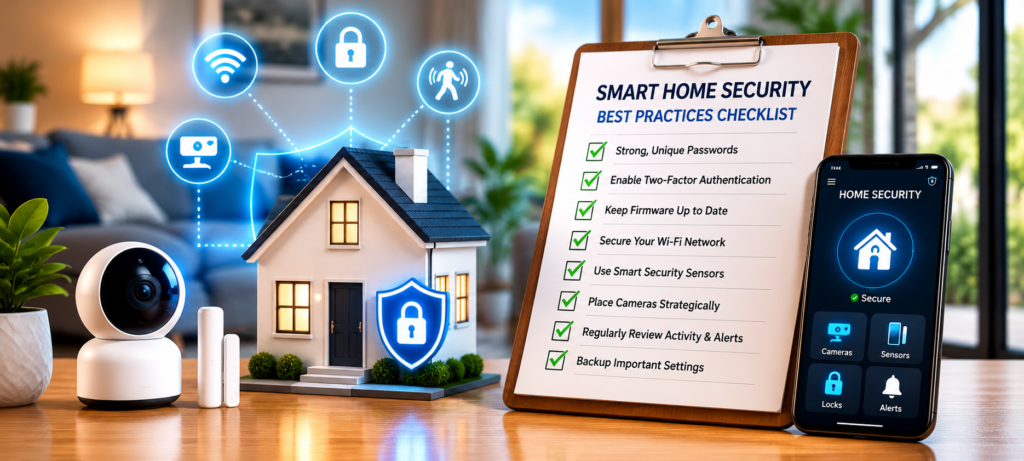
Quick Home Security Checklist
Use this list to assess your current state of smart home security system and to see what can be improved there:
✅ Strong Passwords – Specific passwords for all devices and accounts
✅ 2FA Turned On – Two factor authentication enabled for all compatible devices
✅ Automatic Firmware Updates – Firmware updates are either automated or performed manually regularly
✅ Right Camera Positioning – Right placement of cameras for coverage and recognition
✅ Secure WiFi – Network with strong coverage in all monitored spaces
✅ Storage Backups – Options of local storage for important security devices
✅ Physical Protection – Extra physical protection of doors, windows, and locks alongside smart devices
✅ Changed Factory Settings – Settings are adjusted from default ones
✅ Privacy Settings – Minimal data sharing and permissions only where needed
✅ Device Testing – Monthly testing of the working state of all devices
✅ Access List – List of people with access rights to specific devices
✅ Emergency Plan – Guidelines on how to react on an alert
❓FAQs
What is the biggest smart home security mistake?
The use of weak or default passwords is the most common security blunder in a smart home. In itself, this problem makes all devices vulnerable to attacks and hacking. Two-factor authentication and strong passwords will help you to avoid any threats.
Are smart home devices safe from hackers?
Smart home devices can be very secure from hackers when they are set up properly. However, in their natural state, such devices can easily become vulnerable to hacking. The main thing is the lack of appropriate configuration, not device vulnerability.
How often should I update smart devices?
For maximum protection, you need to configure automatic updates on your smart home devices. If it is impossible to enable auto-updates, you need to check once a month whether there are updates to install. It is necessary to update security patches instantly and other features on the schedule.
Do smart cameras work without internet?
Smart cameras may record their video footage to SD cards or hubs even without internet access, although most features will require an internet connection. Cloud storage, remote monitoring, and alert notifications all require an internet connection. Recording to an SD card or a hub gives the backup recordings without many features enabled.
Should I use cloud storage or local storage?
The perfect combination will be cloud storage and local storage to ensure safety and reliability. Local storage will give you a backup while there is no internet access, and you will be the one in charge of your data. The cloud storage, on the other hand, will provide remote accessibility.
🔗Related Articles
- Smart Home Security Systems in 2026 (Expert Buyer’s Guide)
- How to Build a Smart Home Security System (Ultimate Guide 2026)
- Schlage Smart Lock Review (2026): Is It Worth Buying?
- Best Smart Security Cameras for Home in 2026 (Complete Buyer’s Guide)
- How to Place Security Cameras for Maximum Protection (2026 Guide)
- Best Smart Video Doorbells for Home Security in 2026 (Complete Buyer’s Guide)
- Best Smart Home Security Systems WITHOUT Subscription (2026)
- Best Smart Door Sensors for Apartments in the USA (2026 Guide)
- Best Smart Sensors for Home Security (2026 Guide)
🚀Final Thoughts
Proper installation and maintenance of smart home security systems help make them very efficient. Most of the problems that occur with smart home security originate from the mistakes made by homeowners when securing their homes.
Observance of some of the best practices in smart home security, application of various layers of protection, and regular updating of smart home security devices can go a long way in helping create a safe security system for your home.
If you avoid making the following mistakes in smart home security, then you can be assured of having the right kind of protection in place.