
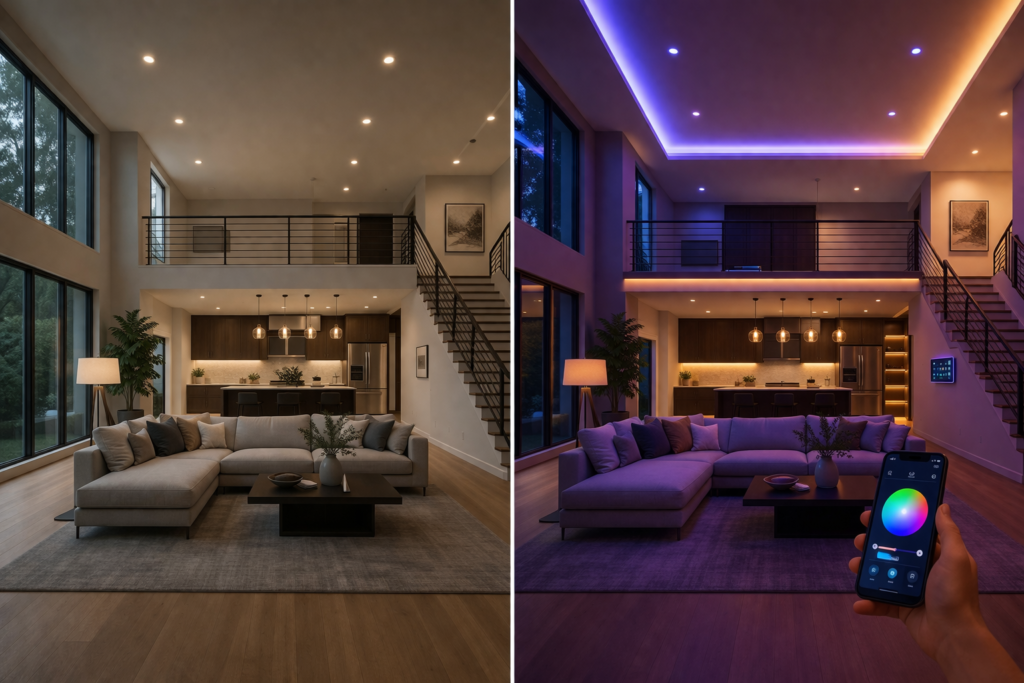
Control your lights from your phone in minutes – it sounds like science fiction, but once you learn how to set up smart lighting, it becomes one of the most accessible home automation upgrades available today. Whether you’re lying in bed and realize you forgot to turn off the kitchen light, or you want to create the perfect ambiance for movie night without getting up from the couch, smart lighting puts complete control at your fingertips.
In 2026, smart lighting has moved beyond early adopter territory into mainstream home improvement. According to recent market research, over 40% of American households now have at least one smart lighting device installed. This surge in popularity stems from improved reliability, lower costs, and seamless integration with voice assistants and smartphones.
If you’re new to smart homes, check our complete guide on smart lighting systems to understand how everything works.
The benefits extend far beyond convenience. Smart lighting systems can reduce your electricity bill by up to 60% through automated scheduling and energy-efficient LED technology. They also enhance home security by simulating occupancy when you’re away and provide peace of mind through remote monitoring capabilities.
This comprehensive guide is designed for beginners and homeowners who want to modernize their lighting without hiring an electrician or spending thousands of dollars. No technical background required – just follow our step-by-step instructions to transform your home’s lighting system.
What You Need Before Setting Up Smart Lighting
Essential Requirements
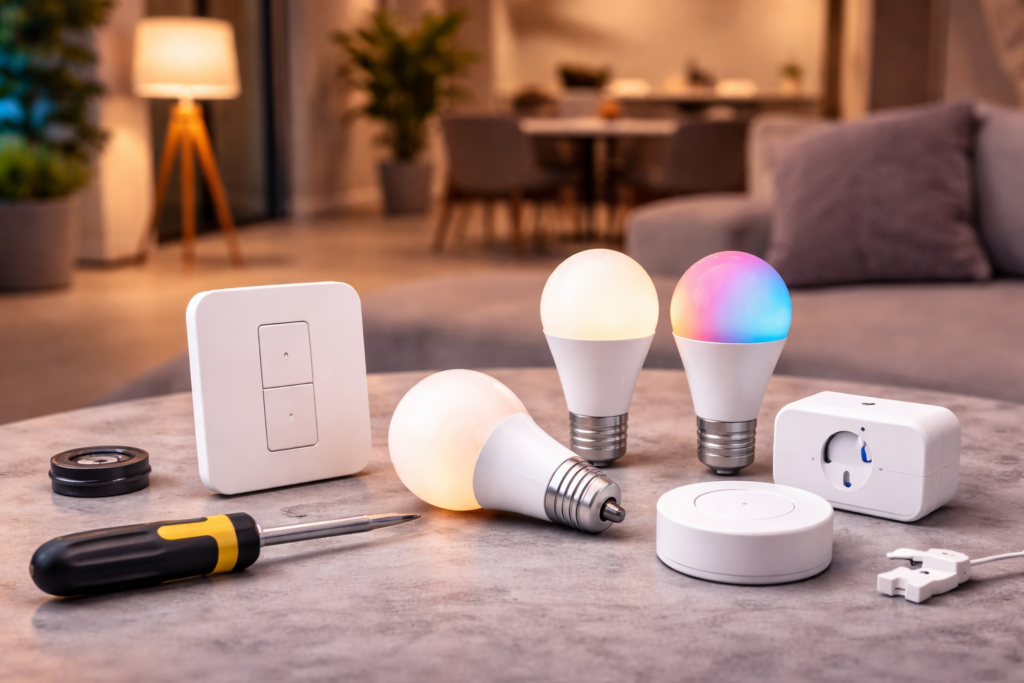
Before diving into smart lighting installation, ensure you have these fundamental components in place. A stable Wi-Fi connection forms the backbone of your smart lighting system. Your router should provide consistent coverage throughout the areas where you plan to install smart lights. If you experience weak signals in certain rooms, consider upgrading your router or adding Wi-Fi extenders.
Your smartphone serves as the primary control hub for smart lighting. Both iOS and Android devices work seamlessly with major smart lighting brands. Download speed isn’t critical, but your phone should run a relatively recent operating system to ensure app compatibility.
Compatible smart devices round out your essential requirements. Start with one or two lights to test the system before expanding. Most smart lighting products work independently, but some advanced features require additional hardware that we’ll discuss in the next section.
Types of Smart Lighting Devices
Smart bulbs represent the simplest entry point into automated lighting. These LED bulbs screw directly into existing fixtures and connect to your Wi-Fi network. They’re perfect for renters since installation requires no wiring modifications. Smart bulbs typically offer dimming capabilities and color-changing options, with prices ranging from $10 to $50 per bulb.
Smart switches replace traditional wall switches and control any attached light fixture. They require basic electrical work but provide a cleaner aesthetic since you keep your existing bulbs. Smart switches work better for chandeliers, recessed lighting, and fixtures with multiple bulbs. Installation costs run $15 to $80 per switch.
Smart plugs offer an alternative solution for lamps and portable lighting. Simply plug your lamp into the smart plug, then plug the smart plug into your wall outlet. While not technically a lighting device, smart plugs enable automation for table lamps, floor lamps, and string lights without any installation requirements.
Smart hubs act as communication centers for advanced systems but aren’t essential for basic setups. Modern smart bulbs and switches often connect directly to Wi-Fi, eliminating the need for separate hubs. However, hubs can improve reliability and enable advanced automation features for larger installations.
Check out our complete guide to smart home devices for more information on building an integrated system.
Choosing the Right Smart Lighting System
Based on Your Home Type
Your housing situation significantly influences which smart lighting approach works best. Renters should focus primarily on smart bulbs since they require no permanent modifications to electrical systems. You can easily remove smart bulbs when moving and take them to your next home. Smart plugs also work well for renters who want to automate existing lamps without touching wall switches.
Homeowners have more flexibility and should consider smart switches for whole-room solutions. Installing smart switches provides cleaner aesthetics and works with existing light fixtures. You won’t need to replace expensive chandelier bulbs with smart versions, and guests can still control lights using familiar wall switches. Smart switches also retain functionality during internet outages, unlike some smart bulbs.
Mixed approaches work well for many homeowners. Install smart switches in high-traffic areas like living rooms and kitchens, while using smart bulbs for bedrooms and specialty lighting where color-changing or advanced dimming features add value.
Based on Budget
Budget setups ($20-$50) focus on essential functionality with one or two smart bulbs or a single smart switch. This price range gets you basic on/off control, dimming, and smartphone app integration. Budget options typically use Wi-Fi connectivity and work with major voice assistants. Start small to test the technology before expanding your system.
Mid-range systems ($50-$150) enable whole-room automation with multiple devices and enhanced features. This budget accommodates smart switches for main areas plus accent lighting with color-changing smart bulbs. Mid-range products often include better build quality, faster response times, and more reliable connectivity protocols like Zigbee.
Premium setups ($150+) incorporate advanced automation, high-end fixtures, and professional-grade reliability. Premium systems might include smart dimmers with precise brightness control, outdoor smart lighting with weather resistance, and integration with whole-home automation platforms. These systems often pay for themselves through energy savings within 2-3 years.
Based on Compatibility
Alexa compatibility dominates the smart lighting market, with virtually all major brands supporting Amazon’s voice assistant. Alexa’s lighting controls feel intuitive, with commands like “Alexa, dim the living room lights to 30%” working reliably across different device brands. Amazon’s frequent updates and large developer community ensure continued compatibility improvements.
Google Assistant offers similar functionality with slightly different voice commands and deeper integration with Android smartphones. Google’s system excels at understanding natural language requests and learning your preferences over time. If you primarily use Google services and Android devices, Google Assistant integration might feel more seamless.
Apple HomeKit provides enhanced privacy and security features but limits your device choices. HomeKit-compatible devices undergo stricter certification processes, resulting in higher prices but potentially better reliability. HomeKit works exclusively with iOS devices and Siri voice control, making it ideal for Apple-focused households.
If you’re building your first smart lighting setup, this guide covers the most important devices you need. –Best Smart Plugs of 2026
Types of Smart Lighting Connections Explained
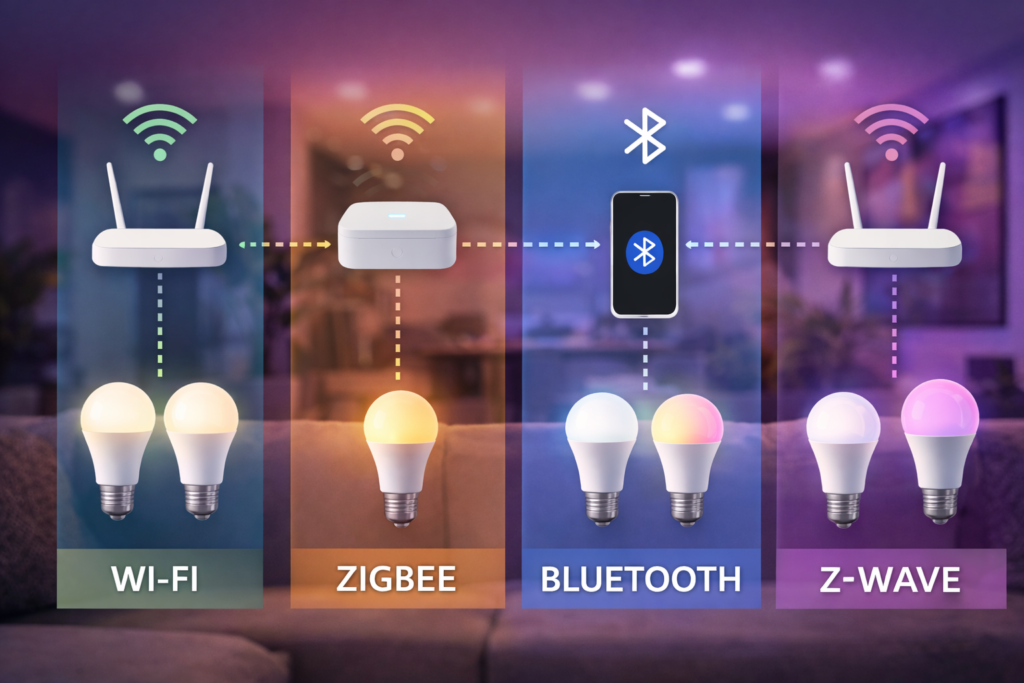
Wi-Fi connections offer the easiest setup process for smart lighting beginners. Wi-Fi-enabled bulbs and switches connect directly to your existing home network without requiring additional hardware. Setup typically involves downloading an app, creating an account, and following simple pairing instructions. Wi-Fi devices respond quickly to commands and work reliably within your router’s coverage area.
However, Wi-Fi smart lights consume more power than other connection types and can slow down your network if you install many devices. Wi-Fi connections also depend on internet connectivity, so some features may not work during outages. Despite these limitations, Wi-Fi remains the best choice for most homeowners due to its simplicity and broad device compatibility.
Bluetooth connections provide short-range control without requiring Wi-Fi network access. Bluetooth smart lights pair directly with your smartphone, enabling basic control within 30-50 feet. This connection type works well for bedside lamps or small apartments where you don’t need whole-home automation. Bluetooth setup is often faster than Wi-Fi, and the connection doesn’t depend on internet service.
The main disadvantage of Bluetooth is limited range and lack of remote access. You can’t control Bluetooth lights when away from home, and automation features are typically restricted. Bluetooth works best as a supplementary technology rather than the foundation of a comprehensive smart lighting system.
Zigbee connections create mesh networks that improve reliability and range compared to Wi-Fi. Zigbee devices communicate with each other, extending the network’s reach throughout your home. This technology uses less power than Wi-Fi and doesn’t interfere with your internet connection. Zigbee works well for larger homes or complex automation scenarios.
The downside is complexity – Zigbee requires a separate hub and more technical knowledge to configure properly. Device pairing can be more complicated than Wi-Fi alternatives, and troubleshooting network issues requires understanding mesh topology concepts.
Z-Wave technology offers similar benefits to Zigbee with slightly different technical specifications. Z-Wave creates reliable mesh networks and works well for advanced home automation systems. Professional installers often prefer Z-Wave for its consistent performance and extensive device ecosystem.
Like Zigbee, Z-Wave requires additional hardware and technical expertise. Z-Wave devices typically cost more than Wi-Fi alternatives, making this technology better suited for serious home automation enthusiasts rather than casual users.
Step-by-Step Guide to Set Up Smart Lighting
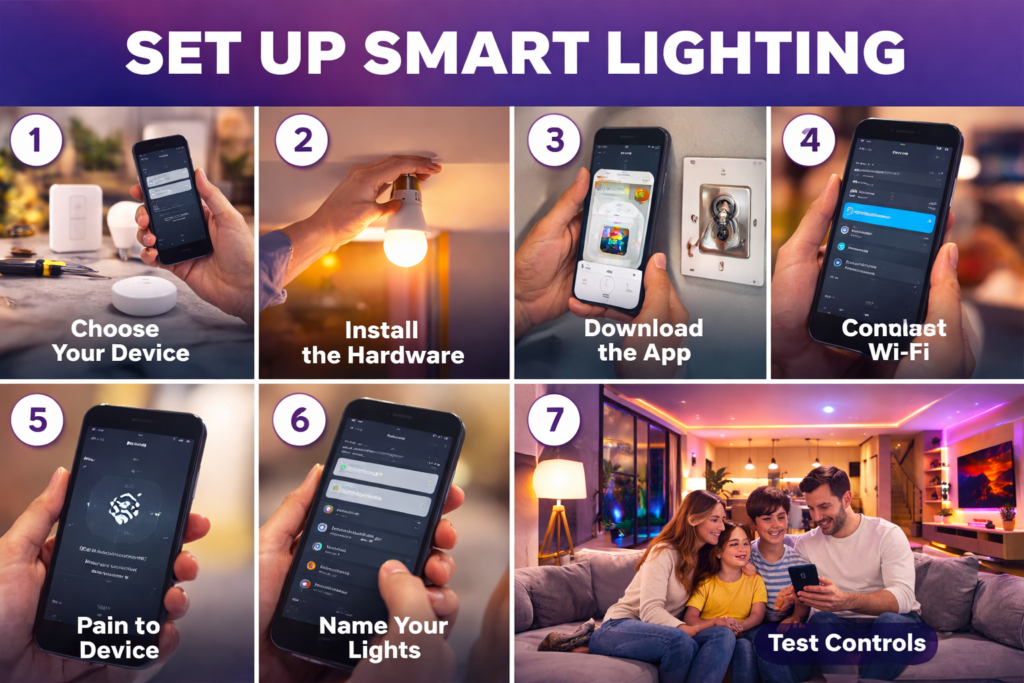
Step 1: Choose Your Device
Start by selecting either a smart bulb or smart switch based on your specific needs and housing situation. Smart bulbs work best for renters, unique fixtures, or situations where you want color-changing capabilities. Choose smart switches when you own your home, have multiple bulbs in one fixture, or prefer controlling lights via traditional wall switches.
Consider the bulb type and fixture compatibility before purchasing. Standard A19 bulbs fit most table lamps and ceiling fixtures, while BR30 bulbs work better for recessed lighting. Check the maximum wattage rating for your fixture – LED smart bulbs typically use 8-12 watts while producing light equivalent to 60-100 watt incandescent bulbs.
For smart switches, verify that your electrical box has a neutral wire, which appears as a white wire bundle. Some smart switches work without neutral wires, but they cost more and have limited compatibility. Take a photo of your existing switch wiring before starting installation, or consult an electrician if you’re unsure about electrical safety.
Step 2: Install the Hardware
Installing smart bulbs requires simply screwing them into existing light fixtures – no electrical work necessary. Turn off the light switch, remove your old bulb, and screw in the smart bulb. Most smart bulbs are slightly larger than traditional incandescent bulbs, so check that they fit properly in enclosed fixtures or lampshades.
Smart switch installation requires more caution but remains manageable for most homeowners. Safety tip: Always turn off power at the circuit breaker, not just the wall switch, before beginning electrical work. Use a voltage tester to confirm power is off before touching any wires. Remove the old switch, connect the smart switch wires according to the manufacturer’s instructions (typically matching wire colors), and secure the switch in the electrical box.
If you encounter unfamiliar wiring configurations or feel uncomfortable working with electrical connections, hire a qualified electrician. The cost of professional installation ($50-$100 per switch) often proves worthwhile for safety and reliability.
Step 3: Download the App
Download the manufacturer’s smartphone app from the App Store or Google Play Store. Major brands like Philips Hue, TP-Link Kasa, and Lutron offer well-designed apps with regular updates. Read recent app reviews to identify any connectivity issues before installation.
Create an account within the app, providing a valid email address for firmware updates and support communications. Enable location services if prompted – this feature enables geofencing automation where lights automatically turn on or off based on your proximity to home.
Grant the app necessary permissions for Wi-Fi access, camera use (for QR code scanning), and notifications. These permissions are essential for device setup and ongoing functionality.
Step 4: Connect to Wi-Fi
Most smart lighting devices require 2.4GHz Wi-Fi networks rather than 5GHz connections. Check your router settings to ensure 2.4GHz is enabled and broadcasting. Some newer routers combine both frequencies under a single network name, which can confuse smart devices during setup.
If your router broadcasts separate network names for each frequency (like “HomeWiFi” and “HomeWiFi_5G”), connect your phone to the 2.4GHz network before beginning device pairing. This ensures your phone and smart light use the same frequency during setup.
Enter your Wi-Fi password carefully, as incorrect passwords are the most common setup failure. Consider temporarily simplifying your Wi-Fi password if it contains special characters that might cause compatibility issues.
Step 5: Pair the Device
Modern smart lighting apps typically offer multiple pairing methods. Auto-detection works best when it’s available – the app automatically finds nearby devices ready for pairing. Ensure your smart bulb or switch is powered on and in pairing mode (usually indicated by blinking).
QR code pairing provides reliable results when auto-detection fails. Scan the QR code printed on the device packaging or the device itself using your phone’s camera through the app. This method directly transfers connection information without manual data entry.
Manual pairing serves as a backup when other methods don’t work. You’ll need to enter the device’s MAC address or serial number, which appears on the product label. Manual pairing takes longer but works reliably for troublesome devices.
Step 6: Name Your Lights
Assign clear, descriptive names to each smart light for easy voice control and app navigation. Use names like “Living Room Ceiling Light,” “Kitchen Island Pendant,” or “Master Bedroom Lamp” rather than generic labels like “Light 1” or “Bulb A.”
Avoid using names that sound similar to prevent voice assistant confusion. Don’t name lights “Kitchen Light” and “Chicken Light” if you plan to use voice controls. Consider your family’s natural speech patterns when choosing names.
Group related lights together for convenient control. Create groups like “Downstairs Lights,” “Master Suite,” or “Front Porch” to control multiple fixtures simultaneously. Most apps allow lights to belong to multiple groups, providing flexibility for different scenarios.
Step 7: Test Control
Verify basic functionality by turning lights on and off through the smartphone app. Test dimming capabilities if available, ensuring smooth transitions between brightness levels. Color-changing bulbs should smoothly transition between different hues without flickering.
Check response times between app commands and light changes. Quality smart lights respond within 1-2 seconds under normal conditions. Delayed responses might indicate Wi-Fi connectivity issues or app problems requiring troubleshooting.
Test automation features like scheduling to ensure the system works reliably without manual intervention. Set a simple automation like turning on lights at sunset, then monitor performance over several days before creating more complex rules.
How to Connect Smart Lights to Voice Assistants
Alexa Setup
Begin by opening the Alexa app and navigating to the “Skills & Games” section. Search for your smart lighting brand (like “Philips Hue” or “TP-Link Kasa”) and enable the corresponding skill. Skills act as translators between Alexa and your smart devices, enabling voice control functionality.
After enabling the skill, you’ll need to link your smart lighting account with Alexa. This process typically involves logging into your lighting manufacturer’s account through the Alexa app. The linking process grants Alexa permission to control your devices while maintaining security through secure authentication protocols.
Once linked, ask Alexa to “discover devices” or use the app’s device discovery feature. This process can take 2-3 minutes as Alexa searches for all compatible smart home devices on your network. After discovery completes, test voice commands like “Alexa, turn on the living room light” to verify proper operation.
Google Assistant Setup
Google Assistant integration begins in the Google Home app rather than Google Assistant directly. Open Google Home, tap the “+” icon, and select “Set up device.” Choose “Works with Google” to browse compatible smart home brands and locate your lighting manufacturer.
Link your lighting account by signing in through Google’s secure authentication system. This process grants Google Assistant control permissions while protecting your account credentials. The linking process typically takes less than a minute for major lighting brands.
After account linking, Google automatically discovers your smart lights and adds them to your available devices. Test functionality with natural language commands like “Hey Google, dim the bedroom lights to 50%” or “Turn off all the lights.” Google Assistant excels at understanding conversational requests compared to more rigid command structures.
Apple HomeKit
HomeKit setup requires scanning the HomeKit code printed on your device packaging or the device itself. Open the Home app on your iPhone or iPad, tap “Add Accessory,” and use your camera to scan the 8-digit HomeKit code. This process directly pairs devices without requiring separate manufacturer apps.
HomeKit’s strict security requirements mean fewer devices are compatible, but setup is often more straightforward when devices are supported. The Home app automatically organizes devices by room and enables Siri voice control without additional configuration.
After adding devices to HomeKit, organize them into rooms and zones for logical control groupings. HomeKit’s automation features integrate deeply with iOS, enabling location-based triggers and advanced scheduling that works reliably even when your internet connection is interrupted.
👉You can check official compatibility and setup instructions on Amazon and Google smart home pages.
Creating Smart Lighting Automation
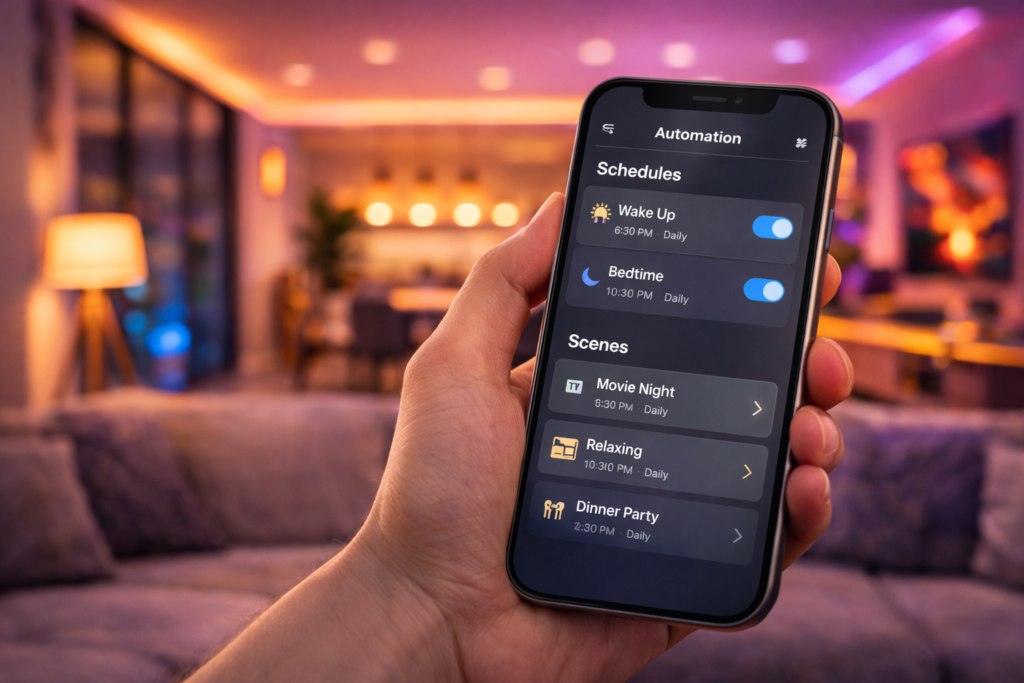
Scheduling automation forms the foundation of smart lighting systems, replacing manual control with intelligent routines that match your daily patterns. Create morning routines that gradually brighten lights to simulate sunrise, making waking up more natural and pleasant. Evening schedules can dim lights progressively as bedtime approaches, supporting your body’s circadian rhythms for better sleep quality.
Most smart lighting apps offer sunrise and sunset scheduling that automatically adjusts throughout the year. This feature ensures outdoor security lights activate at appropriate times regardless of seasonal daylight changes. Indoor lights can follow similar patterns, maintaining consistent ambiance as seasons change.
Motion-based automation provides convenience and energy savings by activating lights only when rooms are occupied. Install motion sensors in hallways, bathrooms, and closets for hands-free operation. Configure different behaviors for day and night – bright task lighting during daytime, dim navigation lighting after bedtime.
Scene creation enables instant ambiance control for different activities and moods. Create a “Movie Night” scene with dimmed living room lights and accent lighting that won’t reflect on your TV screen. “Dinner Party” scenes might feature warm, welcoming lighting throughout entertaining areas. “Focus” scenes provide bright, neutral lighting for reading or working from home.
Geofencing automation uses your smartphone’s location to trigger lighting changes as you come and go. Lights automatically turn on as you arrive home after dark, providing security and convenience. Departure automation ensures lights turn off when everyone leaves, preventing energy waste from forgotten switches. Configure geofencing with appropriate delays to avoid triggering automation during brief trips outside.
Room-by-Room Setup Ideas
Living Room
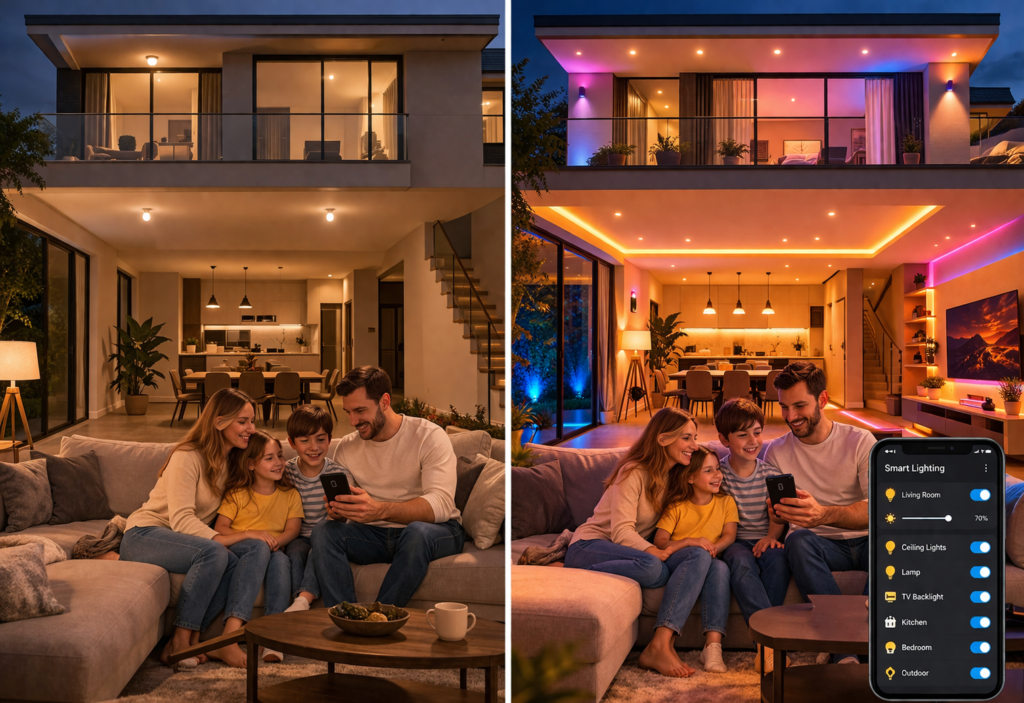
Living room lighting requires versatility to support various activities throughout the day. Install smart switches or bulbs that offer warm white color temperatures (2700K-3000K) for relaxing evening ambiance and cooler temperatures (4000K-5000K) for active daytime use. Layer different light sources including ceiling fixtures, table lamps, and accent lighting for complete control.
Create lighting scenes that complement your entertainment setup. Dim overhead lights and activate bias lighting behind your TV to reduce eye strain during movie watching. Party scenes might feature colorful accent lighting with synchronized color changes. Reading scenes should provide bright, focused lighting without creating glare.
Consider smart floor lamps and table lamps to add warmth and flexibility to overhead lighting. Smart plugs can automate existing lamps without requiring new purchases, making this an budget-friendly upgrade option.
Bedroom
Bedroom lighting should promote relaxation and support healthy sleep patterns. Choose smart bulbs with warm color temperatures and excellent dimming performance. Many smart bulbs offer “night light” modes with very low brightness levels perfect for late-night navigation without disrupting sleep.
Install bedside smart lamps or bulbs for reading that won’t disturb sleeping partners. Individual control allows each person to customize their lighting preferences. Morning routines can gradually increase brightness to simulate natural sunrise, providing a gentler wake-up experience than traditional alarms.
Automated scheduling works particularly well in bedrooms. Lights can dim automatically in the evening and turn off completely after you typically fall asleep. Motion sensors work well for walk-in closets and en-suite bathrooms connected to the bedroom.
Kitchen
Kitchen lighting demands bright, accurate color rendering for food preparation and cooking safety. Install smart switches for overhead lighting and under-cabinet task lighting to provide comprehensive illumination. Choose bulbs with high color rendering index (CRI) ratings above 90 for accurate color representation.
Create different scenes for cooking, dining, and entertaining. Bright task lighting assists with food preparation, while dimmer ambient lighting creates pleasant dining atmospheres. Party scenes might feature colorful accent lighting for special occasions.
Smart switches work better than smart bulbs in kitchens with multiple recessed lights or chandelier fixtures. Motion sensors provide hands-free operation when your hands are full with cooking tasks.
Outdoor
Outdoor smart lighting enhances security while providing safety and curb appeal. Install smart switches for porch lights and pathway lighting that automatically activate at sunset and turn off at sunrise or after midnight. Motion sensors provide security lighting that activates when someone approaches your home.
Choose outdoor-rated smart devices with appropriate weather resistance ratings (IP65 or higher for exposed locations). Smart outdoor plugs enable holiday lighting automation and seasonal decoration control without manual plug switching.
Security automation can simulate occupancy when you’re traveling by randomly turning lights on and off throughout the evening. Combine indoor and outdoor automation for comprehensive security lighting that deters potential intruders.
Common Setup Problems & Fixes
Device connection failures represent the most frequent smart lighting setup issue. When devices won’t connect, start by resetting the smart bulb or switch according to manufacturer instructions. Most smart bulbs reset by turning them off and on in specific patterns (like five times quickly). Smart switches typically have reset buttons or specific switch combinations for factory resets.
Wi-Fi connectivity issues often stem from router problems rather than device defects. Restart your router by unplugging it for 30 seconds, then plugging it back in. Ensure your 2.4GHz Wi-Fi network is broadcasting and not hidden from device discovery. Move your router closer to smart devices temporarily during setup if signal strength seems weak.
App detection problems usually resolve with smartphone or app restarts. Close the smart lighting app completely, restart your phone, then reopen the app and retry device discovery. Ensure your phone’s location services are enabled and the app has necessary permissions for camera access (QR code scanning) and local network access.
Voice assistant integration issues typically require relinking accounts between platforms. Disable and re-enable the smart lighting skill in your Alexa, Google, or HomeKit app. Run device discovery again after relinking accounts. Check that device names don’t conflict with other smart home devices or contain special characters that voice assistants might misinterpret.
Network congestion can cause intermittent connectivity problems in homes with many smart devices. Consider upgrading to a mesh router system if you experience frequent disconnections. Some routers offer dedicated IoT networks that isolate smart home devices from regular internet traffic, improving overall reliability.
Smart Lighting Setup Cost (USA)
Budget smart lighting setups ($20-$50) typically include 2-3 basic smart bulbs or one smart switch with essential features. This investment provides smartphone control, basic dimming, and voice assistant compatibility for a single room. Budget options often use Wi-Fi connectivity and work well for testing smart lighting before larger investments.
Entry-level smart bulbs cost $8-$15 each from reputable brands, while basic smart switches range from $15-$25. Budget setups focus on high-traffic areas like living rooms or bedrooms where you’ll notice the convenience benefits most. This price range excludes installation costs if you hire an electrician for switch installation.
Mid-range systems ($50-$150) enable whole-room or multi-room automation with enhanced features like color-changing, better dimming performance, and more reliable connectivity. This budget accommodates smart switches for main lighting plus accent smart bulbs for ambiance. Premium features like motion sensors and advanced automation become available in this price range.
Mid-range smart bulbs with color-changing capabilities cost $15-$30 each, while feature-rich smart switches range from $30-$60. This investment level provides noticeable convenience improvements and begins delivering measurable energy savings through automated scheduling and LED efficiency.
Premium setups ($150+) incorporate advanced automation, high-end devices, and professional installation. Premium systems might include smart dimmers with precise control, outdoor smart lighting, whole-home integration, and professional-grade reliability. These systems often include smart hubs for improved performance and advanced automation capabilities.
Return on investment calculation: Smart LED bulbs use 80% less energy than incandescent bulbs and last 15-25 times longer. A household spending $200 annually on lighting can expect to save $120-$160 per year after switching to automated smart LED lighting. Energy savings typically recover smart lighting costs within 18-24 months, while providing years of additional convenience and security benefits.
Smart Lighting Safety Tips
Always turn off power at the circuit breaker before installing smart switches or performing any electrical work. Wall switches can still receive power even when in the “off” position. Use a non-contact voltage tester to verify power is completely disconnected before touching any wires. Take photos of existing wiring before disconnection to ensure proper reconnection.
Purchase smart lighting devices from reputable manufacturers with proper safety certifications. Look for UL (Underwriters Laboratories) listings on smart switches and FCC certifications on wireless devices. Avoid extremely cheap products from unknown brands, as they may lack proper safety testing and could create fire hazards.
Avoid overloading electrical circuits by calculating total wattage before adding multiple smart devices. Smart switches and smart bulbs both consume small amounts of power for wireless connectivity, typically 1-3 watts even when lights are off. While this power consumption is minimal, ensure circuits aren’t already near capacity limits.
Secure your Wi-Fi network with WPA3 encryption and strong passwords to prevent unauthorized access to smart lighting systems. Change default passwords on smart hubs and regularly update firmware on all smart devices. Unsecured smart home devices can provide entry points for cybercriminals to access your home network.
Benefits After Setup
Convenience improvements become immediately apparent after smart lighting installation. Remote control eliminates trips across the house to turn off forgotten lights. Voice control provides hands-free operation when carrying groceries or dealing with children. Automated schedules ensure lights turn on before you arrive home and turn off when you forget.
Energy savings accumulate over time through automated efficiency and LED technology. Smart scheduling prevents lights from staying on unnecessarily, while dimming capabilities reduce power consumption during activities that don’t require full brightness. Automated daylight harvesting can adjust indoor lighting based on available natural light, maximizing efficiency.
Security enhancements provide peace of mind through automated occupancy simulation and remote monitoring. Randomized lighting schedules while traveling make homes appear occupied. Motion-activated security lighting deters intruders while providing safe navigation. Remote access allows you to check and control lighting from anywhere with internet access.
Smart home integration creates opportunities for expanding automation beyond lighting. Smart lighting systems often serve as gateways to comprehensive home automation including climate control, security systems, and entertainment integration. Voice assistants become more useful as you add compatible devices throughout your home.
FAQs
Can I install smart lights myself?
Yes, smart bulbs require no electrical knowledge – simply screw them into existing fixtures. Smart switches require basic electrical work but are manageable for most homeowners with proper safety precautions. Turn off power at the circuit breaker and use voltage testers before touching wires. Hire an electrician if you’re uncomfortable with electrical work or encounter unfamiliar wiring.
Do I need a hub?
Most modern smart lighting systems don’t require separate hubs. Wi-Fi-enabled bulbs and switches connect directly to your router through smartphone apps. Hubs provide benefits for advanced automation and improved reliability but aren’t essential for basic smart lighting functionality.
Why won’t my smart bulb connect?
Connection issues usually stem from Wi-Fi problems or device reset needs. Ensure your phone connects to the same 2.4GHz network as the smart bulb. Reset the bulb according to manufacturer instructions (typically turning off and on five times quickly). Restart your router and smartphone app if problems persist.
Can I control lights when away from home?
Yes, Wi-Fi-connected smart lights provide remote access through manufacturer apps as long as your home internet connection remains active. You can turn lights on and off, adjust dimming, and modify automation schedules from anywhere in the world. Bluetooth-only devices don’t offer remote access capabilities.
Are smart lights safe?
Smart lights from reputable manufacturers meet the same safety standards as traditional electrical devices. Choose UL-listed products and follow installation instructions carefully. Smart switches require proper electrical installation, while smart bulbs pose no additional safety risks compared to regular LED bulbs. Secure your Wi-Fi network to prevent unauthorized access to your smart home devices.
🚀Conclusion
Setting up smart lighting at home is simpler than most people expect. Whether you choose smart bulbs for renter-friendly installation or smart switches for comprehensive control, the basic setup process takes just minutes per device. The combination of convenience, energy savings, and security benefits makes smart lighting one of the most practical home automation investments.
Start small with one or two devices to experience the benefits before expanding throughout your home. Focus on high-traffic areas where you’ll appreciate convenience features most. As you become comfortable with basic automation, explore advanced features like voice control and scheduling that transform your daily routines.
The technology continues improving while prices decrease, making this an ideal time to upgrade your home’s lighting system. Most users wonder why they waited so long after experiencing the convenience of controlling lights from their smartphones.
Ready to upgrade your home? Check out our recommended smart lighting products to find the best devices for your specific needs and budget.